
1. Introduction
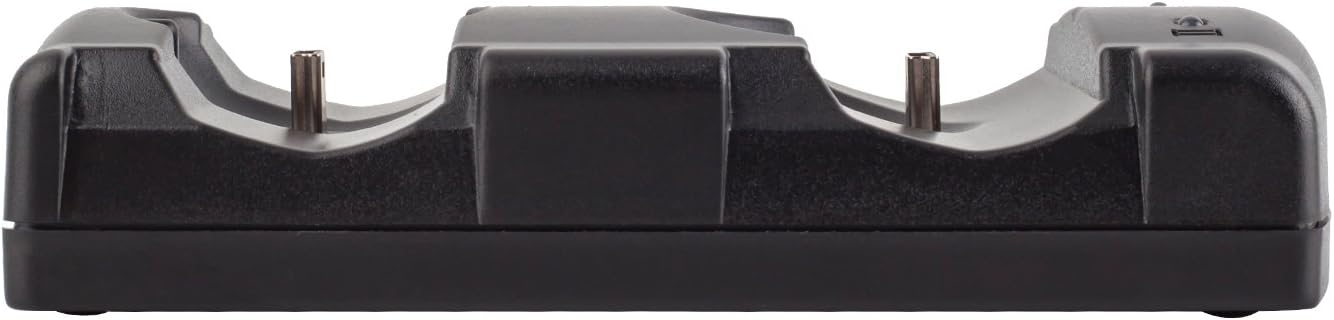
This VSEER Mini Charging Station is specifically designed for PS3 and MOVE controllers, allowing two controllers to charge simultaneously. It features LED indicators for easy monitoring of charging status, ensuring your controllers are always ready for gameplay. Its compact and lightweight design makes it a convenient accessory for any gaming setup.
- Dual Charging Capability: Charge two PS3 or MOVE controllers at the same time.
- LED Indicators: Easily monitor charging status with built-in red (charging) and blue (fully charged) LED lights.
- Easy to Use: Simple dock-and-charge mechanism via a mini 5-pin USB port.
- Compact & Portable: Lightweight design for easy transport and minimal space usage.
2. Package Contents
- 1 x Dual Charging Back Stand Docking Station
- 1 x USB Charging Power Cable
3. Setup Instructions
- Connect the included USB charging power cable to the Mini Charging Station's input port.
- Plug the other end of the USB cable into a PS3 console, PC host, or any standard DC5V USB power adapter.
- Ensure the charging station is placed on a stable, flat surface.
4. Operating Instructions
- Align your PS3 or MOVE controller with one of the two charging ports on the dock.
- Gently place the controller onto the charging port, ensuring a secure connection.
- The built-in LED indicator for that port will illuminate red to indicate that charging is in progress.
- Once the controller is fully charged, the LED indicator will turn blue.
- You can charge two controllers simultaneously.


5. Maintenance
- Keep the charging station clean and free from dust. Use a soft, dry cloth for cleaning.
- Avoid exposing the device to extreme temperatures or moisture.
- Do not attempt to disassemble or repair the charging station yourself.
6. Troubleshooting
Controller Not Charging
- Ensure the USB cable is securely connected to both the charging station and the power source.
- Verify the power source (PS3 console, PC, or DC5V adapter) is active.
- Check if the controller is properly seated on the charging port. The LED indicator should light up.
- Confirm that the controller is an original PS3 or PS Move controller, as this dock only supports these models.
- If the controller battery is completely dead, it may require an initial charge directly from the PS3 console or PC for approximately 30 minutes before using the dock.
LED Indicator Not Changing Color
- If the LED remains red, the controller is still charging. If it remains blue, the controller is fully charged or not properly connected.
- If the LED does not light up, refer to the 'Controller Not Charging' steps.
Slow Charging
- Ensure you are using a reliable power source. Charging from a PC USB port might be slower than a dedicated wall adapter.
- Check the USB cable for any damage.
7. Specifications
| Feature | Detail |
|---|---|
| Product Dimensions | 6.3 x 3.4 x 1.2 inches |
| Item Weight | 3.8 ounces |
| Input Voltage | DC 5V |
| Material | ABS |
| Connector Type | Mini USB |
| Compatible Devices | Original PS3/MOVE Controllers |
| Special Feature | Portable, Lightweight |
| Total USB Ports | 2 |
| Wattage | 2.5 watts |
8. Warranty & Support
The VSEER PS3/MOVE Controller Charging Dock comes with a 1-year warranty from the date of purchase. This warranty covers manufacturing defects and ensures reliable performance under normal use.
For technical support, warranty claims, or any product-related inquiries, please contact VSEER customer service through the retailer's platform or visit the official VSEER website for contact information.