
ImmersionRC V18MSTDIN
ImmersionRC Vortex 180 Racing Quadcopter Drone User Manual
Model: Vortex 180 (V18MSTDIN)
Introduction
This manual provides comprehensive instructions for the safe and effective use of your ImmersionRC Vortex 180 Racing Quadcopter Drone. Please read this manual thoroughly before operating the drone to ensure proper setup, optimal performance, and to prevent damage or injury.
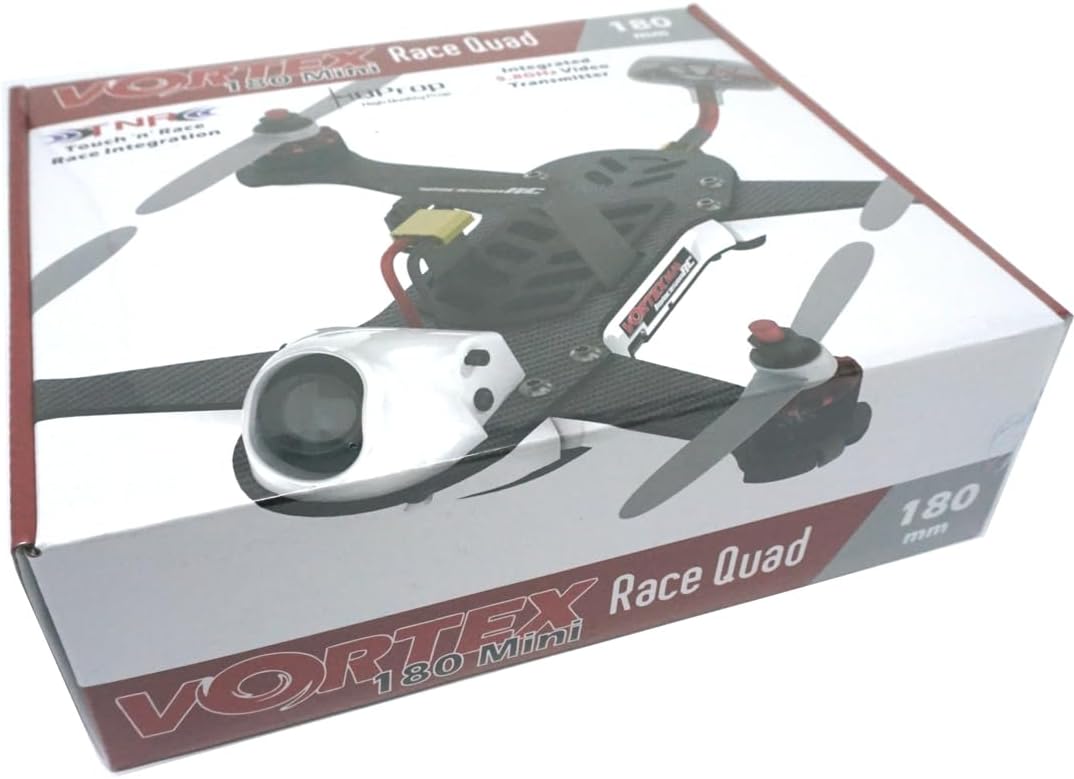
Figure 1: ImmersionRC Vortex 180 Racing Quadcopter Drone retail packaging.
Safety Information
Operating a racing quadcopter requires caution. Failure to follow safety guidelines can result in property damage, serious injury, or even death. Always fly responsibly.
- Read the Manual: Understand all instructions before first flight.
- Pre-Flight Check: Always inspect the drone for damage before each flight.
- Propeller Safety: Keep hands and face clear of rotating propellers. Disconnect battery before handling.
- Battery Handling: Use only recommended batteries. Do not overcharge or puncture batteries. Store in a fire-safe location.
- Flight Environment: Fly in open areas, away from people, animals, buildings, and power lines. Avoid flying near airports or restricted airspace.
- Weather Conditions: Do not fly in strong winds, rain, or other adverse weather.
- Line of Sight: Maintain visual line of sight with the drone at all times, even when using FPV.
- Legal Compliance: Be aware of and comply with all local regulations regarding drone operation.
Package Contents
Verify that all items listed below are present in your package. If any items are missing or damaged, contact your retailer.
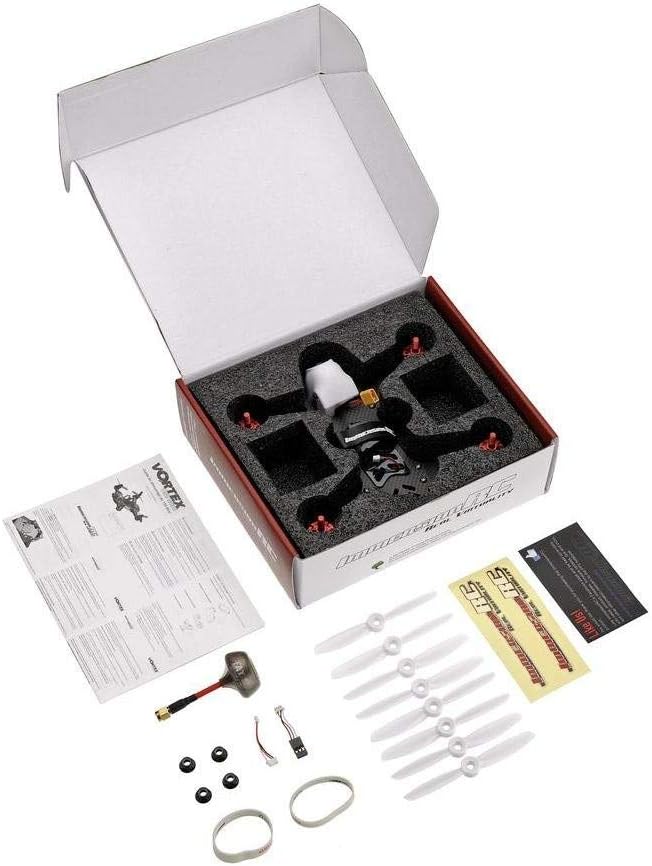
Figure 2: ImmersionRC Vortex 180 Racing Quadcopter Drone package contents.
- ImmersionRC Vortex 180 Racing Quadcopter Drone (1 unit)
- Propellers (multiple sets, typically 4-8 blades)
- User Manual / Quick Start Guide
- Battery Strap(s)
- Antenna (SpiroNET Omni 5.8GHz antenna)
- Assorted cables and small accessories
Setup
1. Initial Inspection
Carefully remove the Vortex 180 from its packaging. Inspect the frame, motors, propellers, and camera for any visible damage from shipping. Ensure all screws are tight.

Figure 3: Top and bottom view of the Vortex 180 drone.
2. Propeller Installation
Attach the propellers to the motors. Ensure you install the correct rotation direction propellers (CW and CCW) on the corresponding motors as indicated in the drone's quick start guide or motor markings. Hand-tighten or use the provided tool if necessary, but do not overtighten.
3. Battery Preparation
The Vortex 180 requires an external LiPo battery (not included with all versions, check your specific package). Ensure your battery is fully charged using a compatible LiPo charger. Secure the battery to the top plate of the drone using the provided battery strap. Connect the battery's XT60 connector to the drone's power lead.
Note: The product specifications indicate "Battery" is an included component, but also "Are Batteries Included: No". This suggests a battery strap or internal component, not a flight battery. A separate flight battery is typically required for "Almost-Ready-to-Fly" models.
4. Radio Transmitter Binding
The Vortex 180 is an Almost-Ready-to-Fly (ARF) model, meaning it does not include a radio transmitter. You will need to bind your compatible radio transmitter to the drone. Refer to your radio transmitter's manual for specific binding procedures. The Vortex 180 typically supports various receiver protocols. Consult the ImmersionRC website or the drone's quick start guide for detailed binding instructions for your specific receiver type.
Users have reported that binding can be challenging. Ensure your radio firmware is up to date and follow the binding sequence precisely.
5. Firmware and Configuration
The Vortex 180 comes pre-configured for flight. However, for advanced users or troubleshooting, you may need to connect the drone to a computer to access its flight controller software (e.g., Cleanflight or Betaflight, depending on the firmware version). Ensure you have the correct drivers installed. Firmware updates and configuration adjustments should only be performed by experienced users.
Some users have noted compatibility issues with certain Betaflight versions. Always back up your current configuration before making changes or updating firmware.
Operating
1. Pre-Flight Checks
- Ensure battery is fully charged and securely attached.
- Verify propellers are correctly installed and free from damage.
- Check for any loose wires or components.
- Confirm your radio transmitter is powered on and bound to the drone.
- Perform a range check of your radio system.
- Ensure your FPV goggles/monitor are receiving a clear video signal from the drone's camera.

Figure 4: Front camera of the Vortex 180, essential for FPV flight.
2. Arming and Take-off
With the drone on a level surface and clear of obstacles, arm the motors using the designated switch or stick combination on your radio transmitter (refer to your radio's setup). Once armed, slowly increase the throttle to lift off. Maintain a stable hover before attempting forward flight.
3. Flight Controls
Familiarize yourself with the controls for throttle, pitch, roll, and yaw. Practice gentle movements in an open area before attempting high-speed maneuvers. The Vortex 180 is designed for racing and is very agile; it is not recommended for absolute beginners without prior simulator practice.
4. Landing and Disarming
Reduce throttle slowly to descend. Once on the ground, immediately disarm the motors using your radio transmitter's disarm switch/combination. Disconnect the flight battery after each flight.
Maintenance
- Cleaning: After each flight, especially in dusty or grassy environments, clean the drone using a soft brush or compressed air. Avoid using liquids directly on electronics.
- Propeller Replacement: Inspect propellers for nicks, cracks, or bends before each flight. Replace damaged propellers immediately. Always replace propellers in sets (e.g., all 4) to maintain balance.
- Motor Inspection: Check motors for debris or signs of wear. Ensure they spin freely.
- Frame Integrity: Regularly check the carbon fiber frame for cracks or damage, especially after crashes. Replacement parts are available.
- Battery Care: Store LiPo batteries at storage voltage (around 3.8V per cell) when not in use for extended periods. Do not leave batteries fully charged or fully discharged.
Troubleshooting
| Problem | Possible Cause | Solution |
|---|---|---|
| Drone does not arm/respond to transmitter. | Not bound, incorrect receiver protocol, arming switch not set, low battery on drone or transmitter. | Re-bind transmitter, check receiver type in flight controller software, ensure arming switch is correctly configured, charge batteries. |
| Drone loses power mid-flight. | Battery depleted, battery connection loose, motor/ESC failure. | Ensure battery is fully charged before flight, check battery connector for secure fit, inspect motors/ESCs for damage. |
| Unstable flight/vibrations. | Damaged or unbalanced propellers, bent motor shaft, loose frame screws, incorrect PID tuning. | Replace damaged propellers, check motors, tighten all screws, consult advanced guides for PID tuning. |
| No FPV video signal. | Incorrect VTX channel, damaged camera/VTX, loose cable. | Verify VTX channel matches goggles, check camera and VTX connections, inspect for physical damage. |
Specifications
| Feature | Detail |
|---|---|
| Brand | ImmersionRC |
| Model Name | Vortex 180 |
| Model Number | V18MSTDIN |
| Special Feature | SpiroNET Omni 5.8GHz antenna |
| Age Range (Description) | Adult |
| Color | black |
| Video Capture Resolution | 1080p |
| Connectivity Technology | 5.8 GHz Antenna |
| Included Components | Battery (strap/internal), Blade (propellers) |
| Skill Level | Beginner (Note: Advanced flight skills recommended for racing) |
| Battery Capacity | 3000 Milliamp Hours (for compatible flight battery, not included) |
| Video Capture Format | One or more of [AVI, MOV, MP4] |
| Remote Control Technology | Radio Frequency |
| Control Type | Remote Control |
| Media Type | SD |
| Material | Plastic (frame is carbon fiber, but plastic components exist) |
| Wireless Communication Technology | 5.8 GHz Antenna |
| Battery Cell Composition | Lithium Polymer (for compatible flight battery) |
| Are Batteries Included | No (flight battery) |
| Supported Image Format | JPEG |
| Video Output Resolution | 1080p |
| Remote Control Included? | Yes (refers to the drone's capability, not that a physical RC is in the box) |
| Optical Sensor Technology | CMOS |
| Rechargeable Battery Included | Yes (refers to internal components, not flight battery) |
| Item Weight | 13.6 ounces |
| Package Dimensions | 8.58 x 7.28 x 2.8 inches |
| Date First Available | March 31, 2017 |
Warranty and Support
ImmersionRC products are typically covered by a limited manufacturer's warranty. For specific warranty terms and conditions, please refer to the warranty card included with your product or visit the official ImmersionRC website. Keep your proof of purchase for warranty claims.
For technical support, troubleshooting assistance beyond this manual, or spare parts inquiries, please contact ImmersionRC customer support directly through their official website. Online forums and community groups dedicated to FPV racing drones can also be valuable resources for tips and peer support.
Note: As an "Almost-Ready-to-Fly" product, some assembly and configuration by the user is expected. Issues arising from improper setup or third-party component incompatibility may not be covered under warranty.