

1. Product Overview
The Prime-Line MP8010 is a high-quality vinyl screen retainer spline designed to secure screen material within window and door frames. This spline features a round, serrated profile with a hollow core, facilitating easier compression and installation while ensuring a firm grip on the screen material.
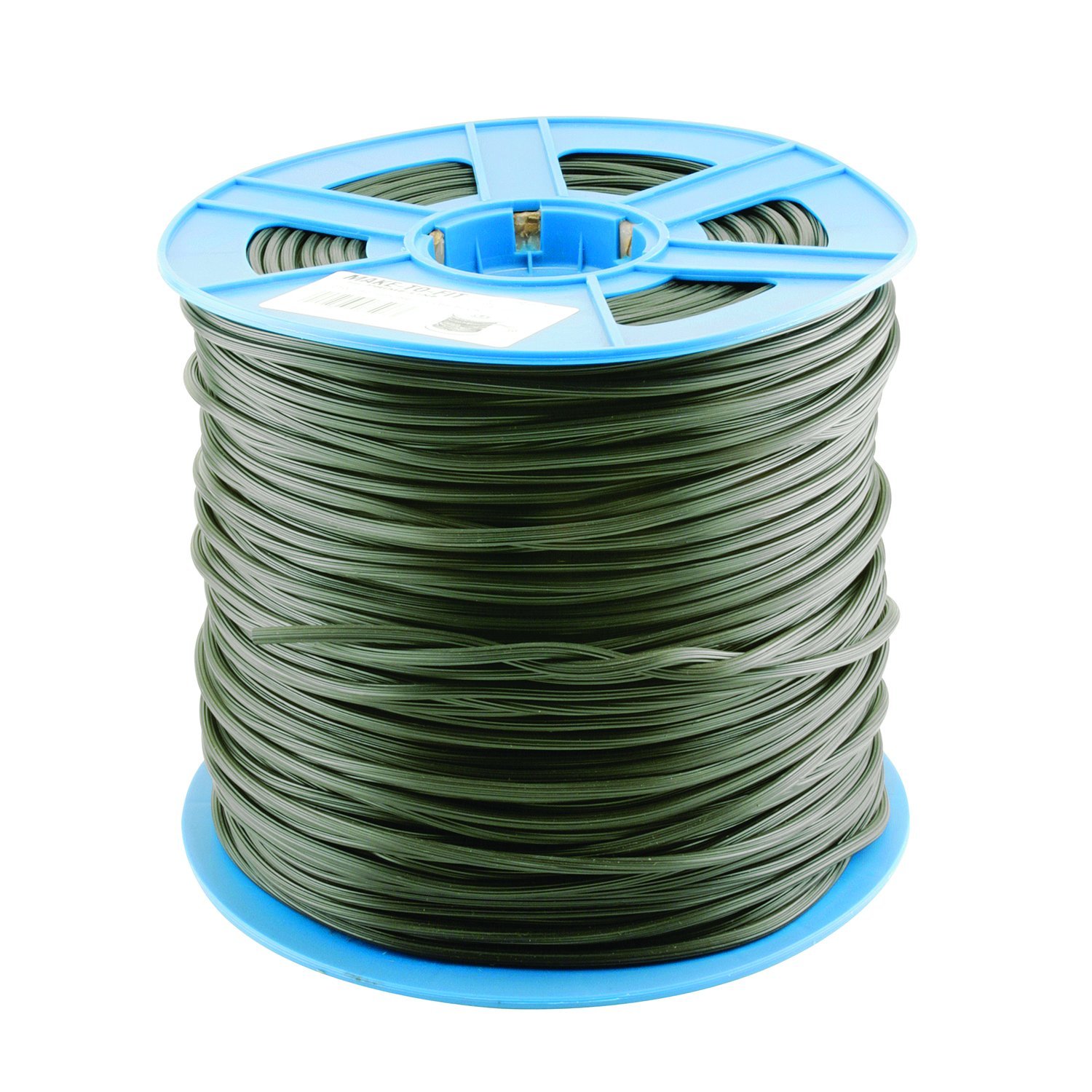
A large roll of black vinyl screen retainer spline, model MP8010, used for securing screen material into window and door frames.
Key Features:
- Material: Virgin extruded vinyl for durability.
- Design: Hollow core for easy compression during installation.
- Color: Solid black vinyl.
- Grip: Serrated design for maximum holding force.
- Size: 0.185 inch diameter.
2. Installation Instructions (Setup)
Proper installation of the screen retainer spline is crucial for a taut and secure screen. The following steps outline the general procedure for installing new screen material and spline into a frame.
Tools Required:
- New screen material
- Spline roller tool
- Utility knife or scissors
- Screen frame
Step-by-Step Guide:
- Prepare the Frame: Ensure the screen frame is clean and free of old spline or debris. Lay the frame flat on a stable, clean surface.
- Position the Screen: Unroll the new screen material over the frame, ensuring it overlaps the spline groove by at least 1-2 inches on all sides. Keep the screen as flat and wrinkle-free as possible.
- Initial Spline Insertion: Starting at one corner, gently press a small section of the spline into the groove using the convex (rounded) wheel of the spline roller. Do not fully seat it yet.
- Seat the Spline: Work along one side of the frame, using the concave (grooved) wheel of the spline roller to firmly press the spline into the groove. Apply consistent pressure to ensure the spline is fully seated and the screen material is pulled taut.
- Corners: When reaching a corner, cut the spline at a 45-degree angle or carefully bend it around the corner, ensuring the screen remains taut. Continue seating the spline along the next side.
- Maintain Tension: As you proceed around the frame, periodically check the screen tension. The screen should be taut but not stretched to the point of distortion.
- Trim Excess: Once the spline is fully installed around the entire perimeter of the frame, use a utility knife or sharp scissors to carefully trim any excess screen material flush with the outer edge of the spline groove.


Images illustrating a spline roller tool and screen material being installed with a roller.
3. Usage
The Prime-Line MP8010 screen retainer spline serves the essential function of holding screen mesh securely within a window or door frame. Once installed, it creates a tight seal that prevents insects and debris from entering while allowing air circulation. The durable vinyl construction ensures long-lasting performance in various weather conditions.
4. Maintenance
To ensure the longevity and effectiveness of your screen and spline, periodic maintenance is recommended:
- Cleaning: Gently clean the spline and screen with mild soap and water. Avoid harsh chemicals that could degrade the vinyl.
- Inspection: Regularly inspect the spline for any signs of cracking, shrinking, or loosening, especially after extreme weather conditions.
- Re-tensioning: If the screen appears loose, the spline may need to be re-seated or replaced in affected areas to restore proper tension.
5. Troubleshooting
Addressing common issues related to screen spline installation:
- Spline comes out of groove: This often indicates insufficient pressure during installation or an incorrect spline size for the groove. Ensure you are using the correct spline diameter and applying firm, consistent pressure with the spline roller.
- Screen is sagging or loose: The screen was not pulled taut enough during installation, or the spline was not fully seated. Remove the spline from the affected section, re-tension the screen, and re-install the spline.
- Screen is wrinkled or distorted: The screen was pulled too tightly or unevenly during installation. Remove the spline, reposition the screen, and re-install with more even tension.
- Difficulty installing spline: Ensure the spline is not too large for the groove. A hollow core spline like the MP8010 is designed for easier compression, but excessive force indicates a mismatch. Lubricating the spline lightly with silicone spray can sometimes help.
6. Specifications
| Specification | Detail |
|---|---|
| Manufacturer | Prime-Line |
| Part Number | MP8010 |
| Item Model Number | MP8010 |
| Size | 0.185 in. |
| Color | Black |
| Material | Virgin Extruded Vinyl |
| Core Type | Hollow |
| Design | Round, Serrated |
| Item Weight | 7.31 pounds |
| Product Dimensions | 10 x 10 x 8.63 inches |
| Item Package Quantity | 1 Roll (1,320 ft.) |
| Batteries Required? | No |
| Date First Available | November 9, 2017 |
7. Warranty Information
Specific warranty details for the Prime-Line MP8010 screen retainer spline are typically provided with the product packaging or can be obtained directly from the manufacturer. For the most accurate and up-to-date warranty information, please refer to the official Prime-Line website or contact their customer service department.
You may also visit the PRIME-LINE Store on Amazon for additional product details and support resources.
8. Support
For further assistance, technical support, or inquiries regarding the Prime-Line MP8010 screen retainer spline, please contact Prime-Line customer service. Contact information can usually be found on the product packaging or the official Prime-Line website.
Online resources and frequently asked questions may also be available on the PRIME-LINE Store on Amazon.