
1. Introduction
The Seasonic FOCUS 550 Gold SSR-550FM is a 550W 80 PLUS Gold certified semi-modular power supply designed for reliable and efficient power delivery to personal computer systems. It features a compact 140 mm deep design, a quiet 120 mm Fluid Dynamic Bearing (FDB) fan with S2FC fan control, and a 7-year warranty. This manual provides essential information for the safe and proper installation, operation, and maintenance of your power supply unit.
2. Product Features
- Compact Size: 140 mm deep for high power output to size ratio.
- Semi-Modular Cabling: Provides essential connections while allowing flexibility for peripheral cables.
- 80 PLUS Gold Certified: Achieves 87% efficiency at 20% load, 90% at 50% load, and 87% at 100% load.
- 120 mm Fluid Dynamic Bearing Fan: Regulated by Seasonic S2FC fan control for optimized fan speed and quiet operation.
- 7-Year Warranty: Demonstrates commitment to superior quality and reliability.
3. Package Contents
Verify that all items listed below are included in your product package:
- Seasonic FOCUS 550 Gold SSR-550FM Power Supply Unit
- AC Power Cord
- Modular Cables (SATA, Molex, PCIe)
- Mounting Screws
- Cable Ties (Velcro and Zip Ties)
- PSU Tester
- User Manual and Quick Installation Guide
- Cable Bag

Image: Overview of the Seasonic FOCUS 550 Gold SSR-550FM power supply and its complete package contents, including the PSU, modular cables, power cord, mounting screws, cable ties, PSU tester, user manual, and cable bag.
Video: An official unboxing video for the Seasonic FOCUS GM Power Supply, demonstrating the contents and initial presentation of the product.
4. Safety Information
- Always disconnect the AC power cord from the wall outlet before installing, servicing, or cleaning the power supply.
- Do not open the power supply casing. High voltages are present inside, and opening the unit will void the warranty.
- Ensure the power supply is installed in a well-ventilated area to prevent overheating.
- Use only the cables provided with your Seasonic power supply. Using incompatible cables may cause damage to the PSU or connected components.
- This power supply is designed for use in personal computer systems only. Do not use it for any other purpose.
- Keep the power supply away from water, moisture, and extreme temperatures.
5. Setup & Installation
Follow these steps for proper installation of your Seasonic FOCUS 550 Gold power supply:
- Prepare Your System: Ensure your computer is powered off and the AC power cord is disconnected from the wall outlet. Open your computer case to access the PSU mounting area.
- Mount the PSU: Carefully slide the power supply into the designated bay in your computer case. Secure it with the provided mounting screws. Ensure the fan is facing the correct direction for optimal airflow (typically facing down if there's a bottom vent, or up if drawing air from inside the case).
- Connect Essential Cables: Connect the 24-pin ATX motherboard power cable and the 4+4-pin EPS/CPU power cable to your motherboard. These cables are permanently attached to the semi-modular unit.
- Connect Modular Cables: Identify the necessary modular cables for your components (e.g., PCIe for graphics cards, SATA for storage drives, Molex for older peripherals). Plug these cables into the corresponding ports on the power supply and then connect them to your components. Ensure all connections are firm and secure.
- Cable Management: Route cables neatly to improve airflow and aesthetics within your case. Use the included cable ties to secure them.
- Final Connections: Close your computer case. Connect the AC power cord to the power supply and then to a grounded wall outlet.
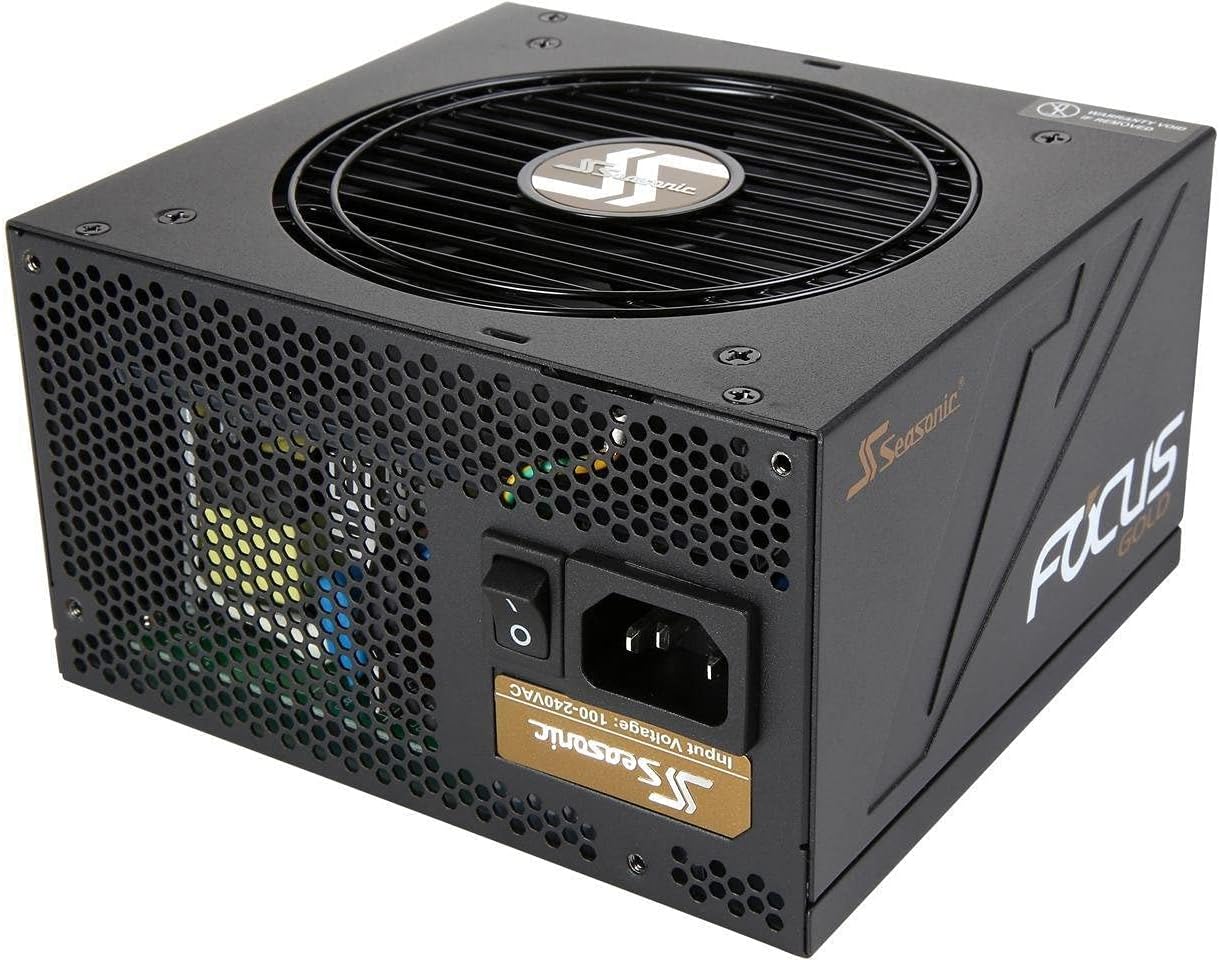
Image: An angled view of the Seasonic FOCUS 550 Gold SSR-550FM power supply, showcasing its compact design and semi-modular cable connections.
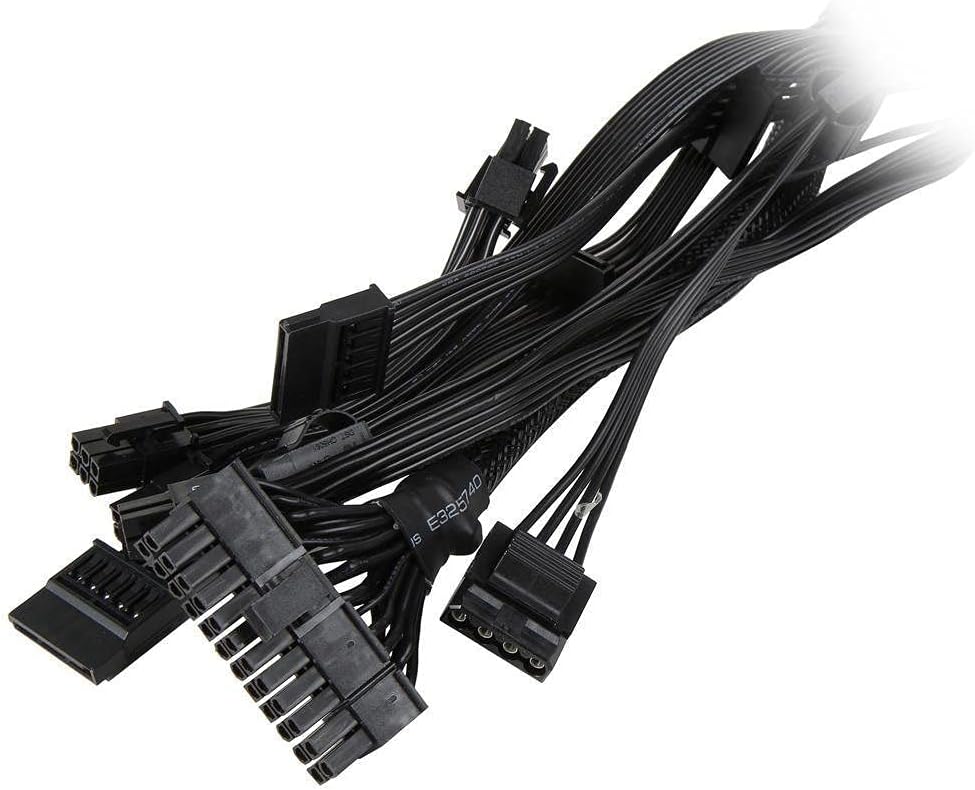
Image: A selection of modular cables included with the Seasonic FOCUS 550 Gold SSR-550FM power supply, ready for connection to various PC components.
6. Operating Instructions
After successful installation, you can power on your system:
- Power Switch: Ensure the power switch on the back of the PSU is in the 'ON' (I) position.
- System Power: Press the power button on your computer case. The system should boot normally.
- Fan Operation: The 120 mm FDB fan operates under Seasonic's S2FC fan control, which means it will adjust its speed based on the power supply's temperature and load. The fan may not spin at low loads to maintain silent operation.

Image: The rear panel of the Seasonic FOCUS 550 Gold SSR-550FM power supply, showing the AC power inlet and the main power switch.

Image: A top-down view of the Seasonic FOCUS 550 Gold SSR-550FM power supply, highlighting the 120 mm Fluid Dynamic Bearing fan with the Seasonic logo.
7. Maintenance
To ensure the longevity and optimal performance of your power supply, consider the following maintenance tips:
- Dust Cleaning: Periodically clean the fan grille and the interior of your computer case to prevent dust buildup, which can hinder cooling and reduce efficiency. Use compressed air for this purpose, ensuring the system is powered off and unplugged.
- Cable Management: Regularly check that all cables are securely connected and not obstructing airflow. Re-organize cables if necessary.
- Environmental Conditions: Operate the power supply within its specified temperature and humidity ranges. Avoid placing the computer in direct sunlight or near heat sources.
8. Troubleshooting
If you encounter issues with your power supply, try the following steps:
- No Power:
- Ensure the AC power cord is securely plugged into both the wall outlet and the PSU.
- Check that the power switch on the back of the PSU is in the 'ON' (I) position.
- Verify that the wall outlet is functional by plugging in another device.
- Use the included PSU tester to check if the power supply is functioning independently.
- System Instability/Crashes:
- Ensure all power cables (24-pin ATX, EPS/CPU, PCIe, SATA, Molex) are firmly connected to the motherboard and components.
- Check for any loose connections or damaged cables.
- Verify that your system's power requirements do not exceed the 550W capacity of the PSU.
- Excessive Noise:
- Ensure the PSU fan is not obstructed by cables or dust. Clean the fan if necessary.
- Confirm that the noise is coming from the PSU and not another component (e.g., CPU cooler, GPU fan).
If issues persist after following these steps, please contact Seasonic customer support for further assistance.
9. Specifications
| Specification | Value |
|---|---|
| Brand | Seasonic |
| Series | SSR-550FM |
| Model Number | SSR-550FM |
| Output Wattage | 550W |
| Efficiency | 80 PLUS Gold |
| Form Factor | ATX12V |
| Power Supply Design | Semi-Modular |
| Cooling Method | Air (120 mm FDB Fan) |
| Item Dimensions (LxWxH) | 5.5 x 6 x 3.4 inches (140 x 150 x 86 mm) |
| Item Weight | 5.37 pounds |
| Compatible Devices | Personal Computer |
10. Warranty & Support
The Seasonic FOCUS 550 Gold SSR-550FM power supply comes with a 7-year warranty, reflecting Seasonic's commitment to product quality and reliability. For warranty claims, technical support, or any product-related inquiries, please visit the official Seasonic website or contact their customer service department. Ensure you retain your proof of purchase for warranty validation.
For more information, visit: www.seasonic.com


