1. Introduction
Thank you for purchasing the Newpal NP100 Projector. This LED projector is designed for home theater use, offering a bright, high-definition image with integrated Android 6.01, Wi-Fi, and Bluetooth capabilities. This manual provides essential information for setting up, operating, and maintaining your projector to ensure optimal performance and longevity.
Please read this manual thoroughly before using the projector and retain it for future reference.
2. Product Overview
2.1 Key Features
- Brightness: 3500 Lumens for clear, vibrant images.
- Native Resolution: 1280 x 768 pixels, supporting Full HD 1920 x 1080.
- Operating System: Android 6.01 for smart functionality and app downloads.
- Connectivity: Integrated Wi-Fi and Bluetooth 4.0.
- Screen Mirroring: Supports Miracast and Airplay for seamless device synchronization.
- Projection Size: Adjustable from 38 to 120 inches.
- Keystone Correction: Built-in +/-40 vertical keystone correction.
- Sound: Built-in HiFi level stereo speaker with SRS sound technology.
2.2 Projector Components and Ports
Familiarize yourself with the various ports and controls on your Newpal NP100 projector.

Image 2.2.1: Rear and side view of the Newpal NP100 Projector, highlighting the ON/OFF switch, Audio/IR port, USB port, HDMI port, RJ45-LAN port, VGA port, Keystone Correction dial, and Focus ring.
- ON/OFF Switch: Powers the projector on or off.
- Audio/IR Port: For audio output and infrared remote receiver.
- USB Port: Connect USB storage devices for media playback.
- HDMI Port: Connect devices like laptops, DVD players, or gaming consoles.
- RJ45-LAN Port: For wired network connection.
- VGA Port: Connect older computers or devices.
- Keystone Correction: Adjusts image distortion when the projector is not perpendicular to the screen.
- Focus Ring: Sharpens the projected image.
2.3 Mounting Points
The projector features screw holes on the bottom for ceiling or tripod mounting.

Image 2.3.1: Bottom view of the Newpal NP100 Projector, indicating the locations of the screw holes for mounting.
2.4 Package Contents
Verify that all items are present in the package:

Image 2.4.1: Contents of the Newpal NP100 Projector package, including the projector unit, remote control, AC3 cable, power cable, VGA cable, and user manual.
- Newpal NP100 Projector Unit
- Remote Control
- AC3 Cable
- Power Cable
- VGA Cable
- User Manual (this document)
3. Setup
3.1 Placement
Place the projector on a stable, flat surface or mount it securely. Ensure adequate ventilation around the projector. The optimal projection distance varies, but the projector can display images from 38 to 120 inches at distances ranging from 4.1 to 17.4 feet.
3.2 Power Connection
- Connect the power cable to the projector's power input.
- Plug the other end of the power cable into a suitable electrical outlet.
3.3 Focus and Keystone Correction
- Power on the projector.
- Adjust the Focus Ring (refer to Image 2.2.1) until the projected image is sharp and clear.
- If the image appears trapezoidal, use the Keystone Correction dial (refer to Image 2.2.1) to correct the image geometry, making it rectangular. The projector supports +/-40 degrees vertical keystone correction.
4. Operating Instructions
4.1 Powering On/Off
- To Power On: Press the ON/OFF switch on the projector or the power button on the remote control.
- To Power Off: Press the ON/OFF switch or the power button on the remote control. Confirm shutdown if prompted.
4.2 Navigating the Android System
The Newpal NP100 Projector runs on Android 6.01. Use the remote control to navigate the interface. The main screen provides access to installed applications, settings, and input sources.
- Use the arrow keys to move between options.
- Press the 'OK' or 'Enter' button to select an item.
- Use the 'Back' button to return to the previous screen.
- Access system settings to configure Wi-Fi, Bluetooth, display, and sound options.
4.3 Input Source Selection
To switch between different input sources (HDMI, VGA, USB, AV), navigate to the input source selection menu on the Android interface or use the dedicated input button on the remote control.
5. Connectivity
5.1 Wi-Fi Connection
- Go to the Android system settings.
- Select 'Wi-Fi' and turn it on.
- Choose your desired network from the list of available networks.
- Enter the password if prompted and connect.
5.2 Bluetooth Pairing
The projector supports Bluetooth 4.0 for connecting compatible devices like external speakers or headphones.
- Go to the Android system settings.
- Select 'Bluetooth' and turn it on.
- Ensure your Bluetooth device is in pairing mode.
- Select your device from the list and confirm pairing.
5.3 Miracast / Airplay
The projector supports Miracast for Android devices and Airplay for iOS devices, allowing you to mirror your smartphone or tablet screen wirelessly.
- Ensure both your mobile device and the projector are connected to the same Wi-Fi network.
- On the projector, launch the Miracast or Airplay application (usually found on the main Android interface).
- On your mobile device, enable screen mirroring (e.g., 'Smart View' on Android, 'Screen Mirroring' on iOS).
- Select the projector from the list of available devices to establish the connection.
5.4 Wired Connections
- HDMI: Connect an HDMI cable from your source device (e.g., laptop, game console) to the projector's HDMI port.
- VGA: Connect a VGA cable from your computer to the projector's VGA port.
- USB: Insert a USB flash drive into the USB port to play media files directly.
- RJ45-LAN: Connect an Ethernet cable for a stable wired internet connection.
6. Maintenance
6.1 Cleaning the Lens
Use a soft, lint-free cloth or lens cleaning paper to gently wipe the projector lens. Do not use abrasive cleaners or excessive force, as this can scratch the lens. For stubborn smudges, a small amount of lens cleaning solution can be applied to the cloth, not directly to the lens.
6.2 Cleaning the Projector Body
Wipe the exterior of the projector with a soft, dry cloth. Avoid using liquid cleaners or solvents that could damage the finish.
6.3 Ventilation
Ensure that the ventilation openings on the projector are not blocked. Proper airflow is crucial to prevent overheating and extend the lifespan of the projector's components.
6.4 Storage
When not in use for extended periods, store the projector in a cool, dry, dust-free environment. Use the original packaging or a protective case to prevent damage.
7. Troubleshooting
If you encounter issues with your projector, refer to the following common problems and solutions:
- No Image:
- Check power connection and ensure the projector is turned on.
- Verify the input source is correctly selected (HDMI, VGA, USB, etc.).
- Ensure the source device is powered on and outputting a signal.
- Blurry Image:
- Adjust the Focus Ring until the image is sharp.
- Use Keystone Correction to correct any trapezoidal distortion.
- Ensure the projection surface is flat and smooth.
- No Sound:
- Check the volume settings on both the projector and the source device.
- Ensure external audio devices (if connected via Bluetooth or audio jack) are properly paired/connected and powered on.
- Verify that the audio output settings on the source device are correct.
- Wi-Fi/Bluetooth Connectivity Issues:
- Restart the projector and your network router/Bluetooth device.
- Ensure the projector is within range of the Wi-Fi network or Bluetooth device.
- Check Wi-Fi password and Bluetooth pairing status.
- Remote Control Not Responding:
- Replace the batteries in the remote control.
- Ensure there are no obstructions between the remote and the projector's IR receiver.
8. Specifications
The following table outlines the technical specifications of the Newpal NP100 Projector:
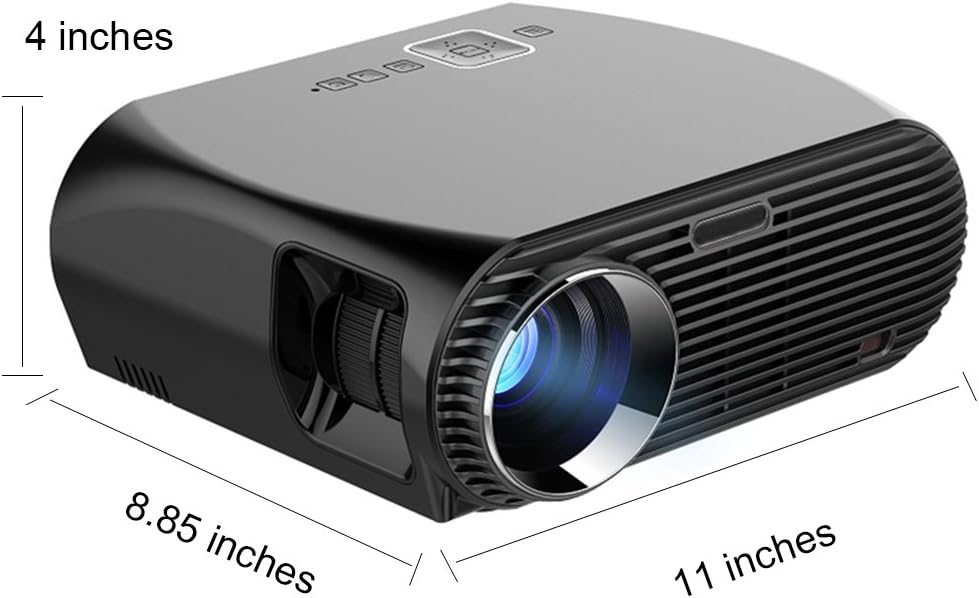
Image 8.1: Dimensions of the Newpal NP100 Projector (approximately 11 x 8.85 x 4 inches).
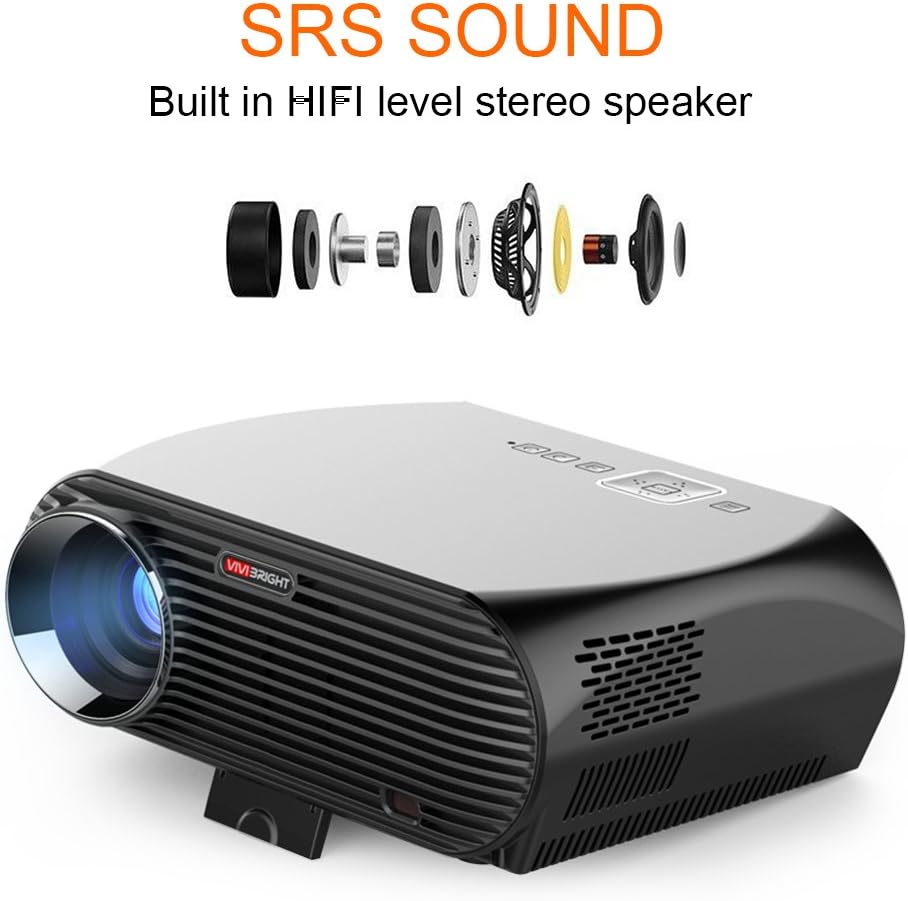
Image 8.2: Internal components illustrating the built-in HiFi level stereo speaker with SRS sound technology.
| Feature | Specification |
|---|---|
| Model | NP100 |
| Brightness | 3500 Lumens |
| Native Resolution | 1280 x 768 Pixels |
| Supported Resolution | Up to 1920 x 1080 (Full HD) |
| Contrast Ratio | 4000:1 |
| Display Type | LED |
| Operating System | Android 6.01 |
| Wi-Fi | Yes |
| Bluetooth | 4.0 |
| Screen Mirroring | Miracast, Airplay |
| Projection Size | 38" - 120" |
| Projection Distance | 4.1 ft - 17.4 ft |
| Keystone Correction | +/-40 Vertical |
| Lamp Life | 30,000 hours |
| Audio | Built-in HiFi level stereo speaker, SRS Sound |
| Input Interfaces | USB, HDMI, VGA, AV, RJ45-LAN |
| Power Consumption | 5 watts (speaker wattage) |
| Dimensions (L x W x H) | 26.67 x 22.86 x 10.16 cm (approx. 11 x 8.85 x 4 inches) |
| Weight | 3.31 kg |
9. Warranty and Support
The Newpal NP100 Projector comes with a standard manufacturer's warranty. Please refer to the warranty card included in your package for specific terms and conditions, including the warranty period and coverage details.
For technical support, troubleshooting assistance beyond this manual, or warranty claims, please contact NewPal customer service through the contact information provided on your purchase documentation or the official NewPal website.