
Introduction
Thank you for choosing the HITO HT8374 Atomic Travel Alarm Clock. This compact and versatile device provides accurate time, date, day, indoor temperature, and humidity readings. It features an atomic radio-controlled time synchronization, a solar panel to extend battery life, and a convenient amber backlight. This manual will guide you through the setup, operation, and maintenance of your new clock.
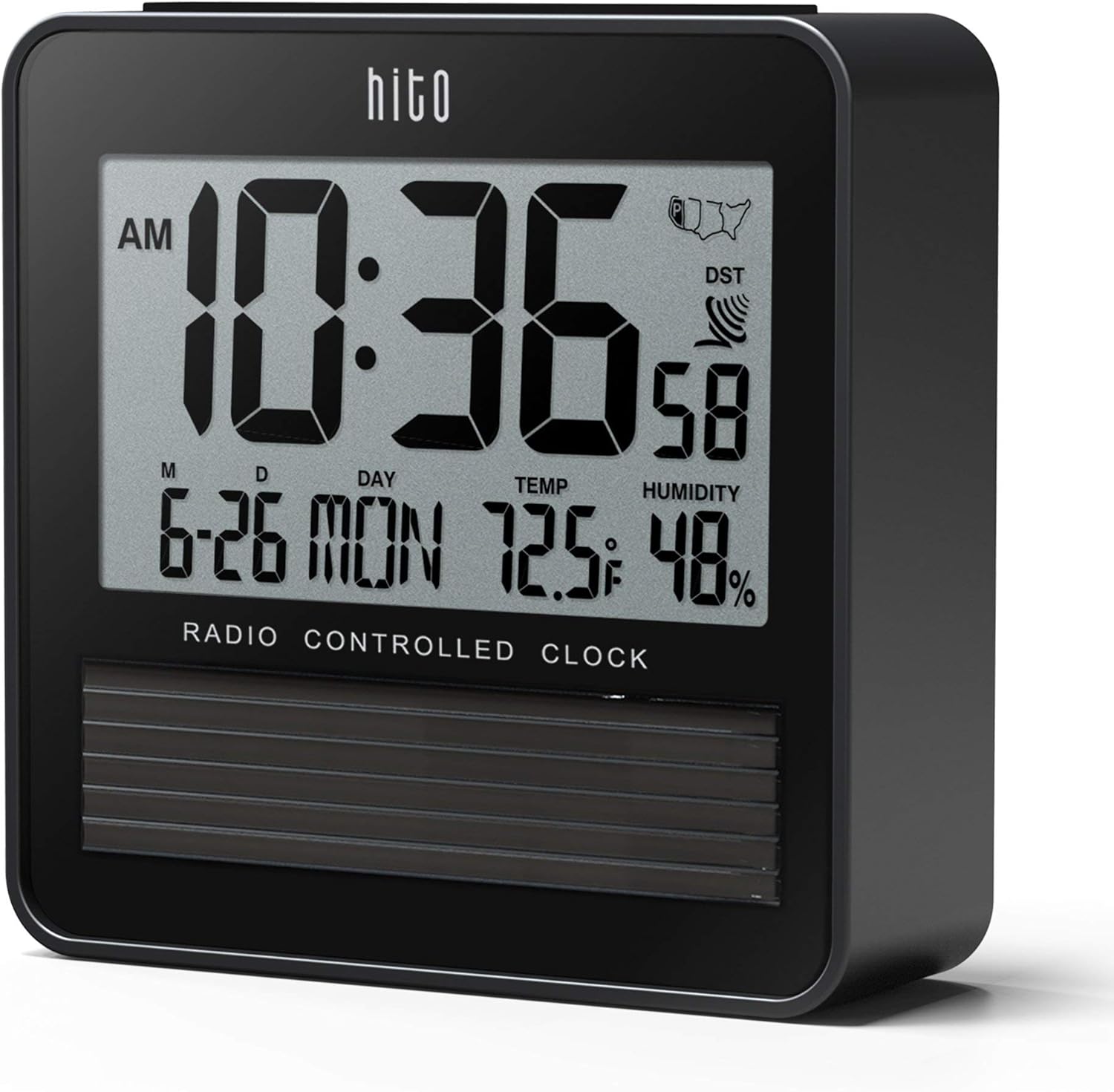
Figure 1: Front view of the HITO HT8374 Atomic Travel Alarm Clock displaying time, date, temperature, and humidity.
Setup
1. Battery Installation
The clock requires two AA batteries (not included) for operation. The integrated solar panel helps prolong battery life but does not power the clock independently.
- Open the battery compartment cover located on the back of the clock.
- Insert two new AA batteries, ensuring correct polarity (+ and -).
- Close the battery compartment cover securely.
2. Initial Time Zone Setting
After battery installation, the clock will power on. You need to set your local time zone for proper atomic time synchronization.
- In normal time display mode, press and hold the [TIME SET] button for approximately 2 seconds until the time zone indicator (e.g., "P" for Pacific) begins to flash.
- Press the [ADJUST] button repeatedly to cycle through the available time zones: P (Pacific), M (Mountain), C (Central), E (Eastern). Select your desired time zone.
- Press the [TIME SET] button again to confirm your selection and exit the setting mode.

Figure 2: Rear view of the clock highlighting the control buttons.
3. Atomic Time Synchronization
The clock will automatically attempt to receive the radio time signal from Colorado. This process can take 24-48 hours for initial synchronization, depending on your location and environmental conditions. Ensure the clock is placed near a window and away from electronic interference for best reception.
To manually initiate a signal reception attempt, press the [RECEIVE] button. The signal icon will flash during reception and become solid once synchronized.
Operating Instructions
1. Display Information
The clock's display shows the following information:
- Current Time (with AM/PM indicator)
- Date (Month-Day)
- Day of the Week
- Indoor Temperature (Fahrenheit or Celsius)
- Indoor Humidity (%)
- Atomic Signal Reception Indicator
- Daylight Saving Time (DST) Indicator

Figure 3: The clock display with the amber backlight activated.
2. Backlight Function
To activate the amber backlight, press the large button located on the top of the clock. The backlight will illuminate for approximately 5 seconds, providing visibility in low-light conditions. This clock does not feature an automatic night light.

Figure 4: Pressing the top button to activate the backlight.
3. Setting the Alarm
The alarm function allows you to set a daily wake-up time.
- Press the [ALARM ON/OFF] button once to display the current alarm time.
- While the alarm time is displayed, press and hold the [ALARM ON/OFF] button for 2 seconds until the alarm hour flashes.
- Use the [ADJUST] button to set the desired alarm hour.
- Press [ALARM ON/OFF] again to move to the alarm minute setting. Use [ADJUST] to set the desired alarm minute.
- Press [ALARM ON/OFF] to confirm and exit alarm setting mode.
4. Activating/Deactivating Alarm and Snooze
- To turn the alarm ON or OFF, press the [ALARM ON/OFF] button repeatedly in normal time display mode until the alarm icon appears (ON) or disappears (OFF).
- When the alarm sounds, press the top button to activate the snooze function. The alarm will sound again after approximately 5 minutes.
- To stop the alarm completely, press any button on the back of the clock.
5. Temperature Unit Selection
To switch between Fahrenheit (°F) and Celsius (°C) for temperature display, press the [ADJUST] button briefly in normal time display mode.
Maintenance
1. Battery Replacement
When the display dims or the clock functions become erratic, it is time to replace the batteries. Follow the battery installation steps in the Setup section. Always use two new AA batteries.
2. Cleaning
To clean the clock, use a soft, dry cloth. Do not use abrasive cleaners, solvents, or chemical sprays, as these can damage the display or casing. Avoid getting moisture into the clock's openings.
3. Solar Panel Care
Ensure the solar panel on the front of the clock is kept clean and unobstructed to maximize its efficiency in prolonging battery life. Wipe it gently with a soft cloth if dust accumulates.
Troubleshooting
- No Display or Dim Display: Check battery installation and replace with fresh AA batteries if necessary. Ensure the solar panel is exposed to light.
- Incorrect Time/Date: Verify that the correct time zone is selected. Ensure the clock is placed in an area with good reception for the atomic signal (near a window, away from electronics). Manually initiate signal reception using the [RECEIVE] button. Allow 24-48 hours for initial synchronization.
- Atomic Signal Not Received: The atomic signal can be affected by location, weather, and electronic interference. Try repositioning the clock. If you live in an area with poor reception, the clock may not synchronize automatically.
- Daylight Saving Time (DST) Issues: The clock automatically adjusts for DST. If you reside in an area that does not observe DST (e.g., Arizona, Hawaii), the clock may display an incorrect time during DST periods. There is no manual option to disable DST. A workaround is to select an adjacent time zone that aligns with your local time during DST.
- Alarm Not Sounding: Ensure the alarm is activated (alarm icon visible on display). Check that the alarm time is set correctly.
- AM/PM Indicator Hard to Read: The AM/PM indicator is designed to be compact. Ensure adequate lighting when checking the time.
Specifications
| Model Number | HT8374 |
| Dimensions (W x H x D) | 3.7" x 3.7" x 1.2" (9.4 cm x 9.4 cm x 3.0 cm) |
| Weight | 5.6 ounces (158.7 grams) |
| Power Source | 2 x AA Batteries (not included), Solar Powered (for extended battery life) |
| Display Type | Digital LCD |
| Special Features | Atomic Time, Alarm, Indoor Temperature, Indoor Humidity, Amber Backlight, 4 Time Zones |
| Temperature Range | Not specified (displays indoor temperature) |
| Humidity Range | Not specified (displays indoor humidity) |

Figure 5: Physical dimensions of the HITO HT8374 clock.
Warranty and Support
For warranty information or technical support, please refer to the product packaging or contact HITO customer service directly. Keep your purchase receipt as proof of purchase.