
Introduction
The Kenko VcSmart 10x30 binoculars feature a high-performance optical vibration control system designed to provide stable and clear viewing. This manual provides essential information for the proper setup, operation, and maintenance of your binoculars to ensure optimal performance and longevity.

Package Contents
Verify that all the following items are included in your package:
- Binocular x1
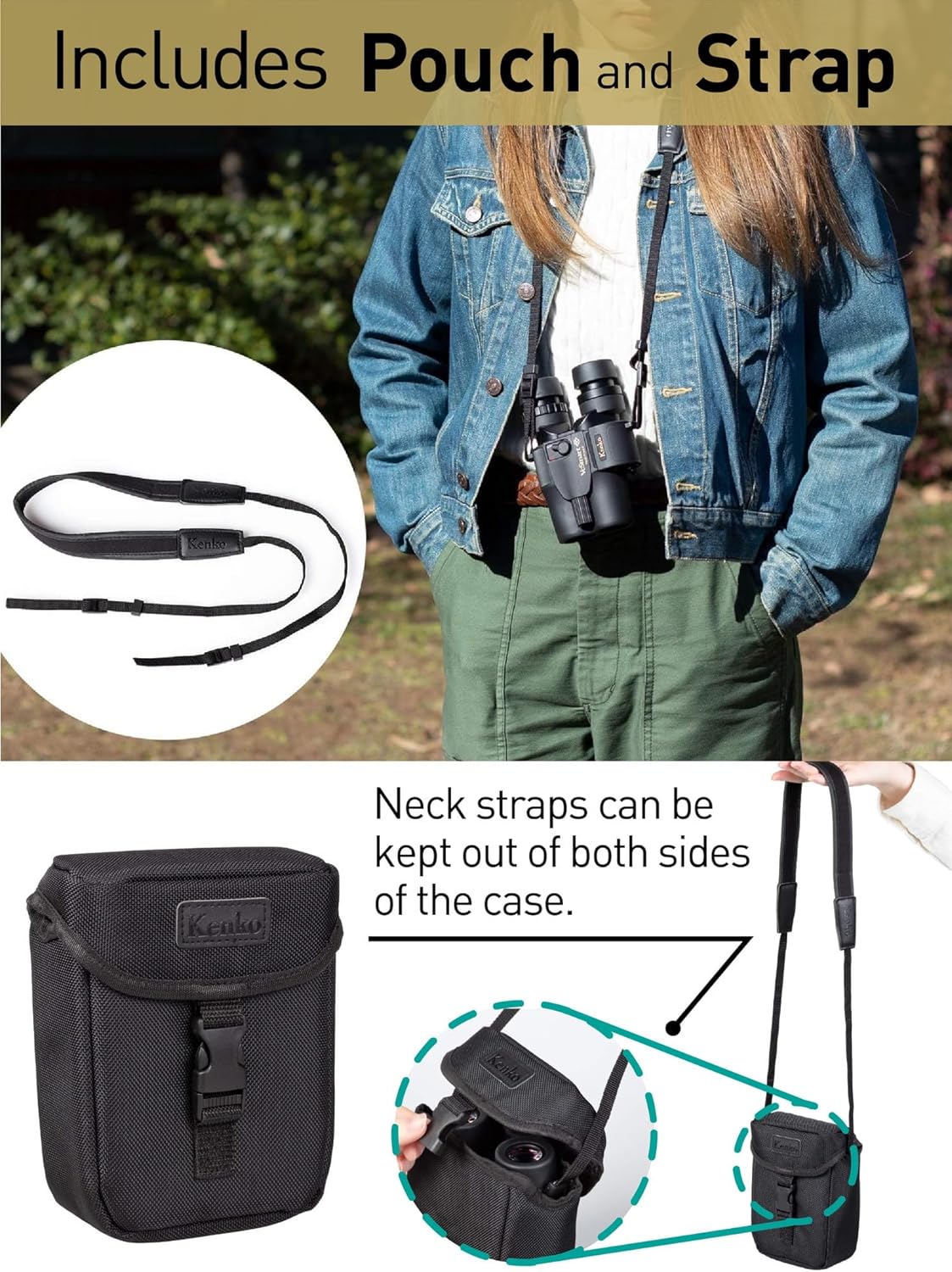
- Case x1
- Strap x1
- English Instruction Manual x1
Setup
1. Battery Installation
The Kenko VcSmart 10x30 binoculars require one CR2 battery (not included) to power the image stabilization function. Ensure the battery is inserted with the correct polarity as indicated in the battery compartment.
A single CR2 battery provides approximately 12 hours of continuous operation for the stabilization function.

2. Adjusting Eyecups
The binoculars feature twist-up eyecups for comfortable viewing, whether you wear glasses or not.
- For users without glasses or with contact lenses: Twist the eyecups upwards until they are fully extended.
- For users with glasses: Twist the eyecups downwards until they are fully retracted. This allows your eyes to be closer to the eyepieces, providing a full field of view.
3. Adjusting Interpupillary Distance
Adjust the distance between the two eyepiece barrels to match the distance between your eyes. While looking through the binoculars, gently push or pull the barrels apart until you see a single, circular field of view without any dark edges.

Operation
1. Powering On/Off Image Stabilization
The image stabilization feature significantly reduces shake, providing a clearer and more stable image, especially at high magnifications or during extended viewing periods.
- To activate: Locate the ON/OFF switch button on the top of the binoculars and slide it to the 'ON' position. A green indicator light will illuminate.
- To deactivate: Slide the switch back to the 'OFF' position. The green indicator light will turn off.
The binoculars feature an auto power-off function that deactivates image stabilization after 10 minutes of inactivity to conserve battery life.

Video 1: Kenko Vc Smart Image Stabilization Demonstration. This video illustrates the effectiveness of the image stabilization feature, showing a clear difference between viewing with stabilization off and on, and highlights the compact design and ease of use in outdoor settings.
2. Focusing
To achieve a sharp image:
- Look through the binoculars at a distant object.
- Adjust the center focus wheel until the image appears sharp and clear.
- If your binoculars have a diopter adjustment (usually on the right eyepiece), close your right eye and focus the left barrel using the center focus wheel. Then, close your left eye and adjust the diopter ring on the right eyepiece until the image is sharp. Once set, you only need to use the center focus wheel for subsequent viewing.
3. Optical Performance
The lenses and prisms of the Kenko VcSmart binoculars are fully multi-coated. This coating minimizes light loss and reduces reflections, resulting in a bright and clear view.
4. Usage Scenarios
These binoculars are suitable for a wide range of activities including:
- Sports events and concerts
- Outdoor activities such as hiking, bird watching, and nature observation
- Travel and sightseeing

Maintenance
1. Cleaning Lenses
To clean the lens surfaces:
- Gently brush away any dust or debris with a soft lens brush or compressed air.
- Apply a small amount of lens cleaning fluid to a clean microfiber cloth.
- Wipe the lens surfaces in a circular motion, starting from the center and moving outwards. Avoid excessive pressure.
- Do not use abrasive cloths, paper towels, or harsh chemicals, as these can scratch the lens coatings.
2. Cleaning Body
Wipe the body of the binoculars with a soft, damp cloth. Avoid using solvents or strong detergents.
3. Storage
When not in use for extended periods, store the binoculars in their protective case in a cool, dry place. Remove the CR2 battery to prevent leakage and potential damage to the electronic components.
Troubleshooting
- Image is blurry or out of focus:
- Adjust the center focus wheel. If applicable, adjust the diopter setting on the right eyepiece.
- Ensure the eyecups are correctly positioned for your viewing preference (extended for no glasses, retracted for glasses). - Image stabilization is not working:
- Check if the ON/OFF switch is in the 'ON' position.
- Verify that a fresh CR2 battery is correctly installed in the battery compartment. - Dark edges or vignetting in the field of view:
- Adjust the interpupillary distance until a single, circular field of view is achieved.
- Ensure your eyes are properly aligned with the eyepieces. - Binoculars feel heavy or uncomfortable during long use:
- The Kenko VcSmart 10x30 is designed to be lightweight (515g / 1.136 lbs) and compact for extended observations. Ensure proper neck strap adjustment for weight distribution.
Specifications
| Feature | Specification |
|---|---|
| Brand | Kenko |
| Model Name | Vc Smart |
| Magnification Maximum | 10 x |
| Objective Lens Diameter | 30 Millimeters |
| Field of View | 5.2 Degrees |
| Field of View at 1000m | 90.8m |
| Exit-Pupil Diameter | 3 Millimeters |
| Brightness | 9 |
| Eye Relief | 14 Millimeters |
| Shortest Focusing Distance | 3.5m |
| Size (L x W x H) | 147 x 51 x 124 mm (5.43"L x 5.51"W x 6"H) |
| Weight | 515g (1.136 pound) |
| Diopter Adjustment Range | ±3 diopters |
| Continuous Usage Time (IS) | 12 hours (with CR2 battery) |
| Prism Type | Roof Prism |
| Coating | Fully Multi-Coated |
| Water Resistance Level | Water Repellent |
| Focus Type | Center Focus |
| Special Feature | Compact Design, Lightweight, Long Eye Relief, Optical Vibration Control |
Warranty Information
This Kenko VcSmart 10x30 binocular comes with a 1-year manufacturer's warranty. Please retain your proof of purchase for warranty claims. For detailed terms and conditions, refer to the official Kenko website or contact customer support.
Customer Support
For further assistance, technical support, or inquiries regarding your Kenko VcSmart 10x30 binoculars, please visit the official Kenko Global website. You may find additional resources, FAQs, and contact information there.
For instructions in other languages (German, Spanish, French, Russian, and Chinese), please refer to the Kenko Global official website.