
ThinkFun 1901
ThinkFun Code On The Brink Instruction Manual
Model: 1901
Introduction
The ThinkFun Code On The Brink game is designed to introduce players to fundamental programming concepts through engaging, hands-on gameplay. This manual provides detailed instructions for setting up, playing, and maintaining your game.
In this game, you will learn to build "procedures" to guide your robot along a path from a starting point to a finish line, solving 40 increasingly difficult challenges.
What's Included
Before you begin, please verify that all components are present:
- One Complete Game Set
- Control Panel
- 40 Challenge Booklet
- 1 Robot figure
- 18 Movement Cards
- Instruction Manual (this document)
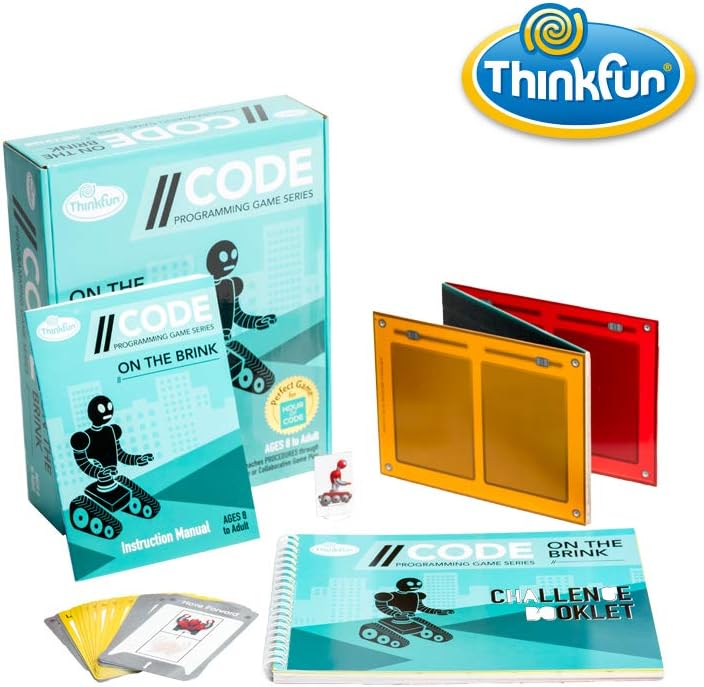
Image: The complete game set including the box, instruction manual, challenge booklet, control panel, robot, and movement cards.
Setup
- Unpack Components: Carefully remove all game pieces from the box.
- Prepare the Control Panel: Place the Control Panel on a flat surface. This panel has slots where movement cards will be placed.
- Select a Challenge: Open the 40 Challenge Booklet and choose a challenge. Challenges are arranged from beginner to expert. Each challenge will show a starting position for the robot and a target finish line on a grid.
- Identify Required Movement Cards: The challenge will indicate which movement cards are available for that specific challenge. Gather only these cards.
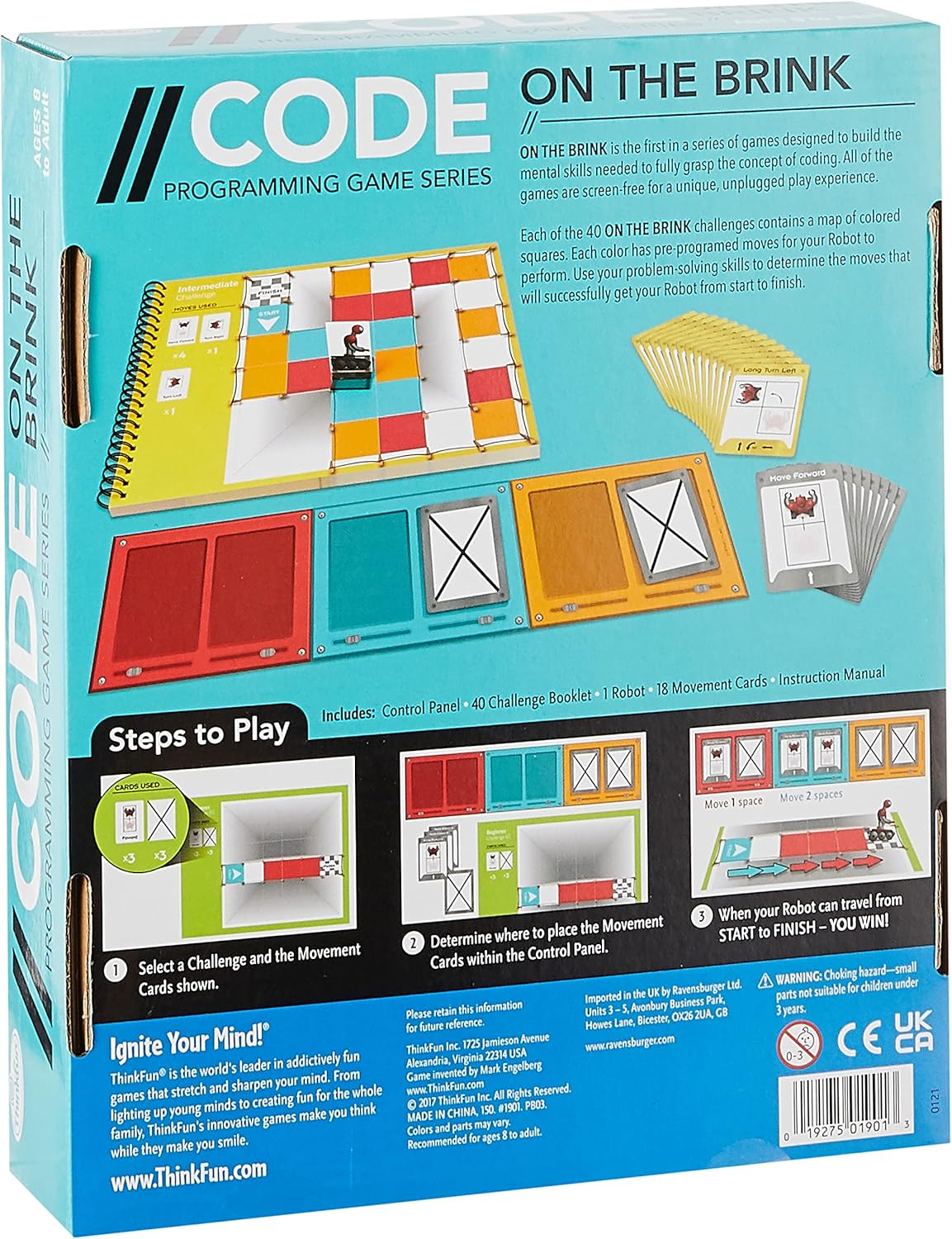
Image: The back of the game box illustrating the setup process, including selecting a challenge and placing movement cards.
Operating the Game (Gameplay)
The objective of Code On The Brink is to program your robot to move from its starting position to the finish line on the challenge grid using a sequence of movement cards.
- Analyze the Challenge: Examine the challenge grid in the booklet. Note the robot's starting position, its initial facing direction, and the location of the finish line. Also, observe any obstacles or special squares on the grid.
- Plan Your Procedure: Using the available movement cards, devise a sequence of commands that will guide the robot to the finish line. Consider movements like "Move Forward," "Turn Left," "Turn Right," and "Long Move Forward."
- Place Movement Cards: Arrange the chosen movement cards in the correct order within the slots of the Control Panel. Each slot represents a step in your robot's procedure.
- Test Your Procedure: Mentally (or physically, by tracing with your finger) follow the path the robot would take based on the cards in the Control Panel.
- Verify Solution: If your robot successfully reaches the finish line, you have solved the challenge. If not, re-evaluate your procedure, rearrange the cards, and try again. Solutions are provided at the back of the Challenge Booklet if you get stuck.

Image: A view of the game in play, displaying the challenge booklet open to a puzzle, the control panel with cards, and various movement cards.
Maintenance
- Cleaning: Wipe game components with a soft, dry cloth. Avoid using abrasive cleaners or solvents.
- Storage: Store all game pieces in their original box in a cool, dry place to prevent damage and loss.
- Handling: Handle cards and the robot figure with care to ensure longevity.
Troubleshooting
| Problem | Possible Cause / Solution |
|---|---|
| Robot does not reach the finish line. | Review your sequence of movement cards. Ensure the robot's turns and movements align with the grid. Check the challenge's specific rules and available cards. |
| Difficulty understanding a challenge. | Refer to the introduction section of the Challenge Booklet for explanations of symbols and rules. Start with easier challenges to build understanding. |
| Missing game piece. | Carefully check the box and packaging. If a piece is genuinely missing, contact ThinkFun customer support. |
Specifications
- Product Dimensions: 19.49 x 0.04 x 4.92 inches
- Item Weight: 1 pound
- Model Number: 1901
- ASIN: B076ZVM9K8
- Recommended Age: 8 years and up
- Release Date: October 28, 2018
- Language: English
- Manufacturer: ThinkFun

Image: The game box displaying its approximate dimensions for reference.
Safety Information
No specific safety warnings are provided for this product. However, as with all games, please ensure small parts are kept away from young children to prevent choking hazards. This game is recommended for ages 8 and up.
Support
For further assistance, missing parts, or inquiries, please visit the official ThinkFun website or contact their customer support directly. You can find more information at the ThinkFun Store on Amazon.
Ask a question about this manual
Ask about setup, troubleshooting, compatibility, parts, safety, or missing instructions. Manuals+ will review the question and use this page’s manual context to help answer it.