
Casio PRG-650Y-1CR
Casio PRO TREK Solar Powered Silicone Watch User Manual
Model: PRG-650Y-1CR
Brand: Casio
Introduction
Your Casio PRO TREK PRG-650Y-1CR is a solar-powered watch designed for outdoor enthusiasts, featuring a Triple Sensor for bearing, altitude/barometric pressure, and temperature measurements. Its robust design and advanced functionalities make it suitable for various outdoor activities, especially in low-light conditions with its Neon Illuminator.
This manual provides detailed instructions on setting up, operating, and maintaining your PRO TREK watch to ensure optimal performance and longevity.

Figure 1: Front view of the Casio PRO TREK PRG-650Y-1CR watch, showcasing its analog and digital display with a black dial and white hands.
Setup
Initial Charging (Tough Solar)
Your PRO TREK watch is equipped with Tough Solar technology, converting light into energy to power the watch. For initial setup or after prolonged storage, ensure the watch is exposed to bright light for several hours to achieve a full charge. Avoid covering the watch face when charging.
- Place the watch in a location where it can receive direct sunlight or strong fluorescent light.
- Avoid placing the watch in extremely hot environments during charging.
- A fully charged watch can operate for approximately 6 months without further light exposure under normal use, or up to 25 months in power-saving mode.
Setting the Time and Date
The watch automatically adjusts time and date based on its internal calendar. Manual adjustments may be necessary for specific time zones or if the watch has been without power for an extended period.
- Pull out the crown to the first click. The second hand will move to the current time zone city code.
- Rotate the crown to select your desired city code. The digital display will show the time for that city.
- Push the crown back in to set the time zone.
- For manual time adjustment, pull the crown out to the second click. The second hand will move to 12 o'clock.
- Use the buttons (usually A, B, C, D) to adjust hours, minutes, and date as indicated in the digital display. Refer to the specific button functions printed on the watch bezel or case for precise control.
- Push the crown back in to finalize the settings.

Figure 2: The watch comfortably worn on a wrist, demonstrating its size and fit.
Operating Functions
The PRO TREK PRG-650Y-1CR features a Triple Sensor for environmental data and various timekeeping modes.
Triple Sensor Functions
Access these functions using the dedicated sensor buttons, typically labeled ALTI (Altimeter), BARO (Barometer), and COMP (Compass).
- Altimeter: Measures current altitude based on atmospheric pressure. Press the ALTI button to activate. The digital display will show the altitude.
- Barometer: Displays atmospheric pressure, which can indicate weather trends. Press the BARO button to activate. The digital display will show the barometric pressure.
- Thermometer: Measures ambient temperature. For accurate readings, remove the watch from your wrist for at least 20-30 minutes to avoid body heat interference.
- Digital Compass: Determines magnetic north and displays bearing. Press the COMP button to activate. The second hand will point north, and the digital display will show the bearing in degrees.

Figure 3: Digital display showing an altitude reading in meters.

Figure 4: Digital display showing a compass bearing.
Timekeeping Modes
- World Time: Displays the current time in various major cities around the world.
- Stopwatch: Measures elapsed time with high precision.
- Countdown Timer: Counts down from a preset time.
- Alarm: Set daily alarms.
Neon Illuminator
The Neon Illuminator provides enhanced visibility in the dark. Press the light button (usually located on the side) to illuminate the analog hands and digital display with a bright, neon glow.

Figure 5: The watch face illuminated by the Neon Illuminator in a dark environment, highlighting the hands and hour markers.
Maintenance
Cleaning
Regular cleaning helps maintain the appearance and functionality of your watch.
- Wipe the watch with a soft, dry cloth to remove dirt and moisture.
- For stubborn dirt, use a soft brush and mild soap solution, then rinse thoroughly with fresh water and dry completely.
- Avoid using harsh chemicals or abrasive materials, as they can damage the watch's finish or seals.
Water Resistance
The PRG-650Y-1CR is water-resistant up to 100 meters (10 BAR). This means it is suitable for swimming and snorkeling, but not for scuba diving.
- Do not operate buttons or the crown while the watch is wet or submerged in water.
- After exposure to saltwater, rinse the watch thoroughly with fresh water and dry it completely.
Solar Charging Care
To ensure continuous operation, expose the watch to light regularly. If the charge level drops too low, some functions may be disabled to conserve power.

Figure 6: Side profile of the watch, showing the buttons and crown.
Troubleshooting
| Problem | Possible Cause | Solution |
|---|---|---|
| Watch not functioning or display is blank. | Low battery charge. | Expose the watch to bright light for several hours to charge. |
| Incorrect time or date. | Time zone not set correctly or manual adjustment needed. | Adjust time zone and time manually as described in the Setup section. |
| Sensor readings are inaccurate. | External factors (e.g., body heat for temperature), or sensor calibration needed. | For temperature, remove watch from wrist. For compass/altimeter, perform calibration as per advanced manual (not covered here). |
| Luminescent band not glowing. | Insufficient light exposure to the band. | Expose the watch band to bright light for a period to allow it to absorb light for luminescence. |
Specifications
- Model Number: PRG-650Y-1CR (also PRG-650Y-1)
- Case / Bezel Material: Resin / Stainless steel
- Band Material: Silicone (DURA-SOFT)
- Power Source: Tough Solar (Solar powered)
- Water Resistance: 10 BAR (100 meters)
- Sensors: Triple Sensor (Altimeter, Barometer, Thermometer, Digital Compass)
- Illumination: Neon Illuminator
- Dimensions: Approximately 1 x 1 x 1 inches
- Weight: Approximately 3.53 ounces
- Battery: 1 CR2 battery (included, for backup/specific functions)
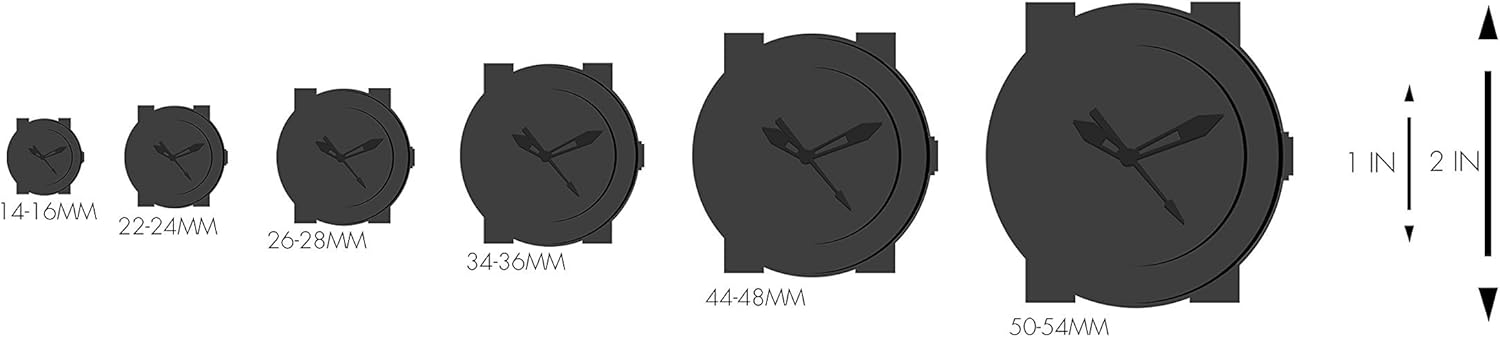
Figure 7: A size guide illustrating various watch diameters for comparison.
Official Product Videos
Casio Men's 'PRO TREK' Solar Powered Silicone Watch Overview
This video provides a general overview of the Casio PRO TREK Solar Powered Silicone Watch, highlighting its key features and design.
Casio Brand Video
This video showcases the Casio brand's commitment to durability and innovation, featuring various G-SHOCK and PRO TREK models in action.
Warranty and Support
Casio provides a limited warranty for its products. Please refer to the warranty card included with your purchase for specific terms and conditions, including warranty period and coverage details.
For technical support, service, or inquiries regarding your Casio PRO TREK watch, please visit the official Casio website or contact their customer service department. Keep your proof of purchase for warranty claims.
You can find more information and support resources on the Casio Store on Amazon.
Ask a question about this manual
Ask about setup, troubleshooting, compatibility, parts, safety, or missing instructions. Manuals+ will review the question and use this page’s manual context to help answer it.