
EPtech TNS30W-xy-z
EPtech 6.5Ft AC Adapter User Manual
Brand: EPtech | Model: TNS30W-xy-z
Product Overview
The EPtech 6.5Ft AC Adapter is a replacement power supply unit designed for various Casio keyboard models, including LK-130, LK-130ES, LK-135, LK-135ST, and LK-136. This adapter provides reliable power with a worldwide input voltage range of 100-240VAC, 50/60Hz, ensuring compatibility across different regions. It features a 6.5-foot long power cord for convenient reach and is built with multiple safety protections.
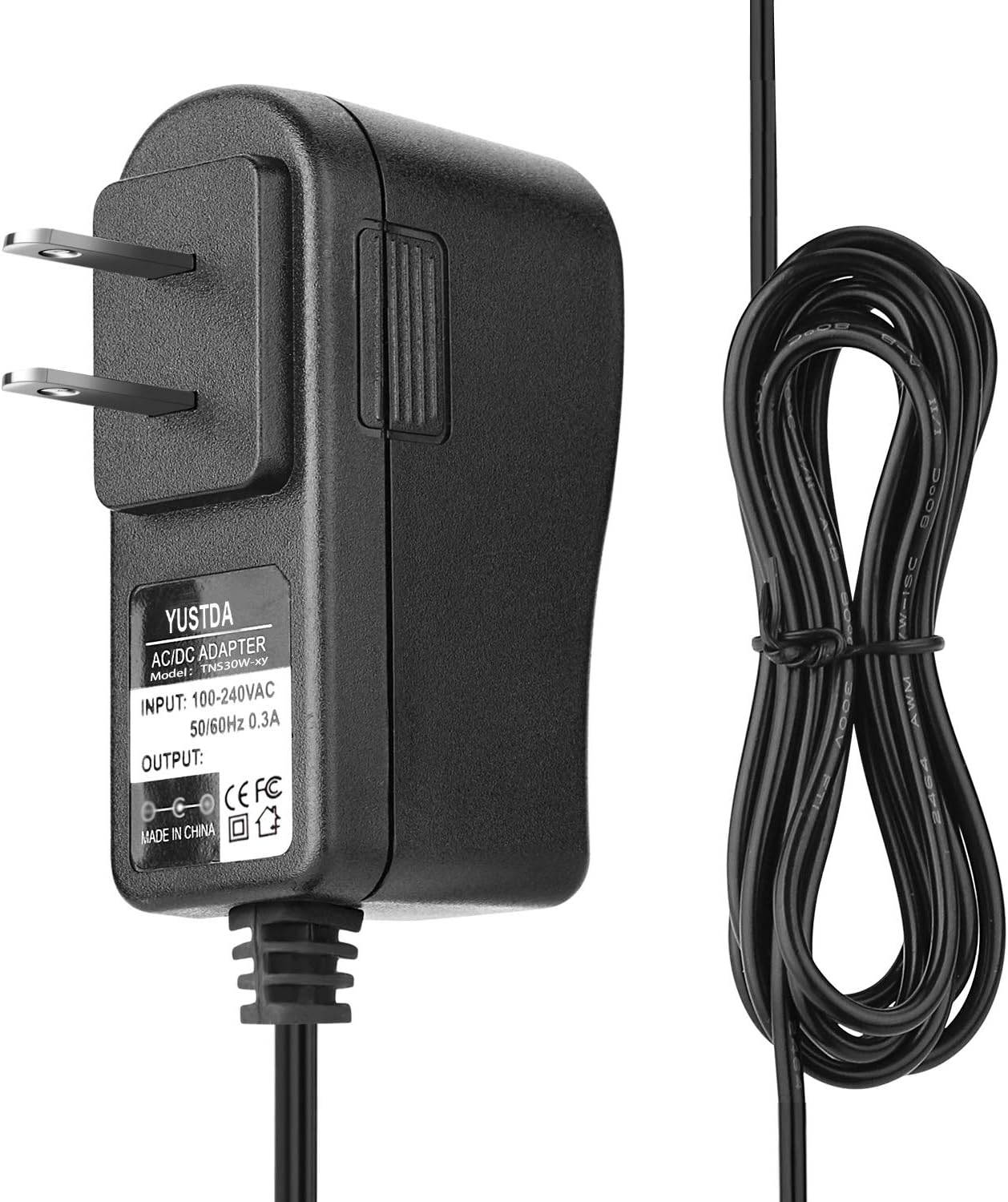
Image: The EPtech AC Adapter, showcasing the main unit and its integrated 6.5-foot power cord.

Image: A perspective view of the EPtech AC Adapter, highlighting the compact adapter unit and the neatly coiled power cord.

Image: The EPtech AC Adapter plugged into a power strip, demonstrating its compact design that minimizes obstruction of adjacent outlets.
Safety Information
This AC adapter is designed with multiple safety features to ensure reliable and secure operation. Adhering to these guidelines will help prevent damage to the device and connected equipment.
- Over Current Protection: Prevents damage from excessive current flow.
- Total Power Protection: Safeguards against power surges or fluctuations.
- Over Voltage Protection: Protects devices from receiving too high a voltage.
- Short Circuit Protection: Automatically shuts down in case of a short circuit to prevent damage.
- Manufactured with high-quality materials and certified with FCC, CE, and RoHS standards.

Image: Diagram illustrating the multiple safety protections of the EPtech AC Adapter, including over-temperature, over-voltage, over-current, and short circuit protection.
Important: Always ensure the adapter's specifications match the requirements of your device before connecting. Do not expose the adapter to water or extreme temperatures. Disconnect from power outlet when not in use for extended periods.
Setup
Follow these steps to properly set up your EPtech AC Adapter with your compatible Casio keyboard:
- Verify Compatibility: Ensure your Casio keyboard model (e.g., LK-130, LK-130ES, LK-135, LK-135ST, LK-136) is listed as compatible with this adapter. Check the keyboard's power input specifications (voltage and current) against the adapter's output.
- Connect to Keyboard: Locate the DC input jack on your Casio keyboard. Carefully insert the barrel connector of the EPtech AC Adapter into the keyboard's DC input jack. Ensure a snug and secure fit.
- Connect to Power Outlet: Plug the two-prong AC plug of the adapter into a standard wall power outlet (100-240VAC, 50/60Hz).
- Power On: Once connected, you can power on your Casio keyboard. The adapter will automatically provide the necessary power.
Do not force the connector into the jack. If it does not fit easily, recheck compatibility.
Operating Instructions
The EPtech AC Adapter operates automatically once connected to a power source and a compatible device. It is designed for continuous use within its specified operating parameters.
- Ensure the adapter is placed in a well-ventilated area to prevent overheating.
- Avoid covering the adapter during operation.
- If the adapter feels excessively hot to the touch, disconnect it immediately and allow it to cool before re-use or troubleshooting.
Maintenance
Proper maintenance ensures the longevity and safe operation of your EPtech AC Adapter.
- Cleaning: Disconnect the adapter from all power sources before cleaning. Use a soft, dry cloth to wipe the exterior. Do not use liquid cleaners or solvents.
- Storage: When not in use, store the adapter in a cool, dry place, away from direct sunlight and moisture. Avoid tightly coiling the cable to prevent damage to the internal wires.
- Cable Care: Regularly inspect the power cord for any signs of fraying, cuts, or damage. Do not use the adapter if the cord is damaged. Avoid bending the cable sharply, especially near the connectors.

Image: Cross-section diagram of the power cable, highlighting the high-quality copper wire and durable PVC insulation jacket designed for longevity.
Troubleshooting
If you encounter issues with your EPtech AC Adapter, refer to the following common problems and solutions:
| Problem | Possible Cause | Solution |
|---|---|---|
| No power to keyboard | Adapter not properly plugged in; Power outlet not active; Keyboard power switch off; Damaged adapter/cable. | Ensure adapter is fully plugged into both keyboard and wall outlet. Test outlet with another device. Check keyboard's power switch. Inspect adapter and cable for damage; replace if necessary. |
| Adapter feels hot | Normal operation (slight warmth); Overload; Poor ventilation. | A slight warmth is normal. If excessively hot, disconnect immediately. Ensure adapter is not covered and has adequate airflow. Verify device power requirements do not exceed adapter's output. |
| Intermittent power | Loose connection; Damaged cable/connector. | Check all connections for tightness. Inspect the cable and barrel connector for bends or breaks. Replace adapter if cable or connector is damaged. |
If the problem persists after trying these solutions, please contact customer support.
Specifications
| Feature | Detail |
|---|---|
| Model Number | TNS30W-xy-z |
| Input Voltage | 100-240VAC, 50/60Hz |
| Connector Type | Barrel Connector |
| Cable Length | 6.5 Feet (approx. 2 meters) |
| Safety Features | Over Current Protection, Total Power Protection, Over Voltage Protection, Short Circuit Protection |
| Certifications | FCC, CE, RoHS |
| Compatible Devices | Casio LK-130, LK-130ES, LK-135, LK-135ST, LK-136 Keyboards |
Warranty and Support
EPtech products are manufactured with high-quality materials and undergo rigorous testing to ensure durability and performance. For specific warranty details, please refer to the product packaging or contact EPtech customer service.
If you have any questions, encounter problems, or require technical assistance, please do not hesitate to contact our customer support team:
Email: epcustomerservice@yahoo.com
Please provide your product model number (TNS30W-xy-z) and a detailed description of your issue when contacting support to facilitate a quicker resolution.
Ask a question about this manual
Ask about setup, troubleshooting, compatibility, parts, safety, or missing instructions. Manuals+ will review the question and use this page’s manual context to help answer it.