
ENJOY-UNIQUE EJ845
User Manual for ENJOY-UNIQUE Wireless Retro Telephone Handset
Model: EJ845
1. Introduction
Thank you for choosing the ENJOY-UNIQUE Wireless Retro Telephone Handset. This device combines classic telephone aesthetics with modern Bluetooth technology, allowing you to make and receive calls comfortably using your mobile phone or tablet. Designed for ease of use and radiation-proof communication, this handset provides a unique and ergonomic calling experience.
2. Important Safety Information
- Do not expose the handset to extreme temperatures, humidity, or liquids.
- Avoid dropping or subjecting the device to strong impacts.
- Keep out of reach of children and pets.
- Use only the provided charging cable or a compatible USB charger.
- Do not attempt to disassemble or repair the handset yourself. This will void the warranty.
- Dispose of the battery and device according to local regulations.
3. What's in the Box
Please check the contents of your package:
- 1 x ENJOY-UNIQUE Wireless Retro Telephone Handset (Pink)
- 1 x USB Charging Cable
- 1 x User Manual (this document)
4. Product Overview
Familiarize yourself with the key features and components of your retro telephone handset.

Figure 4.1: Main view of the Pink Wireless Retro Telephone Handset.
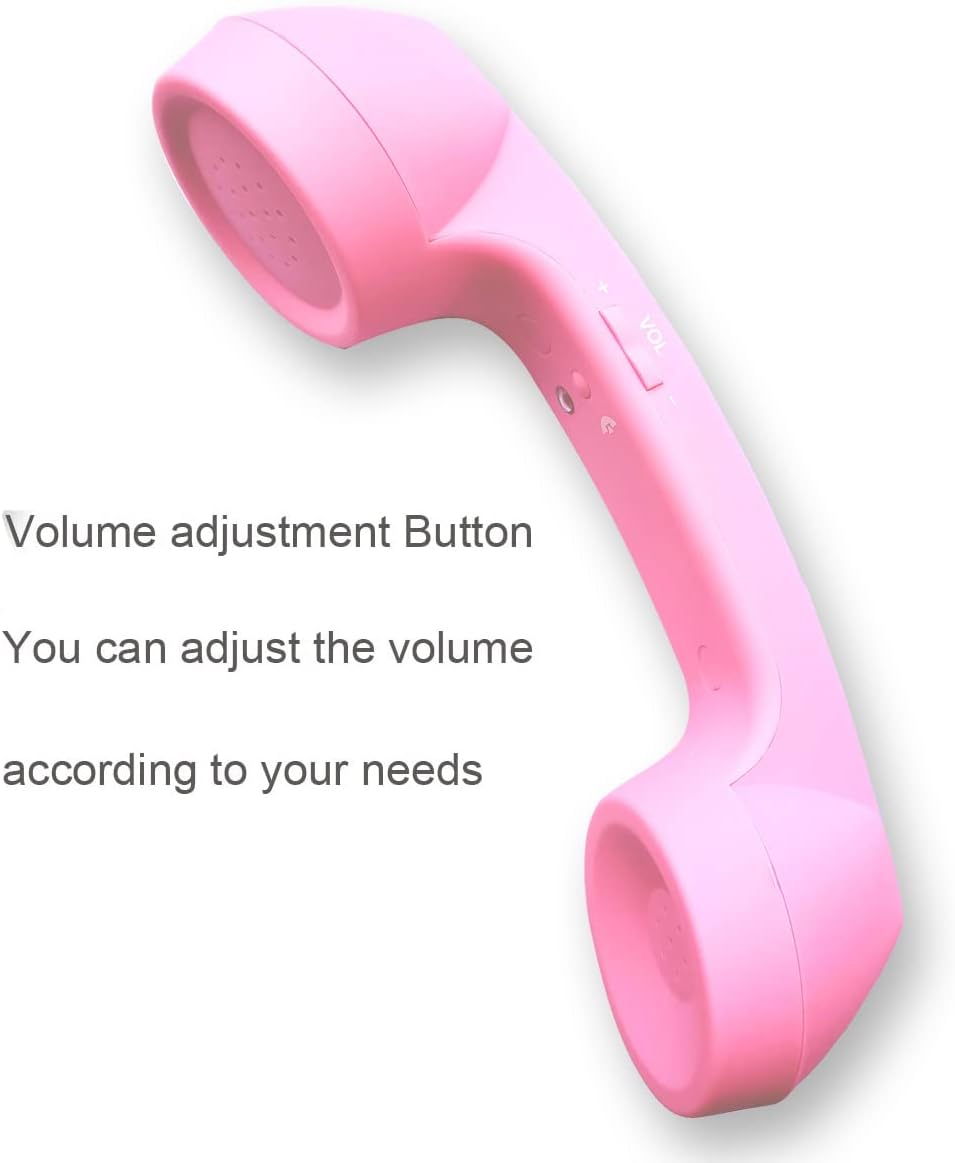
Figure 4.2: Side view highlighting the volume adjustment button. This button allows you to control the call volume.

Figure 4.3: Top view indicating the indicator light and the answer/hang up button. The indicator light provides status feedback, and the button is used to manage calls.

Figure 4.4: A black version of the handset, illustrating the built-in microphone, answer/hang up buttons, and volume controls. The microphone is located at the bottom of the handset.
5. Setup and Pairing
Follow these steps to set up and pair your handset with a Bluetooth-enabled device.
5.1. Initial Charge
Before first use, fully charge the handset. Connect the provided USB charging cable to the charging port on the handset and the other end to a USB power source (e.g., computer USB port, USB wall adapter).
Video 5.1: Demonstrates how to connect the charging cable to the handset and a power source. The indicator light will typically show a red light during charging and turn off or change color when fully charged.
5.2. Bluetooth Pairing
- Ensure the handset is fully charged.
- Power On: Long press the main button (answer/hang up button) on the handset until the indicator light flashes red and blue alternately. This indicates the handset is in pairing mode.
- Activate Bluetooth: On your mobile phone or tablet, go to the Bluetooth settings and ensure Bluetooth is turned on.
- Search for Devices: Your device will automatically search for available Bluetooth devices. Look for "NFXSL" or a similar name in the list.
- Connect: Select "NFXSL" from the list to pair. Once successfully paired, the indicator light on the handset will turn solid blue or stop flashing, and your device will show it as "Connected".
Video 5.2: Demonstrates the Bluetooth pairing process, showing the handset's indicator light and the phone's Bluetooth settings.
The handset supports connection with smartphones and tablets.
6. Operating Instructions
6.1. Making a Call
Once paired, dial the number on your mobile phone as usual. The audio will automatically route through the handset. If not, select the Bluetooth handset as the audio output on your phone's call screen.
6.2. Answering a Call
When your phone rings, press the Answer/Hang Up button on the handset to answer the call. The HD speaker and microphone will activate for your conversation.
6.3. Ending a Call
To end a call, press the Answer/Hang Up button on the handset again.
6.4. Adjusting Volume
Use the Volume +/- button located on the side of the handset to increase or decrease the call volume during a conversation.
7. Maintenance and Care
- Cleaning: Wipe the handset with a soft, dry cloth. Do not use abrasive cleaners or solvents.
- Storage: Store the handset in a cool, dry place away from direct sunlight when not in use.
- Battery Life: The handset has a battery life of approximately 12 hours of talk time. Charging time is approximately 4 hours.
- Charging: Charge the device regularly to maintain battery health, even if not used frequently.
8. Troubleshooting
| Problem | Possible Cause | Solution |
|---|---|---|
| Handset does not power on. | Battery is low or depleted. | Charge the handset for at least 4 hours. |
| Cannot pair with mobile phone. | Handset not in pairing mode; Bluetooth off on phone; too far from phone. | Ensure handset is flashing red/blue. Turn on phone's Bluetooth. Move handset closer to phone (within 10 meters). Forget device on phone and re-pair. |
| No audio during call or poor sound quality. | Volume too low; not selected as audio output; interference. | Increase volume using the +/- button. Select the handset as audio output on your phone. Move away from other electronic devices. |
| Handset disconnects frequently. | Out of range; low battery. | Stay within 10 meters of your paired device. Charge the handset. |
9. Product Specifications
- Model Name: Retro Telephone
- Model Number: EJ845
- Brand: ENJOY-UNIQUE
- Color: Pink
- Connectivity Technology: Wireless (Bluetooth)
- Wireless Communication Technology: Bluetooth
- Material: Plastic
- Product Dimensions: 8.27 x 2.36 x 1.97 inches
- Item Weight: 7.1 ounces (200 Grams)
- Battery Life: 12 Hours (Talk Time)
- Charging Time: 4 Hours
- Compatible Devices: Bluetooth-enabled smartphones, tablets
- Control Type: Call Control (Answer/Hang Up, Volume +/-)
- Manufacturer: ENJOY-UNIQUE
- Date First Available: September 18, 2017
10. Warranty and Support
For warranty information or technical support, please refer to the retailer or contact ENJOY-UNIQUE directly through their official channels. Please retain your proof of purchase for any warranty claims.
Ask a question about this manual
Ask about setup, troubleshooting, compatibility, parts, safety, or missing instructions. Manuals+ will review the question and use this page’s manual context to help answer it.