
Introduction
This manual provides detailed instructions for the assembly, operation, and maintenance of your VASAGLE UOPS02B 2-Tier Mobile Printer Stand. Designed for both home and office environments, this heavy-duty industrial cart offers a practical solution for organizing your workspace by providing dedicated space for your printer and essential supplies.
Please read this manual thoroughly before assembly and use to ensure proper setup and to maximize the lifespan of your product.
Setup and Assembly
The VASAGLE UOPS02B printer stand is designed for straightforward assembly. All necessary tools and clear instructions are included to facilitate a quick and easy setup process.
Included Components:
- Quality Particleboard Panels (for shelves)
- Sturdy Steel Frame components
- 4 Sturdy Wheels (2 with locking mechanisms)
- Assembly Hardware (screws, Allen key)
- Instruction Manual
Assembly Steps:
- Unpack all components and verify against the parts list in the included instruction manual.
- Attach the steel frame components to the particleboard shelves using the provided screws and Allen key. Ensure all connections are secure.
- Install the four wheels into the designated slots at the base of the stand. Two of these wheels feature locking mechanisms.
- Once assembled, place the stand in your desired location. Engage the locking mechanisms on the two wheels to secure the stand in position.

Figure 1: Components of the VASAGLE UOPS02B Printer Stand.

Figure 2: Assembly diagram for the VASAGLE UOPS02B Printer Stand.
Assembly Video:
Video: Demonstrates the easy assembly and mobility of the printer stand, highlighting its space-saving design for home and office use.
Operation and Usage
The VASAGLE UOPS02B printer stand is designed to enhance your workspace efficiency and organization. Its mobile design allows for flexible placement, while its sturdy construction ensures reliable support for your office equipment.
Key Features:
- Mobile Design: Equipped with four wheels, two of which are lockable, allowing for easy repositioning and secure placement.
- Space Optimization: Its compact height of 13.4 inches enables it to slide conveniently under most desks, freeing up valuable workspace.
- Ample Storage: Features a spacious top shelf for your printer or fax machine and a lower open shelf for storing paper reams, ink cartridges, folders, and other office supplies.
- Durability: Constructed from quality particleboard and a robust steel frame, ensuring stability and long-term use.
Usage Guidelines:
- Place your printer or other office equipment on the top shelf. Ensure the weight does not exceed the maximum load capacity of 99 lbs.
- Utilize the lower shelf for organizing additional supplies. The lower shelf supports up to 33 lbs.
- To move the stand, unlock the two locking wheels. To secure it in place, engage the locking mechanisms on the wheels.
- Position the stand under your desk to maximize floor space and keep your printer within easy reach.

Figure 3: The printer stand fits perfectly under a desk, optimizing workspace.

Figure 4: The stand helps boost work efficiency by keeping printer and office essentials within reach.

Figure 5: The stand features 360° swivel casters, with two lockable wheels for stability.
Operation Videos:
Video: Overview of the industrial under-desk printer stand, showcasing its features for office and home use.
Video: Highlights the heavy-duty construction and locking wheels of the printer stand.
Maintenance
To ensure the longevity and appearance of your VASAGLE UOPS02B printer stand, follow these simple maintenance guidelines:
- Cleaning: Wipe surfaces with a soft, damp cloth. Avoid using harsh chemicals or abrasive cleaners, as these may damage the finish.
- Inspection: Periodically check all screws and connections to ensure they remain tight. Retighten if necessary.
- Weight Distribution: Distribute weight evenly across the shelves to prevent strain on the frame.
Troubleshooting
If you encounter any issues with your VASAGLE UOPS02B printer stand, please refer to the following common solutions:
- Wobbling: Ensure all screws are securely tightened. Check that the stand is placed on a level surface.
- Difficulty Moving: Verify that the locking mechanisms on the wheels are disengaged. Clean any debris from the wheels.
- Missing Parts: If any parts are missing or damaged upon arrival, please contact customer support immediately for assistance.
For further assistance, please refer to the Support section below.
Specifications
| Feature | Detail |
|---|---|
| Brand | VASAGLE |
| Model Number | UOPS02B |
| Color | Ebony Black |
| Item Weight | 10.8 pounds |
| Product Dimensions (L x W x H) | 18.9 x 15.7 x 13.4 inches |
| Material | Particleboard, Steel |
| Top Shelf Load Capacity | Up to 99 lbs (45 kg) |
| Lower Shelf Load Capacity | Up to 33 lbs (15 kg) |
| Wheels | 4 (2 with locking mechanisms) |
| Compatible Devices | Printers |

Figure 6: Detailed dimensions and load capacities of the VASAGLE UOPS02B Printer Stand.
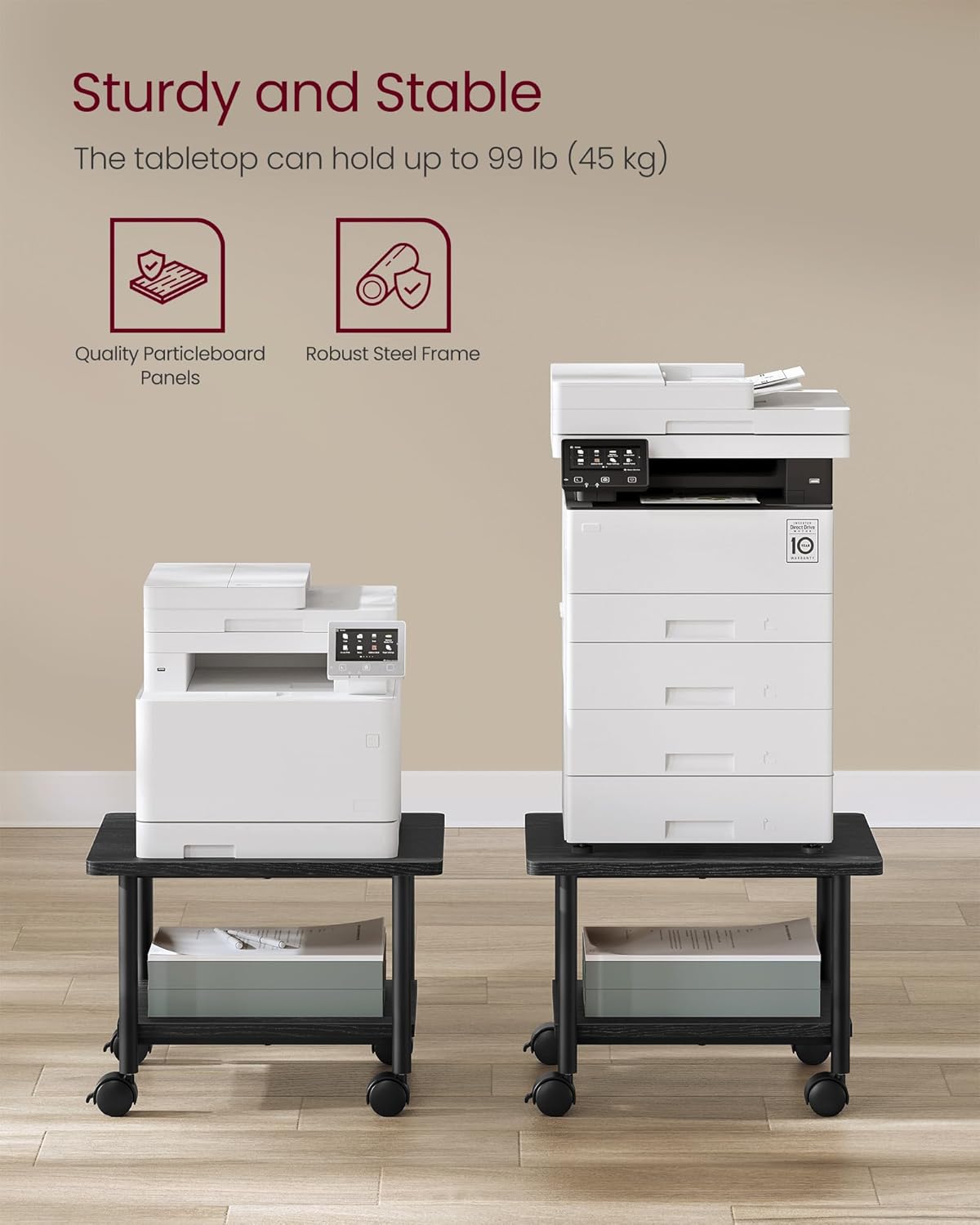
Figure 7: The stand's sturdy construction supports up to 99 lbs on the tabletop.
Warranty and Support
For information regarding product warranty, please refer to the documentation included with your purchase or visit the official VASAGLE website. If you have any questions, require assistance with assembly, or need to report a missing/damaged part, please contact VASAGLE customer support.
Contact Information:
- Online Support: Visit the VASAGLE Store on Amazon for FAQs and contact options.
- Email/Phone: Refer to your product packaging or the official VASAGLE website for specific customer service contact details.