
Introduction
This manual provides comprehensive instructions for the proper use and care of your DNRPrime Green 6ft Micro-USB Data Link and Charging Cable. This cable is designed for both charging and data synchronization with compatible Micro-USB devices, including various Samsung Galaxy and LG Optimus models. Please read this manual thoroughly to ensure optimal performance and longevity of your cable.
Safety Information
- Do not expose the cable to extreme temperatures, direct sunlight, or moisture.
- Avoid bending or twisting the cable excessively, as this can damage internal wires.
- Keep out of reach of children and pets.
- Disconnect the cable by pulling on the connector head, not the cable itself.
- If the cable appears damaged, discontinue use immediately.
Package Contents
The package contains the following item:
- 1 x DNRPrime Green 6ft Micro-USB Data Link and Charging Cable
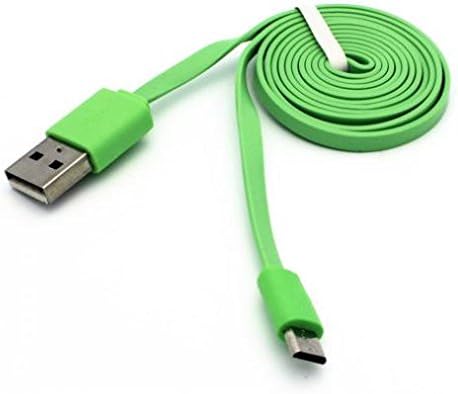
Image: The DNRPrime Green 6ft Micro-USB cable, coiled and secured with a white tie, presented in its clear plastic packaging with a brand label.
Setup
Connecting your DNRPrime Micro-USB cable is a straightforward process. Follow these steps to prepare your device for charging or data transfer:
- Identify the Micro-USB connector on your mobile device or tablet. This is typically a small, trapezoidal port.
- Locate a compatible USB power source (e.g., wall adapter, car charger, computer USB port) for the standard USB-A connector.
- Gently insert the Micro-USB end of the cable into your device's Micro-USB port. Ensure it is oriented correctly to avoid damage.
- Insert the standard USB-A end of the cable into your chosen USB power source or computer port.
- Your device should indicate that it is charging or connected for data transfer.
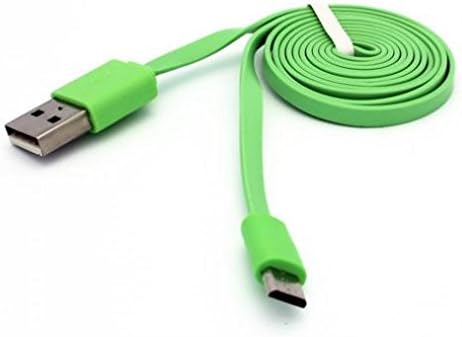
Image: The DNRPrime Green 6ft Micro-USB cable, showing both the USB-A connector and the Micro-USB connector, with the cable coiled in the background.
Operating Instructions
Charging Your Device
This cable supports fast charging when connected to a compatible fast-charging adapter and device.
- Connect the Micro-USB end to your device and the USB-A end to a wall charger, car charger, or power bank.
- Ensure the power source is active.
- Your device's screen should display a charging indicator.
Data Synchronization
Use this cable to transfer data between your device and a computer.
- Connect the Micro-USB end to your device and the USB-A end to an available USB port on your computer.
- Your computer should recognize the connected device. You may need to select a "File Transfer" or "MTP" mode on your device if prompted.
- Access your device's storage through your computer's file explorer to transfer photos, videos, documents, and other files.
Maintenance
- Cleaning: Use a soft, dry cloth to wipe the cable and connectors. Do not use liquid cleaners or solvents.
- Storage: When not in use, coil the cable loosely to prevent kinks and tangles. The flat cable design helps minimize tangling.
- Handling: Always grasp the connector head when plugging or unplugging the cable to avoid stressing the wire.
Troubleshooting
| Problem | Possible Solution |
|---|---|
| Device not charging. |
|
| Data transfer not working. |
|
| Cable appears damaged. | Discontinue use immediately. Damaged cables can pose safety risks. |
Specifications
| Brand | DNRPrime |
| Model | Micro-USB Data Link and Charging Cable |
| Cable Length | 6 feet (approximately 2 meters) |
| Connector Type | USB-A to Micro-USB |
| Special Feature | Fast Charging support |
| Cable Shape | Flat (tangle-free design) |
| Color | Green |
| Compatible Devices | Devices with a Micro-USB port, including but not limited to: Samsung Galaxy J3, Samsung Galaxy J3 Emerge, various Samsung Galaxy S and Note series, LG Optimus series, Alcatel One Touch series. |
| Item Weight | 1 Ounce (approximately 28 grams) |
| UPC | 744345237690 |
Warranty and Support
Specific warranty information for this product is not provided in the available documentation. For any support inquiries, technical assistance, or questions regarding warranty coverage, please contact the retailer or manufacturer directly through their official channels.