
Pyle PBMSPG190
Pyle Bluetooth Boombox Street Blaster Stereo Speaker
Model: PBMSPG190
User Instruction Manual
Introduction
Thank you for purchasing the Pyle Bluetooth Boombox Street Blaster Stereo Speaker. This portable wireless speaker system is designed to provide high-quality audio with versatile connectivity options, including Bluetooth, FM radio, MP3 playback via USB, and auxiliary input. It also features built-in LED lights for visual effects and a rechargeable battery for portable use. This manual provides detailed instructions for setup, operation, and maintenance to ensure optimal performance and longevity of your device.

Image: The Pyle Bluetooth Boombox Street Blaster Stereo Speaker, showcasing its cylindrical design, control panel, LED lights, and included accessories like the remote control and wired microphone.
Safety Information
- Do not expose the unit to rain or moisture to prevent fire or shock hazards.
- Do not open the casing. Refer all servicing to qualified personnel.
- Avoid placing the unit near heat sources or in direct sunlight.
- Ensure proper ventilation and do not block any ventilation openings.
- Use only the power adapter supplied with the unit.
- Keep the unit away from strong magnetic fields.
- Clean only with a dry cloth.
What's in the Box
- Street Blaster BoomBox Speaker
- Power Adapter
- Carry Belt
- Remote Control
- Wired Microphone

Image: An illustration showing the Pyle Boombox, remote control, wired microphone, and power adapter, representing the items included in the product package.
Product Overview: Controls and Ports
Familiarize yourself with the various controls and connection ports on your Pyle Boombox for optimal use.

Image: A detailed view of the Pyle Boombox, highlighting the central control panel with its digital display, various buttons, and input ports. The image also shows the side view of the speaker with its distinctive design.
Front Panel Controls:
- Digital LCD Display: Shows current mode, track information, or FM frequency.
- Power Button: Turns the unit on or off.
- Mode Button: Switches between Bluetooth, FM Radio, USB, and AUX input modes.
- Play/Pause Button: Controls playback in Bluetooth and USB modes.
- Previous/Next Buttons: Navigates tracks or FM stations.
- Volume Knob: Adjusts the master volume.
Input/Output Ports:
- USB Port: For connecting USB flash drives for MP3 playback.
- AUX (3.5mm) Input: For connecting external audio devices via a 3.5mm cable.
- (2) 1/4'' Input Jacks: For connecting a microphone or guitar.
- DC Power Input: For connecting the power adapter to charge the battery or power the unit.
Setup
1. Charging the Battery
- Connect the supplied power adapter to the DC Power Input port on the boombox.
- Plug the power adapter into a standard wall outlet (110/240V).
- The charging indicator light (if available) will illuminate. Allow several hours for a full charge before first use.
- The unit can be used while charging.
2. Initial Power On
- Press and hold the Power Button on the front panel to turn the unit on.
- The LCD display will light up, and the unit will enter the last used mode or default to Bluetooth mode.
Operating Instructions
1. Bluetooth Wireless Music Streaming
- Ensure the boombox is powered on.
- Press the Mode button until "Bluetooth" or "BT" appears on the LCD display. The unit will enter pairing mode, indicated by a flashing Bluetooth icon or sound.
- On your smartphone, tablet, or other Bluetooth-enabled device, enable Bluetooth and search for available devices.
- Select "PyleUSA" from the list of devices.
- Once paired, the boombox will emit a confirmation sound, and the Bluetooth indicator will stop flashing.
- You can now stream music wirelessly from your device to the boombox.

Image: A Pyle Boombox displaying "BLUE" on its screen, indicating Bluetooth mode, with a couple dancing in the background, illustrating wireless music streaming.
2. FM Radio Operation
- Press the Mode button until "FM" appears on the LCD display.
- To auto-scan and save available stations, press and hold the Play/Pause button. The unit will scan and store stations automatically.
- Use the Previous/Next buttons to navigate through the saved FM stations.
3. USB MP3 Playback
- Insert a USB flash drive (up to 16GB) containing MP3 or WMA audio files into the USB port.
- Press the Mode button until "USB" appears on the LCD display. The unit will automatically begin playing the audio files.
- Use the Play/Pause, Previous, and Next buttons to control playback.
4. Auxiliary (AUX) Input
- Connect an external audio device (e.g., smartphone, MP3 player) to the 3.5mm AUX input port using a 3.5mm audio cable (not included).
- Press the Mode button until "AUX" appears on the LCD display.
- Audio will now be played through the boombox from your connected device. Control playback from your external device.
5. Microphone/Guitar Input
- Connect a microphone or guitar to one of the 1/4'' input jacks.
- Adjust the volume of the connected instrument/microphone using its own controls or the master volume of the boombox.
- The microphone input can be used simultaneously with other audio sources (Bluetooth, USB, AUX).
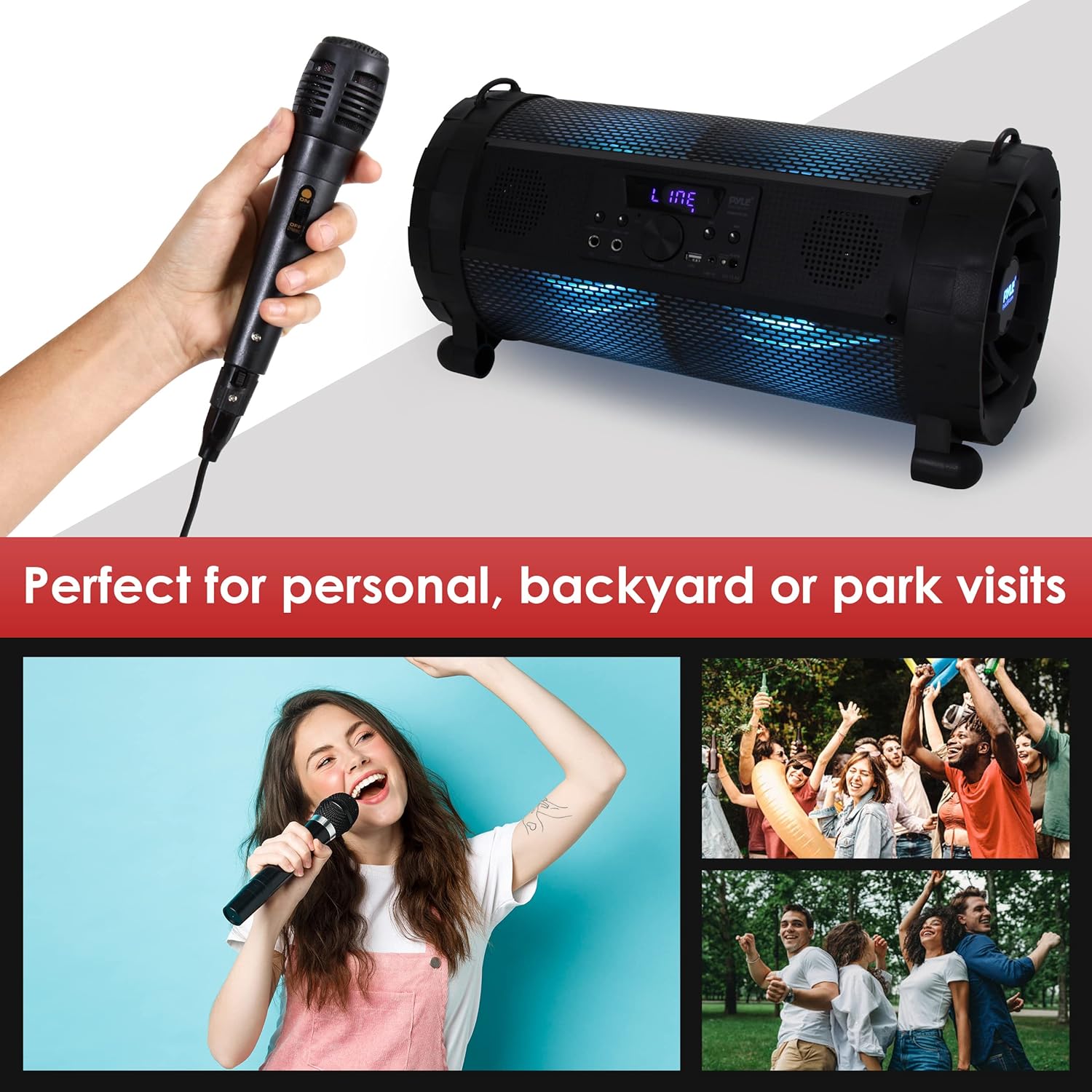
Image: A person singing into a wired microphone, with the Pyle Boombox visible in the background, illustrating its use for personal entertainment or small gatherings.
6. LED Light Modes
The boombox features built-in LED lights with 9 selectable preset modes. Refer to the remote control or specific buttons on the unit (if available) to cycle through or turn off the light modes.

Image: A series of three images showing the Pyle Boombox with its LED lights illuminated in different colors (blue, red, green), demonstrating the visual effects.
7. Remote Control Operation
The included remote control provides convenient access to various functions from a distance. Ensure the remote has working 'AAA' batteries (not included) and point it towards the front panel of the boombox.
- Power: Turn the unit on/off.
- Mode: Switch input sources.
- Volume +/-: Adjust volume levels.
- Play/Pause: Control playback.
- Previous/Next: Skip tracks or stations.
- EQ: Select equalizer presets (if available).
- Light Mode: Cycle through LED light effects.
Maintenance
1. Cleaning
- Always power off and unplug the unit before cleaning.
- Use a soft, dry cloth to wipe the exterior surfaces.
- Do not use liquid cleaners, aerosols, or abrasive chemicals, as they may damage the finish or internal components.
2. Battery Care
- To prolong battery life, avoid fully discharging the battery frequently.
- If the unit will not be used for an extended period, charge it fully every 3-6 months.
- Store the unit in a cool, dry place.
Troubleshooting
| Problem | Possible Cause | Solution |
|---|---|---|
| No power | Battery discharged; Power adapter not connected or faulty. | Charge the battery; Check power adapter connection and wall outlet. |
| No sound | Volume too low; Incorrect input mode; Device not connected properly. | Increase volume; Select correct input mode (Bluetooth, AUX, USB); Reconnect device. |
| Bluetooth not pairing | Boombox not in pairing mode; Device too far; "PyleUSA" not selected. | Ensure boombox is in Bluetooth pairing mode; Move device closer; Select "PyleUSA" from your device's Bluetooth list. |
| USB playback not working | USB drive not formatted correctly; Unsupported file type; USB drive capacity too large. | Ensure USB drive is FAT32 formatted; Use MP3/WMA files; Use USB drives up to 16GB. |
| FM radio static | Weak signal; Interference. | Relocate the unit for better reception; Perform auto-scan again. |
Specifications
Image: A graphic illustrating the dimensions (18.9" L x 8.7" H x 9.7" W) and weight (12.2 pounds) of the Pyle Boombox.
- Power Output: 300 Watts MAX
- Sound System: (2) x 2.5'' Speakers, (1) x 6.5'' Subwoofer
- Bluetooth Version: 2.0
- Bluetooth Network Name: 'PyleUSA'
- Wireless Range: Up to 32' ft.
- USB Type: 2.0
- Maximum USB Flash Drive Support: Up to 16GB
- Digital Media File Compatibility: MP3, WMA
- Input Sensitivity: 200mV
- Frequency Response: 55-160KHz
- FM Radio Frequency Range: 87.5 - 107.9 MHz
- Selectable LED Light Modes: 9 Presets
- Built-in Rechargeable Battery: Li-ion 2000mAh, 11.1V
- Battery Operated Remote Control: Requires (2) x 'AAA' (Not Included)
- Power Supply: 110/240V (13.5V 2A Power Adapter)
- Product Dimensions (L x W x H): 18.9'' x 9.7'' x 8.7'' -inches
- Item Weight: 12.2 pounds
Warranty and Support
For warranty information or technical support, please contact Pyle customer service. Refer to the official Pyle website or product packaging for the most current contact details.
You can also find additional resources and support documents on the PyleUSA website.
Online Resources: www.pyleusa.com
Related documentsPBMSPG190


Ask a question about this manual
Ask about setup, troubleshooting, compatibility, parts, safety, or missing instructions. Manuals+ will review the question and use this page’s manual context to help answer it.