
Product Overview
The APEXEL 28X Telephoto Lens Kit is designed to enhance your smartphone photography by providing advanced zoom capabilities and various creative effects. It overcomes the limitations of built-in phone cameras, allowing you to capture distant subjects with clarity and detail.
- Advanced 28X Telephoto Lens: Captures far-away landscapes with high-resolution close-up views.
- 4K HD Full-Color Lens: Crafted from aerospace-grade aluminum and premium optic glass for durability and clarity, minimizing ghost images and reflections.
- Versatile Applications: Ideal for taking zoom photos, stargazing, observing birds/animals, and capturing various scenes.
- Complete Kit: Includes a sturdy tripod and a newly designed phone holder for stable photography.
- Portable and Easy to Use: Durable design with a universal removable clip for easy attachment to most smartphones.
What's in the Box
Your APEXEL 28X Telephoto Lens Kit includes the following components:
- HD 28X Telephoto Lens x 1
- Special All Metal Tripod x 1
- Special Mobile Phone Holder x 1
- Dust Proof Lens Cover x 1
- Fixed Ring x 1
- Eyeshade x 1
- Multilingual Instruction Manual x 1
- 0.08/0.12/0.16in EVA Pads
- Cleaning Cloth x 1
- Storage Bag x 1

Figure 1: All components included in the APEXEL 28X Telephoto Lens Kit.
Setup and Installation
Follow these steps to properly set up your APEXEL 28X Telephoto Lens Kit:
- Prepare the Phone Holder: Use the provided EVA Pads to fill any gap between the phone lens and the clamp. Install the stretch clip securely onto your phone.
- Align the Lens: Slide the lens mounting hole on the clip to align perfectly with your phone's main camera. If your phone has multiple cameras, you can use your finger to cover them one by one to determine which one is the main camera.
- Attach the Lens: Screw the 28X telephoto lens into the mounting hole on the stretch clip.
- Secure the Fixed Ring: Attach the fixed ring to the lens.
- Mount on Tripod: Screw the tripod into the fixed ring mounting holes.
- Adjust Focus: Open the tripod, rotate the focus ring on the lens to get a clear picture. The installation is complete.

Figure 2: Visual guide for the installation process of the telephoto lens kit.
Finding Your Phone's Primary Lens
It is crucial to align the telephoto lens with your smartphone's primary camera for optimal performance. Refer to the diagram below for common primary lens locations on various iPhone and Galaxy models.

Figure 3: Guide to identify the main camera lens on different smartphone models.
Operating Instructions
The 28X telephoto lens allows you to capture distant objects with enhanced detail. For best results, ensure proper focus and stability.

Figure 4: The complete APEXEL 28X Telephoto Lens Kit.
Using the 28X Telephoto Lens
The 28X telephoto lens brings distant subjects closer, providing a high-resolution close-up view. It is particularly effective for capturing wildlife, landscapes, and events from afar.
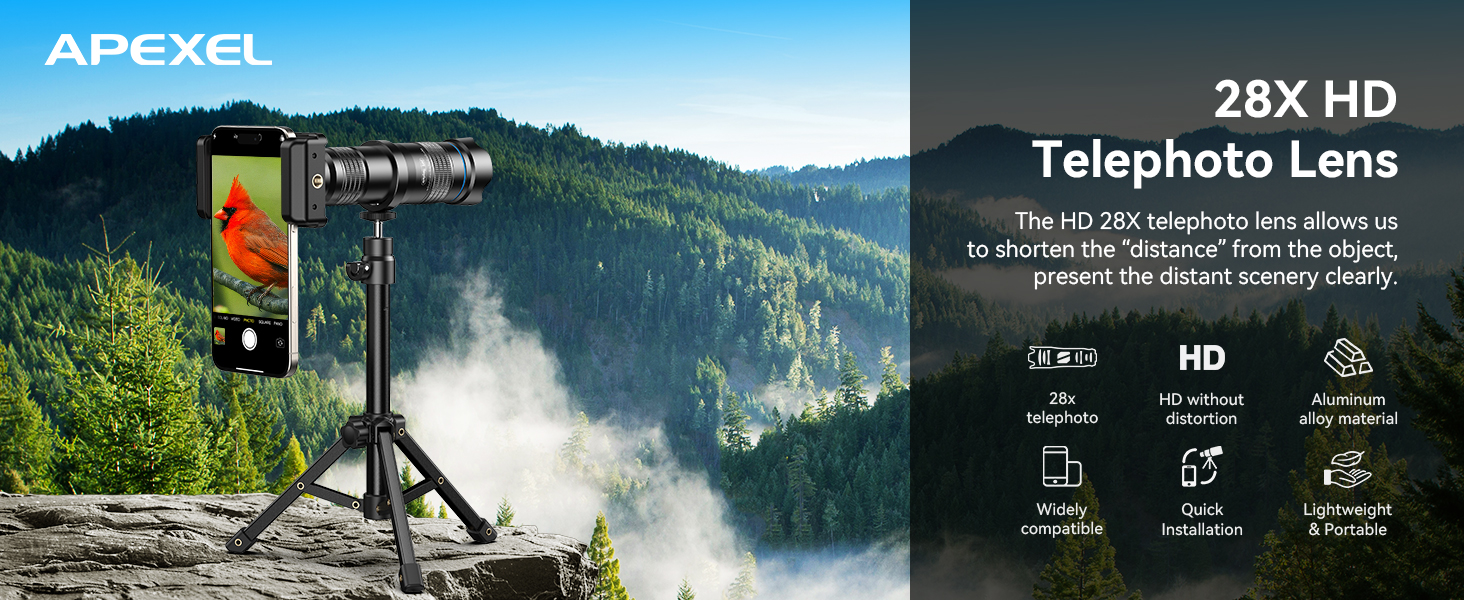
Figure 5: Capturing distant subjects with the 28X telephoto lens.
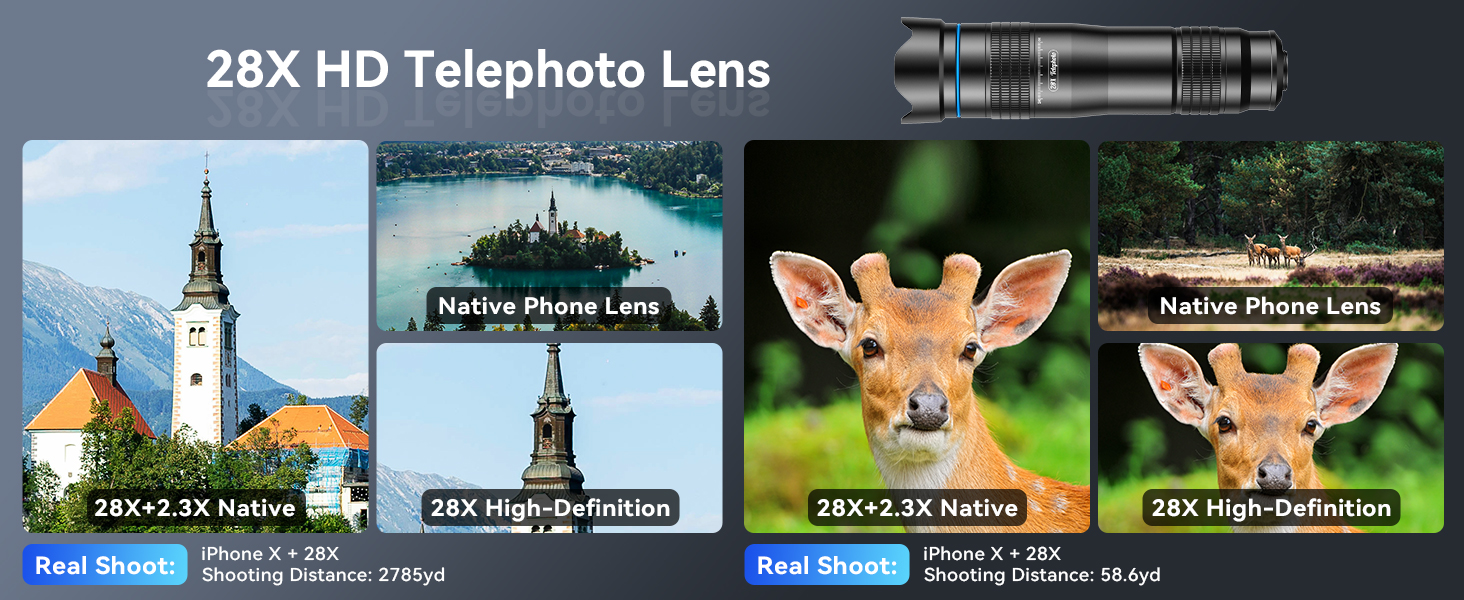
Figure 6: Comparison of image quality with and without the 28X telephoto lens.
Applications
- Wildlife Observation: Capture clear images of animals from a distance.
- Concerts and Events: Get closer to the stage action.
- Binoculars: Use the lens as a standalone monocular for distant viewing.
- Sports Matches: Bring the game closer to you.

Figure 7: Using the lens for observing and photographing animals.

Figure 8: Capturing live events with the telephoto lens.

Figure 9: The telephoto lens can also function as binoculars.

Figure 10: Capturing sports events with enhanced zoom.
Maintenance
To ensure the longevity and optimal performance of your APEXEL 28X Telephoto Lens Kit, follow these maintenance guidelines:
- Lens Cleaning: Use the provided cleaning cloth to gently wipe the lens surfaces. Avoid using abrasive materials or harsh chemicals that could scratch the glass.
- Storage: Always store the lens and accessories in the provided storage bag when not in use to protect them from dust, dirt, and scratches.
- Avoid Extreme Conditions: Do not expose the lens to extreme temperatures, humidity, or direct sunlight for prolonged periods.
- Handle with Care: Avoid dropping the lens or subjecting it to strong impacts, as this can damage the optical components.
Troubleshooting
Here are some common issues and their solutions:
- Q1: Why are photos easily blurred when shooting with a high-powered lens?
Blurring is usually caused by handheld shaking, low light, or inaccurate focusing. It is recommended to fix the phone with a tripod, manually rotate the focus ring to adjust slowly until the picture is clear, and prioritize shooting in a well-lit environment. - Q2: What should I do if I always feel out of focus after installing the lens?
The depth of field of the high-magnification lens is shallow, and it is easy to lose focus with slight movement. Please make sure that the phone and the lens fit perfectly (the main camera is aligned with the center of the lens) and refer to the manual to maintain a stable shooting distance. - Q3: The lens is easy to loosen or fall off when mounted on the cell phone, how to solve it?
It may be that the size of the cell phone does not match the fixture (e.g., excessive camera protrusion, the case is too thick or the cell phone is on the small side). Please make sure the phone model is in the official compatibility list, use silicone spacers to fill the gap and tighten the fixture screws.

Figure 11: Common troubleshooting steps for the telephoto lens.
Addressing Black Corners in Photos
In the case of cell phone camera 1x, four black corners may appear, which is normal. Simply magnify the frame to fix it until the black corners disappear.

Figure 12: How to remove black corners from your photos.
Macro Control Settings
For optimal macro photography, adjust your phone's camera settings:
- For iPhone 13 and newer: Turn off macro controls on the camera screen and use the main camera.
- For Samsung Galaxy S22/S23 Ultra: Disable focus enhancement.

Figure 13: Adjusting macro control settings on iOS and Android devices.
Specifications
| Product Dimensions | 4.33 x 4.33 x 1.97 inches |
| Item Weight | 3.88 ounces |
| Item Model Number | APL-DG10 |
| Brand | APEXEL |
| Focal Length Description | 28-30 millimeters |
| Lens Type | Standard |
| Compatible Mountings | 4/3 |
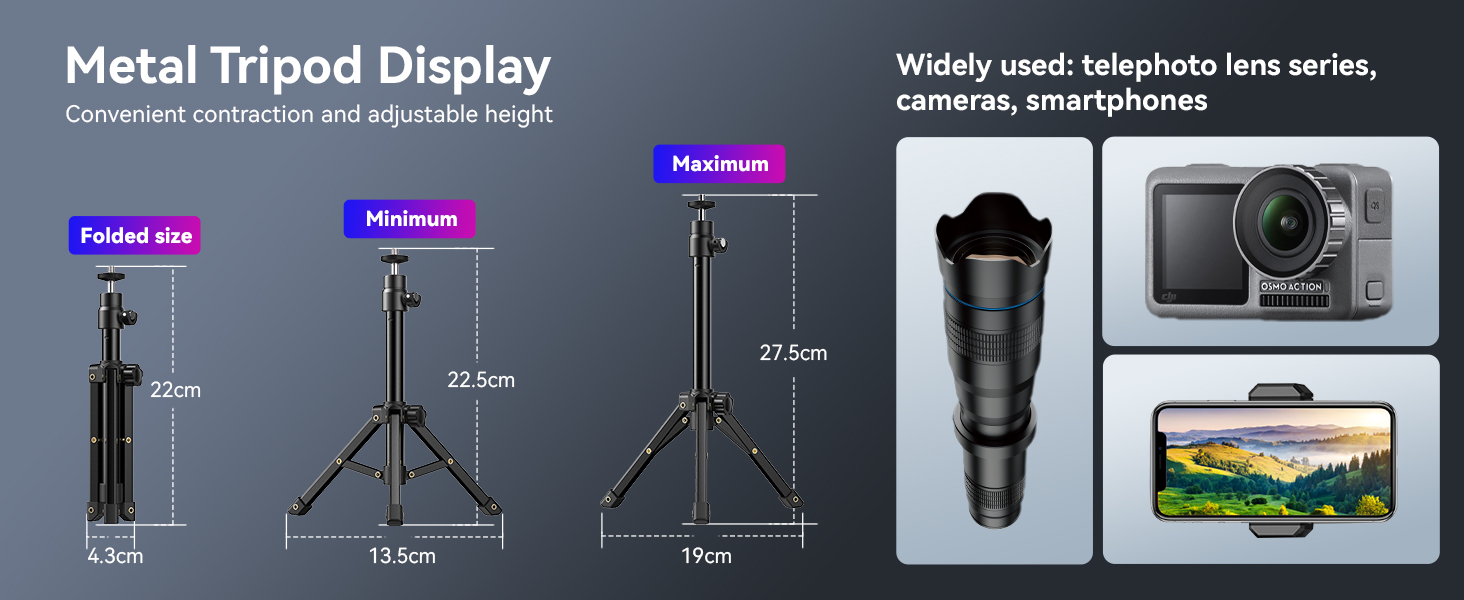
Figure 14: Dimensions and adjustability of the included metal tripod.
Warranty and Support
APEXEL offers a 1-year return service for this product. For any inquiries or support, please visit the APEXEL Store on Amazon.