
1. Introduction
This manual provides essential information for the safe and efficient operation, setup, and maintenance of your Hobao HB-10SCE-C60BU Hyper 10 SC-Elec RTR remote control short course truck. Please read this manual thoroughly before operating the vehicle to ensure proper function and longevity.

Figure 1: Front and top view of the Hobao Hyper 10 SC-Elec RTR Blue RC Truck, showcasing its blue and white body with flame decals.
2. Safety Precautions
Operating remote control vehicles requires caution. Failure to follow safety guidelines can result in injury or damage to property. Always adhere to the following:
- Adult Supervision: This product is not a toy. Adult supervision is required for users under 14 years of age.
- Operating Environment: Operate in open, clear areas away from people, pets, and obstacles. Avoid public roads, crowded areas, and water.
- Battery Safety: Use only recommended batteries and chargers. Follow all battery charging and handling instructions to prevent fire or explosion. Never leave charging batteries unattended.
- Moving Parts: Keep hands, hair, and loose clothing away from rotating parts like wheels and gears.
- Heat: The motor and ESC can become very hot during operation. Avoid touching them immediately after use.
- Chemicals: Keep all chemicals (e.g., lubricants, cleaners) out of reach of children.
- Pre-Operation Check: Always perform a thorough check of the vehicle before each use to ensure all components are secure and functioning correctly.
3. Package Contents
Upon opening the package, verify that all listed items are present:
- 1 x Hobao Hyper 10 SC-Elec RTR Vehicle (with 60A ESC/3900KV Motor)
- 1 x Remote Control
- 2 x Batteries
- 1 x Programming Card for ESC
- User Manual (this document)
- Additional accessories (e.g., tools, spare parts - may vary)

Figure 2: An elevated view of the Hobao Hyper 10 SC-Elec RTR, highlighting its robust chassis and wheel design.
4. Setup
Follow these steps to prepare your Hobao Hyper 10 SC-Elec RTR for its first use:
- Charge Batteries:
- Connect the provided batteries to the appropriate charger.
- Ensure the charger is plugged into a suitable power source.
- Monitor the charging process and disconnect once fully charged. Refer to your battery and charger manuals for specific instructions.
- Install Vehicle Battery:
- Remove the body clips and lift the vehicle body.
- Securely place the charged battery into the battery tray.
- Connect the battery to the Electronic Speed Controller (ESC). Ensure correct polarity.
- Re-attach the vehicle body with the body clips.
- Install Transmitter Batteries:
- Open the battery compartment on the remote control.
- Insert the required batteries (e.g., AA batteries) observing correct polarity.
- Close the battery compartment.
- Binding (if necessary):
Your RTR vehicle should come pre-bound. If you experience loss of control or are using a new transmitter/receiver, you may need to re-bind. Refer to the specific instructions for your radio system.
- Initial Checks:
- Turn on the transmitter first, then the vehicle's ESC.
- Check steering: Turn the steering wheel on the transmitter; the front wheels should turn accordingly. Adjust steering trim if wheels are not straight.
- Check throttle: Gently pull the throttle trigger; the wheels should spin forward. Push the trigger for reverse/brake.
- Ensure all controls respond smoothly and correctly before driving.
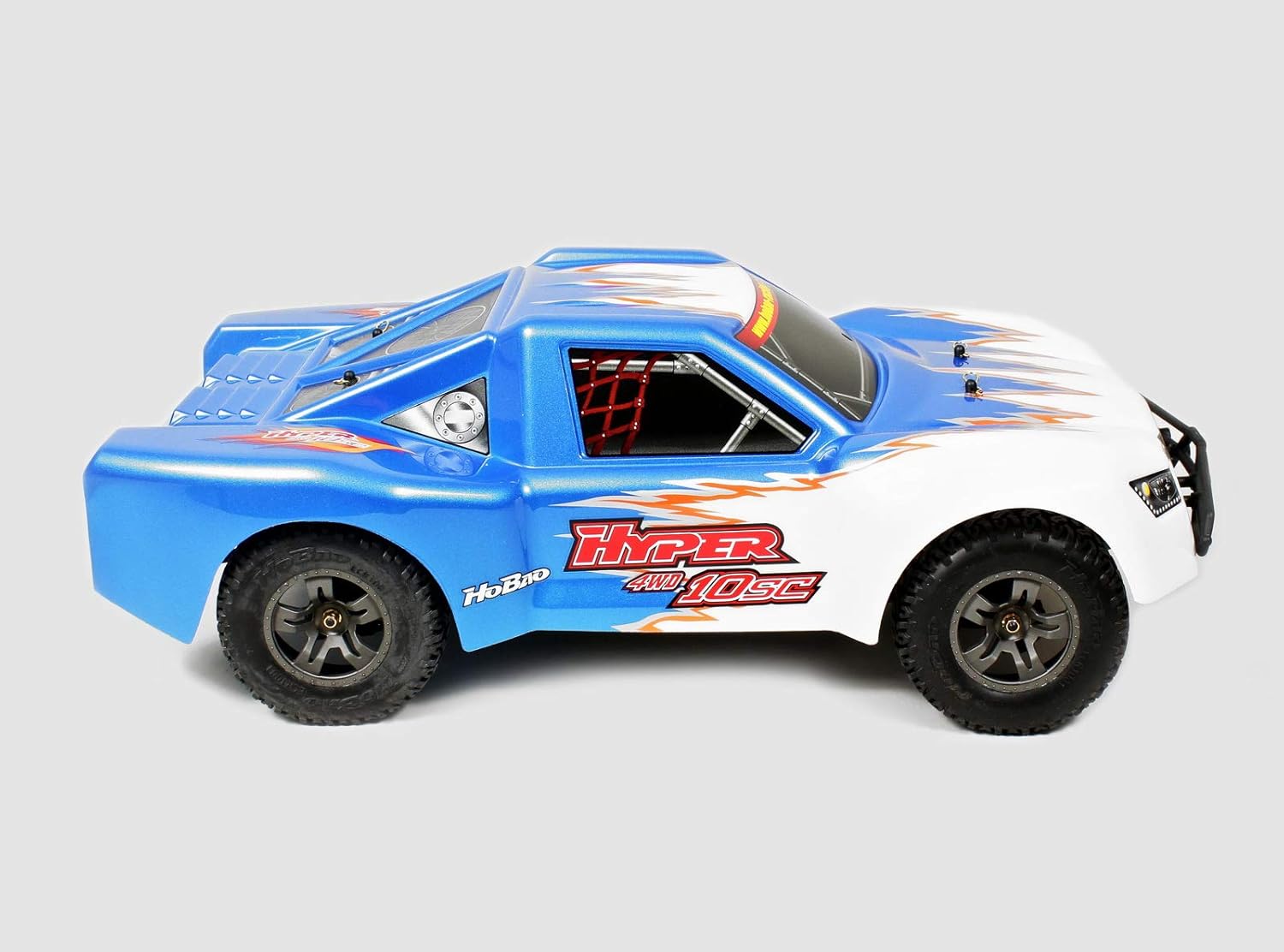
Figure 3: Side profile of the Hobao Hyper 10 SC-Elec RTR, showing its short course truck design and wheel clearance.
5. Operating Your Vehicle
Once setup is complete, you are ready to operate your Hobao Hyper 10 SC-Elec RTR. Remember to always operate responsibly and safely.
- Starting: Turn on the transmitter, then the vehicle.
- Driving: Use the steering wheel for direction and the trigger for throttle (forward/reverse/brake). Start with gentle throttle inputs to get a feel for the vehicle's speed and handling.
- Braking/Reversing: Push the throttle trigger forward from neutral for braking. A second push will engage reverse.
- ESC Programming: The included programming card allows adjustment of ESC settings (e.g., brake force, punch, low voltage cutoff). Refer to the ESC manual for detailed instructions on using the programming card.
- Run Time: Monitor battery levels. When the vehicle starts to slow down significantly, it's time to stop and recharge the battery. Do not fully discharge LiPo batteries as this can damage them.
- Stopping: Turn off the vehicle's ESC first, then the transmitter. Disconnect the battery from the ESC.
6. Maintenance
Regular maintenance will extend the life and performance of your RC vehicle.
- Cleaning: After each run, especially in dirty or dusty conditions, clean the vehicle. Use a soft brush or compressed air to remove dirt and debris from the chassis, suspension, and drivetrain. Avoid using water directly on electronics.
- Inspection:
- Check for loose screws, nuts, and bolts. Tighten as necessary.
- Inspect tires for wear and damage.
- Check suspension components (shocks, arms) for bends or cracks.
- Examine gears (spur and pinion) for wear or stripped teeth.
- Ensure all wires and connectors are secure and free from damage.
- Lubrication: Apply appropriate RC-specific lubricants to moving parts like universal joints and bearings as needed. Avoid over-lubrication.
- Battery Storage: Store batteries in a cool, dry place, ideally at a storage voltage (for LiPo batteries). Never store fully charged or fully discharged.

Figure 4: Rear view of the Hobao Hyper 10 SC-Elec RTR, showing the rear bumper, exhaust-like details, and wheel design.
7. Troubleshooting
This section addresses common issues you might encounter with your vehicle.
| Problem | Possible Cause | Solution |
|---|---|---|
| Vehicle does not turn on. |
|
|
| Loss of control/Erratic behavior. |
|
|
| Motor not responding or stuttering. |
|
|
8. Specifications
Key specifications for the Hobao HB-10SCE-C60BU Hyper 10 SC-Elec RTR:
- Model Number: HB-10SCE-C60BU
- Brand: Hobao
- Type: Short Course Electric (SC-Elec) Ready-to-Run (RTR)
- ESC: 60A Electronic Speed Controller
- Motor: 3900KV Brushless Motor
- Color: Blue
- ASIN: B075M177QM
- Included: Remote Control, 2 x Batteries, ESC Programming Card
9. Warranty and Support
For warranty information, technical support, or replacement parts, please contact Hobao customer service directly. Details are typically available on the manufacturer's official website or included in the product packaging.
It is recommended to retain your proof of purchase for warranty claims.
Hobao Official Website: www.hobao-racing.com (Note: This link is provided as a general example for Hobao products and may not be specific to this exact model's support page.)