
SIRAGON SIRAGON-1
SIRAGON 3-in-1 Mini DisplayPort Adapter User Manual
Model: SIRAGON-1
Introduction
This manual provides detailed instructions for the SIRAGON 3-in-1 Mini DisplayPort (Thunderbolt) to DVI VGA HDMI TV Adapter Cable. This versatile adapter allows you to connect your Mini DisplayPort-enabled device to a display with HDMI, DVI, or VGA input, expanding your connectivity options for presentations, entertainment, or extended workspaces.
Product Overview
The SIRAGON 3-in-1 adapter is designed for seamless connectivity, offering multiple output options from a single Mini DisplayPort input.
Package Contents
- 1 x SIRAGON 3-in-1 Mini DisplayPort Adapter
Adapter Components
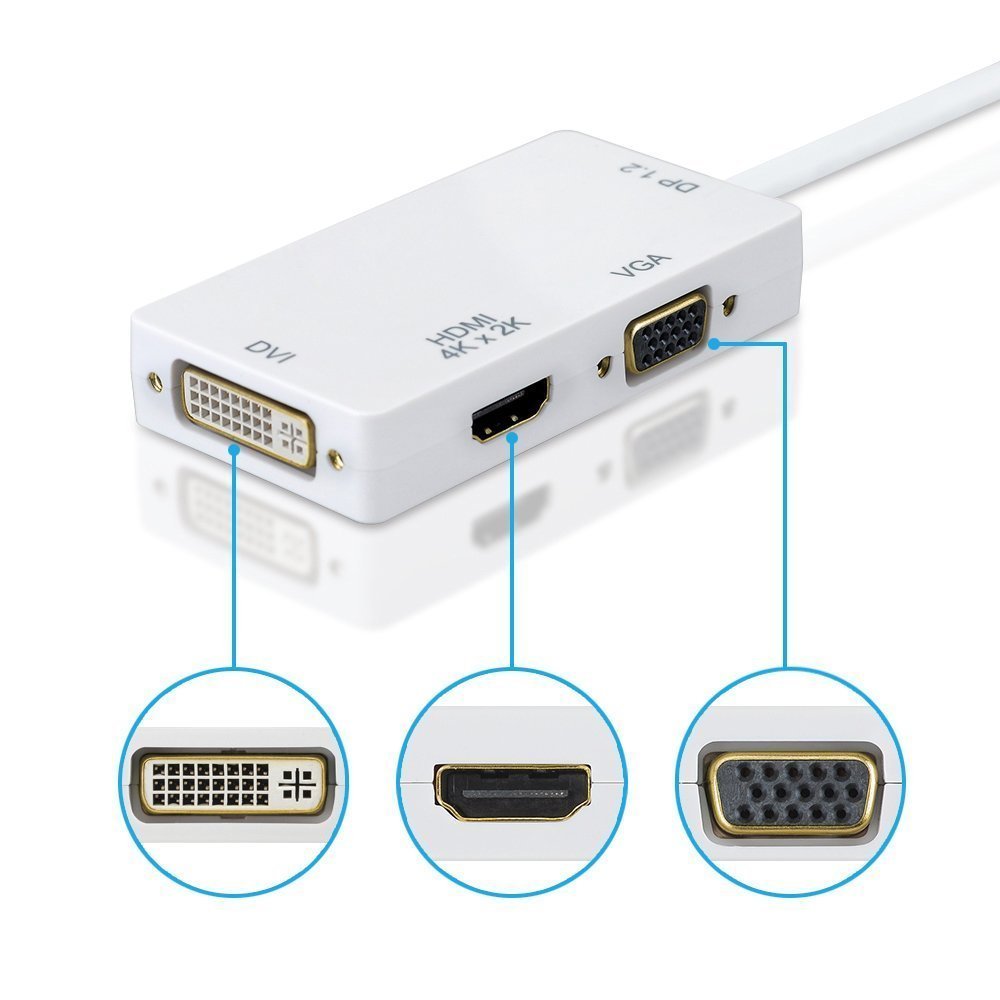
This image shows the SIRAGON 3-in-1 Mini DisplayPort adapter, highlighting its DVI, HDMI, and VGA output ports. The Mini DisplayPort input cable is visible on the right. Each port is clearly labeled for easy identification.
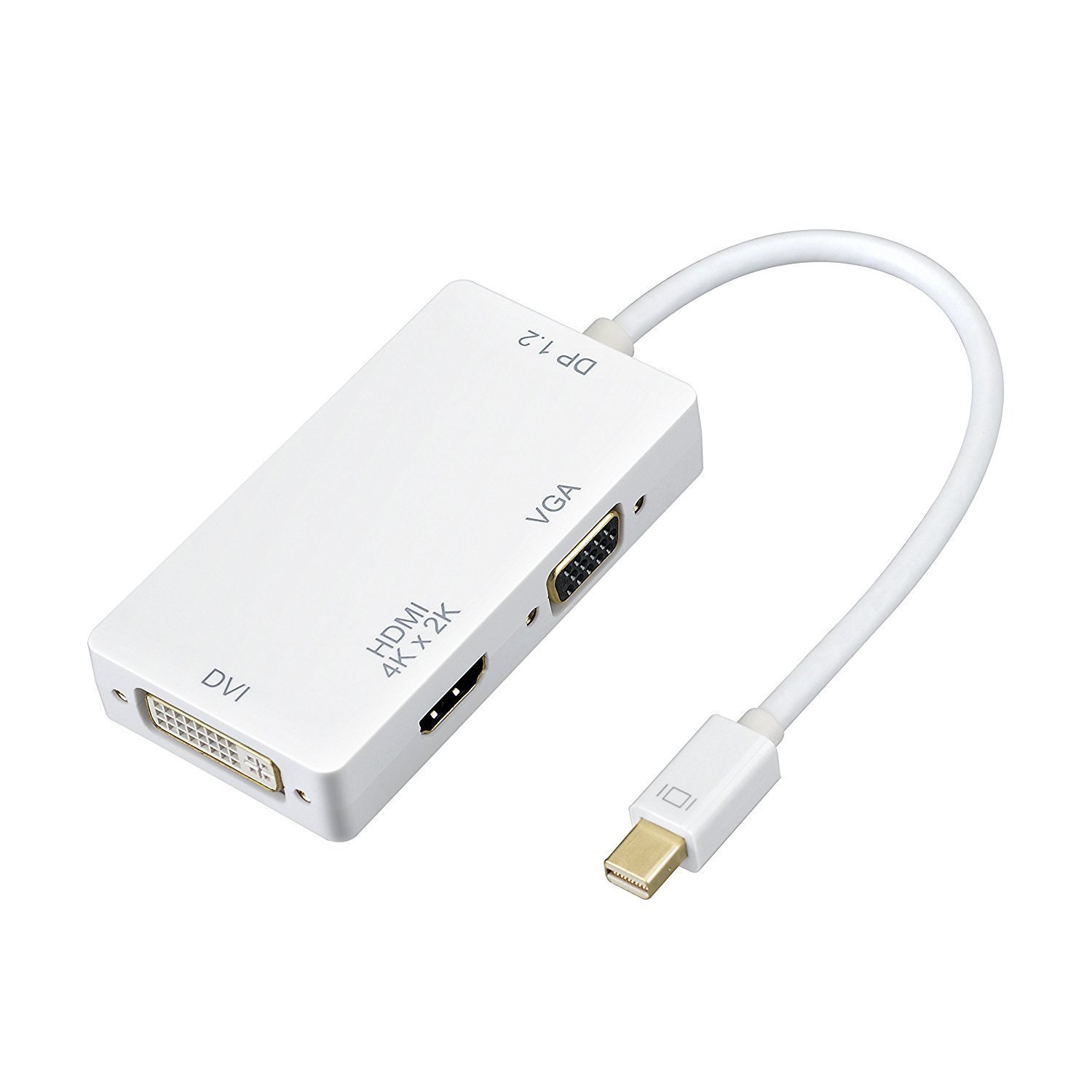
A view of the SIRAGON 3-in-1 adapter, showcasing its compact design and the Mini DisplayPort cable extending from one end. The DVI, HDMI, and VGA ports are visible on the main body of the adapter.
- Mini DisplayPort (Input): Connects to your source device (e.g., MacBook, Surface Pro).
- HDMI (Output): For high-definition video and audio output, supporting resolutions up to 4Kx2K.
- DVI (Output): For video output, supporting resolutions up to 1080p. No audio output.
- VGA (Output): For video output, supporting resolutions up to 1920x1200. No audio output.
Setup Instructions
- Ensure your source device (e.g., laptop, tablet) has a Mini DisplayPort or Thunderbolt port.
- Connect the Mini DisplayPort end of the SIRAGON adapter to your source device's Mini DisplayPort/Thunderbolt port.
- Choose the desired output port (HDMI, DVI, or VGA) on the adapter.
- Connect a compatible cable (HDMI, DVI, or VGA, sold separately) from the chosen adapter output port to your display device (monitor, TV, projector).
- Select the correct input source on your display device.
- Important Note: This adapter can only convert signal from Mini DisplayPort to HDMI/DVI/VGA. It is not bi-directional. It does not support more than one output simultaneously.
Operating Instructions
Once connected, your display device should automatically detect the signal. If not, you may need to adjust display settings on your source device.
HDMI Output
The HDMI port supports both video and audio transmission. For 4K resolution, ensure your movie content and display device both support 4K x 2K resolution.

This image illustrates the visual difference between normal, high definition, and 4K resolution when using the HDMI output. The adapter supports full 4K x 2K HDMI output, providing crystal clear images.

This image demonstrates the 3D stereo support capability of the adapter when connected via HDMI. It shows how the adapter can facilitate 3D viewing experiences, with separate left and right eye signals.
DVI and VGA Output
The DVI and VGA ports provide video output only. Audio will not be transmitted through these ports. Macs made before 2010 do not output audio over Mini DisplayPort, affecting all outputs.
Compatibility
This adapter is compatible with a wide range of devices featuring a Mini DisplayPort or Thunderbolt port.
- Apple MacBook, MacBook Pro, MacBook Air, iMac, Mac mini, Mac Pro
- Microsoft Surface Pro/Pro 2/Pro 3 (NOT Surface for Windows RT)
- Lenovo ThinkPad X1 Carbon
- Other mini DisplayPort devices
Technical Specifications

This image provides the physical dimensions of the SIRAGON 3-in-1 Mini DisplayPort adapter, including its length, width, and height, in both inches and centimeters.

This image illustrates the improved data transfer rate of DisplayPort V1.2 compared to V1.1, highlighting the faster performance of the SIRAGON adapter which supports V1.2.
| Feature | Detail |
|---|---|
| Output Video | HDMI/DVI/VGA |
| Input | Mini Display Port Male 20pin |
| HDMI Port | Female Type A 19pin, Supports v1.4, 4Kx2K, 1080p, 720p, HDMI Audio |
| DVI Port | Female (24+1), Supports v1.0, 1080p, 720p (No Audio) |
| VGA Port | Female 15Pin, Supports max 1920x1200 (No Audio) |
| Mini DP Port | Supports DP v1.2 (1.62 Gbps, 2.7 Gbps, 5.4 Gbps link rates) |
| Item Weight | 68 g |
| Package Dimensions | 22.9 x 16 x 2.1 cm |
Troubleshooting
- No Display:
- Solution: Ensure all cables are securely connected. Verify the correct input source is selected on your display. Check your device's display settings.
- No Audio (HDMI):
- Solution: Confirm your source device's audio output is set to the HDMI port. Macs made before 2010 do not output audio over Mini DisplayPort.
- No Audio (DVI/VGA):
- Note: DVI and VGA ports do not support audio transmission. Audio must be routed separately.
- 4K Resolution Not Working:
- Solution: Ensure both the content you are playing and your display device natively support 4K x 2K resolution.
- Multiple Displays Not Working Simultaneously:
- Note: This adapter supports only one output at a time. Disconnect other display cables if you are trying to use multiple outputs.
Maintenance
To ensure the longevity and optimal performance of your SIRAGON adapter:
- Keep the adapter in a dry environment, away from moisture and extreme temperatures.
- Avoid bending or twisting the cable excessively.
- Clean the ports gently with a dry, lint-free cloth if necessary.
- Store the adapter properly when not in use to prevent damage.
Warranty and Support
The SIRAGON 3-in-1 Mini DisplayPort Adapter comes with a 1 Year Manufacturer Warranty provided by Siragon Seller.
For technical support or warranty claims, please contact your retailer or the manufacturer directly. Refer to your purchase documentation for specific contact details.
Ask a question about this manual
Ask about setup, troubleshooting, compatibility, parts, safety, or missing instructions. Manuals+ will review the question and use this page’s manual context to help answer it.