
Introduction
Thank you for choosing the Timex Fairfield Chronograph Watch TW2R26800. This manual provides detailed instructions for setting up, operating, and maintaining your watch to ensure optimal performance and longevity. Please read this guide thoroughly before using your watch.
Product Overview
The Timex Fairfield Chronograph TW2R26800 is a men's watch featuring a black dial, chronograph function, date display, and Indiglo night-light. It is housed in a carbon IP coated stainless steel case with a black leather strap.
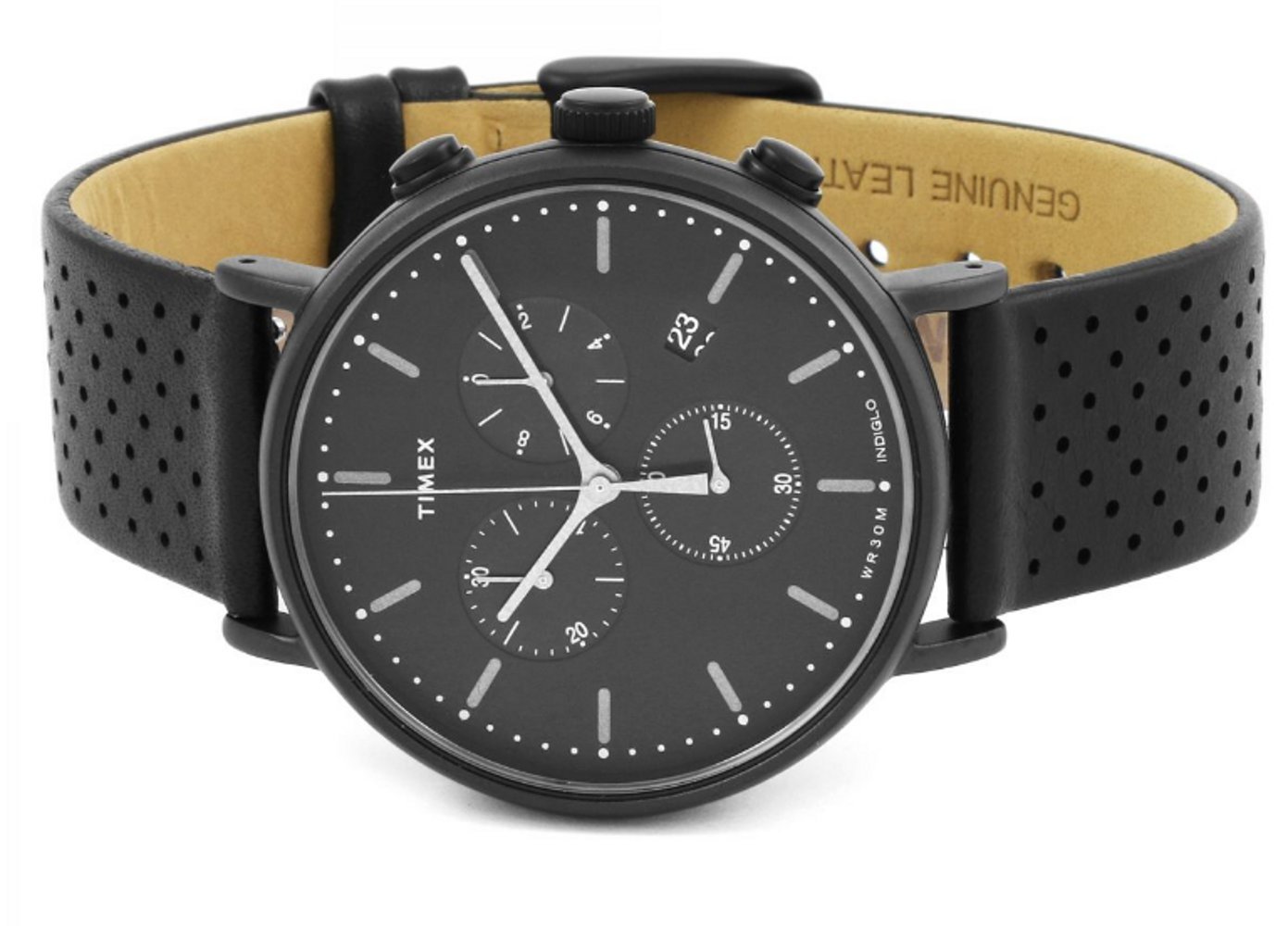
Image 1: Front view of the Timex Fairfield Chronograph Watch TW2R26800, showcasing the black dial, three sub-dials, and the black leather strap.
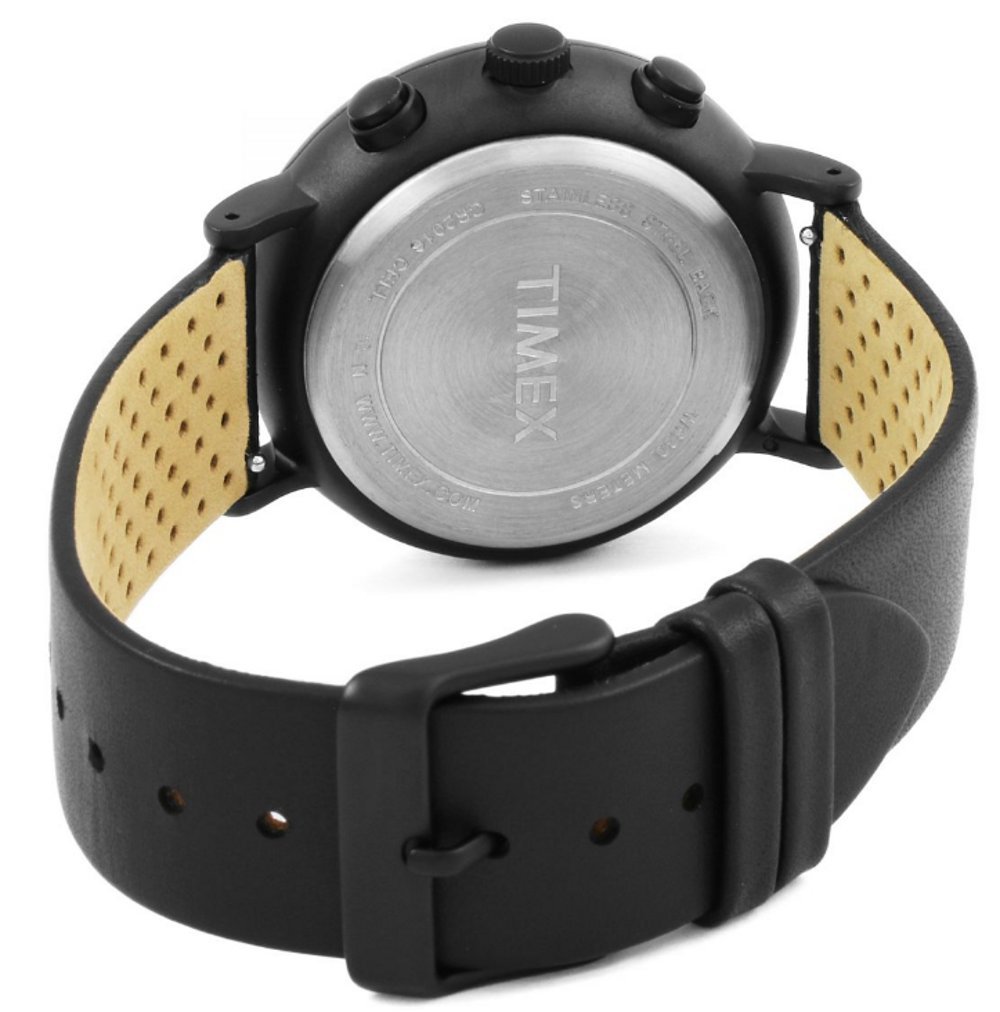
Image 2: Rear view of the Timex Fairfield Chronograph Watch TW2R26800, displaying the stainless steel case back with engraved details and the underside of the black leather strap.
Key Components:
- Crown: Used for setting time and date.
- Pushers (A & B): Used for operating the chronograph functions.
- Dial: Displays time, date, and chronograph measurements.
- Strap: Black leather strap for wearing the watch.
Setup
Setting the Time:
- Pull the crown out to position 2 (farthest position).
- Turn the crown clockwise or counter-clockwise to set the hour and minute hands to the desired time. Ensure AM/PM is correctly set if your watch has a 24-hour indicator or date changes at midnight.
- Push the crown back into position 0 (normal operating position).
Setting the Date:
- Pull the crown out to position 1 (middle position).
- Turn the crown clockwise or counter-clockwise to adjust the date.
- Once the correct date is displayed, push the crown back into position 0.
Note: Avoid setting the date between 9 PM and 3 AM, as this may interfere with the automatic date change mechanism.
Activating Indiglo Night-Light:
- Press and hold the crown (in position 0) to activate the Indiglo night-light. The dial will illuminate for easy reading in low-light conditions.
Operating the Chronograph
Your Timex Fairfield Chronograph features a stopwatch function for measuring elapsed time.
Starting and Stopping the Chronograph:
- Press the top pusher (A) to start the chronograph. The chronograph second hand will begin to move.
- Press the top pusher (A) again to stop the chronograph. The elapsed time will be displayed on the sub-dials.
Resetting the Chronograph:
- After stopping the chronograph, press the bottom pusher (B) to reset all chronograph hands to their zero positions.
Calibrating Chronograph Hands (if misaligned):
- Pull the crown out to position 2.
- Press pusher A to advance the chronograph second hand.
- Press pusher B to advance the chronograph minute hand.
- Adjust until all chronograph hands point to the 12 o'clock (zero) position.
- Push the crown back into position 0.
Maintenance
Water Resistance:
Your watch is water resistant to 30 meters (3 ATM). This means it is suitable for splashes or brief immersion in water, but not for swimming, showering, or diving. Do not operate the crown or pushers when the watch is wet.
Battery Replacement:
The watch is powered by a product-specific battery. When the battery needs replacement, it is recommended to take your watch to an authorized Timex service center or a qualified watchmaker. Attempting to replace the battery yourself may void the warranty and compromise the watch's water resistance.
Cleaning:
- Wipe the watch case and crystal with a soft, dry cloth.
- For the leather strap, avoid prolonged exposure to water, direct sunlight, and harsh chemicals. Clean with a damp cloth and mild soap if necessary, then dry thoroughly.
Storage:
When not in use, store your watch in a cool, dry place away from direct sunlight and extreme temperatures. The original watch box can be used for storage.
Image 3: The Timex watch box, suitable for storing the watch when not in use.
Troubleshooting
- Watch not running: Check if the crown is pushed in completely. If the watch still does not run, the battery may need replacement.
- Time/Date not setting correctly: Ensure the crown is pulled out to the correct position (position 2 for time, position 1 for date) and turned in the appropriate direction.
- Indiglo not working: Ensure the crown is pushed in completely before pressing it to activate Indiglo. If it still doesn't work, the battery may be low.
- Chronograph hands misaligned: Refer to the "Calibrating Chronograph Hands" section under Operating the Chronograph.
If problems persist, please contact Timex customer support or an authorized service center.
Specifications
| Feature | Detail |
|---|---|
| Model Number | TW2R26800 |
| Movement Type | Quartz |
| Case Material | Carbon IP Coated Stainless Steel |
| Case Diameter | 41 mm |
| Case Thickness | 9 mm |
| Band Material | Leather |
| Band Color | Black |
| Band Width | 18 mm |
| Water Resistance | 30 Meters (3 ATM) |
| Functions | Chronograph, Date, Indiglo Night-Light |
| Battery | 1 Product Specific battery required |
Warranty Information
Your Timex watch is covered by a limited warranty against manufacturing defects. The specific terms and duration of the warranty may vary by region. Please refer to the warranty card included with your purchase or visit the official Timex website for detailed warranty information and registration.
Keep your proof of purchase for warranty claims.
Support
For further assistance, technical support, or service inquiries, please contact Timex customer service. Contact details can typically be found on the official Timex website or in the documentation provided with your watch.
- Online Support: Visit the official Timex website for FAQs, product registration, and service center locations.
- Authorized Service Centers: For repairs and battery replacements, always use authorized Timex service centers to ensure genuine parts and maintain warranty validity.


