
1. Product Overview
The ANNKE 1080P HD TVI Home Security Camera system provides high-definition surveillance for both indoor and outdoor environments. Featuring 1920TVL resolution, IP66 weatherproof rating, and smart dual light night vision, these bullet cameras are designed for reliable 24/7 monitoring. This manual provides essential information for setting up, operating, and maintaining your security cameras.
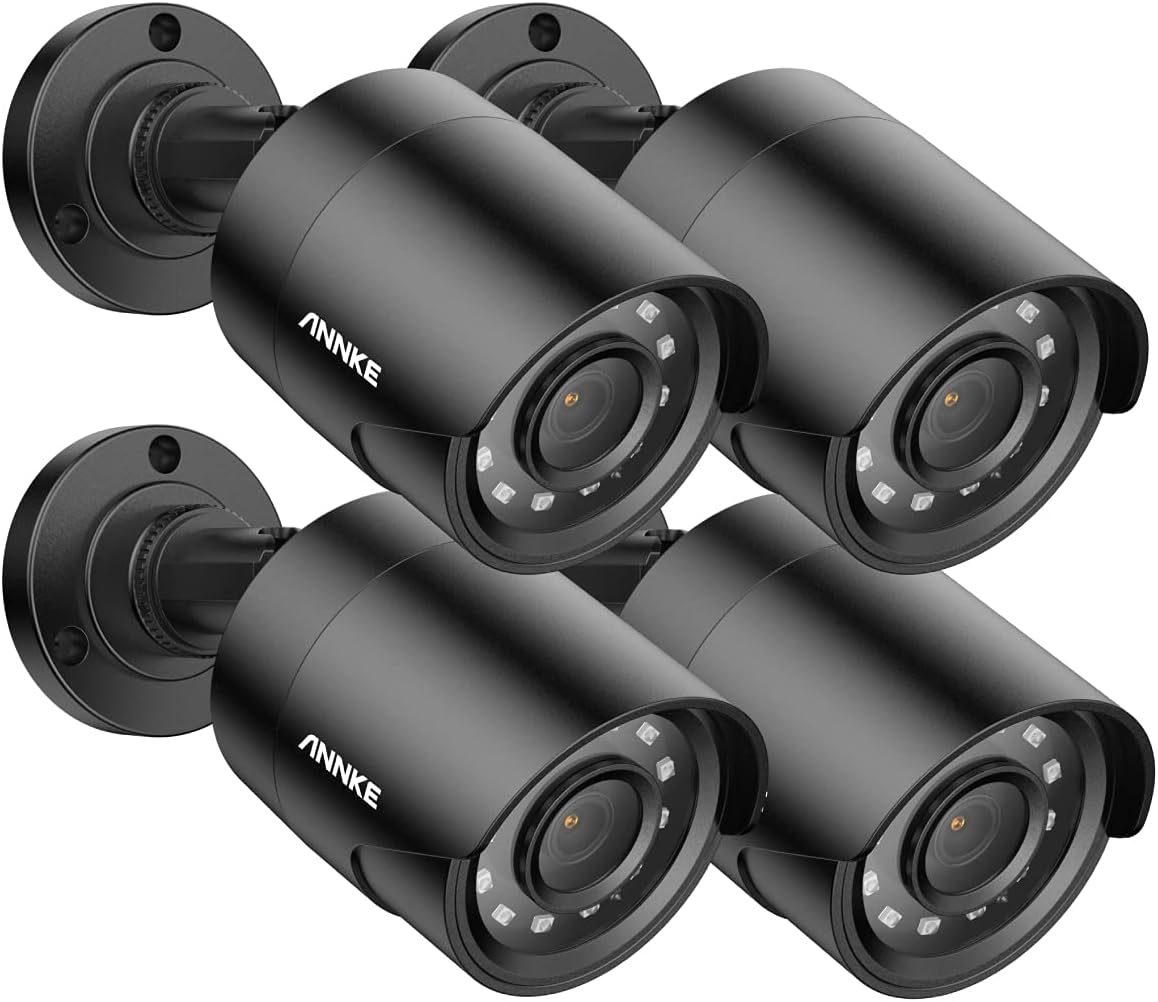
Image: A set of four black ANNKE 1080P HD TVI bullet security cameras, showcasing their design and quantity.
2. What's in the Box
Upon opening your ANNKE security camera package, verify that all the following components are included:
- 4x ANNKE 1080P HD TVI Bullet Cameras
- 1x User Manual
- 4x Wall Stickers (24-HOUR VIDEO SURVEILLANCE)
- 4x BNC Cables (60ft/18.3m each)
- 1x 1-to-4 Splitter Cable
- 1x Power Supply
- 4x Screw Bags (containing mounting screws and wall anchors)
Video: An unboxing demonstration of the ANNKE 2MP Cameras, showing all included components such as cameras, cables, power supply, and mounting hardware.

Image: A visual comparison demonstrating the clarity difference between 720P and 1080P HD video footage from the camera, highlighting the superior detail of 1080P.
3. Setup and Installation
These TVI cameras require connection to a compatible DVR (Digital Video Recorder) to function. The DVR is not included in this package. Ensure you have a suitable DVR before proceeding with installation.
3.1 Choosing a Location
Select a location that provides an optimal viewing angle and is within reach of the provided BNC cables and power supply. Consider areas that offer a clear line of sight to the desired monitoring zone, such as entry points, driveways, or common areas. The cameras are suitable for both indoor and outdoor use.

Image: Illustrates various camera placements for indoor monitoring and outdoor guarding, emphasizing cold resistance down to -40°F and 1080P HD night vision.
3.2 Mounting the Camera
- Position the camera at the chosen location and mark the drilling points for the mounting screws.
- Drill pilot holes at the marked points. If mounting on drywall or masonry, insert the provided wall anchors.
- Secure the camera base to the surface using the screws.
- Adjust the camera's angle using the 3-axis adjustable stand to achieve the desired field of view. The camera offers 360° horizontal and 180° vertical adjustment.

Image: A close-up diagram illustrating the camera's flexible mounting bracket, allowing for 360-degree horizontal and 180-degree vertical rotation for precise positioning.
3.3 Connecting the Cables
- Connect one end of the BNC cable to the camera's video output port.
- Connect the other end of the BNC cable to an available video input port on your DVR.
- Connect the camera's power input to one of the outputs on the 1-to-4 splitter cable.
- Connect the 1-to-4 splitter cable to the power supply.
- Plug the power supply into a standard electrical outlet.
4. Operating Your Camera System
Once properly installed and connected to a DVR, your ANNKE cameras will begin recording. Refer to your DVR's user manual for specific recording, playback, and remote viewing instructions.
4.1 Night Vision
The cameras are equipped with 12 IR LEDs, providing clear night vision up to 100ft (30m). The smart IR-cut filter automatically switches between day and night modes to optimize image quality. You can also manually set full-color night vision if your DVR supports it and ambient light conditions allow.

Image: Demonstrates the difference between standard infrared (black and white) night vision and a manually activated full-color night vision mode, showing enhanced detail and color in low light.

Image: Illustrates the effectiveness of night vision, comparing a scene with lights off (dark) to one with lights on (illuminated by the camera's IR), demonstrating clear visibility in darkness.
4.2 Motion Detection and Alerts
When connected to a compatible DVR, these cameras support motion detection. You can configure your DVR to send email alerts with snapshots or push notifications to your mobile device via the ANNKE App when motion is detected. This feature helps you stay informed of any activity in the monitored areas.

Image: Depicts a smartphone displaying email and app notifications triggered by motion detection, including thumbnail snapshots of the event, demonstrating the alert system.
5. Maintenance
Regular maintenance ensures optimal performance and longevity of your security cameras.
- Cleaning: Periodically clean the camera lens and housing with a soft, damp cloth. Avoid abrasive cleaners that could scratch the lens.
- Cable Inspection: Check BNC and power cables for any signs of wear, damage, or loose connections. Secure or replace as needed.
- Environmental Protection: While IP66 weatherproof, extreme conditions like heavy snow accumulation on the lens should be cleared to maintain clear vision. The cameras are designed to operate in temperatures from -40°F to 140°F (-40°C to 60°C).

Image: A black ANNKE security camera mounted on a brick wall, with water droplets on its surface, illustrating its IP66 weatherproof design suitable for outdoor use in various weather conditions.
6. Troubleshooting
If you encounter issues with your ANNKE security cameras, refer to the following common problems and solutions:
| Problem | Possible Cause | Solution |
|---|---|---|
| No Video Output | Loose BNC cable connection, no power, incompatible DVR. | Check all cable connections. Ensure power supply is connected and working. Verify DVR compatibility (TVI). |
| Poor Night Vision | Obstruction in front of lens, IR LEDs not functioning, insufficient power. | Clear any obstructions. Check if IR LEDs are glowing faintly in the dark. Ensure stable power supply. |
| Flickering or Distorted Image | Cable interference, power fluctuations, faulty cable. | Ensure cables are not near strong electrical interference. Check power supply stability. Try a different BNC cable. |
| Motion Detection Not Working | DVR settings incorrect, camera not connected to DVR. | Verify motion detection settings on your DVR. Ensure camera is properly connected and recognized by the DVR. |
7. Specifications
Detailed technical specifications for the ANNKE 1080P HD TVI Bullet Camera:
| Feature | Detail |
|---|---|
| Model Number | AU-K31CQ0403#USCR |
| Video Capture Resolution | 1080p (1920x1080) |
| Image Sensor | 2MP CMOS Image Sensor |
| Lens | 3.6mm |
| Angle of View | 82.2 degrees |
| Night Vision Range | 100 ft (30m) with 12 IR LEDs |
| Weather Resistance | IP66 Waterproof |
| Operating Temperature | -40°F to 140°F (-40°C to 60°C) |
| Power Source | 12 Volts DC |
| Connectivity | Wired BNC Cable |
| Material | Acrylonitrile Butadiene Styrene (ABS) |
| Dimensions (L x W x H) | 13.62 x 9.84 x 3.54 inches |
| Item Weight | 4.55 pounds (for the pack) |

Image: A graphic displaying key specifications of the camera, such as 2MP CMOS Image Sensor, 3.6mm Lens, 82.2° Angle of View, 12 Infra-Red LEDs, 100ft/30m Night Vision Distance, DC12V Operating Power, and -40°F to 140°F Operating Temperature, alongside an image of the camera in rain to highlight its IP66 weatherproof rating.
8. Warranty and Support
ANNKE is committed to providing reliable security solutions and excellent customer service.
- Professional Support: A dedicated professional support team is available to assist with any inquiries or issues.
- No Monthly Fees: Enjoy full functionality of your security system without recurring monthly charges.
- Data Security: All data transfer and downloading are secured, and local storage options ensure your privacy.
- Lifetime Technical Help: Benefit from lifetime technical assistance for your ANNKE products.

Image: A graphic titled "Customer First" outlining ANNKE's support pillars: After-Sale Support, Quick Response, Start with Your Needs, and Lifetime Technical Help, represented by icons.