
Introduction
This manual provides comprehensive instructions for the safe and effective installation, operation, and maintenance of your BUZZ RACK 1022 Rear-Mounted Bicycle Carrier. Please read all instructions carefully before use to ensure proper functionality and safety.
Setup and Installation
Proper installation is crucial for the safety of your bicycle and vehicle. Always ensure the carrier is securely attached before driving.
- Check Vehicle Compatibility: Verify that your vehicle's rear structure is suitable for a strap-on bicycle carrier. Perform a magnet test on the attachment points; if a magnet does not stick, the surface is plastic, and alternative attachment methods may be required.
- Unfold the Carrier: Carefully unfold the BUZZ RACK 1022 carrier. Adjust the arms to their open position.
- Position the Carrier: Place the carrier on the rear of your vehicle. The lower foam pads should rest on a sturdy part of the vehicle's body, ideally below the rear window or on the bumper. The upper pads should rest on the upper edge of the trunk or tailgate. Adjust the carrier's position to ensure it is centered and stable.
- Attach Straps: Securely attach the six straps to the vehicle. Two straps go to the top edge of the trunk/tailgate, two to the side edges, and two to the bottom edge. Ensure all hooks are firmly latched and the straps are tightened evenly to prevent movement.
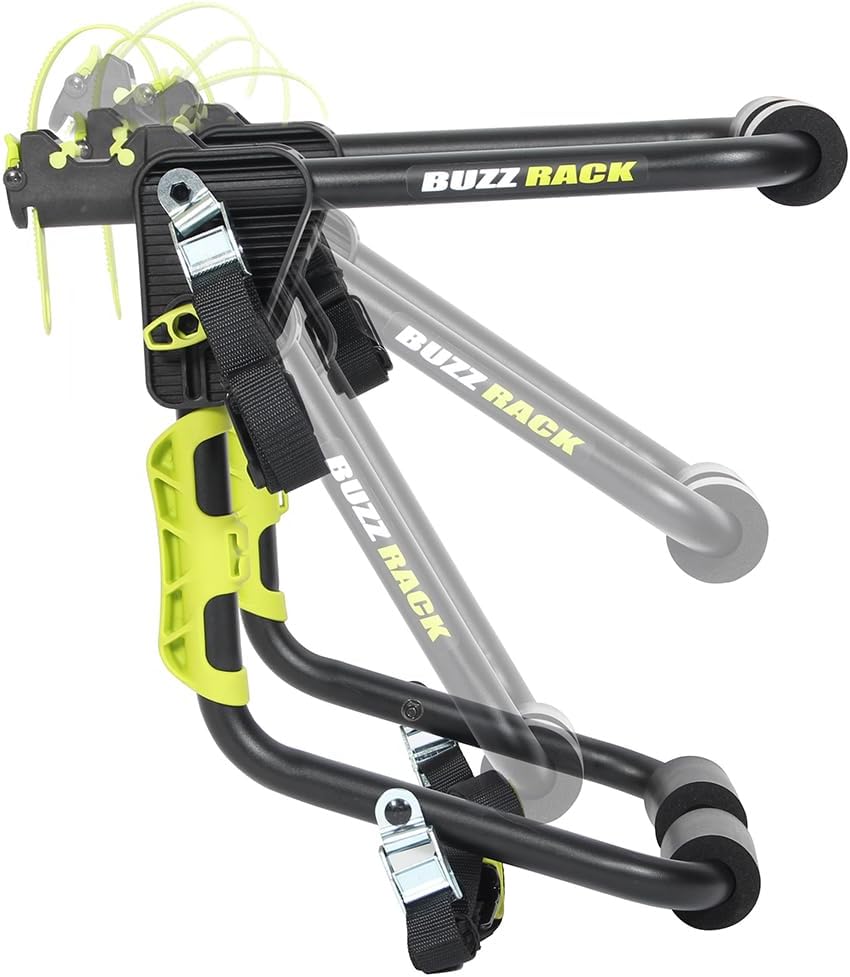
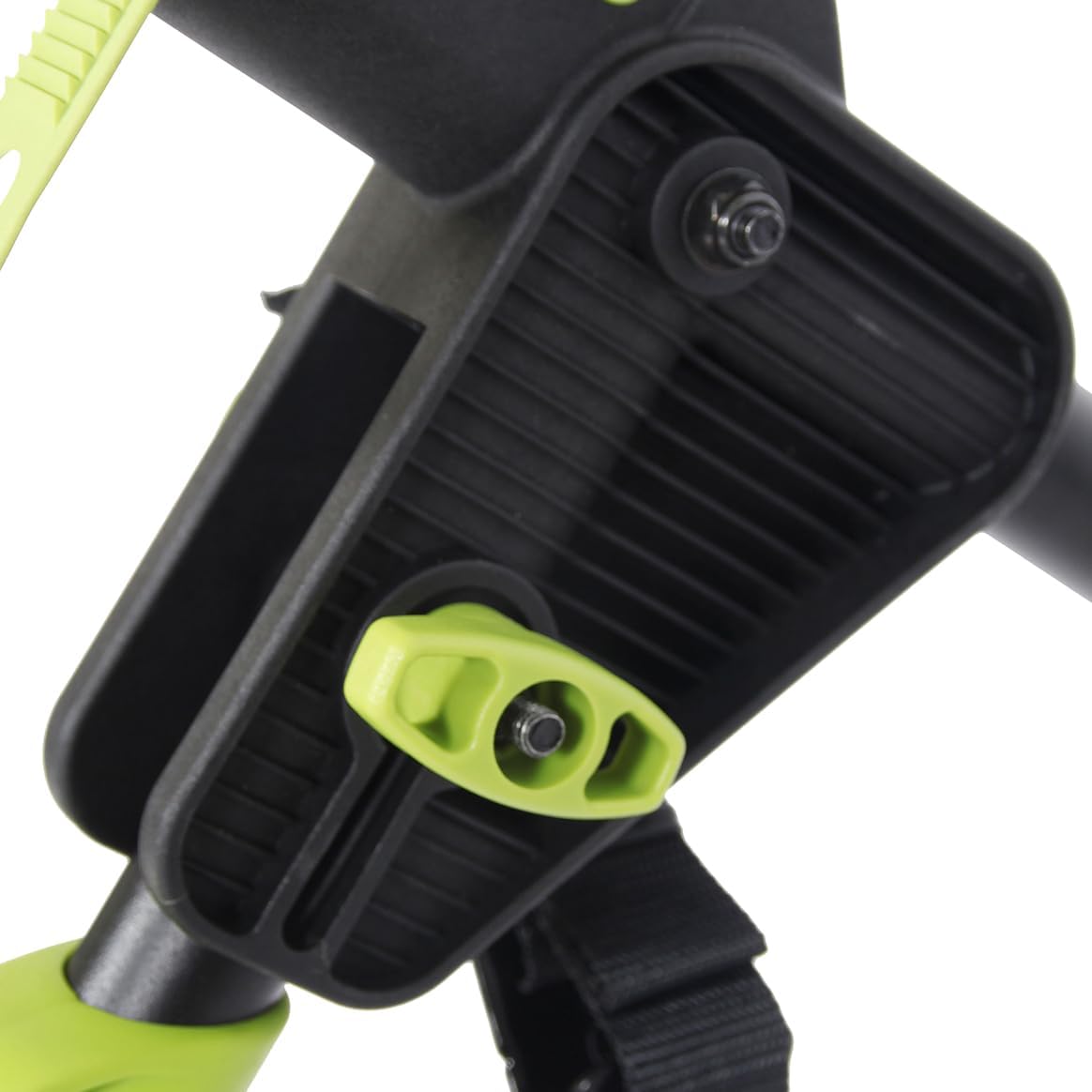
- Secure the Bicycle: Place your bicycle onto the carrier arms. Use the provided frame clamps and straps to secure the bicycle frame to the carrier arms. Ensure the bicycle is stable and does not swing. For bicycles with non-straight top tubes (e.g., beach cruisers, some mountain bikes), a bicycle adapter bar may be required (not included).


- Final Check: Before driving, double-check all straps, hooks, and bicycle attachments. Gently shake the carrier and bicycle to ensure there is no excessive movement. Ensure the vehicle's license plate and taillights are not obstructed.
Operating Instructions
Once installed, follow these guidelines for safe operation:
- Loading Capacity: The BUZZ RACK 1022 is designed to carry one bicycle with a maximum weight of 25 kg (55 lbs). Do not exceed this weight limit.
- Driving Speed: When transporting a bicycle, it is recommended not to exceed 110 km/h (68 mph). Adjust your speed according to road conditions and local traffic laws.
- Regular Checks: During long journeys, stop every hour or two to re-check the tightness of all straps and the security of the bicycle. Vibrations and road conditions can cause straps to loosen over time.
- Maneuvering: Be mindful of the increased length and width of your vehicle when parking, reversing, or driving through narrow spaces.
- Security: Always lock your bicycle to the carrier and the carrier to your vehicle when leaving it unattended.
Maintenance
Regular maintenance will extend the life of your bicycle carrier:
- Cleaning: Clean the carrier with mild soap and water after each use, especially if exposed to dirt, salt, or harsh weather conditions. Rinse thoroughly and dry.
- Strap Inspection: Periodically inspect all straps for signs of wear, fraying, or damage. Replace any damaged straps immediately.
- Component Check: Check all bolts, knobs, and moving parts for tightness and proper function. Lubricate moving joints if necessary.
- Storage: When not in use, store the carrier in a dry, protected area away from direct sunlight and extreme temperatures. The carrier is foldable for compact storage.
Troubleshooting
- Carrier feels unstable on the vehicle:
- Ensure all six straps are correctly attached and tightened evenly. Verify that the carrier's pads are resting on solid, non-plastic parts of the vehicle. Re-adjust the carrier's position if necessary.
- Bicycle is not stable on the carrier:
- Confirm that the bicycle frame is securely clamped and all bicycle-specific straps are tight. If your bike has an unusual frame shape, consider using a bicycle adapter bar.
- Straps are slipping or loosening:
- Check the strap buckles for proper threading and ensure they are not worn. Re-tighten straps frequently during travel. If straps are damaged, replace them immediately.
- Cannot transport an e-bike:
- The BUZZ RACK 1022 has a maximum capacity of 25 kg. Many e-bikes exceed this weight limit. Always check the weight of your e-bike before attempting to transport it. This carrier is generally not suitable for heavier e-bikes.
Specifications
| Feature | Detail |
|---|---|
| Brand | BUZZ RACK |
| Model Number | 1022 |
| Product Type Name | COLIBRI Strap-on Bicycle Carrier for 1 Bicycle |
| Color | Black, Yellow |
| Material | Rubber |
| Item Dimensions (L x W x H) | 52 x 38 x 29 centimeters |
| Item Weight | 3 Kilograms |
| Maximum Load Capacity | 25 Kilograms |
| Mounting Type | Strap |
| Foldable | Yes |
| Compatible Vehicle Type | Bicycle |
| Included Components | Safety strap |
Warranty Information
The BUZZ RACK 1022 Bicycle Carrier comes with a 2-year manufacturer's warranty. This warranty covers defects in materials and workmanship under normal use. Please retain your proof of purchase for warranty claims. The warranty does not cover damage resulting from improper installation, misuse, accidents, or unauthorized modifications.
Customer Support
For further assistance, technical support, or warranty inquiries, please contact BUZZ RACK customer service. Refer to the product packaging or the official BUZZ RACK website for the most current contact information.
