
Introduction
The Fresh 'n Rebel Rockbox Brick XL is a powerful portable Bluetooth speaker designed for high-quality audio playback. Featuring a durable Fabriq Edition design, wireless Bluetooth connectivity, and a long-lasting battery, it provides an immersive listening experience. This manual provides instructions for setting up, operating, and maintaining your speaker.
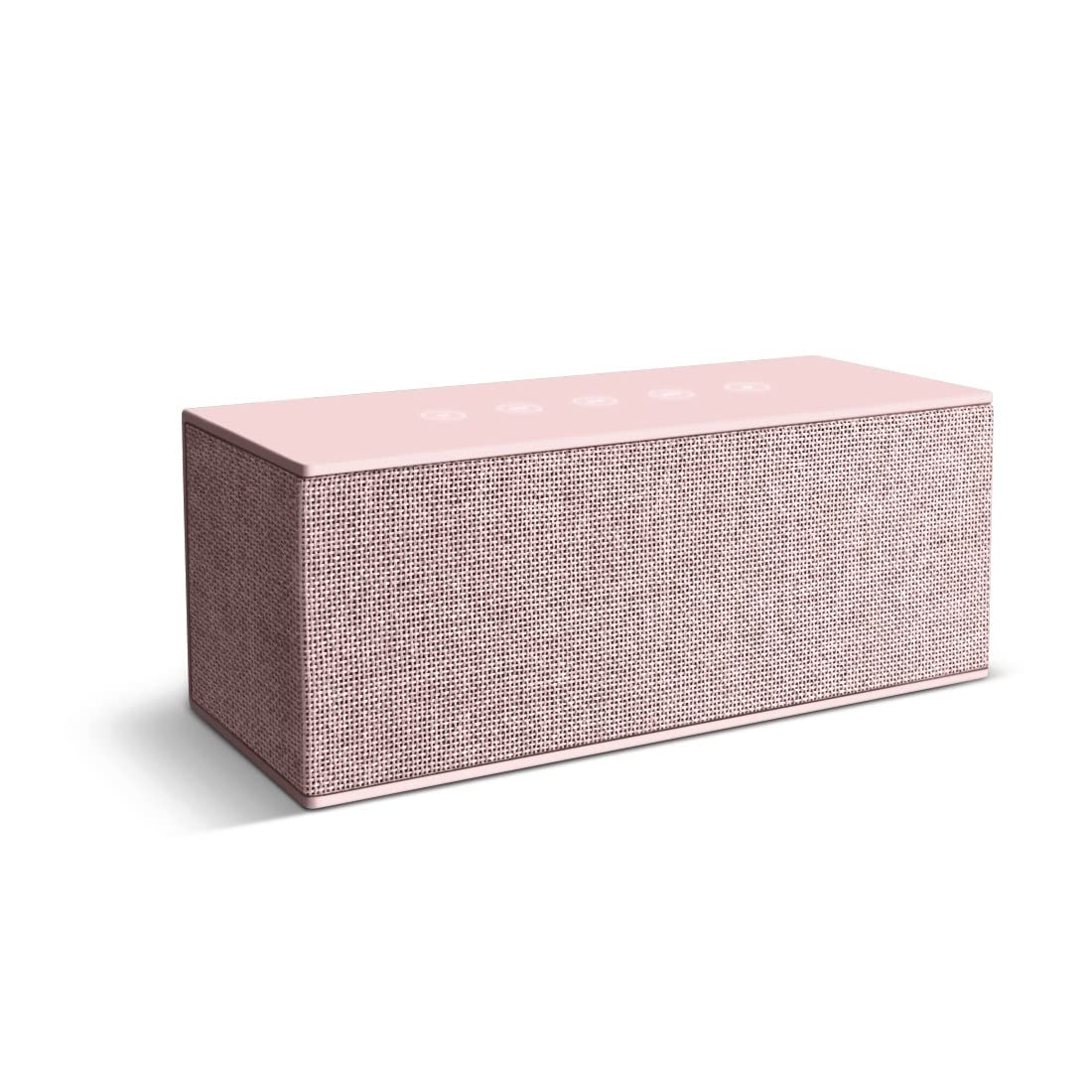
Image: The Fresh 'n Rebel Rockbox Brick XL speaker, showcasing its fabric finish and compact design.
What's in the Box
Please check the package contents to ensure all items are present:
- 1x Fresh 'n Rebel Rockbox Brick XL Fabriq Bluetooth Speaker
- 1x Micro-USB Charging Cable
- 1x AUX Audio Cable (3.5mm)
- 1x User Manual (this document)
Product Overview
Familiarize yourself with the speaker's controls and ports.
Top Panel (Touch Controls)
- Power Button: Press and hold to power on/off.
- Bluetooth Pairing Button: Press to enter Bluetooth pairing mode.
- Volume Up (+): Tap to increase volume.
- Volume Down (-): Tap to decrease volume.
- Play/Pause Button: Tap to play or pause audio.
- Multi-function Button: May control track skipping (double tap for next, triple tap for previous) or answer/end calls.
Rear Panel (Ports)
- Micro-USB Port: For charging the speaker.
- AUX-in Port (3.5mm): For wired audio connection.
- USB-A Output Port: For charging external devices (power bank function).
Image: Illustrative view of the speaker's top touch controls and rear connection ports.
Setup
1. Charging the Speaker
- Connect the supplied Micro-USB cable to the Micro-USB port on the speaker.
- Connect the other end of the cable to a USB power adapter (not included) or a computer's USB port.
- The charging indicator light will illuminate. Once fully charged, the light will change or turn off.
- A full charge provides approximately 15 hours of playback time.
2. Powering On/Off
- To Power On: Press and hold the Power button until you hear an audible cue or see an indicator light.
- To Power Off: Press and hold the Power button again until you hear an audible cue or the indicator light turns off.
3. Bluetooth Pairing
- Ensure the speaker is powered on and within range of your Bluetooth device (e.g., smartphone, tablet).
- The speaker will automatically enter Bluetooth pairing mode when powered on for the first time, or if no device is connected. The Bluetooth indicator light will flash.
- On your device, go to the Bluetooth settings and enable Bluetooth.
- Select "Rockbox Brick XL" from the list of available devices.
- Once connected, the Bluetooth indicator light will become solid, and you will hear a confirmation sound.
- To pair with a new device, disconnect from the current device or press the Bluetooth pairing button on the speaker to re-enter pairing mode.
4. AUX Connection (Wired Audio)
- Connect one end of the supplied 3.5mm AUX audio cable to the AUX-in port on the speaker.
- Connect the other end of the cable to the headphone jack or audio output port of your audio device.
- The speaker will automatically switch to AUX mode.
- Volume control will primarily be managed by your connected device, though the speaker's volume controls will also function.
5. Double Fun Mode (Connecting Two Speakers)
To enhance your audio experience, you can connect two Rockbox Brick XL speakers wirelessly for stereo sound.
- Ensure both Rockbox Brick XL speakers are powered on and not connected to any Bluetooth device.
- On one speaker (this will be your primary speaker), press and hold the Bluetooth pairing button until it enters pairing mode.
- On the second speaker, press the Bluetooth pairing button once.
- The two speakers will automatically connect to each other. You will hear a confirmation sound.
- Once connected, pair your Bluetooth device to the primary speaker as described in "3. Bluetooth Pairing".
- Audio will now play in stereo across both speakers.
Operating
Audio Playback
- Play/Pause: Tap the Play/Pause button once.
- Next Track: Double-tap the Multi-function button.
- Previous Track: Triple-tap the Multi-function button.
Volume Control
- Increase Volume: Tap the Volume Up (+) button.
- Decrease Volume: Tap the Volume Down (-) button.
Phone Calls (if supported by connected device)
- Answer Call: Tap the Multi-function button once when a call comes in.
- End Call: Tap the Multi-function button once during a call.
- Reject Call: Press and hold the Multi-function button for 2 seconds when a call comes in.
Maintenance
Cleaning
To clean your speaker, use a soft, dry, lint-free cloth. Do not use abrasive cleaners, alcohol, or chemical solvents, as these may damage the surface or internal components.
Storage
When not in use for extended periods, store the speaker in a cool, dry place away from direct sunlight and extreme temperatures. It is recommended to charge the battery periodically (e.g., every 3 months) to maintain battery health.
Water Resistance
The Rockbox Brick XL speaker is designed to be waterproof. However, ensure all port covers are securely closed before exposure to water. Do not submerge the speaker for extended periods or expose it to pressurized water streams. After exposure to water, dry the speaker thoroughly before charging.
Troubleshooting
| Problem | Possible Cause | Solution |
|---|---|---|
| Speaker does not power on. | Battery is depleted. | Charge the speaker using the Micro-USB cable. |
| No sound from speaker. | Volume is too low or muted. Device not connected. | Increase speaker and device volume. Ensure Bluetooth or AUX connection is established. |
| Cannot pair via Bluetooth. | Speaker not in pairing mode. Device Bluetooth off. Interference. | Ensure speaker is in pairing mode (flashing light). Turn device Bluetooth off/on. Move speaker closer to device. |
| Poor audio quality. | Bluetooth range exceeded. Low battery. Interference. | Move device closer to speaker. Charge speaker. Avoid obstacles between speaker and device. |
| Double Fun Mode not working. | Speakers already paired to a device. Incorrect pairing sequence. | Ensure both speakers are disconnected from other devices. Follow Double Fun Mode pairing instructions carefully. |
Specifications
| Feature | Detail |
|---|---|
| Model Name | Rockbox Brick XL |
| Model Number | 1RB5500CU |
| Connectivity | Bluetooth, 3.5mm AUX |
| Wireless Technology | Bluetooth |
| Audio Output | 20 Watt (2.0 Channels) |
| Impedance | 4 Ohm |
| Signal-to-Noise Ratio | 75 dB |
| Power Source | Battery (Lithium-ion) |
| Battery Capacity | 5000 mAh |
| Average Battery Life | Up to 15 hours |
| Charging Port | Micro-USB |
| USB Output Port | USB-A (for charging external devices) |
| Control Method | Touch |
| Water Resistance | Yes |
| Material | Metal, Fabric |
| Product Dimensions | 23 x 9.5 x 9.5 cm |
| Item Weight | 920 g |
| Compatible Devices | Android, Apple, Windows, Samsung, iPhone, iPad, Sony, Huawei, Bluetooth-enabled devices |
Warranty and Support
Limited Warranty
The Fresh 'n Rebel Rockbox Brick XL speaker comes with a limited warranty. Please refer to the warranty card included in your product packaging or visit the official Fresh 'n Rebel website for detailed terms and conditions regarding warranty coverage, duration, and claims procedures.
Customer Support
For technical assistance, troubleshooting beyond this manual, or warranty inquiries, please contact Fresh 'n Rebel customer support. Contact information can typically be found on the official Fresh 'n Rebel website or on the product packaging.
Website: www.freshnrebel.com