
Introduction
The Dayton Audio PC83-4 is a 3-inch full-range poly cone driver designed for various audio applications, including MTM bookshelves, car audio systems, and line arrays. This manual provides essential information for the proper installation, operation, and maintenance of your speaker driver to ensure optimal performance and longevity.
Product Features
- Copper cap to keep inductance under control and extend high frequency response.
- Poly damped woven glass fiber cone controls cone break-up and provides a smooth roll-off.
- Smooth response with true full-range reproduction for simple speaker designs.
- High energy ferrite magnet increases BL for higher efficiency and more output.
- Suitable for MTM bookshelves, car audio, or line array applications.
Package Contents
- 1 x Dayton Audio PC83-4 3-inch Full-Range Poly Cone Driver
Safety Information
WARNING: This product may contain chemicals known to the State of California to cause cancer and birth defects or other reproductive harm. Handle with care and wash hands after handling.
Always ensure proper electrical connections and observe polarity when wiring. Avoid exceeding the maximum power handling capacity of the driver to prevent damage. Do not expose the driver to excessive moisture or extreme temperatures.
Setup
Mounting
The PC83-4 driver is designed for secure mounting in an appropriate enclosure or baffle. Ensure the mounting surface is rigid and free from vibrations. Use appropriate screws and gaskets to create an airtight seal around the driver's frame.

Figure 1: Front view of the Dayton Audio PC83-4 driver, showing the poly cone and surround.
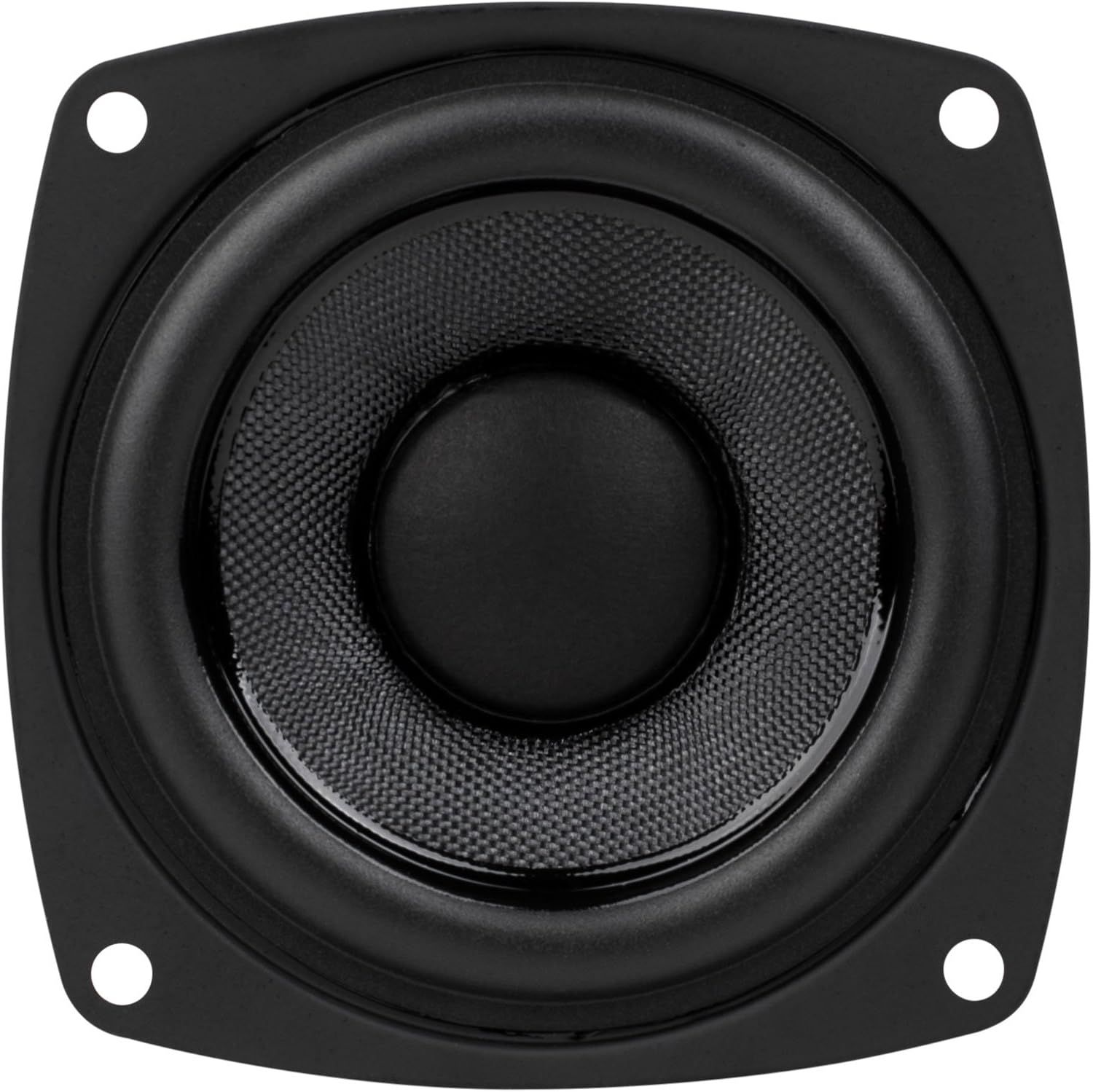
Figure 2: Rear view of the Dayton Audio PC83-4 driver, illustrating the magnet structure and wiring terminals.
Wiring
Connect the speaker wires to the terminals on the rear of the driver. The positive (+) terminal is typically marked with a red dot or a larger tab, and the negative (-) terminal is marked with a black dot or a smaller tab. Ensure correct polarity for all drivers in your system to maintain proper phase alignment.
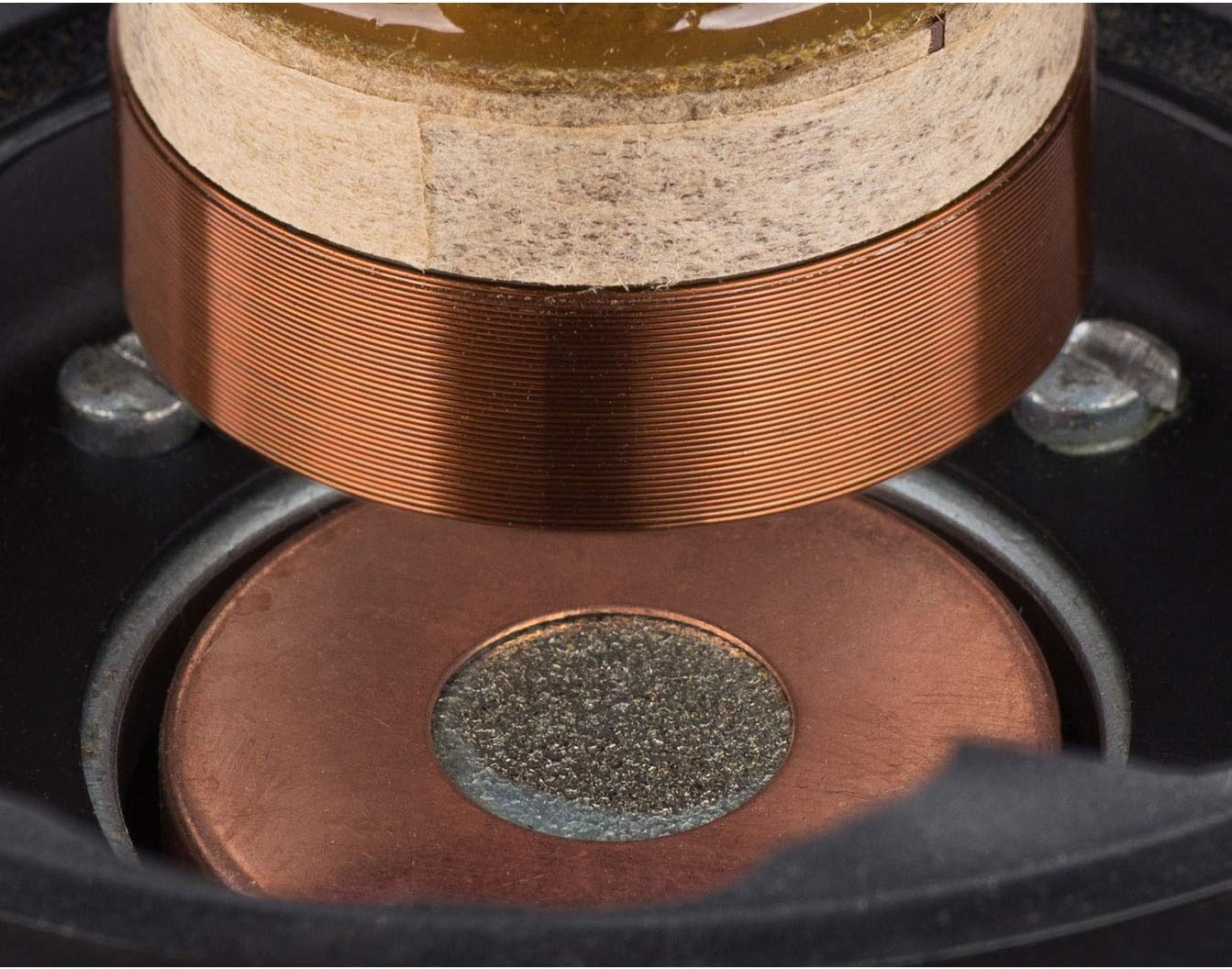
Figure 3: Internal view showing the copper cap and voice coil, which contribute to extended high-frequency response.
Operating
Amplifier Connection
Connect the PC83-4 driver to a suitable audio amplifier. Ensure the amplifier's impedance output matches the driver's impedance (4 Ohms). Start with a low volume level and gradually increase it to your desired listening level. Avoid driving the speaker with an amplifier that delivers power significantly beyond the driver's maximum output power to prevent damage.
Enclosure Design Considerations
For optimal sound reproduction, especially in the lower frequencies, the PC83-4 should be installed in a properly designed and constructed speaker enclosure. The enclosure's volume and port tuning (if applicable) will significantly impact the driver's performance. Consult speaker design resources for guidance on appropriate enclosure types and dimensions for this driver.
Maintenance
The Dayton Audio PC83-4 requires minimal maintenance. Keep the driver free from dust and debris. Use a soft, dry cloth to gently wipe the cone and frame. Avoid using harsh chemicals or abrasive materials, as these can damage the speaker components. Ensure the speaker is not exposed to direct sunlight for prolonged periods or extreme temperature fluctuations.
Troubleshooting
- No Sound: Check all wiring connections for proper contact and polarity. Verify that the amplifier is powered on and functioning correctly. Ensure the audio source is active and volume is turned up.
- Distorted Sound: Reduce the amplifier's volume. Check for damaged speaker wires or loose connections. Ensure the amplifier's power output is not exceeding the speaker's maximum power handling. Inspect the speaker cone for any physical damage.
- Weak or Uneven Sound: Confirm correct polarity for all drivers in a multi-speaker setup. Check for any obstructions in front of the speaker.
Specifications
| Specification | Value |
|---|---|
| Brand | Dayton Audio |
| Model Name | PC83-4 |
| Speaker Maximum Output Power | 60 Watts |
| Connectivity Technology | Wired |
| Audio Output Mode | Stereo, 3.0 Surround Sound |
| Input Voltage | 2.83 Volts |
| Mounting Type | Car Mount, Freestanding |
| Speaker Type | Surround Sound |
| Woofer Diameter | 3 Inches |
| Color | Black |
| Item Weight | 1.15 Pounds |
| Item Dimensions D x W x H | 3.5"D x 3.5"W x 2.2"H |
Warranty Information
This Dayton Audio PC83-4 driver comes with a Limited Warranty. For specific details regarding the warranty period and coverage, please refer to the documentation included with your purchase or visit the official Dayton Audio website. The return policy allows for returns within 30 days for refund or replacement.
Support
For further assistance, technical support, or to explore other Dayton Audio products, please visit the official Dayton Audio store or contact their customer service department.
Official Dayton Audio Store: Dayton Audio Store on Amazon


