
Eyoyo EF09RBO
Eyoyo EF09RBO 9-inch Underwater Fishing Camera User Manual
Model: EF09RBO
1. Introduction
The Eyoyo EF09RBO is a portable underwater fishing camera system designed to enhance your fishing experience by providing clear underwater visibility. This system includes a 9-inch LCD monitor, a 1000TVL waterproof camera with a 30-meter cable, a rechargeable battery, and DVR recording capabilities. It is suitable for various fishing environments, including ice, boat, and lake fishing.

Image 1.1: The Eyoyo EF09RBO Underwater Fishing Camera system.
Key features include:
- 9-inch TFT Color Monitor: Provides a clear, large display of underwater footage, even in bright sunlight, thanks to its removable sun visor.
- Long Battery Life: Equipped with a 4500mAh rechargeable battery, offering 6-8 hours of continuous operation.
- Infrared Night Vision: Features 12 infrared lights for clear visibility in low-light conditions.
- DVR Recording: Allows recording of fishing adventures to an included 8GB TF card.
- Durable and Waterproof: IP68 waterproof camera with a reinforced 30-meter cable for reliable use in various aquatic environments.
2. Package Contents
Please verify that all items are present in your package:
- 1 x 9-inch Monitor
- 1 x 1000TVL Camera with 30m Cable
- 1 x 4500mAh Battery
- 1 x Battery Charger
- 1 x Float Accessories
- 1 x Plastic Ring Set
- 1 x Metal Clip Set
- 1 x Power Adapter
- 1 x Sunshade
- 1 x User Manual
- 1 x Ice Fishing Rod (if included in your specific package)
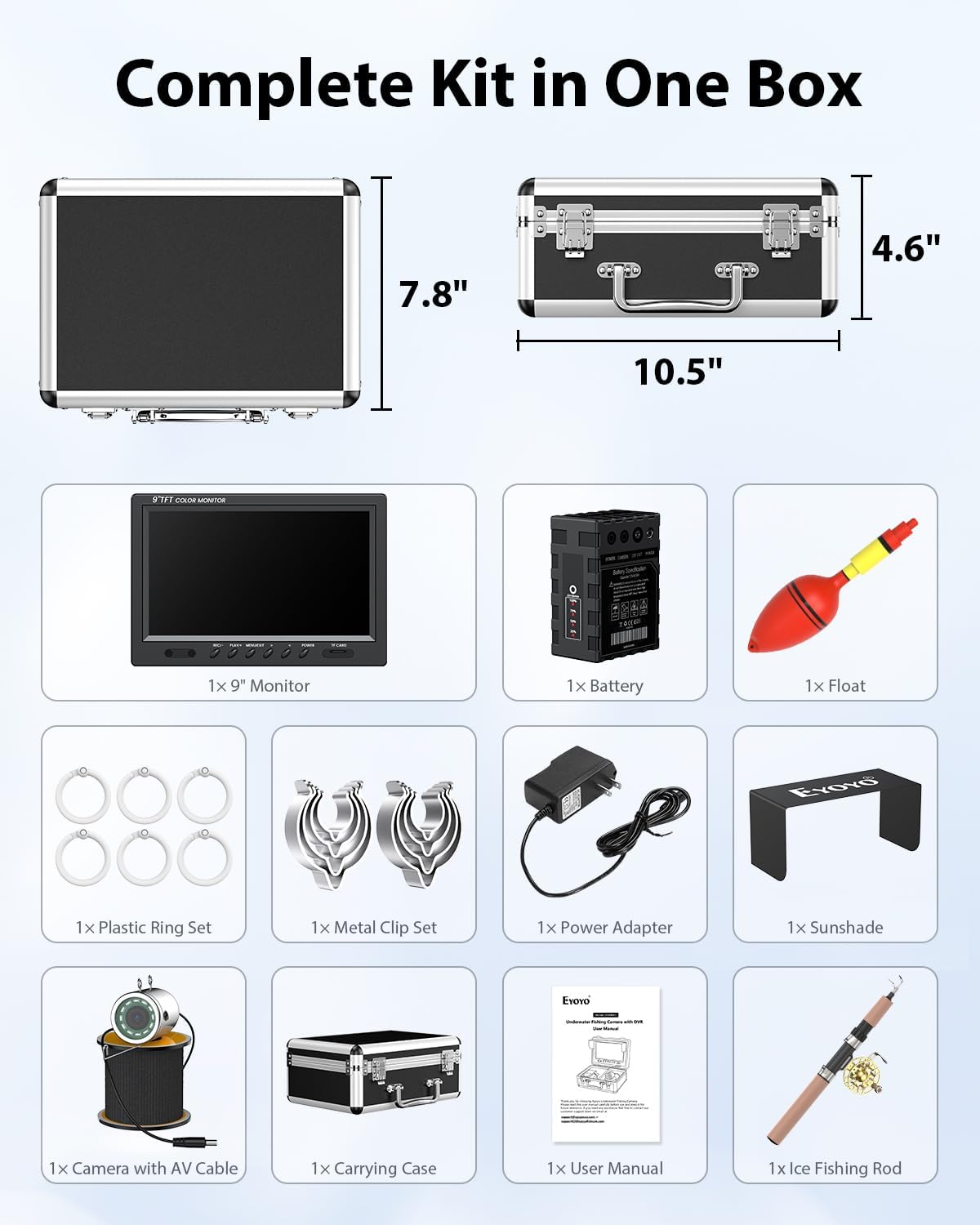
Image 2.1: All components of the Eyoyo EF09RBO kit.
3. Setup
Follow these steps for initial setup:
- Charge the Battery: Connect the provided battery charger to the 4500mAh battery and a power outlet. Ensure the battery is fully charged before first use. The battery indicator lights will show the charging status.
- Connect the Camera: Plug the camera cable into the designated camera input port on the monitor unit.
- Connect the Battery: Connect the battery output cable to the power input port on the monitor unit.
- Insert TF Card (for DVR models): If your model includes DVR functionality, insert the 8GB TF card into the TF card slot on the monitor.
- Attach Sunshade: Secure the removable sunshade to the monitor for improved visibility in bright conditions.
- Power On: Press the 'POWER' button on the monitor to turn on the system.
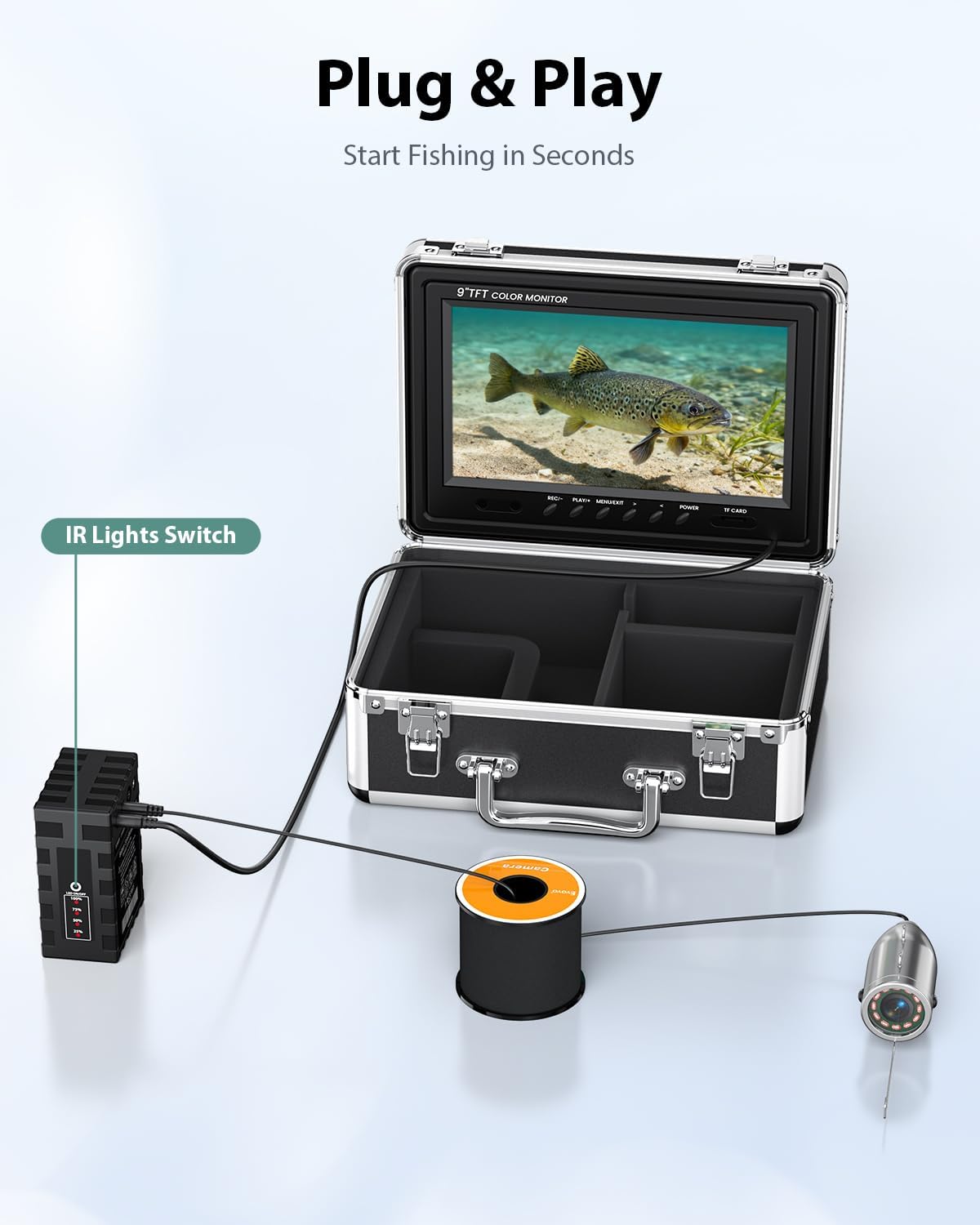
Image 3.1: Plug & Play setup for the camera system.
4. Operating Instructions
4.1 Monitor Functions
The 9-inch TFT color monitor provides a clear display and control interface:

Image 4.1: The 9-inch TFT Color Monitor.
- Power Button: Turns the monitor on/off.
- Menu/Exit Button: Accesses the menu settings and exits current menus.
- REC/- Button: Initiates/stops recording (for DVR models) or navigates menu options.
- PLAY/+ Button: Plays back recorded footage or navigates menu options.
- TF Card Slot: For inserting the Micro SD card for DVR recording.
4.2 Camera Deployment
The camera can be deployed in various orientations:
- Vertical Viewing: Use the provided float accessories to suspend the camera vertically in the water.
- Horizontal Viewing: Attach the metal clip set to orient the camera horizontally.
The IP68 waterproof camera is designed for depths up to 30 meters (98 feet). Its sealed lens and reinforced cable ensure durability.

Image 4.2: IP68 Waterproof Camera Design.
4.3 DVR Recording
To record your underwater observations:
- Ensure a formatted TF card (8GB included) is inserted into the monitor's TF card slot.
- Press the 'REC/-' button to start recording. A recording indicator will appear on the screen.
- Press the 'REC/-' button again to stop recording.
- To review footage, press the 'PLAY/+' button.

Image 4.3: DVR Recording Function.
4.4 Night Vision
The camera is equipped with 12 infrared (IR) lights for enhanced visibility in dark or murky water conditions. The IR lights automatically activate in low light or can be manually controlled via the system settings (if applicable to your model). This feature allows for clear viewing during early morning, evening, or deep-water fishing.
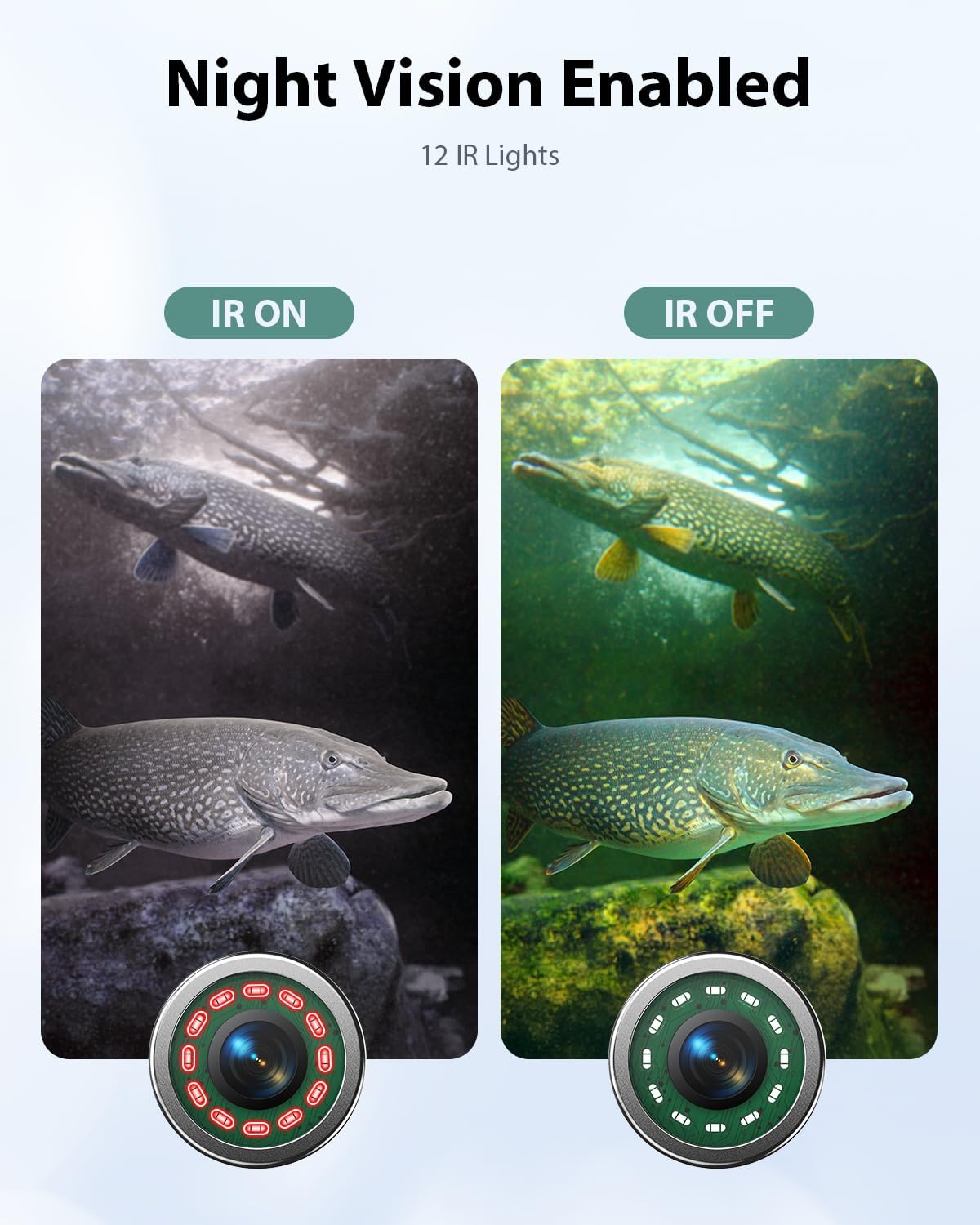
Image 4.4: Night Vision Enabled with IR Lights.
5. Maintenance
- Cleaning: After each use, gently wipe the camera lens and monitor screen with a soft, damp cloth. Avoid abrasive cleaners.
- Storage: Store the system in its carrying case in a cool, dry place away from direct sunlight and extreme temperatures.
- Battery Care: For optimal battery life, fully charge the battery before long-term storage and recharge it every 3-6 months if not in use.
- Cable Inspection: Regularly inspect the camera cable for any signs of wear, cuts, or damage.
6. Troubleshooting
| Problem | Possible Cause | Solution |
|---|---|---|
| No image on monitor | Power off, loose connections, low battery, camera malfunction. | Ensure unit is powered on. Check all cable connections. Charge the battery. If problem persists, contact support. |
| Poor image quality | Murky water, dirty camera lens, incorrect monitor settings. | Clean the camera lens. Adjust monitor brightness/contrast settings. Use IR lights in low light. |
| DVR not recording | No TF card, full TF card, unformatted TF card. | Insert a TF card. Delete old files or use a new/larger TF card. Format the TF card via monitor settings. |
| Short battery life | Battery not fully charged, aged battery. | Ensure battery is fully charged before use. Consider replacing the battery if it no longer holds a charge. |
7. Specifications
| Feature | Detail |
|---|---|
| Model Number | EF09RBO |
| Monitor Size | 9 inches |
| Camera Resolution | 1000TVL |
| Cable Length | 30 meters (98 feet) |
| Waterproof Rating | IP68 |
| Night Vision | 12 IR Infrared Lights |
| Battery Capacity | 4500mAh |
| Battery Life | 6-8 hours (continuous use) |
| DVR Function | Yes |
| Storage Media | Micro SD Card (8GB included) |
| Product Dimensions | 11.42 x 9.45 x 5.51 inches |
| Item Weight | 5.54 pounds |
| Color | Black |
8. Warranty and Support
For warranty information, technical support, or service inquiries, please refer to the warranty card included with your product or visit the official Eyoyo website. Contact details for customer service are typically provided in the product packaging or on the manufacturer's support page.
Related Documents - EF09RBO
 |
Eyoyo EF09R Underwater Fishing Camera with DVR User Manual Comprehensive user manual for the Eyoyo EF09R series underwater fishing camera with DVR, covering setup, operation, specifications, troubleshooting, and warranty information. |
 |
Eyoyo EM07KD LCD Monitor Product Manual Product manual for the Eyoyo EM07KD LCD Monitor, detailing product information, manufacturer and representative details, compliance standards, important safety warnings, and step-by-step usage instructions. |
 |
Eyoyo EY-017P Bluetooth Scanner User Manual and Setup Guide Comprehensive guide for the Eyoyo EY-017P Bluetooth Scanner, covering setup, connection, compatibility, troubleshooting, and useful codes. Learn how to connect to various devices and optimize scanner performance. |
 |
Eyoyo EY-023C QA Barcode Scanner FAQ and Troubleshooting Guide Find answers to common questions and troubleshooting tips for the Eyoyo EY-023C QA barcode scanner, covering pairing, connectivity, scanning issues, and more. Includes setup codes and support contact information. |
 |
Eyoyo EY-8550 Barcode Scanner FAQ and Setup Guide Frequently asked questions and setup guide for the Eyoyo EY-8550 barcode scanner, covering scanning capabilities, audio settings, barcode types, and troubleshooting. |
 |
Eyoyo EY-002S Barcode Scanner User Manual User manual for the Eyoyo EY-002S barcode scanner, detailing features, setup, system settings, barcode configuration, and maintenance for efficient operation. Learn about connectivity options, scanning techniques, and product support. |
Ask a question about this manual
Ask about setup, troubleshooting, compatibility, parts, safety, or missing instructions. Manuals+ will review the question and use this page’s manual context to help answer it.