1. Introduction
This manual provides essential information for the proper use and care of your WGEAR Universal Digital Camera Case, model WG011733. This case is designed to offer protection for various compact digital cameras and their accessories, safeguarding them from impacts, scratches, and dust during storage and transport.

Image 1.1: The WGEAR Digital Camera Case shown open, securely holding a compact digital camera, a USB charging cable, and two memory cards in its internal mesh pocket. This illustrates the case's capacity for a camera and small accessories.
2. Setup and Camera Placement
Follow these steps to properly place your digital camera and accessories into the case:
- Open the Case: Unzip the case completely to reveal the interior compartments.
- Insert Camera: Gently place your digital camera into the main compartment. Ensure it fits snugly within the elastic strap designed to secure the device.
- Store Accessories: Utilize the internal mesh pocket for smaller accessories such as USB cables, extra batteries, or memory cards.
- Close the Case: Carefully zip the case closed, ensuring no items are caught in the zipper.

Image 2.1: An interior view of the WGEAR Digital Camera Case, showcasing the elastic strap for securing the camera and the mesh pocket for organizing small accessories like cables or memory cards.
3. Operating and Portability
The WGEAR Digital Camera Case is designed for ease of use and portability:
- Secure Closure: The durable zipper ensures your camera and accessories remain securely inside the case during transit.
- Carabiner Attachment: Use the integrated carabiner to easily attach the case to a backpack, belt loop, or other bags for convenient carrying.
- Wrist Strap: The included wrist strap provides an additional secure carrying option, preventing accidental drops.

Image 3.1: The WGEAR Digital Camera Case featuring its metal carabiner clip and a black wrist strap, highlighting its portable design for attachment to other items or carrying by hand.
4. Maintenance and Care
To ensure the longevity and appearance of your camera case, follow these maintenance guidelines:
- Cleaning: Wipe the exterior surface with a soft, damp cloth. For stubborn dirt, a mild soap solution can be used, followed by wiping with a clean, damp cloth. Avoid harsh chemicals or abrasive cleaners.
- Drying: Allow the case to air dry completely before closing or storing any electronic devices inside. Do not expose to direct sunlight or high heat.
- Storage: Store the case in a cool, dry place when not in use.
5. Troubleshooting
This section addresses common inquiries regarding the camera case:
- Camera does not fit: Ensure your camera's dimensions are compatible with the case's internal measurements (approximately 4.72" x 3.94" x 1.38"). This case is designed for compact digital cameras.
- Zipper is stiff: If the zipper becomes stiff, apply a small amount of zipper lubricant or a graphite pencil lead along the teeth to improve smoothness.
- Case appears misshapen: The case is designed to be rigid. If it appears slightly misshapen, gently reshape it by hand. Avoid excessive force.
6. Specifications
| Feature | Detail |
|---|---|
| Model Number | WG011733 |
| Product Dimensions | 4.72" x 3.94" x 1.38" (12 x 10 x 3.5 cm) |
| Item Weight | 2 ounces (approx. 57 grams) |
| Material | Durable exterior, soft plush lining |
| Color | Red with black accents (as pictured) |
| Compatibility | Universal for various compact digital cameras including Sony W800/S, DSCW830; Canon PowerShot ELPH360 HS; Kodak PIXPRO FZ43, FZ53-BL; Nikon COOLPIX L32, and similar models. |
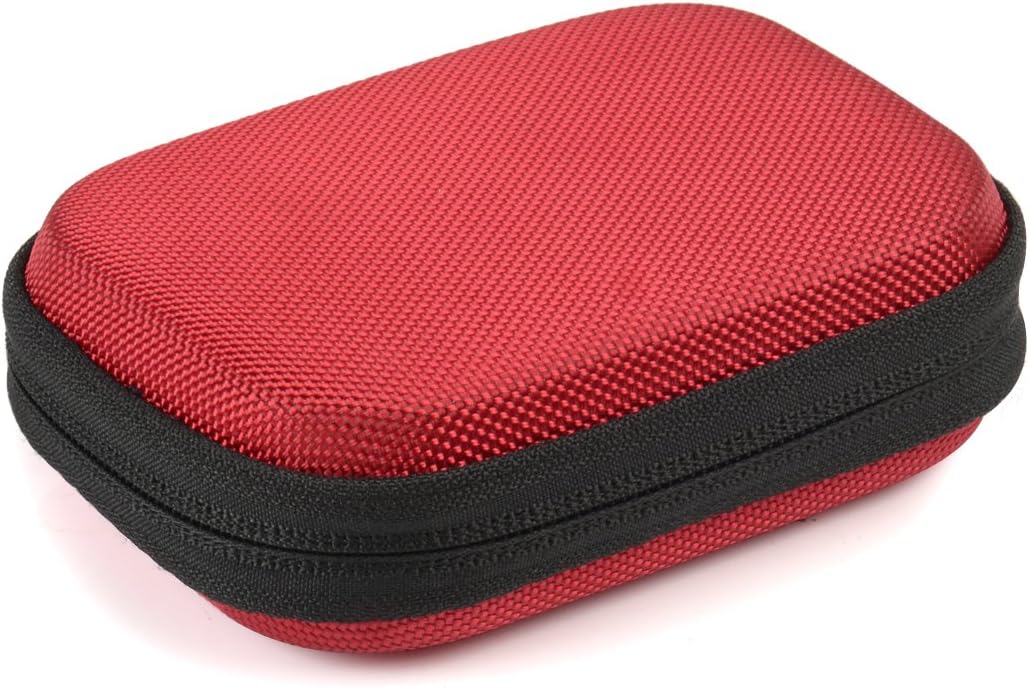
Image 6.1: A top-down view of the WGEAR Digital Camera Case when closed, illustrating its compact and rectangular form factor, suitable for easy storage.
7. Warranty and Support
For warranty information or product support, please refer to the retailer's return policy or contact the manufacturer directly. Keep your purchase receipt as proof of purchase.