
1. Introduction
This manual provides instructions for the LIGHTSHARE 18 Inch Cherry Blossom Bonsai Tree with 48 RGB LED lights. This decorative item features adjustable branches, multiple color-changing modes, and a remote control for convenient operation. It is designed for indoor use to enhance various living spaces.

Image 1: The LIGHTSHARE Cherry Blossom Bonsai Tree illuminated in different colors.
2. Setup Instructions
- Unpacking: Carefully remove all components from the packaging. Ensure the tree, metal base, power adapter, and remote control are present.
- Base Assembly: Unfold the tree base. Connect the main tree trunk to the metal base and secure it with the provided screw.
- Power Connection: Connect the cable from the tree to the transformer (power adapter). Plug the transformer into a standard power outlet.
- Branch Adjustment: The branches are flexible. Gently bend and arrange them to achieve your desired shape and appearance.

Image 2: Visual guide for assembling the bonsai tree and connecting power.
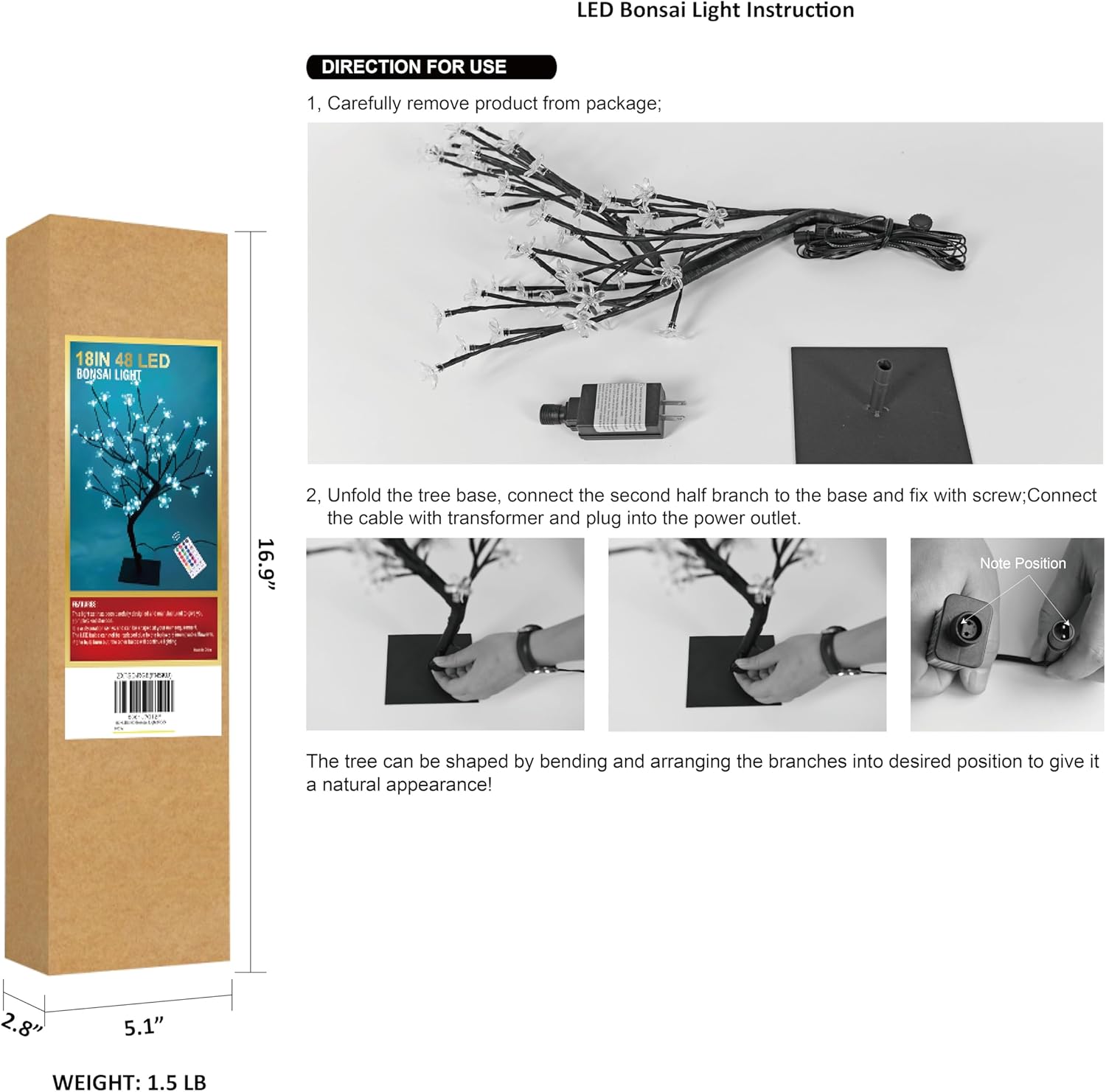
Image 3: Detail of the stable metal base.
3. Operating Instructions
The LIGHTSHARE Cherry Blossom Bonsai Tree is operated using the included remote control.
Remote Control Functions:
- ON/OFF: Press the 'ON' button to turn the lights on, and 'OFF' to turn them off.
- Color Selection: Use the 'R' (Red), 'G' (Green), 'B' (Blue), and 'W' (White) buttons for direct color selection. Additional color buttons allow for 17 distinct color options.
- Lighting Modes: Select from 7 different flashing modes: 'FLASH', 'STROBE', 'FADE', 'SMOOTH', 'JUMP', 'TWINKLE', and 'ASYN JUMP'.
- Timer Function: Set the lights to automatically turn off after a specified duration using the '4H', '6H', or '8H' buttons.
- Brightness Adjustment: Use the brightness control buttons (usually up/down arrows or sun icons) to adjust the intensity of the lights.
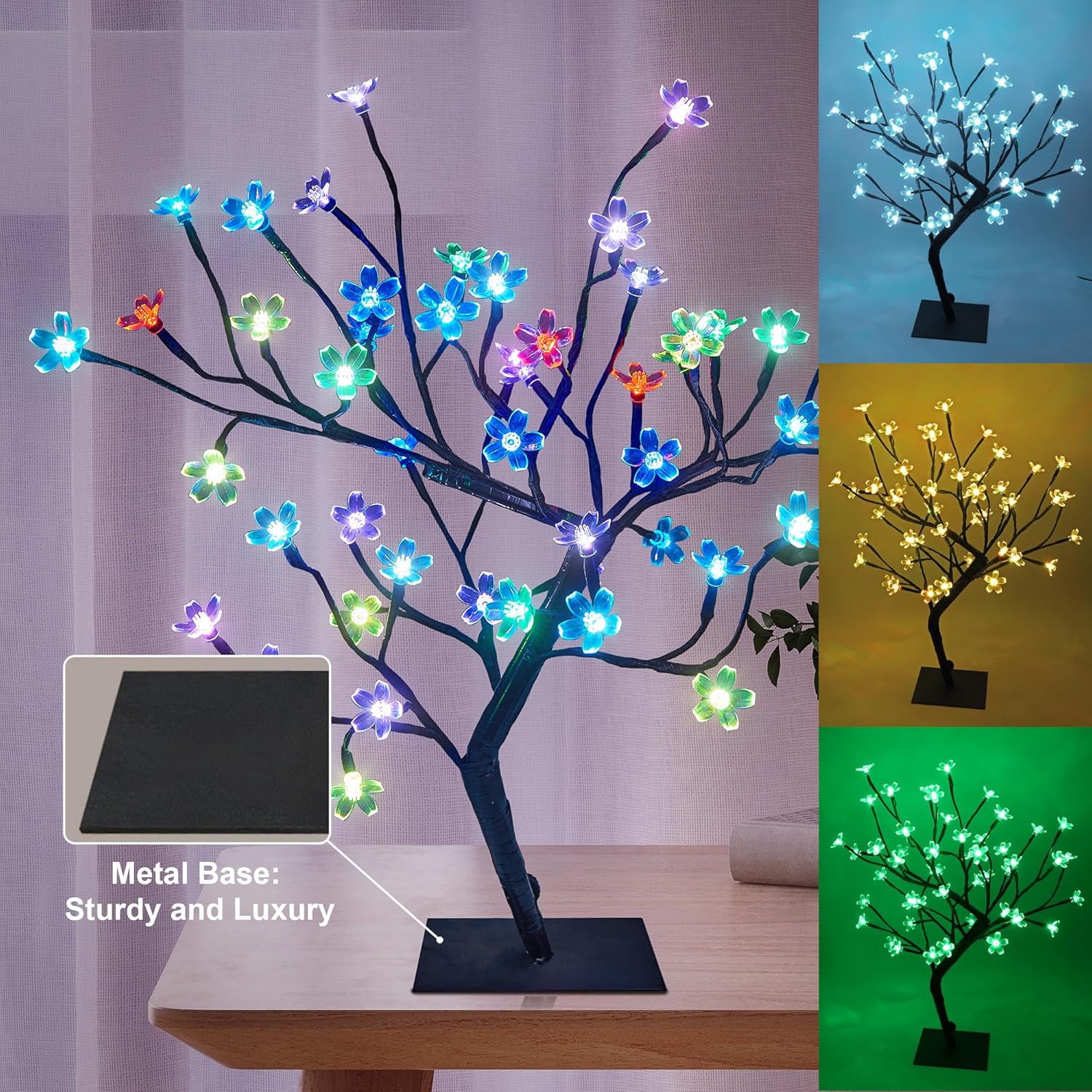
Image 4: Remote control layout and functions.
4. Maintenance
- Cleaning: Use a soft, dry cloth to gently wipe the tree and base. Do not use liquid cleaners or abrasive materials.
- Storage: When not in use, store the tree in a cool, dry place, preferably in its original packaging, to protect it from dust and damage.
- Branch Care: Avoid excessive bending or forceful manipulation of the branches to prevent damage to the internal wiring.
5. Troubleshooting
| Problem | Possible Cause | Solution |
|---|---|---|
| Lights do not turn on. | No power connection. | Ensure the power adapter is securely plugged into both the tree and a working wall outlet. |
| Remote control not working. | Remote battery depleted or incorrect orientation. | Replace the remote control battery. Ensure the battery is inserted with correct polarity. Point the remote directly at the tree's receiver. |
| Some lights are not working. | Individual LED failure. | LEDs are integrated and generally not user-replaceable. If multiple lights fail, contact customer support. |
| Lights flicker. | Unstable power supply or loose connection. | Check power connections. Try plugging into a different outlet. |
6. Specifications
| Feature | Detail |
|---|---|
| Model Number | 24V-IP44-SAA-DC-6W |
| Height | 18 inches |
| Number of Lights | 48 LED lights |
| Light Type | RGB LED |
| Control Method | Remote Control |
| Power Source | DC (24 Volts) |
| Material | Metal base, Plastic shades |
| Finish Type | Painted |
| Product Dimensions | 4.7"D x 4.7"W x 18"H |
| Item Weight | 1.48 pounds |
| Indoor/Outdoor Usage | Indoor |
| Water Resistance Level | Not Water Resistant |
| Included Components | Remote Control |
Note: Specifications are subject to change without prior notice.
7. Warranty and Support
For warranty information or technical support, please refer to the product packaging or contact LIGHTSHARE customer service directly. Keep your purchase receipt for warranty claims.


