
Introduction
This manual provides instructions for the proper use and maintenance of your Cosmos Restaurant Menu Cover Book. Designed for professional use in various food service environments, this menu cover offers a clear and durable solution for presenting your menus.
The Cosmos Menu Cover Book is suitable for restaurants, coffee shops, hotels, and other establishments requiring a robust and presentable menu display.
Product Features
- Capacity: Features 4 pages, providing 8 views for displaying menu items.
- Material: Constructed from transparent vinyl for clear visibility and durability.
- Design: Each edge is sewn with black leatherette trim, and corners are reinforced with decorative metal accents for enhanced durability and appearance.
- Compatibility: Designed to fit A4 size paper (approximately 8.27 x 11.69 inches or 210 x 297 mm).
- Dimensions: Total external dimensions are approximately 9-1/4 inches (width) x 12-3/8 inches (height) x 1/2 inch (thickness).

Image: The Cosmos Menu Cover Book displayed open, revealing its four transparent vinyl panels designed to hold menu pages.

Image: The Cosmos Menu Cover Book shown in a closed position, highlighting its black stitched edge and overall compact form.
Setup and Use
- Prepare Your Menus: Ensure your menu pages are printed on A4 size paper. For optimal presentation, consider using high-quality paper.
- Insert Pages: Gently slide your prepared menu pages into the transparent vinyl pockets. Each pocket can hold one page, displaying content on both sides. The book has 4 pages, allowing for 8 distinct views.
- Arrange Content: Organize your menu content logically across the 8 available views.
- Presentation: Place the menu cover on tables or present it to customers. The clear vinyl ensures your menu items are easily readable.
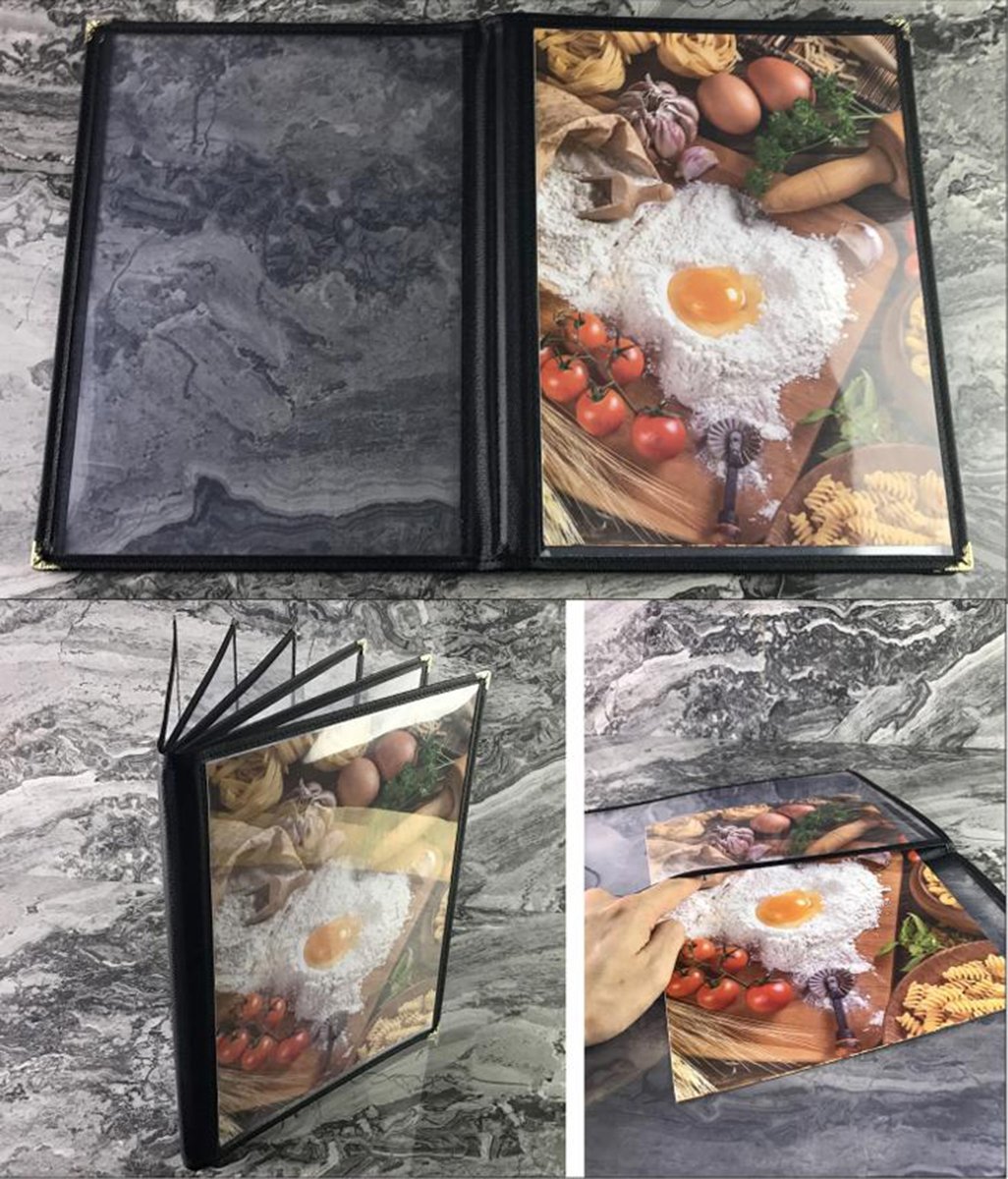
Image: A collage illustrating the menu cover in various stages of use, including a hand inserting a menu page into a transparent pocket.

Image: The menu cover showcasing an example of a food menu, demonstrating how content appears within the transparent pages.
Care and Maintenance
To ensure the longevity and appearance of your Cosmos Menu Cover Book, follow these care instructions:
- Cleaning: Wipe the transparent vinyl pages and leatherette trim with a soft, damp cloth. For stubborn marks, a mild soap solution can be used, followed by wiping with a clean, damp cloth and drying thoroughly.
- Avoid Harsh Chemicals: Do not use abrasive cleaners, solvents, or harsh chemicals, as these can damage the vinyl and trim.
- Storage: Store the menu covers flat or upright in a clean, dry place when not in use to prevent bending or creasing of the vinyl.
- Handling: Handle with care to avoid scratches or tears to the vinyl and damage to the metal corners.

Image: A detailed view of the menu cover's reinforced metal corners and the black stitched leatherette trim, highlighting construction quality.

Image: A close-up shot of the 'COSMOS' brand logo embossed on the corner of the menu cover, indicating authenticity.
Specifications
| Feature | Detail |
|---|---|
| Model Number | 8541950456 |
| Brand | Cosmos |
| Material | Transparent Vinyl with Black Leatherette Trim |
| Page Capacity | 4 pages, 8 views |
| Paper Size Compatibility | A4 Size (approx. 8.27 x 11.69 inches) |
| Product Dimensions (External) | 9.25 x 0.5 x 12.35 inches (Width x Thickness x Height) |
| Item Weight | 9.17 ounces |
| Date First Available | August 7, 2017 |

Image: The menu cover with its key dimensions, 9-1/4 inches and 12-3/8 inches, clearly indicated for reference.
Support
For further assistance or inquiries regarding your Cosmos Restaurant Menu Cover Book, please refer to the retailer where the product was purchased.