
1. Product Overview
The Sector No Limits R3251510003 is a digital quartz watch designed for everyday use. It features a durable plastic and polyurethane construction, a digital display for time and date, and a comfortable silicone strap. This manual provides essential information for setting up, operating, and maintaining your watch.
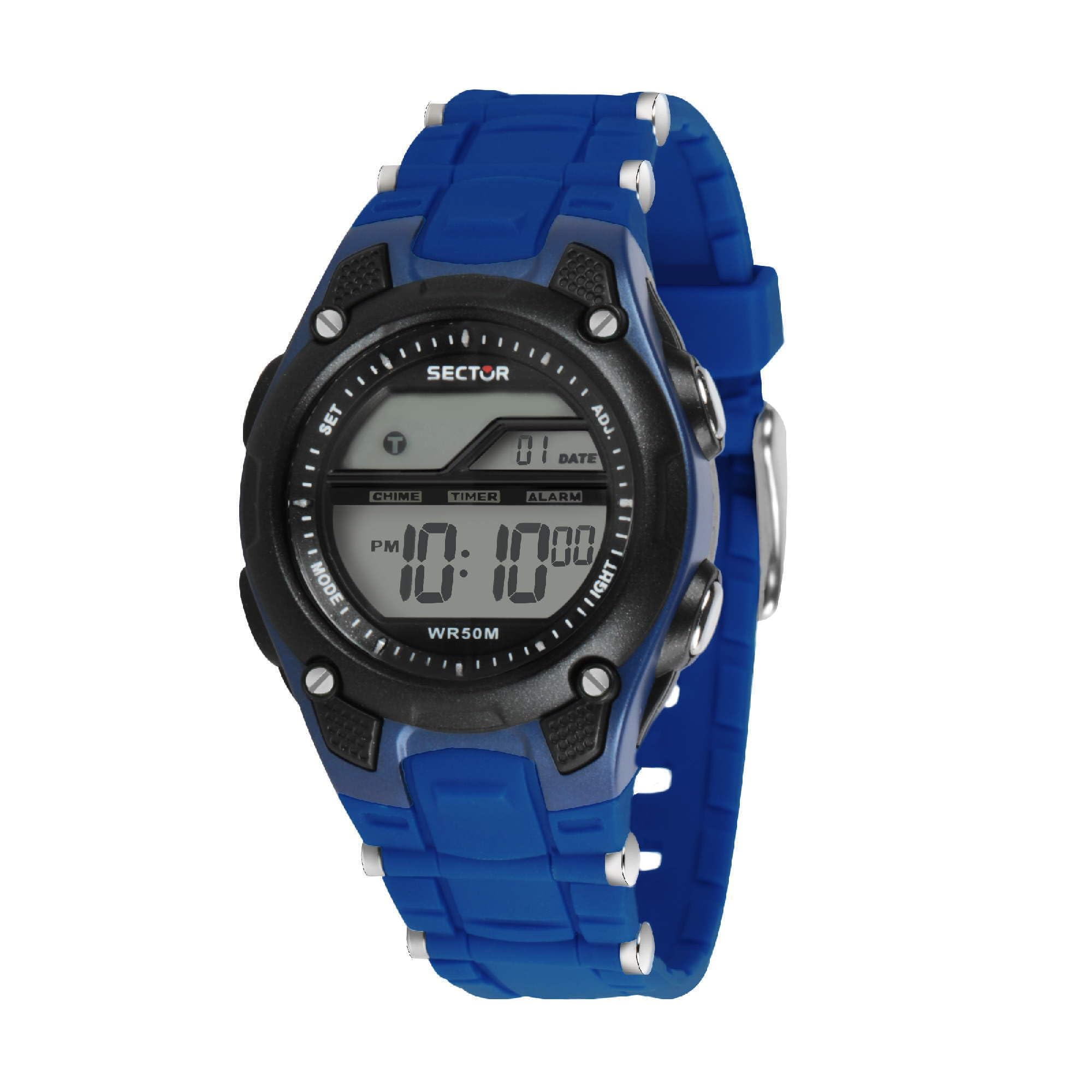
Image 1.1: Front view of the Sector No Limits R3251510003 Digital Quartz Watch, showing the digital display and blue strap.
2. Setup
2.1 Battery Installation
The watch requires 1 AAA battery, which is typically included and pre-installed. If the display is dim or blank, the battery may need replacement. It is recommended to have battery replacement performed by a qualified technician to ensure water resistance integrity.
2.2 Setting Time and Date
To set the time and date on your digital watch, follow these general steps. Button functions may vary slightly, but typically involve a 'MODE' button to cycle through settings and 'SET' or 'ADJUST' buttons to change values.
- Press the MODE button repeatedly until the time setting (e.g., hours flashing) is displayed.
- Use the SET or ADJUST button (often located on the right side) to increase or decrease the flashing value (hours, then minutes).
- Press MODE again to move to the next setting (e.g., minutes, then date, month, year).
- Repeat step 2 to adjust each value.
- Once all settings are correct, press MODE or another designated button to exit the setting mode and save changes.

Image 2.1: The watch worn on a wrist, illustrating the digital display for time and date.
3. Operating Instructions
Your Sector No Limits R3251510003 watch offers several functions accessible via its side buttons.
3.1 Basic Time and Date Display
- In normal time mode, the watch displays the current time (hours, minutes, seconds) and date (day).
3.2 Stopwatch Function
- Press the MODE button until the stopwatch function is displayed (often indicated by 'ST' or a stopwatch icon).
- Press the START/STOP button (usually a dedicated button or one of the setting buttons) to begin timing.
- Press START/STOP again to pause or stop the timer.
- Press the RESET button (another dedicated button or a long press of START/STOP) to clear the stopwatch.
3.3 Alarm Function
- Press the MODE button until the alarm setting mode is displayed (often indicated by 'AL' or an alarm clock icon).
- Use the SET or ADJUST button to set the desired alarm time.
- Activate or deactivate the alarm using a specific button (refer to on-screen indicators).
- Press MODE to exit the alarm setting.
3.4 Backlight
- To illuminate the display in low-light conditions, press the button located on the bottom right side of the watch. This will activate a green backlight.
4. Maintenance
4.1 Cleaning Your Watch
To keep your watch in good condition, regularly wipe the case and strap with a soft, damp cloth. Avoid using harsh chemicals or abrasive materials, as these can damage the plastic case and strap.
4.2 Water Resistance
This watch is water resistant up to 3 ATM (30 meters). This rating means the watch is suitable for daily use and can withstand splashes or brief immersion in water, such as rain or hand washing. It is not suitable for swimming, showering, or diving. Avoid operating buttons while the watch is wet to prevent water ingress.

Image 4.1: Rear view of the watch, showing the case back and water resistance markings.
4.3 Storage
When not in use, store your watch in a cool, dry place away from direct sunlight and extreme temperatures to prolong its lifespan.
5. Troubleshooting
If you encounter issues with your watch, refer to the following common troubleshooting steps.
- Watch Not Responding: If the display is blank or buttons are unresponsive, the battery may be depleted. Replace the AAA battery. If the issue persists, a soft reset (if applicable, by holding all buttons for a few seconds) might resolve minor glitches.
- Incorrect Time/Date: Refer to Section 2.2 for instructions on how to correctly set the time and date. Ensure you are in the correct setting mode for each adjustment.
- Dim Display: A dim display often indicates a low battery. Replace the AAA battery.
- Water Inside Display: If condensation or water appears inside the display, immediately stop using the watch and seek professional service. This indicates a breach in the water resistance seal.
6. Specifications
| Feature | Specification |
|---|---|
| Model Number | R3251510003 |
| Brand | Sector No Limits |
| Display Type | Digital |
| Movement Type | Quartz (MVT.LCD Module) |
| Case Material | Resin |
| Strap Material | Plastic / Polyurethane |
| Case Diameter | 36 mm (35.77 x 48.38 mm overall) |
| Case Thickness | 15.9 mm |
| Strap Width | 18 mm |
| Water Resistance | 3 ATM (30 Meters) - Not for swimming |
| Power Source | 1 AAA Battery (included) |
| Functions | Time, Date, Stopwatch, Alarm, Digital Calendar, Backlight |
| Clasp Type | Pin Buckle |
| Weight | 23 grams |
7. Warranty and Support
7.1 Warranty Information
This Sector No Limits watch comes with a 2-year manufacturer's warranty. The warranty covers manufacturing defects under normal use. Please retain your proof of purchase for warranty claims. The warranty does not cover damage resulting from misuse, accidents, unauthorized repairs, or normal wear and tear.
7.2 Customer Support
For further assistance, technical support, or warranty service, please contact the retailer where you purchased the watch or visit the official Sector No Limits website for contact information. When contacting support, please have your watch model number (R3251510003) and proof of purchase readily available.

Image 7.1: The original packaging box for the Sector No Limits watch.