
1. Introduction
The Exell A21PX is a 4.5V alkaline battery designed for various electronic devices, including classic cameras and specific computer memory applications. This manual provides essential information for safe and effective use of your Exell A21PX battery.

Image 1: A single Exell A21PX 4.5V Alkaline Battery, showing its cylindrical shape and branding.
Video 1: An official product video from Exell Battery, showcasing the A21PX 4.5V Alkaline Battery and its key features and applications.
2. Specifications
Detailed technical specifications for the Exell A21PX 4.5V Alkaline Battery:
| Feature | Specification |
|---|---|
| Model Number | A21PX |
| Voltage | 4.5 Volts |
| Battery Cell Composition | Alkaline |
| Battery Capacity | 600 Milliamp Hours |
| Item Dimensions (Diameter x Length) | 0.66 x 1.96 inches (16.8 x 49.9 mm) |
| Reusability | Non-rechargeable |
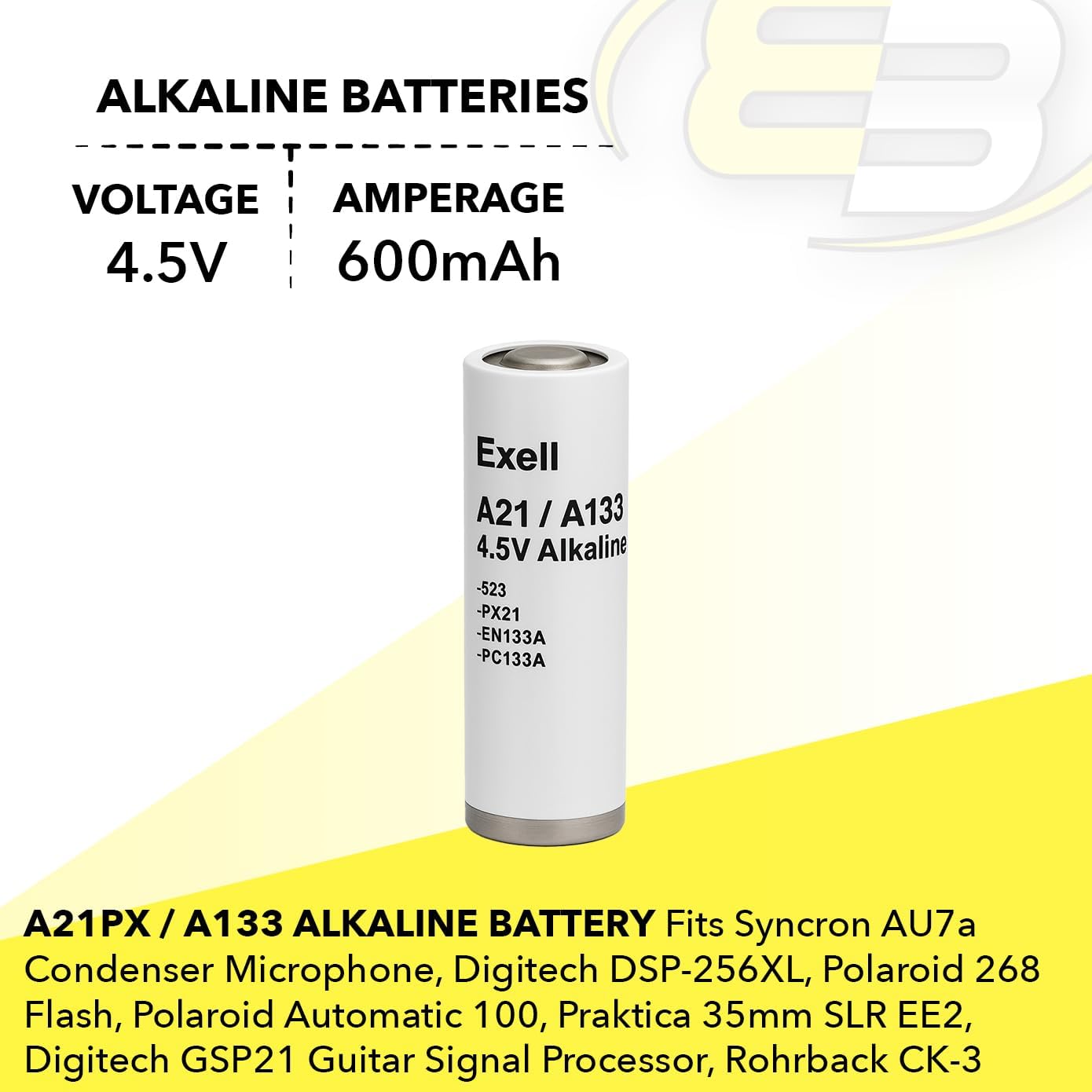
Image 2: The Exell A21PX battery with its diameter (0.66in / 16.8mm) and length (1.96in / 49.9mm) clearly indicated.
3. Compatibility
The Exell A21PX battery is compatible with a wide range of devices and can replace several other battery types. It is commonly used in:
- Classic cameras
- Macintosh computers (for Parameter Random Access Memory, PRAM)
- Syncron AU7a condenser microphones
- Digitech DSP-256XL and GSP21 guitar signal processors
- Mallory TR133
- Polaroid 268 flash and Polaroid Automatic 100 cameras
- Praktica 35mm SLR EE2 cameras
- Rohrback Cosasco Systems Model CK-3
This battery is also known as and can replace the following models:
- 1306AP
- 3LR50
- 523
- 6135-99-114-1239
- A21
- A133
- APX21
- BA-1098/U
- EN133A
- EPX21
- PC133A
- PX21
- RPX21
- V21PX

Image 3: The Exell A21PX battery surrounded by icons representing various compatible devices such as microphones, processors, meters, flashes, and cameras.
4. Setup (Battery Installation)
Follow these steps to correctly install the Exell A21PX battery in your device:
- Locate the Battery Compartment: Identify the battery compartment on your device. This is typically found on the back, bottom, or side of the device.
- Open the Compartment: Open the battery compartment cover. This may involve sliding a latch, unscrewing a panel, or pressing a release button.
- Observe Polarity: Carefully note the polarity markings (+ and -) inside the battery compartment.
- Insert the Battery: Insert the Exell A21PX battery, ensuring that the positive (+) and negative (-) terminals align correctly with the markings in the compartment. Incorrect installation can prevent the device from functioning and may damage the battery or device.
- Secure the Compartment: Close the battery compartment cover firmly until it is securely latched or screwed into place.
Caution: Always ensure correct battery polarity. Incorrect installation can lead to device malfunction or damage.
5. Operating Guidelines
Once the Exell A21PX battery is correctly installed, your device should be ready for operation. Follow your device's specific instructions for use. The battery provides a stable 4.5V power supply for optimal performance.
- Power On: Turn on your device as per its manufacturer's instructions.
- Performance: The battery is designed to provide consistent power. If your device's performance degrades (e.g., dim display, slow operation), it may be time to replace the battery.
- Replacement: Replace the battery when it is depleted to ensure continuous functionality of your device.
6. Maintenance and Storage
Proper maintenance and storage can extend the life of your batteries and ensure safety:
- Storage: Store unused batteries in a cool, dry place at room temperature (ideally between 10°C and 25°C or 50°F and 77°F). Avoid extreme temperatures, both hot and cold.
- Avoid Short Circuits: Do not store batteries loosely with metal objects like coins, paper clips, or other batteries, as this can cause a short circuit.
- Cleaning: If battery terminals become dirty, gently wipe them with a clean, dry cloth to ensure good electrical contact.
- Disposal: Dispose of used batteries responsibly according to local regulations. Do not throw them in household waste.
7. Troubleshooting
If your device is not functioning correctly after installing the Exell A21PX battery, consider the following:
- Device Not Powering On:
- Check if the battery is inserted with the correct polarity (+ and -).
- Ensure the battery compartment is fully closed and secured.
- Verify that the battery contacts in the device and on the battery are clean and free of debris.
- Try a new Exell A21PX battery to rule out a depleted or faulty battery.
- Intermittent Power or Weak Performance:
- The battery may be nearing the end of its life. Replace it with a fresh one.
- Check for loose connections within the device's battery compartment.
- Battery Overheating:
- Immediately remove the battery from the device.
- Ensure the battery is not short-circuited.
- If overheating persists with a new battery, the issue may be with the device itself. Consult the device's manual or a qualified technician.
8. Safety Information
Please read and adhere to all safety warnings to prevent injury or damage:
- Keep Out of Reach of Children: Batteries can be a choking hazard and dangerous if swallowed. In case of ingestion, seek immediate medical attention.
- Do Not Recharge: Exell A21PX batteries are non-rechargeable. Attempting to recharge them can lead to leakage, fire, or explosion.
- Do Not Disassemble: Do not open, puncture, or disassemble the battery. This can release hazardous materials.
- Avoid Extreme Temperatures: Do not expose batteries to fire, excessive heat, or direct sunlight. This can cause them to explode or leak.
- Proper Disposal: Never dispose of batteries in fire. Always follow local regulations for battery recycling and disposal.
- Avoid Short Circuits: Do not allow metal objects to come into contact with the battery terminals, as this can cause a short circuit, leading to heat generation or fire.
- Use Correctly: Always insert batteries with the correct polarity (+ and -) as indicated in your device.
9. Warranty Information
Exell Battery provides a 1-year warranty for the A21PX battery from the date of purchase. This warranty covers manufacturing defects under normal use. Please retain your proof of purchase for any warranty claims.
The warranty does not cover damage resulting from misuse, improper installation, unauthorized repairs, or exposure to conditions outside the recommended operating parameters.
10. Customer Support
For further assistance, technical inquiries, or warranty claims regarding your Exell A21PX battery, please contact Exell Battery customer support.
- Online Support: Visit the official Exell Battery website for FAQs and contact information.
- Retailer Support: Contact the retailer from whom you purchased the product.
Please have your product model number (A21PX) and proof of purchase ready when contacting support.