
LEZYNE Zecto Drive (1-LED-8R-V204_Noir)
LEZYNE Zecto Drive 80 Lumen Bicycle Rear Light User Manual
Model: Zecto Drive (1-LED-8R-V204_Noir)
Introduction
The LEZYNE Zecto Drive 80 Lumen Bicycle Rear Light is a compact, high-visibility LED taillight designed to enhance cyclist safety. Featuring a durable, waterproof construction and multiple light modes, it provides reliable illumination for various riding conditions. This manual provides essential information for the proper setup, operation, and maintenance of your Zecto Drive rear light.
Safety Information
- Always ensure the light is securely mounted before riding.
- Do not look directly into the light when it is on, as it can cause temporary vision impairment.
- Keep the charging port cover securely closed to maintain IPX7 waterproof rating.
- If the LED flashes green during charging and does not become fixed after 4 hours, the battery may be defective. Inspect for oxidation or a soft battery.
- Ensure the plastic cover is properly installed to prevent internal oxidation and maintain functionality.
- This light is designed to increase your visibility to others; it is not intended to illuminate the path for the rider.
Package Contents
- LEZYNE Zecto Drive 80 Lumen Bicycle Rear Light
- Silicone Rubber Mounting Strap
- Micro USB Charging Cable
Setup
Charging the Battery
Before first use, fully charge the Zecto Drive light. The light features a Micro USB charging port.
- Locate the Micro USB port on the light, usually protected by a rubber cover.
- Carefully open the rubber cover.
- Connect the supplied Micro USB cable to the light and plug the other end into a powered USB port (e.g., computer, USB wall adapter).
- The intelligent Power Indicator will show charging status. A flashing green LED indicates charging. A fixed green LED indicates a full charge.
- Once fully charged, disconnect the cable and ensure the rubber cover is securely closed to maintain waterproofing.
Mounting the Light
The Zecto Drive comes with a versatile 2-in-1 clip and silicone rubber strap mount, allowing attachment to various bicycle components like seatposts or bags.
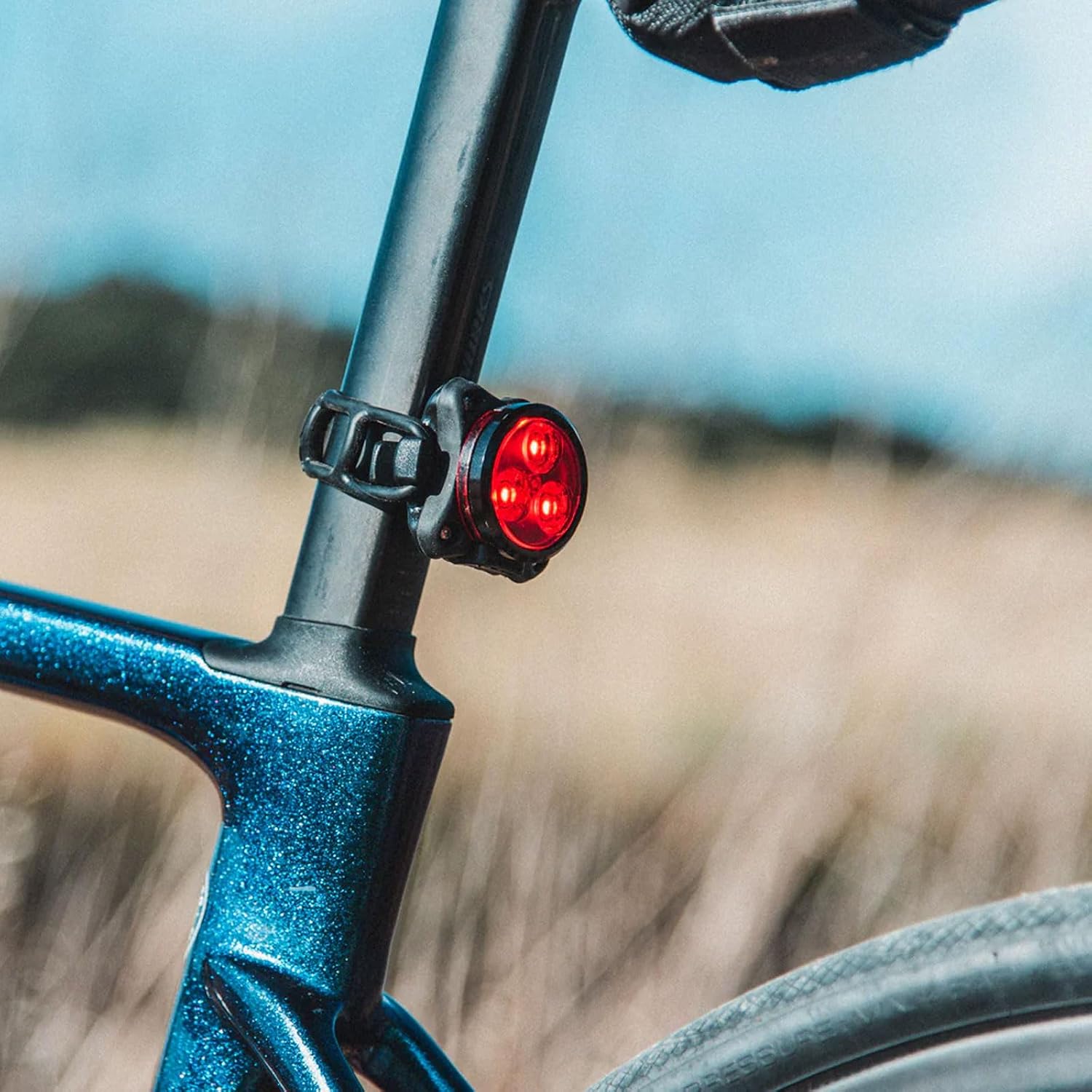
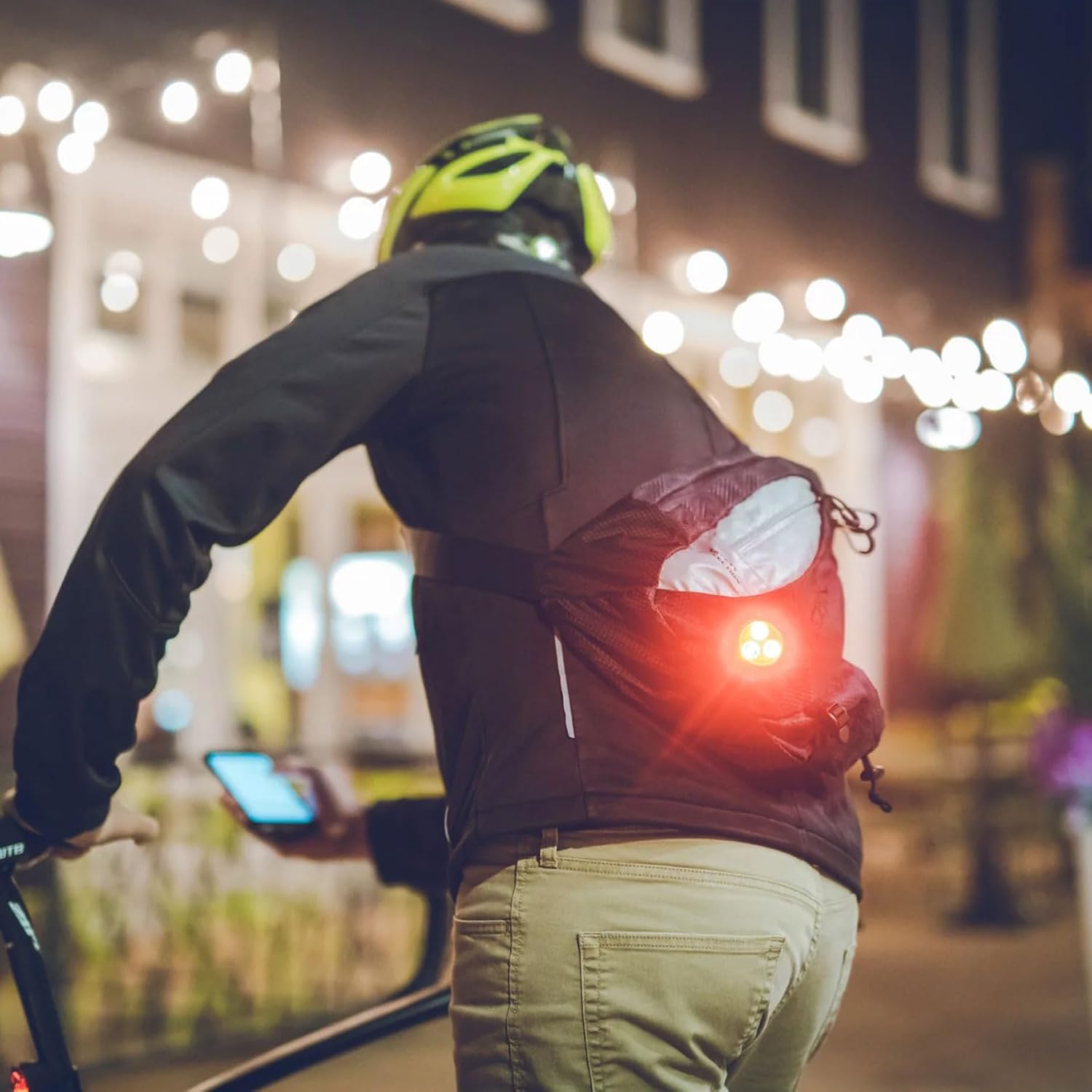

- Identify the desired mounting location (e.g., seatpost, seat stay, backpack loop).
- If using the strap mount, wrap the silicone strap around the desired object and hook it onto the light's integrated clip. Ensure a snug fit to prevent movement during rides.
- If using the clip directly, attach it to a compatible loop or edge on your gear.
- Adjust the light's angle to ensure maximum rear visibility.
Operating Instructions
Power On/Off
- To turn the light ON, press and hold the power button for approximately 2 seconds.
- To turn the light OFF, press and hold the power button for approximately 2 seconds.
Changing Light Modes
The Zecto Drive features 8 distinct light modes to suit various riding conditions and preferences. The light has a mode memory function, returning to the last selected mode when turned on.
- While the light is ON, short press the power button to cycle through the available modes.
Light Modes and Runtimes

| Mode | Lumen Output | Approximate Runtime |
|---|---|---|
| Blast | 25 Lumens | 3 hours |
| Enduro | 15 Lumens | 4 hours 45 minutes |
| Economy | 5 Lumens | 11 hours |
| Flash 1 | 10 Lumens | 7 hours 30 minutes |
| Flash 2 | 10 Lumens | 10 hours 30 minutes |
| Flash 3 | 10 Lumens | 6 hours 40 minutes |
| Day Flash 1 | 80 Lumens | 7 hours 30 minutes |
| Day Flash 2 | 50 Lumens | 10 hours |
Power Indicator
The Zecto Drive features an intelligent Power Indicator that displays battery runtime and enhances side visibility. The indicator light changes color to show the remaining battery level:
- Green: Full to High battery level
- Yellow: Medium battery level
- Red: Low battery level (recharge soon)
- Flashing Red: Critical battery level (recharge immediately)
Maintenance
- Cleaning: Wipe the light with a damp cloth to remove dirt and debris. Do not use harsh chemicals or abrasive cleaners.
- Waterproofing: Always ensure the Micro USB port's rubber cover is fully sealed to maintain the IPX7 waterproof rating.
- Storage: If storing the light for an extended period, charge it to approximately 50% capacity and store in a cool, dry place. Recharge every few months to prevent battery degradation.
- Battery Care: Avoid fully depleting the battery frequently to prolong its lifespan.
Troubleshooting
| Problem | Possible Cause | Solution |
|---|---|---|
| Light does not turn on. | Battery is depleted. | Charge the light fully using the provided Micro USB cable. |
| Light turns off unexpectedly. | Low battery. | Recharge the light. |
| Light is dim or modes are not cycling correctly. | Low battery; internal issue. | Charge the light. If problem persists, contact customer support. |
| Light not charging / Flashing green LED during charging for extended period. | Defective battery or oxidized motherboard. | Ensure charging cable is properly connected. If issue persists, open the light (via 4 screws) and check for motherboard oxidation or a soft battery. If unable to resolve, contact customer support. |
| Water ingress / Internal oxidation. | Plastic cover not properly installed. | Ensure the plastic cover and rubber charging port cover are always securely installed. If damage has occurred, contact customer support. |
Specifications
- Model Name: Zecto Drive
- Part Number: 1-LED-8R-V204_Noir
- Maximum Lumen Output: 80 Lumens (Day Flash 1 mode)
- Light Modes: 8 (Blast, Enduro, Economy, Flash 1, Flash 2, Flash 3, Day Flash 1, Day Flash 2)
- Maximum Runtime: 11 hours (Economy mode)
- Power Source: Rechargeable Battery (Micro USB)
- Water Resistance: IPX7 Standard
- Weight: Approximately 50 grams
- Dimensions (LxWxH): 49.8mm x 45.1mm x 36mm
- Material: Plastic (with CNC machined aluminum components)
- Mounting: 2-in-1 Clip and Silicone Rubber Strap
- Color: Black Gloss
Warranty and Support
LEZYNE products are designed and manufactured to high standards. For specific warranty information and customer support, please refer to the official LEZYNE website or contact their customer service department directly. Keep your proof of purchase for warranty claims.
Visit the official LEZYNE store for more information: LEZYNE Store
Ask a question about this manual
Ask about setup, troubleshooting, compatibility, parts, safety, or missing instructions. Manuals+ will review the question and use this page’s manual context to help answer it.