
1. Important Safety Instructions
Please read and understand all safety instructions before installing or operating the Xijia Pure Sine Wave Inverter. Failure to follow these instructions may result in electrical shock, fire, serious injury, or property damage.
- Electrical Shock Hazard: This inverter produces high voltage AC power. Do not open the inverter casing. All wiring must be performed by a qualified electrician.
- Fire Hazard: Do not install the inverter near flammable materials or in areas where flammable fumes or gases may accumulate. Ensure adequate ventilation.
- Proper Grounding: The inverter must be properly grounded. While the unit features output terminals marked for grounding, the inverter itself may lack a dedicated grounding lug for the chassis. Consult a qualified electrician to ensure proper grounding of the inverter and connected appliances to prevent electrical shock.
- Battery Connection: Always disconnect the positive battery terminal before performing any wiring to the inverter. Ensure correct polarity when connecting to the battery. Reverse polarity can damage the inverter and void the warranty.
- Environment: Do not expose the inverter to direct sunlight, moisture, or extreme temperatures. Keep it in a cool, dry, and well-ventilated environment.
- Load Capacity: Do not connect appliances that draw more wattage than the inverter's rated continuous power (3500W) or surge power (7000W). Overloading can damage the inverter and connected devices.
- Vehicle Operation: Do not leave the power inverter in the ON position while your vehicle is off to prevent battery drain.
2. Product Overview
The Xijia 3500W Pure Sine Wave Inverter converts 48V DC battery power into stable 120V AC household electricity. It is designed for various applications including off-grid solar systems, home backup power, RVs, and trucks, providing clean and reliable power for sensitive electronics and inductive loads.
Key Features:
- High-Efficiency DC to AC Conversion: Converts 48V DC to 110V–120V AC with over 92% efficiency, up to 97% under low-load conditions. Low no-load power consumption (approximately 10W) reduces energy loss.
- Pure Sine Wave Output: Delivers stable 3500W continuous pure sine wave power, suitable for sensitive electronics and inductive loads like microwaves, refrigerators, air conditioners, lights, TVs, and computers.
- LCD Display: Front-mounted LCD screen provides real-time monitoring of input/output voltage, battery capacity, load power, and inverter operating status.
- Upgraded 20A AC Outlets: Features high-current AC outlets for stronger current-handling capability and stable connections, supporting high-power devices.
- Advanced Intelligent Protection System: Built-in intelligent chip and fuse dual protection system guards against short circuits, high voltage, low voltage, overload, and high temperatures.
What's in the Box:
- Xijia 3500W Pure Sine Wave Inverter
- Remote Control
- 2 x Connection Cables (Battery Cables)
- Fuses
Component Identification:
Refer to the diagram below for an overview of the inverter's front and rear panels.

Image: Front and rear view of the Xijia 3500W Pure Sine Wave Inverter, showing the digital display, indicator light, remote control port, power switch, high current AC output terminals, four US sockets on the front, and negative DC input, positive DC input, and intelligent fan on the rear.
3. Specifications
| Feature | Specification |
|---|---|
| Model Name | SP-3200L |
| Continuous Output Power | 3500 Watts |
| Peak Output Power (Surge) | 7000 Watts |
| Input Voltage | 48 Volts DC |
| Output Voltage | 120 Volts AC |
| Output Waveform | Pure Sine Wave |
| Frequency | 60 Hz |
| Efficiency | Over 92% (up to 97% under low load) |
| No-Load Power Consumption | Approximately 10W |
| Number of AC Outlets | 4 (20A upgraded) |
| Display Type | LCD |
| Item Weight | 18.7 Pounds (approx. 8.48 kg) |
| Item Dimensions (L x W x H) | 370mm (14.57") x 217mm (8.54") x 153mm (6.02") |
| Built-In Media | Remote Control, 2* connection cable, fuses |

Image: Diagram showing the dimensions of the Xijia 3500W Pure Sine Wave Inverter, along with illustrations of the remote controller and battery connection cables (2AWG for 12V, 4AWG for 24V/48V).
4. Setup and Installation
4.1 Choosing an Installation Location:
- Select a cool, dry, and well-ventilated area.
- Avoid direct sunlight, heat sources, and moisture.
- Ensure sufficient clearance around the inverter for proper airflow, especially around the cooling fan.
- Mount the inverter securely on a stable surface.
4.2 DC Input Wiring:
WARNING: Before making any connections, ensure the inverter's power switch is OFF and disconnect the positive terminal of your battery bank.
- Connect the supplied red battery cable to the positive (+) DC input terminal on the rear of the inverter. Tighten securely.
- Connect the supplied black battery cable to the negative (-) DC input terminal on the rear of the inverter. Tighten securely.
- Connect the other end of the red cable to the positive (+) terminal of your 48V battery bank.
- Connect the other end of the black cable to the negative (-) terminal of your 48V battery bank.
- Ensure all connections are tight and secure to prevent loose connections, which can cause overheating and damage.
4.3 AC Output Wiring (High Current Terminals):
The inverter features high current AC output terminals in addition to standard US sockets. These terminals are designed for stronger current handling. The image below illustrates these connections.

Image: Close-up of the high current AC output terminals on the Xijia inverter, showing labels for 'L' (livewire), 'N' (neutralwire), and a grounding symbol. Note: The image also contains a warning 'All have voltage !!!' under 'livewire neutralwire'.
IMPORTANT GROUNDING NOTE: The image indicates a grounding terminal. However, user feedback suggests the inverter chassis itself may not have a dedicated grounding lug. Proper grounding is critical for safety. It is strongly recommended to consult a qualified electrician to ensure the inverter and all connected AC loads are correctly grounded according to local electrical codes.
4.4 Remote Control Connection:
Plug the remote control cable into the designated 'REMOTE' port on the front panel of the inverter. The remote allows for convenient power control from a distance.
5. Operating Instructions
5.1 Powering On the Inverter:
- Ensure all DC and AC connections are secure.
- Flip the main power switch on the inverter's front panel to the 'ON' position.
- The LCD display will illuminate, showing input voltage, output voltage, battery capacity, and load power. The indicator light should turn green.
- If using the remote control, ensure the main switch is ON, then use the remote switch to turn the inverter ON/OFF.
5.2 Connecting AC Loads:
- Plug your AC appliances into the standard US sockets or connect them to the high current AC output terminals.
- Ensure the total wattage of all connected appliances does not exceed the inverter's continuous rating of 3500W. For inductive loads (e.g., motors, compressors), consider their surge wattage requirements, which should not exceed 7000W.
- The pure sine wave output ensures compatibility with all types of AC devices, including sensitive electronics.

Image: Illustration of a pure sine wave output, emphasizing clean power and low interference. Examples of compatible applications include CPAP machines, various working tools, yachts, and recreational vehicles.
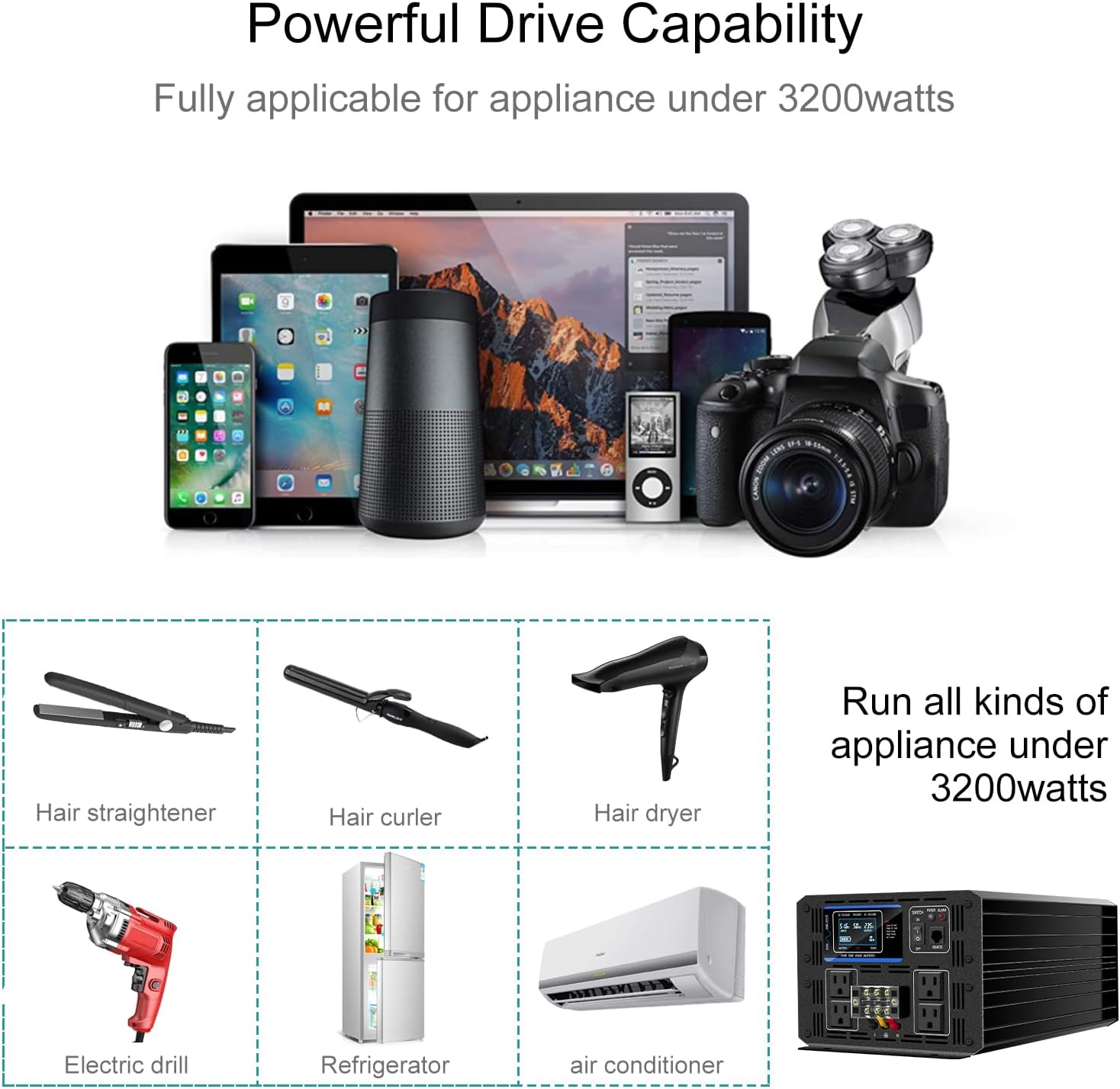
Image: Examples of appliances that can be powered by the Xijia 3500W inverter, including hair straighteners, hair curlers, hair dryers, electric drills, refrigerators, and air conditioners, all under 3200 watts.
5.3 Monitoring with LCD Display:
The LCD display provides real-time information:
- DC Voltage: Shows the input voltage from your battery bank.
- AC Voltage: Displays the output AC voltage.
- Frequency: Indicates the output frequency (60Hz).
- Battery Capacity: Provides an estimate of remaining battery charge.
- Load Power: Shows the current power draw of connected appliances.
6. Maintenance
Regular maintenance ensures optimal performance and longevity of your inverter.
- Cleaning: Periodically clean the exterior of the inverter with a dry, soft cloth. Do not use liquids or abrasive cleaners.
- Ventilation: Ensure the cooling fan and ventilation openings are free from dust and obstructions. Blocked vents can lead to overheating.
- Connections: Regularly check all DC and AC connections to ensure they remain tight and free from corrosion. Loose connections can cause voltage drops and overheating.
- Battery Health: Monitor your battery bank's health and charge level. A healthy battery is crucial for inverter performance.

Image: Illustration of the intelligent cooling fan system within the inverter, showing airflow for heat dissipation.
7. Troubleshooting
The Xijia inverter features an advanced intelligent protection system to prevent damage. If the inverter stops working or an alarm sounds, refer to the following common issues and solutions.
Protection Features:

Image: Visual representation of the inverter's advanced protection system, including short circuit protection, overload protection, overheating protection, under voltage warning, over voltage shut down, and over current shut down.
Common Issues and Solutions:
| Problem | Possible Cause | Solution |
|---|---|---|
| Inverter does not turn on | Loose battery connections, low battery voltage, blown fuse | Check battery cables and terminals. Ensure battery voltage is sufficient (48V). Check and replace fuses if necessary. |
| Alarm sounds / Inverter shuts down | Overload, overheating, low/high input voltage, short circuit | Reduce connected load. Check for obstructions around cooling fan. Allow inverter to cool down. Check battery voltage. Disconnect all loads and restart. |
| No AC output | Inverter in protection mode, faulty AC cable/appliance | Check LCD for error codes. Ensure inverter is ON. Test AC outlets with a different appliance. |
| Reduced output power | Low battery voltage, excessive cable length/gauge | Recharge battery. Ensure battery cables are of appropriate gauge and length for the current draw. |
If troubleshooting steps do not resolve the issue, contact customer support.
8. Warranty and Support
8.1 Warranty Information:
The Xijia 3500W Pure Sine Wave Inverter comes with a 1-year warranty from the date of purchase. This warranty covers manufacturing defects and workmanship under normal use. It does not cover damage caused by improper installation, misuse, neglect, unauthorized modifications, or acts of nature.
8.2 Customer Support:
For technical assistance, warranty claims, or any questions regarding your Xijia inverter, please contact your retailer or the manufacturer directly. Please have your model number (SP-3200L) and purchase date available when contacting support.