
Introduction
Thank you for purchasing the Panasonic ES-LV9C Men's Shaver. This premium performance shaver is designed to provide a smooth, clean shave every day. It features a Multi-flex 5D head, a powerful 14,000 CPM Linear Motor Drive, advanced sensor technology, and an Auto Cleaning Station for convenient maintenance. Please read this manual thoroughly before use to ensure proper operation, safety, and optimal performance of your shaver.
Key Features
- Ultra-fast Linear Motor: Delivers 70,000 cross-cutting actions per minute (14,000 cpm) for a powerful and consistent shave.
- 5-blade Cutting System: Equipped with 30° Nano Polished Inner Blades for efficient and precise cutting.
- Multi-Flex 5D Shaving Head: Designed to follow the contours of your face for maximum contact and comfort.
- Fully Automatic Shaver Cleaning & Charging System: Provides convenient cleaning, drying, and charging.
- Responsive Beard Sensor Technology: Automatically adjusts motor speed based on beard density for an optimal shave.
- Pop-up Trimmer: Integrated for quick pre-shave trimming or detailing.
Setup Guide
Unpacking and Contents
Carefully remove all items from the packaging. Ensure all components are present:
- Panasonic ES-LV9C Shaver
- Cleaning/Charging Station
- Travel Case
- Cleaning Solution
- Blade Oil
- Cleaning Brush
- Power Cord (EU Socket + EU to US plug converter)

Image: The Panasonic ES-LV9C shaver, its cleaning/charging station, and included accessories.
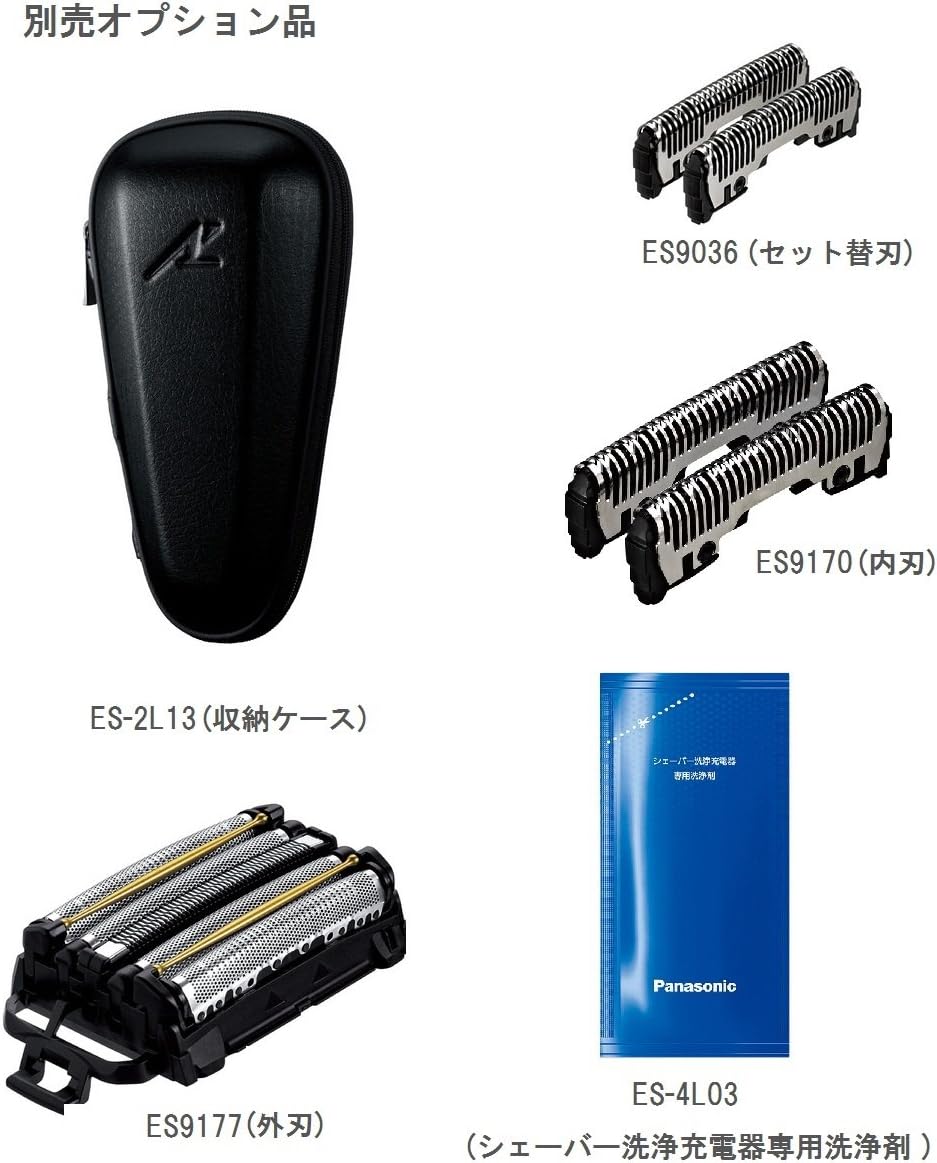
Image: A view of optional replacement parts including outer foil (ES9177), inner blade (ES9170), and a set of blades (ES9036), along with the storage case (ES-2L13) and cleaning solution (ES-4L03).
Charging the Shaver
- Connect the power cord to the cleaning/charging station.
- Plug the power cord into an electrical outlet.
- Place the shaver into the cleaning/charging station. Ensure it is seated correctly.
- The charging indicator on the shaver will illuminate, indicating that charging has begun. A full charge typically takes about 1 hour.
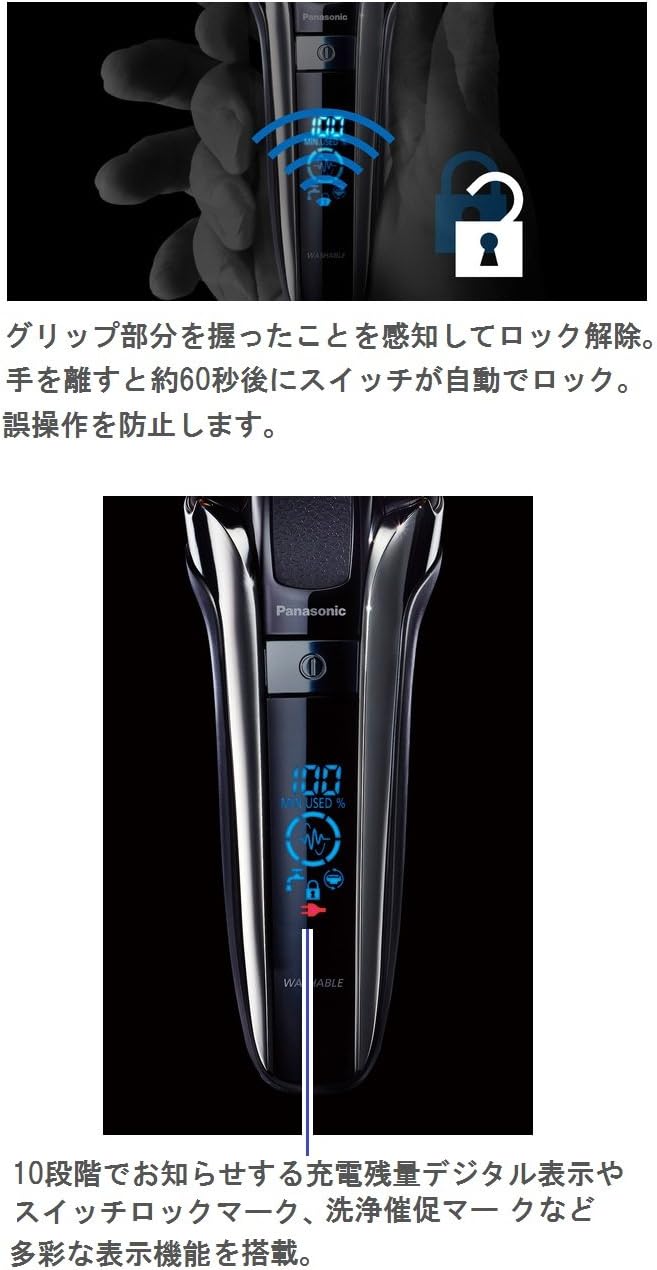
Image: The shaver's digital display showing battery percentage and a lock icon, indicating the grip sensor and switch lock feature.
Setting up the Cleaning Station
- Open the lid of the cleaning station.
- Insert the cleaning solution cartridge into the designated slot until it clicks into place.
- Close the lid securely.
- The cleaning station is now ready for use.
Operating Instructions
Basic Shaving
- Ensure your face is clean and dry for optimal results.
- Press the power button to turn on the shaver.
- Hold the shaver at a right angle (90 degrees) to your skin.
- Gently stretch your skin with your free hand and move the shaver slowly against the direction of beard growth.
- The Multi-Flex 5D head will pivot and flex to follow your facial contours, ensuring close contact.

Image: Illustrations demonstrating the various movements of the 5D active suspension head, including twist (10°), front/back slide (1.0 mm), left/right (20°), front/back (17°), and up/down (2.5 mm) flexibility.
Using the Pop-up Trimmer
- Slide the trimmer switch upwards to engage the pop-up trimmer.
- Use the trimmer for precise detailing of sideburns, mustache, or for pre-trimming longer hairs before shaving.
- After use, slide the trimmer switch back down to retract the trimmer.
Beard Sensor Technology
The shaver is equipped with a beard sensor that detects the density of your beard. It automatically adjusts the motor speed to provide optimal cutting power, ensuring a smooth and comfortable shave even on dense areas, and reducing irritation on lighter areas.
Maintenance and Care
Daily Cleaning (Manual)
- After each use, turn off the shaver and remove the outer foil frame.
- Rinse the outer foil frame and inner blades under running water to remove shaving debris.
- Use the provided cleaning brush to gently brush away any stubborn hairs from the inner blades and shaver body.
- Shake off excess water and allow the parts to air dry completely before reassembling.
- Apply a drop of blade oil to the inner blades periodically to maintain performance.
Using the Automatic Cleaning Station
- After shaving, rinse the shaver head under running water to remove most of the debris.
- Place the shaver into the cleaning station.
- Press the cleaning button on the station to start the automatic cleaning and drying cycle.
- The station will clean, dry, and charge the shaver, leaving it fresh and ready for the next use.
- Replace the cleaning solution cartridge when indicated by the station or approximately every 30 cleaning cycles.
Replacing Blades and Foils
For optimal shaving performance, it is recommended to replace the outer foil and inner blades approximately every one to two years, depending on usage.
- To replace the outer foil: Gently press the release buttons on the sides of the shaver head and lift off the old outer foil frame. Snap the new outer foil frame into place.
- To replace the inner blades: Hold the shaver head and pull the inner blades straight out. Insert the new inner blades until they click into place.
Storage
When not in use, store the shaver in its travel case or on the charging station in a dry place away from direct sunlight and extreme temperatures.
Troubleshooting
| Problem | Possible Cause | Solution |
|---|---|---|
| Shaver does not turn on. | Battery is depleted. / Switch lock is engaged. | Charge the shaver. / Hold the grip area to unlock the switch, or press and hold the power button for a few seconds to deactivate the lock. |
| Poor shaving performance. | Blades/foils are dull or damaged. / Shaver head is clogged with debris. | Replace outer foil and inner blades. / Clean the shaver head thoroughly. |
| Cleaning station not working. | No cleaning solution. / Shaver not seated correctly. | Replace cleaning solution cartridge. / Ensure shaver is properly placed in the station. |
| Shaver makes unusual noise. | Foreign object in the head. / Blades/foils are worn. | Clean the shaver head thoroughly. If noise persists, replace blades/foils. |
Product Specifications
| Feature | Detail |
|---|---|
| Model Number | ES-LV9C-S |
| Brand | Panasonic |
| Power Source | Battery Powered (1 Lithium Ion battery required) |
| Motor Speed | 14,000 CPM Linear Motor Drive |
| Blade System | 5-blade cutting system with 30° Nano Polished Inner Blades |
| Shaving Head | Multi-Flex 5D Contour-Following Head |
| Special Features | Responsive Beard Sensor Technology, Pop-up Trimmer, Automatic Cleaning & Charging System |
| Product Dimensions | 2.83 x 2.32 x 6.57 inches (7.2 x 5.9 x 16.7 cm) |
| Item Weight | 7.41 ounces (210 Grams) |
| Included Components | Shaver, Cleaning/Charging Station, Case, Cleaning Solution, Blade Oil, Brush, Power Cord |
| Date First Available | July 22, 2017 |

Image: The shaver shown with its approximate dimensions: width 7.2cm, depth 5.9cm, and height 16.7cm.
Warranty and Support
Your Panasonic ES-LV9C Shaver comes with a manufacturer's warranty. Please refer to the warranty card included in your product packaging for specific terms and conditions, including warranty period and coverage details. For technical support, replacement parts, or service inquiries, please contact Panasonic customer service through their official website or the contact information provided in your product documentation.