
1. Product Overview
The EXMAX EXG-108 is a compact and portable DSP FM stereo radio receiver designed for clear audio reception. It features digital signal processing technology for enhanced sensitivity and stable channel reception. This receiver is suitable for various applications, including tour guide systems, teaching, meetings, and personal listening.

Image: The EXMAX EXG-108 receiver shown with included headphones and lanyard.
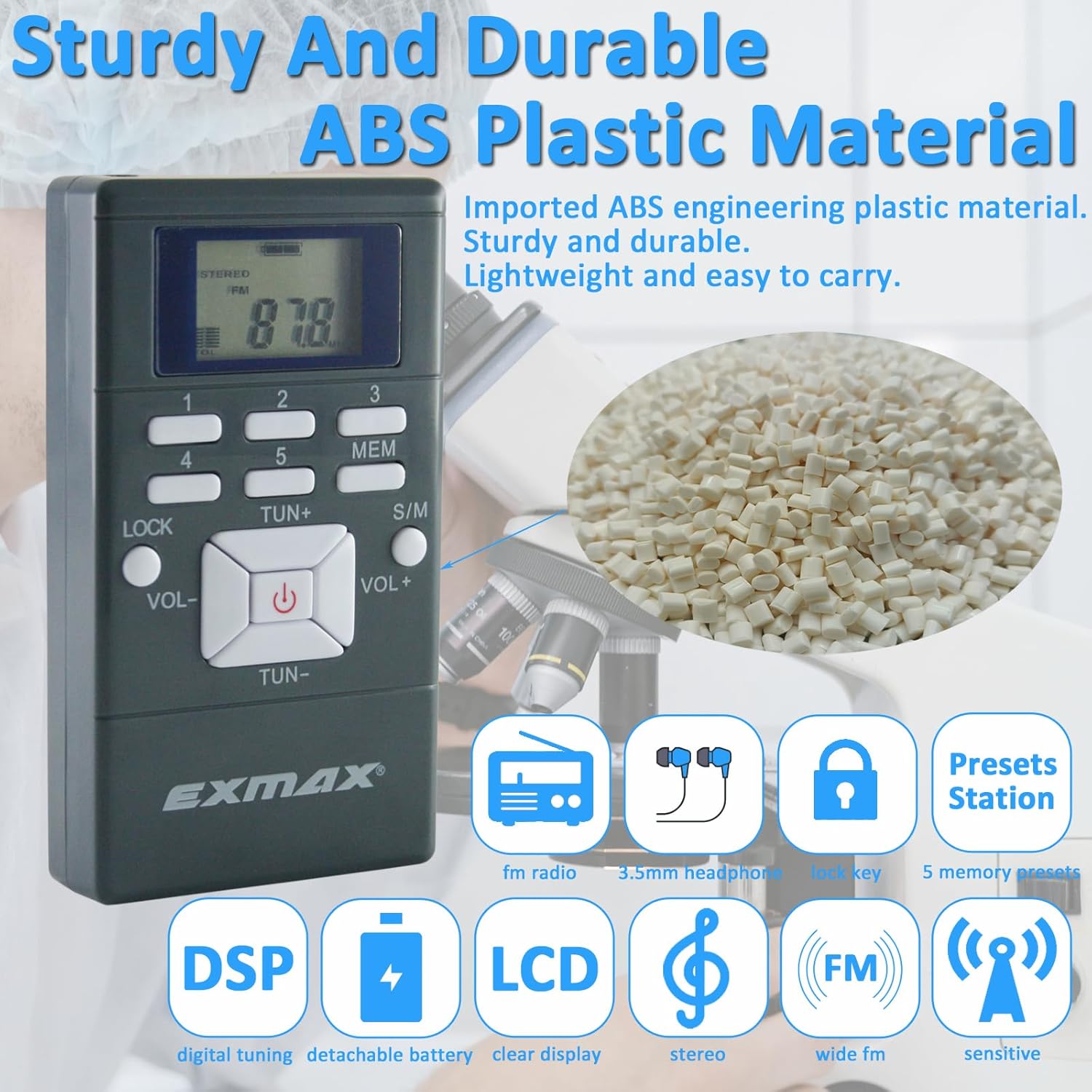
Image: The EXMAX EXG-108 receiver, emphasizing its durable ABS plastic construction.
2. What's in the Box
- EX102 FM radio Receiver (Gray)
- In-ear Stereo Earphone
- Lanyard
- English User Manual
3. Key Features
- Portable Pocket FM Radio Receiver (No AM support)
- DSP (Digital Sound Processing) technology for improved receiver sensitivity
- 5 Station Presets for quick access to favorite stations
- Mono / Stereo selectable audio output
- 24-hour digital clock
- 30-level volume control
- Lock switch to prevent accidental operation
- Powered by 2 AAA batteries (not included)
- Includes in-ear headphones for private listening
- Durable and strong lanyard for convenient carrying

Image: The EXMAX EXG-108 receiver, illustrating its Digital Signal Processing (DSP) technology for stable reception.
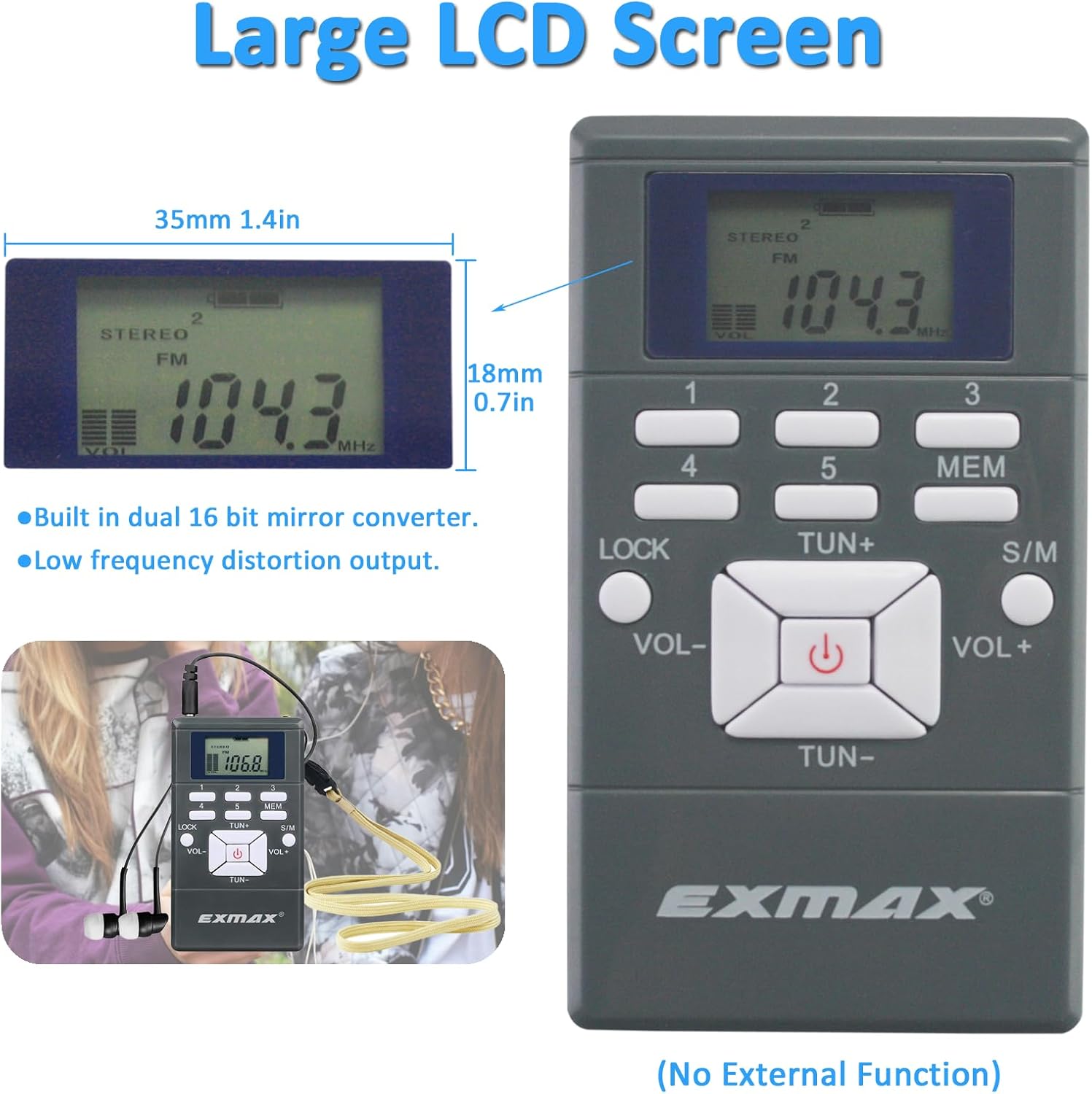
Image: The EXMAX EXG-108 receiver, showcasing its large LCD screen for clear display.
4. Setup
4.1 Battery Installation
The EXMAX EXG-108 receiver requires two AAA batteries (not included). Ensure correct polarity when inserting the batteries.
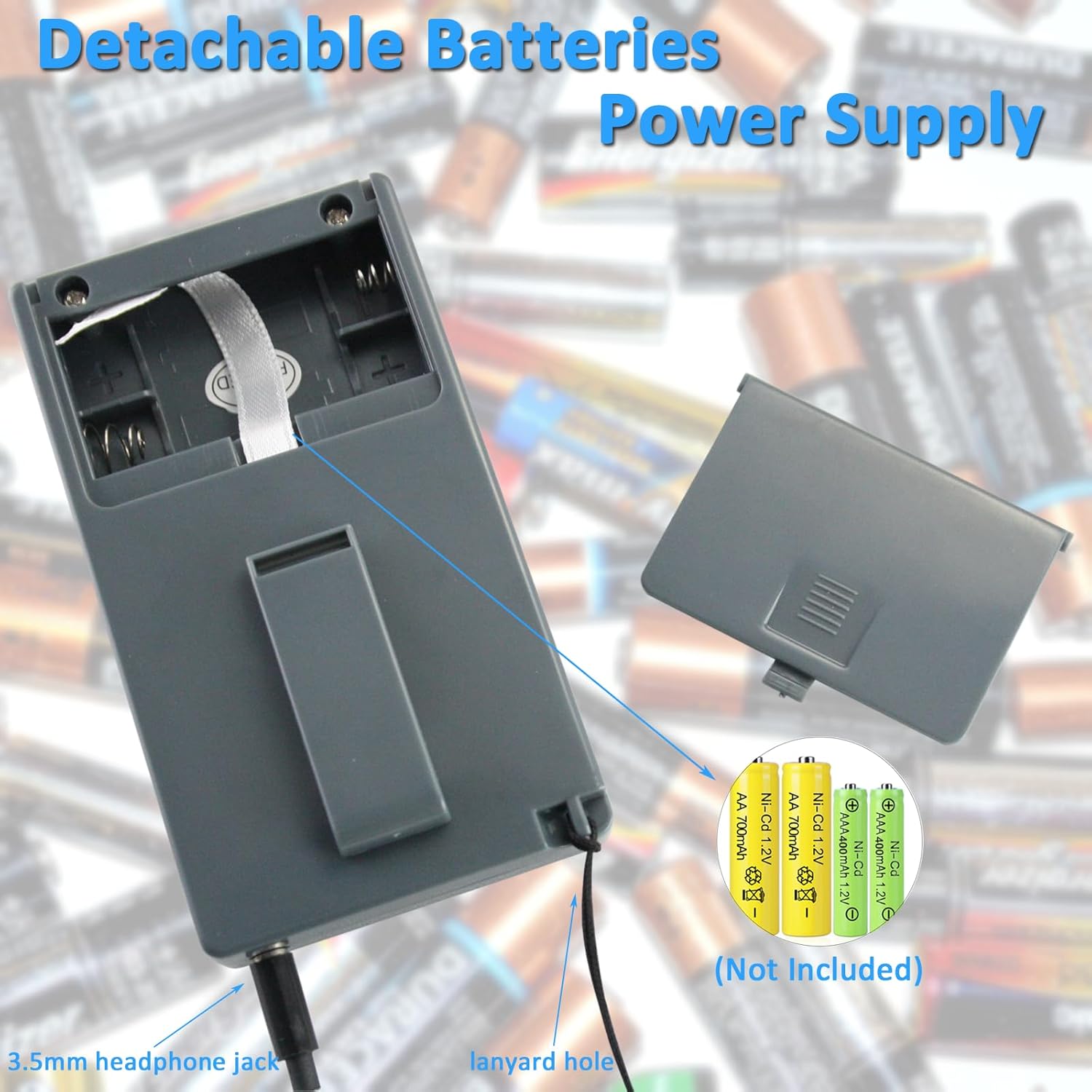
Image: The battery compartment of the EXMAX EXG-108 receiver, showing where to insert AAA batteries.
Video: Demonstrates how to install batteries and turn the EXMAX EXG-108 receiver on and off.
4.2 Connecting Headphones
Insert the 3.5mm jack of the included in-ear headphones into the headphone port on the side of the receiver.

Image: Close-up of the EXMAX EXG-108 receiver, indicating the 3.5mm earphone jack.
5. Operating Instructions
5.1 Power On/Off
To turn the receiver on or off, press and hold the power button located in the center of the control panel.
Video: Demonstrates how to install batteries and turn the EXMAX EXG-108 receiver on and off.
5.2 Adjusting Volume
Use the VOL+ and VOL- buttons to increase or decrease the listening volume.
Video: Shows how to adjust the volume on the EXMAX EXG-108 receiver.
5.3 Manual FM Frequency Search
Press the TUN+ or TUN- buttons to manually search for FM channels. Each press adjusts the frequency by 0.1MHz.
Video: Demonstrates manual FM frequency search on the EXMAX EXG-108 receiver.
5.4 Automatic FM Frequency Search and Storage
To automatically search for and store FM channels, press and hold the TUN+ or TUN- button for 2 seconds. The receiver will scan and stop once a station is found.
Video: Illustrates how to automatically search for and store FM channels on the EXMAX EXG-108 receiver.
5.5 Storing Channel ID (Presets)
The receiver allows you to store up to 5 favorite stations. To store a channel, first tune to the desired frequency. Then, press the MEM button, and while the frequency is flashing, press one of the number buttons (1-5) to save it to that preset. To recall a saved station, simply press the corresponding number button (1-5).

Image: The EXMAX EXG-108 receiver's control panel, highlighting the MEM and number buttons for station presets.
Video: Demonstrates how to manually search for FM frequencies and store them as presets.
5.6 Mono / Stereo Selection
Press the S/M button to switch between mono and stereo audio output. Stereo mode is ideal for music, while mono can provide clearer speech in some environments.
Video: Shows how to select between stereo and mono audio output on the EXMAX EXG-108 receiver.
5.7 Lock/Unlock Function
To prevent accidental button presses, long-press the LOCK button for 2 seconds to lock all keys. Long-press it again for 2 seconds to unlock.

Image: The EXMAX EXG-108 receiver, highlighting the lock button.
Video: Demonstrates how to lock and unlock the buttons on the EXMAX EXG-108 receiver.
5.8 Setting the Clock Time
The receiver features a 24-hour digital clock. To set the time:
- Turn off the radio by long-pressing the power button. The display will show the clock time.
- Click button 5 (MEM). The hour digit will flash. Use TUN+ or TUN- to adjust the hour.
- Click button 5 again. The minute digit will flash. Use TUN+ or TUN- to adjust the minute.
- Click button 5 one more time to confirm and save the time.
Video: Detailed instructions on how to set the clock time on the EXMAX EXG-108 receiver.
5.9 Adjusting Channel for Transmitter and Receiver (If using with a transmitter)
If you are using the EXG-108 receiver with a compatible EXMAX FM transmitter (e.g., EX-831), ensure both devices are set to the same frequency for proper communication. The video below demonstrates how to adjust the channel on both the transmitter and receiver.
Video: Guide on how to adjust the channel for both the EXMAX Wireless FM Transmitter and the EXG-108 DSP FM Radio Receiver to ensure they are synchronized.
6. Specifications
| Feature | Detail |
|---|---|
| Brand | EXMAX |
| Model Number | EX102ReceiverGray |
| Product Dimensions | 3.62"L x 2.09"W x 0.5"H |
| Item Weight | 1.8 Ounces (approx. 0.11 lbs) |
| Tuner Technology | FM (No AM) |
| Frequency Range | 60-108 MHz |
| Power Source | 2 AAA batteries (not included) |
| Display Type | LCD |
| Connectivity Technology | Auxiliary (3.5mm headphone jack) |
| Material | ABS Plastic |
7. Maintenance
To ensure the longevity and optimal performance of your EXMAX EXG-108 receiver, follow these maintenance guidelines:
- Cleaning: Use a soft, dry cloth to clean the exterior of the device. Avoid using harsh chemicals or abrasive cleaners.
- Storage: When not in use for extended periods, remove the batteries to prevent leakage and store the device in a cool, dry place away from direct sunlight.
- Handling: Avoid dropping the device or exposing it to extreme temperatures or moisture.
8. Troubleshooting
If you encounter issues with your EXMAX EXG-108 receiver, please refer to the following common troubleshooting steps:
- No Power: Ensure batteries are installed correctly with the right polarity and are not depleted. Replace with fresh AAA batteries if necessary.
- No Sound: Check that the headphones are securely plugged into the 3.5mm jack. Adjust the volume using the VOL+ button. Ensure the device is powered on.
- Poor Reception: Try moving to a different location to improve signal strength. Ensure the frequency is correctly tuned to a strong FM station.
- Buttons Unresponsive: Check if the lock function is activated. Long-press the LOCK button for 2 seconds to unlock the keys.
- Incorrect Time Display: Follow the steps in Section 5.8 to reset the clock time.
9. Warranty and Support
EXMAX provides a 24-month warranty from the date of purchase for this product. For any warranty claims, technical support, or further assistance, please contact EXMAX customer service or visit the official EXMAX store on Amazon:


