Introduction
The AUTO-VOX M1W Wireless Backup Camera System is designed to enhance driving safety by providing a clear, real-time view of the area behind your vehicle when reversing. Its wireless design simplifies installation, eliminating the need for complex wiring from the rear to the front of the vehicle. Equipped with advanced features like super night vision and a durable, waterproof camera, the M1W system offers reliable performance in various conditions, making parking and maneuvering safer and more convenient.
Package Contents
Please verify that all the following components are included in your package:
- Monitor (4.3-inch display)
- Backup Camera
- Wireless Signal Transmitter
- Car Charger (for monitor power)
- Suction Cup Mount
- Antenna
- RCA Connection Line
- Wire Clamps (red)
- Cable Straps
- User Manual
- Warranty Card

Figure 1: Complete package contents of the AUTO-VOX M1W Wireless Backup Camera System.
Technical Specifications
| Feature | Detail |
|---|---|
| Screen Size | 4.3 inches |
| Supply Voltage | DC 10.5V-15V (12V normal) |
| Current Consumption | 300mA max |
| TV System | PAL or NTSC (auto-convert) |
| Operating Temperature | -20°C to 60°C (-4°F to 140°F) |
| Resolution | 480x272 RGB |
| Feature | Detail |
|---|---|
| Image Device | 1/3-inch color |
| TV System | NTSC |
| Effective Pixels | 720x480 |
| Processor | Digital HD image processor |
| Video Output | RCA connector, 1.0vp-p, 75ohm |
| Operating Temperature | -25°C to 65°C (-13°F to 149°F), RH95%Max |
| Waterproof Rating | IP68 |
| View Angle | 170 degrees |
| LEDs | 6 high brightness LED bulbs |
| Adjustable Angle | 45 degrees |
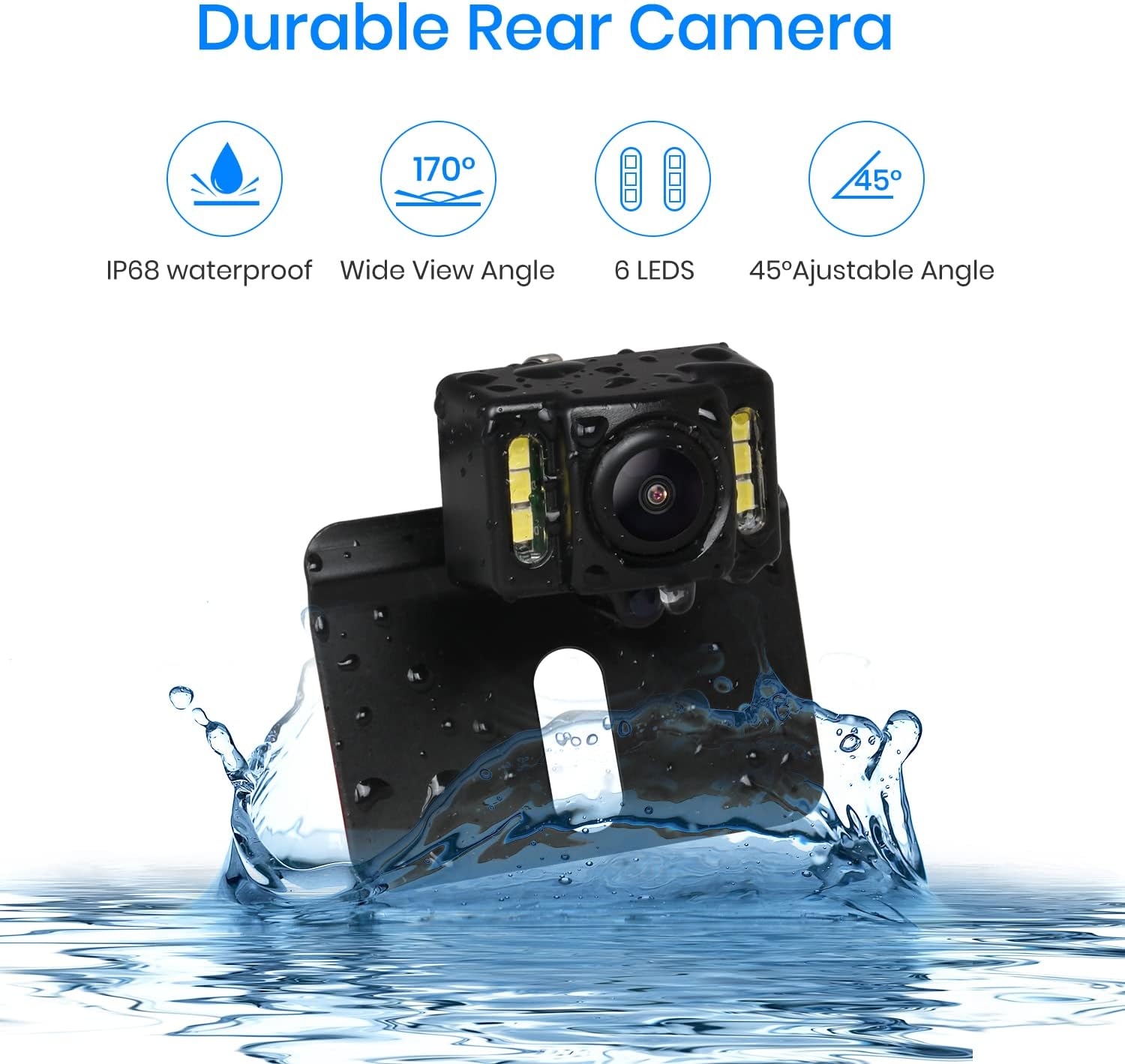
Figure 2: Key features of the durable rear camera, including its waterproof design and wide viewing angle.
Setup and Installation
The AUTO-VOX M1W system features a wireless design, significantly simplifying the installation process by eliminating the need to run long video cables through your vehicle. Follow these steps for proper setup:
1. Camera and Transmitter Installation
- Mount the Camera: Attach the backup camera to your vehicle, typically near the license plate. Ensure it has a clear view of the rear. The camera has a swivel mount for optimal adjustment.
- Connect Power to Transmitter: The wireless signal transmitter and camera are powered by connecting two wires:
- Connect the red wire to the vehicle's reverse light's positive (+12V) wire. This ensures the camera system activates automatically when you shift into reverse.
- Connect the black wire to a reliable ground point on the vehicle's chassis or the reverse light's negative wire.
- Position the Transmitter: The IP67 waterproof transmitter can be installed on the bottom, both sides of the car, or nearby the reversing light. Choose a location that is secure and allows for optimal signal transmission.

Figure 3: Simplified wiring diagram for the camera and monitor setup.
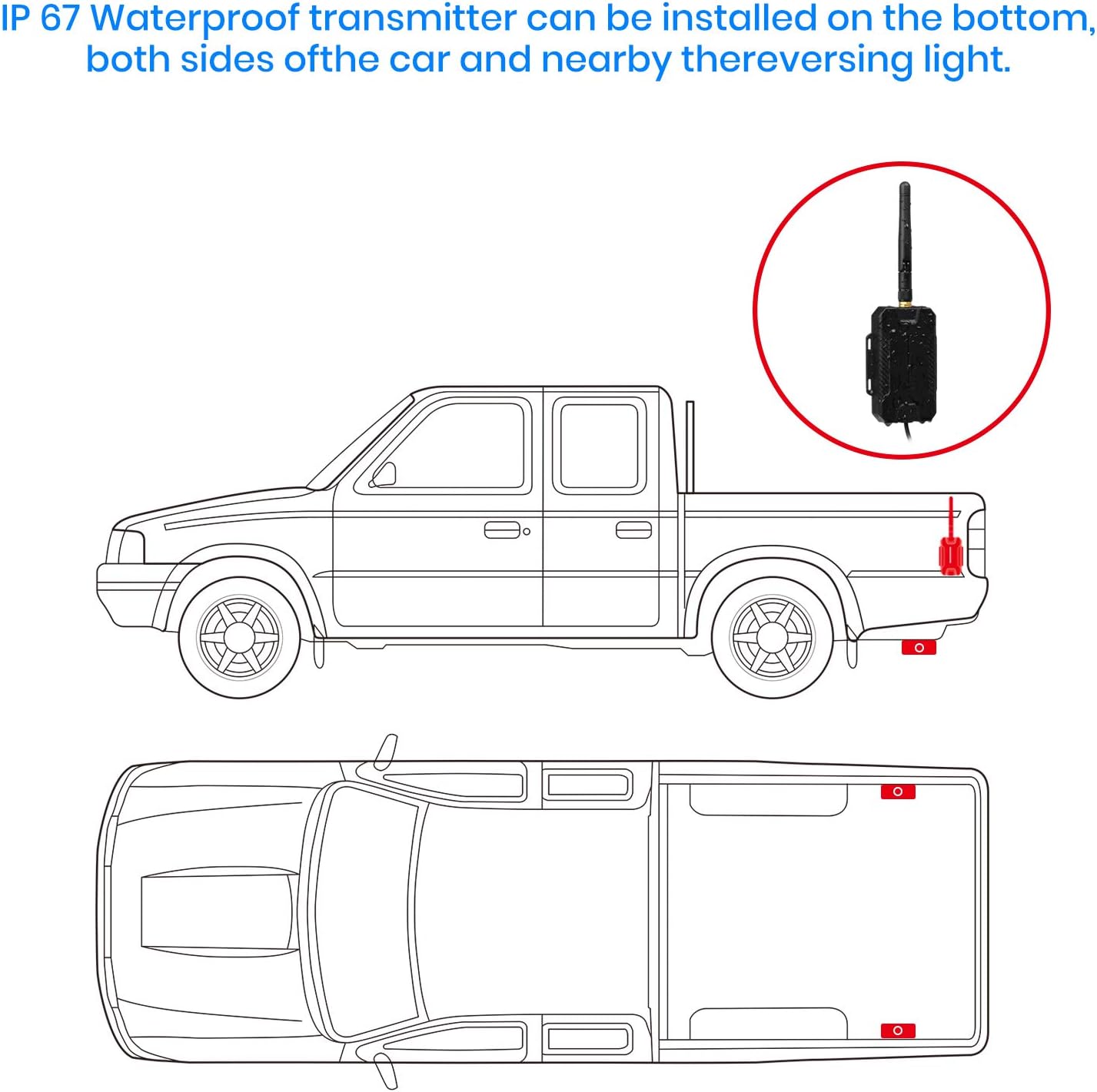
Figure 4: Recommended placement options for the waterproof signal transmitter.
2. Monitor Installation
- Attach Suction Cup Mount: Secure the strong silicone suction cup mount to your vehicle's windshield or dashboard. Ensure the surface is clean and dry for optimal adhesion.
- Mount the Monitor: Attach the 4.3-inch monitor to the suction cup mount. Adjust the monitor's position for clear visibility without obstructing your driving view.
- Power the Monitor: Plug the monitor's power cable into your vehicle's 12V power outlet (cigarette lighter socket).

Figure 5: Flexible mounting options for the monitor on the windshield or dashboard.

Figure 6: The reusable suction cup mount can be cleaned with water to restore its adhesive properties.
Operating Instructions
Once installed, the AUTO-VOX M1W system operates automatically for your convenience:
- Automatic Activation: When you shift your vehicle into reverse, the camera and transmitter will receive power from the reverse light circuit. The monitor will automatically turn on and display the rear view within approximately 1-2 seconds.
- Parking Gridlines: The monitor displays adjustable parking gridlines (green, yellow, red) to assist you in judging distances and safely guiding your vehicle into parking spots or around obstacles. These lines provide a visual reference for safe maneuvering.
- Super Night Vision: The camera is equipped with 6 high-brightness LED bulbs that automatically activate in low-light conditions. This feature ensures a clear and detailed view behind your vehicle even in complete darkness, significantly improving safety during nighttime reversing.
- Stable Image Transmission: The wireless transmission technology provides a stable and clear image, minimizing interference and ensuring a consistent view of your surroundings.

Figure 7: Enhanced visibility provided by the Super Night Vision feature.

Figure 8: The system provides a stable and reliable image transmission.
Maintenance
To ensure the longevity and optimal performance of your AUTO-VOX M1W system, follow these simple maintenance guidelines:
- Camera Lens Cleaning: Regularly inspect and clean the camera lens, especially in adverse weather conditions (rain, snow, dirt). Use a soft, damp cloth to gently wipe away any dirt, dust, or debris that may obstruct the view.
- Monitor Cleaning: Clean the monitor screen with a soft, lint-free cloth. Avoid using harsh chemicals or abrasive materials that could damage the screen.
- Suction Cup Reusability: If the suction cup mount loses its stickiness over time due to dirt or dust, simply wash it with warm water and let it air dry. This will restore its adhesive properties, allowing for reuse.
Troubleshooting
If you encounter any issues with your AUTO-VOX M1W system, please refer to the common problems and solutions below:
- Problem: Monitor shows no image or image cuts in and out.
- Solution:
- Check Power Connections: Ensure the camera's power wires (red to +12V reverse light, black to ground) are securely connected and making good contact. A loose connection is a common cause.
- Verify Reverse Gear: Confirm that the vehicle is in reverse gear, as the system is designed to activate only when the reverse lights are on.
- Signal Interference: While designed for stable transmission, extreme distances or heavy obstructions between the camera/transmitter and monitor can affect signal. Ensure the transmitter is positioned optimally (refer to Figure 4).
- Restart Vehicle: Sometimes, turning off the engine and restarting the car can resolve temporary communication issues.
- Problem: Image quality is poor, especially at night, or screen shows noise.
- Solution:
- Clean Camera Lens: A dirty camera lens is the most frequent cause of blurry or unclear images. Clean it thoroughly with a soft, damp cloth.
- Check Ambient Light: While the system has night vision, extremely dark environments might still present challenges. Ensure your vehicle's reverse lights are functioning correctly to provide additional illumination.
- Verify Connections: Poor electrical connections can sometimes lead to signal degradation and image noise. Re-check all wiring.
- Problem: Monitor turns on unexpectedly while driving (not in reverse).
- Solution:
- Inspect Wiring: This usually indicates an incorrect or faulty connection where the camera is receiving power when it shouldn't. Double-check that the camera's positive wire is connected *only* to the reverse light's positive wire and not to a constant power source.
- Professional Inspection: If the issue persists, it is recommended to have the wiring inspected by a qualified automotive technician.
Warranty and Support
AUTO-VOX provides a one-year warranty for the M1W Wireless Backup Camera System, covering manufacturing defects and malfunctions under normal use. Please retain your proof of purchase for warranty claims.
For technical assistance, troubleshooting beyond this manual, or warranty service, please contact AUTO-VOX customer support. Refer to the contact information provided on the warranty card included in your package or visit the official AUTO-VOX website.
We are committed to ensuring your satisfaction and safe driving experience.