
DZS Elec 4330083748
DZS Elec RF Coaxial Cable User Manual
Model: SAM-SAF-C15-2
1. Product Overview
The DZS Elec RF Coaxial Cable is designed for reliable high-frequency signal transmission. It features an RG316 coaxial cable with SMA Male to SMA Female connectors, suitable for various applications including routers, antennas, signal enhancers, and Wi-Fi adapters.
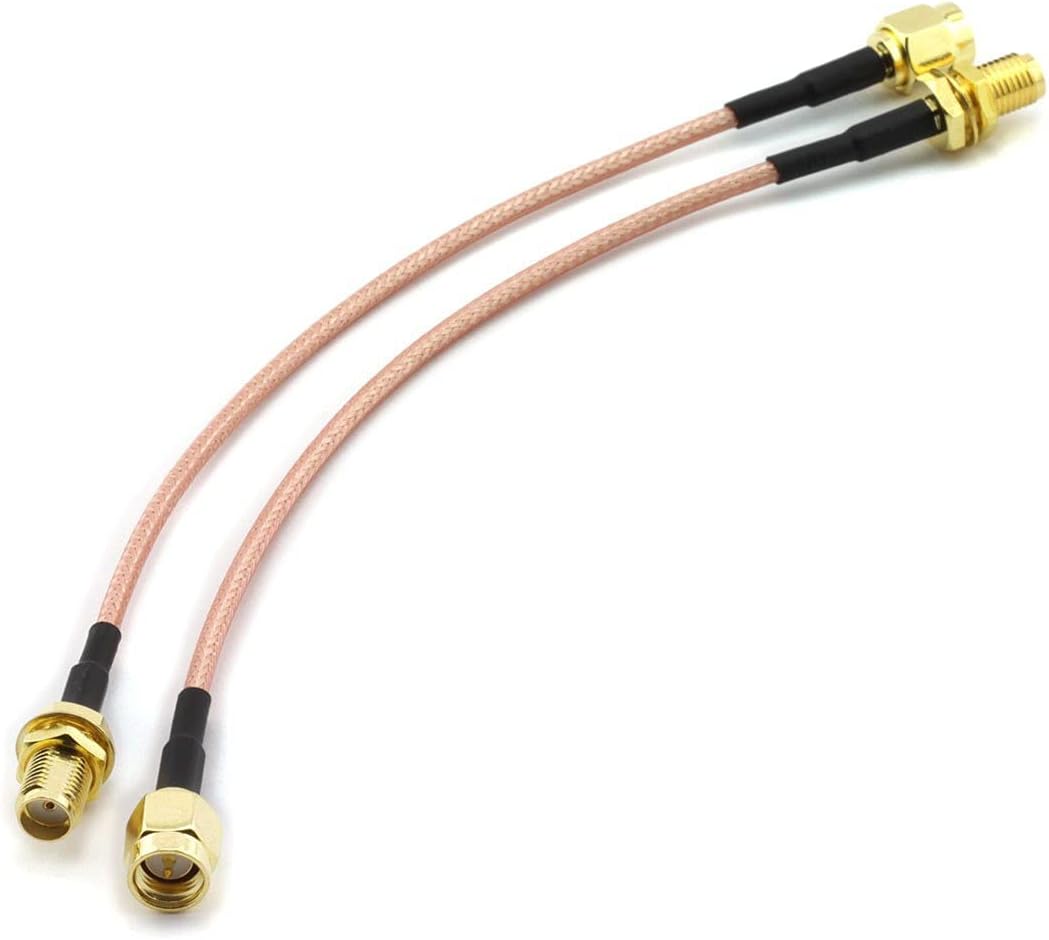
Figure 1: DZS Elec RF Coaxial Cable (SMA Male to SMA Female)
This image shows the overall view of the DZS Elec RF Coaxial Cable, highlighting its compact design and the SMA Male and SMA Female connectors at each end.
2. Specifications
| Feature | Detail |
|---|---|
| Connector Type | SMA Male to SMA Female |
| Connector Material | Copper |
| Cable Type | RG316 Coaxial Cable |
| Cable Length | 15 cm |
| Impedance | 50 Ohm |
| Operating Temperature | -40°C to +85°C |
| Model Number | 4330083748 |
3. Setup and Installation
This coaxial cable is designed for simple plug-and-play installation. Follow these steps to connect the cable:
- Identify Connectors: Locate the SMA Male connector (pin in center) and the SMA Female connector (hole in center) on the cable.
- Prepare Devices: Ensure the devices you intend to connect have compatible SMA ports. One device should have an SMA Female port, and the other an SMA Male port.
- Connect SMA Male: Carefully align the SMA Male end of the cable with the SMA Female port on your first device (e.g., router, antenna). Gently push and then twist the connector clockwise until it is finger-tight. Do not overtighten.
- Connect SMA Female: Align the SMA Female end of the cable with the SMA Male port on your second device (e.g., Wi-Fi adapter, signal enhancer). Gently push and then twist the connector clockwise until it is finger-tight.
- Verify Connection: Ensure both connections are secure to prevent signal loss.

Figure 2: Close-up of SMA Male and SMA Female Connectors
This image provides a detailed view of the SMA Male (left, with central pin) and SMA Female (right, with central receptacle) connectors, illustrating their distinct features for proper connection.
4. Operating Instructions
Once the cable is securely connected between your devices, it operates passively to transmit RF signals. No specific operational steps are required for the cable itself.
- Ensure the connected devices are powered on and configured correctly according to their respective user manuals.
- The cable facilitates the signal path; its performance is dependent on the quality and compatibility of the connected equipment.
5. Maintenance and Care
To ensure the longevity and optimal performance of your DZS Elec RF Coaxial Cable, follow these maintenance guidelines:
- Handling: Avoid sharp bends or kinks in the cable, as this can damage the internal conductors and shielding, leading to signal degradation.
- Cleaning: If connectors become dirty, gently wipe them with a clean, dry, lint-free cloth. Do not use liquid cleaners or abrasive materials.
- Storage: Store the cable in a cool, dry place away from direct sunlight and extreme temperatures when not in use. Avoid coiling the cable too tightly.
- Connection Integrity: Periodically check the tightness of the SMA connections. Loose connections can lead to signal loss or intermittent performance.
- Environmental Factors: While the cable is designed for a wide operating temperature range (-40°C to +85°C), prolonged exposure to harsh outdoor elements without proper protection is not recommended.

Figure 3: Detailed view of SMA Male Connector
This image provides a close-up of the SMA Male connector, showing the threaded barrel and central pin. Proper handling of this connector is crucial for maintaining signal integrity.
6. Troubleshooting
If you experience issues with your RF Coaxial Cable, consider the following troubleshooting steps:
- No Signal or Weak Signal:
- Ensure all connections are secure and finger-tight.
- Check if the connected devices (e.g., router, antenna) are functioning correctly.
- Inspect the cable for visible damage (kinks, cuts, crushed areas). A damaged cable may need replacement.
- Verify that the SMA Male and SMA Female connectors are correctly matched to the device ports.
- Intermittent Connection:
- Tighten all connections.
- Ensure the cable is not being stressed or pulled, which could cause temporary disconnections.
- Test with another known-good cable if available to rule out the cable as the source of the issue.
- Physical Damage to Connector:
- If the central pin of the SMA Male connector is bent or broken, or if the SMA Female receptacle is damaged, the cable may not function. Such damage typically requires cable replacement.

Figure 4: Detailed view of SMA Female Connector
This image provides a close-up of the SMA Female connector, showing the threaded nut and central receptacle. Ensure the receptacle is clear of debris and not damaged for proper signal transfer.
7. Warranty and Support
DZS Elec products are manufactured to high standards. For warranty information and technical support, please refer to the seller's policy or contact DZS Elec customer service through their official channels. Please retain your proof of purchase for warranty claims.
For further assistance, you may visit the DZS Elec official website or contact their support team directly. Contact information is typically available on the product packaging or the seller's online storefront.
Ask a question about this manual
Ask about setup, troubleshooting, compatibility, parts, safety, or missing instructions. Manuals+ will review the question and use this page’s manual context to help answer it.