
Introduction
Welcome to the user manual for your new GloFX Clear Ion 3 LED Orbit. This device is engineered to provide a smooth, quiet, and responsive flow experience, perfect for light shows and performance art. The revolutionary Ion Housing is crafted from ultra-durable polycarbonate, ensuring longevity and superior performance compared to traditional 3D-printed alternatives. Powered by advanced Lux 2.0 microchips, your orbit offers extensive customization with millions of color options and versatile display modes. This manual will guide you through the setup, operation, and maintenance of your GloFX Ion 3 LED Orbit.

Figure 1: The GloFX Clear Ion 3 LED Orbit in action, showcasing vibrant light trails.
What's Included
Your GloFX Ion 3 LED Orbit package includes the following components:
- 1 x Fully Assembled GloFX Ion Orbit (with 3 pre-installed Lux 2.0 Microchips)
- 2 x GloFX T2 Handles
- 2 x 2mm Satin Leashes
- 1 x GloFX Screwdriver (for battery access)
- 1 x Ion Orbit User Guide
- 1 x LuxLight 2.0 Display Modes & Color Chart
- 1 x Warranty Information Card
- 1 x Microfiber Carrying Case with Metal Carabiner

Figure 2: All items included in your GloFX Ion 3 LED Orbit package.
Setup
Battery Installation & Activation
Your GloFX Ion Orbit comes with pre-installed batteries, protected by pull tabs to ensure freshness. To activate your orbit:
- Locate the three Lux 2.0 microchips within the orbit's casing.
- Gently pull and remove the small plastic pull tabs from each microchip. This activates the batteries.
- The lights should illuminate immediately. If not, press the small button on each chip.

Figure 3: The X-Clip battery harness allows for quick and easy battery replacement.
Attaching T2 Handles
The T2 handles are designed for optimal grip and control. Simply thread the satin leashes through the designated holes on the handles and secure them with a knot. Ensure the knots are tight to prevent slippage during use.
Operating Instructions
The GloFX Ion Orbit features intuitive controls for customizing your light experience:
- Power On/Off: Press the small button on each Lux 2.0 microchip to turn it on or off.
- Changing Colors: Each chip offers 34 vibrant colors plus a blank option. Cycle through colors by pressing the button.
- Display Modes: There are 9 versatile display modes to choose from. Continue pressing the button to cycle through modes.
- Brightness Control: Adjust the brightness of the LEDs to suit your environment. Refer to the included LuxLight 2.0 Display Modes & Color Chart for specific instructions on brightness adjustment.
- Onboard Memory: The Lux 2.0 microchips feature onboard memory, allowing them to save your favorite color and mode patterns even after batteries are removed.
- Pro-Click Buttons: Designed for quick and easy mode changes while in motion.
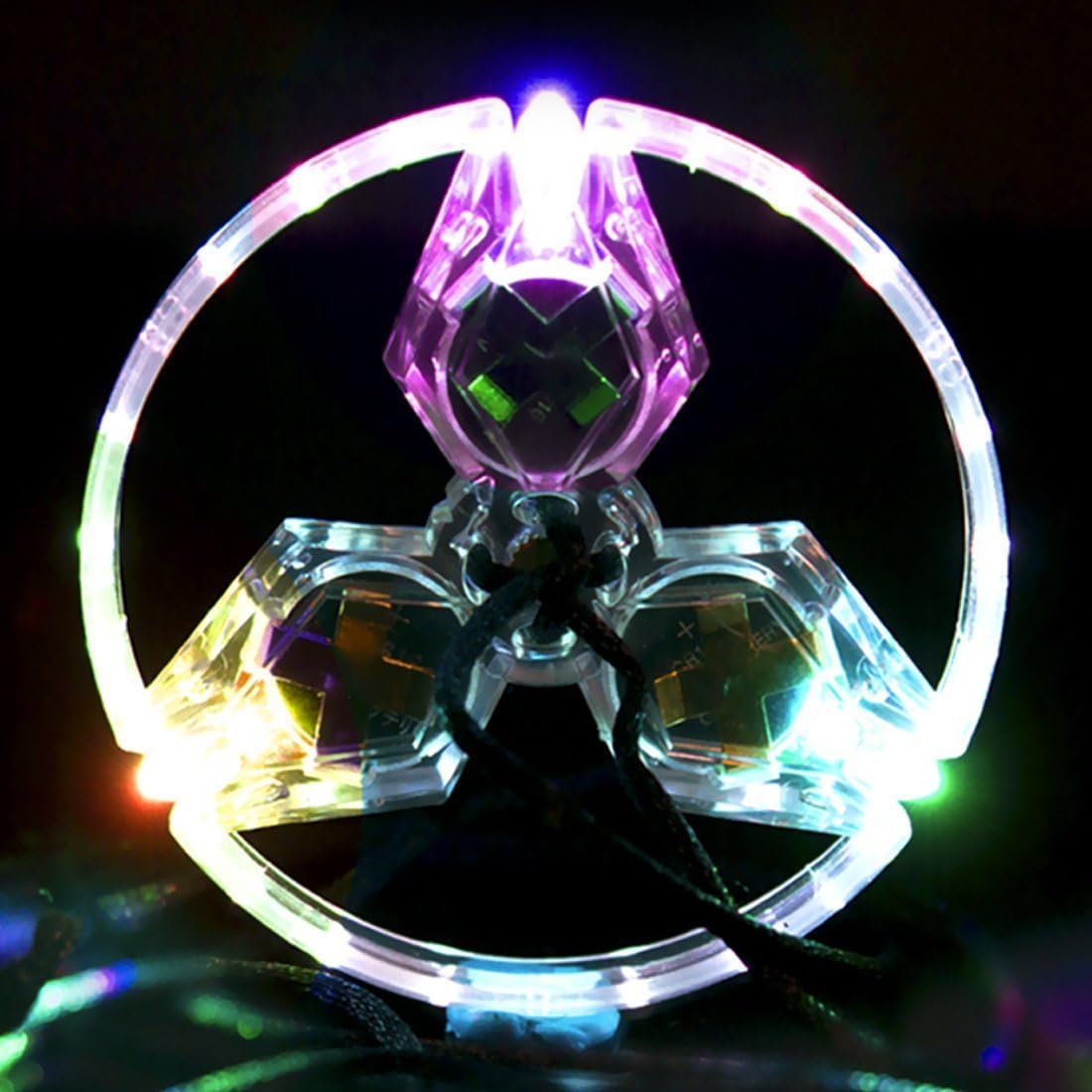
Figure 4: The clear casing allows for maximum visibility of the vibrant LED lights.

Figure 5: Explore various flow patterns and techniques with your Ion Orbit.
Official Product Videos
For a visual demonstration and detailed tutorial on operating your GloFX Ion Orbit, please refer to the official videos below:
Video 1: GloFX Ion Orbit - The Next Evolution In Orbiting. This video provides an overview of the GloFX Ion Orbit's features and design, highlighting its advanced capabilities and superior materials.
Video 2: GloFX Ion Orbit Product Demo and Tutorial. A comprehensive demonstration and tutorial covering the setup, features, and various operational aspects of the GloFX Ion Orbit.
Maintenance
To ensure the longevity and optimal performance of your GloFX Ion Orbit:
- Cleaning: Wipe the polycarbonate casing and leashes with a soft, dry cloth. Avoid using harsh chemicals or abrasive materials.
- Storage: When not in use, store your orbit in the provided microfiber carrying case to protect it from dust, scratches, and impacts. The metal carabiner allows for convenient attachment to a backpack or belt.
- Battery Replacement: When the lights dim or stop working, it's time to replace the batteries. Use the included GloFX screwdriver to access the chips. The casing is designed to prevent losing the screw during battery changes. The orbit requires 6 Lithium Metal batteries.
Troubleshooting
If you encounter any issues with your GloFX Ion Orbit, please refer to the following common solutions:
- Lights Not Turning On/Flickering:
- Ensure all plastic pull tabs have been completely removed from the battery compartments.
- Check if the batteries are properly seated.
- Replace the batteries if they are depleted. The expected runtime is up to 10 hours.
- Rattling Sound:
- The Ion Orbit is designed for zero rattle. If rattling occurs, inspect the internal components for any loose parts. Contact support if the issue persists.
- Handles Feel Loose:
- Ensure the knots securing the leashes to the T2 handles are tight and secure. Re-tie if necessary.
Specifications
| Feature | Detail |
|---|---|
| Model Number | 3GO-ION-C |
| Brand | GloFX |
| Special Features | 9 Adjustable Light Modes, 34 Vibrant Colors, Fully Assembled |
| Power Source | Battery Powered |
| Light Source Type | LED |
| Material | Polycarbonate |
| Included Components | Battery |
| Voltage | 3 Volts |
| Battery Type | Lithium Manganese Dioxide (Non-rechargeable coin cell) |
| Number of Batteries | 6 Lithium Metal batteries required |
| Water Resistance Level | Water Resistant |
| Runtime | 10 hours |
| Item Weight | 2.08 ounces |
| Recommended Age | 14 years and up |
Warranty & Support
GloFX is committed to producing high-quality products. Your GloFX Ion 3 LED Orbit comes with a Lifetime Warranty, covering defects in materials and workmanship. For any warranty claims or support inquiries, please refer to the warranty information card included in your package or visit the official GloFX website.
For additional tutorials, tips, and to connect with the orbiting community, be sure to check out the official GloFX YouTube channel. They offer a wealth of instructional videos to help you master your flow.