
deleyCON MK2055
deleyCON SAT Mounting Set (12-Piece) - F-Connectors and Weather Protection Boots User Manual
Model: MK2055
1. Introduction
This manual provides comprehensive instructions for the installation and use of the deleyCON 12-piece SAT mounting set. This set is designed to facilitate secure and weather-resistant connections for satellite and coaxial antenna cables, ensuring optimal signal transmission and protection against environmental factors.
The set includes 8 gold-plated 7mm F-connectors and 4 UV-resistant weather protection boots, essential components for reliable satellite system installations.
2. Product Components
The deleyCON SAT Mounting Set (Model MK2055) includes the following items:
- 8x Gold-Plated 7mm F-Connectors: These screw-on connectors are designed for secure attachment to coaxial antenna cables, providing excellent conductivity for satellite signals.
- 4x Weather Protection Boots: Made from UV-resistant rubber, these boots are approximately 4.5 cm long and designed to shield F-connectors from moisture, cold, and other environmental influences.
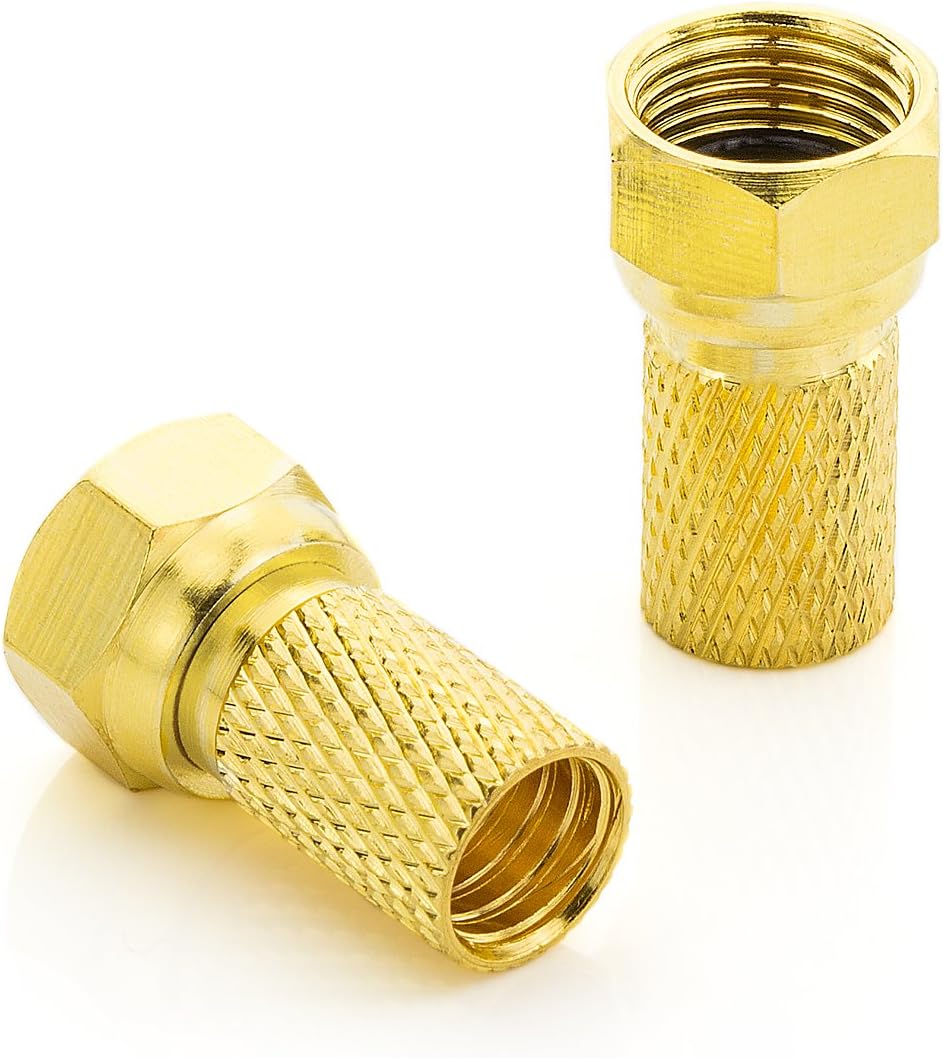
Figure 2.1: Overview of the deleyCON SAT Mounting Set components.

Figure 2.2: Detailed view of the gold-plated 7mm F-connectors.

Figure 2.3: Detailed view of a weather protection boot.
3. Setup and Installation
Proper installation of the F-connectors and weather protection boots is crucial for optimal performance and longevity of your satellite system. Follow these steps carefully:
3.1 Preparing the Coaxial Cable
- Strip the Cable: Carefully strip the outer jacket of your coaxial cable (up to 7mm diameter) to expose the inner conductor and the braided shield. Ensure that the inner conductor is clean and straight, and the braided shield is folded back neatly.
- Prepare for Connector: Ensure no stray strands of the braided shield touch the inner conductor, as this can cause a short circuit.

Figure 3.1: Coaxial cable preparation and F-connector attachment steps.
3.2 Attaching the F-Connector
- Screw On: Gently screw the F-connector onto the prepared end of the coaxial cable. The inner conductor should protrude slightly from the end of the connector.
- Tighten Securely: Hand-tighten the F-connector until it is firmly seated on the cable. Avoid over-tightening, which can damage the cable or connector.
3.3 Installing the Weather Protection Boot
- Slide On Before Connection: Before connecting the F-connector to an LNB, multi-switch, receiver, or antenna box, slide the rubber weather protection boot over the cable.
- Position the Boot: After the F-connector is securely attached to the device, slide the weather protection boot over the F-connector and the connection point. Ensure it completely covers the F-connector and the exposed part of the cable connection to protect against moisture and other environmental elements.

Figure 3.2: F-connector with weather protection boot installed on a coaxial cable.
4. Operation
Once the F-connectors and weather protection boots are correctly installed, the connection is ready for operation. These components are passive and facilitate the transmission of satellite signals. Ensure all connections are tight and the weather protection boots are properly seated to maintain signal integrity and protect against environmental damage.
The gold-plated F-connectors provide optimal signal transfer, while the rubber boots prevent water ingress into sensitive components like LNBs, DiSEqC housings, or the coaxial cable itself.
5. Maintenance
To ensure the long-term reliability of your satellite connections, periodic maintenance is recommended:
- Visual Inspection: Regularly inspect the F-connectors and weather protection boots for any signs of wear, cracking, or damage, especially after severe weather conditions.
- Check Connections: Ensure all F-connectors remain tightly screwed onto the cables and devices. Loose connections can lead to signal degradation.
- Cleanliness: Keep the connectors and boots free from dirt, dust, and debris. A soft, dry cloth can be used for cleaning.
- Boot Positioning: Verify that the weather protection boots are still correctly positioned over the connections to provide maximum protection.
6. Troubleshooting
If you experience issues with your satellite signal, consider the following troubleshooting steps related to the connectors and boots:
- Signal Loss or Interruption:
- Check all F-connector connections for tightness. A loose connection is a common cause of signal issues.
- Inspect the cable ends where the F-connectors are attached. Ensure the inner conductor is not bent or broken, and there are no short circuits from stray shield strands.
- Examine the F-connectors for corrosion or damage. Replace if necessary.
- Water Ingress or Corrosion:
- Verify that the weather protection boots are fully covering the F-connector and the connection point.
- Ensure the boots are not torn or damaged. Replace any compromised boots immediately.
- If corrosion is present, disconnect the F-connector, clean the affected areas thoroughly, and re-install with a new boot if the old one is damaged.
7. Specifications
| Model Number | MK2055 |
| Brand | deleyCON |
| Component Quantity | 12 pieces (8 F-connectors, 4 protection boots) |
| F-Connector Type | 7mm, Gold-plated, Screw-on |
| Protection Boot Material | UV-resistant Rubber |
| Protection Boot Length | Approx. 4.5 cm |
| Compatible Cable Diameter | Up to 7mm (F-connector), up to 7.8mm (protection boot) |
| Color | Black (boots), Gold (connectors) |
| Country of Origin | China |
8. Warranty and Support
For information regarding product warranty, returns, or technical support, please refer to the retailer's policies where the product was purchased. deleyCON products are designed for reliability and performance.
Return Policy: This product is typically eligible for returns within 30 days of purchase, subject to the retailer's specific terms and conditions.
For further assistance, you may contact deleyCON customer support through their official website or the contact information provided by your retailer.
Ask a question about this manual
Ask about setup, troubleshooting, compatibility, parts, safety, or missing instructions. Manuals+ will review the question and use this page’s manual context to help answer it.