
ExquizOn S6
ExquizOn S6 Mini Cube Pico DLP Projector User Manual
Model: S6
1. Introduction
Thank you for purchasing the ExquizOn S6 Mini Cube Pico DLP Projector. This compact and portable projector is designed to provide a versatile viewing experience, supporting up to 1080P resolution with wireless connectivity options. Please read this manual thoroughly before operating the device to ensure proper use and maintenance.

Image: The ExquizOn S6 Mini Cube Pico Projector, demonstrating its small, portable size when held in a hand.
2. Safety Information
To ensure safe operation and prevent damage, please observe the following precautions:
- Do not look directly into the projector lens when the lamp is on.
- Do not place the projector in direct sunlight or near heat sources.
- Avoid placing the projector in areas with excessive dust, humidity, or vibrations.
- Use only the power adapter supplied with the projector.
- Do not attempt to disassemble or modify the projector. Refer all servicing to qualified personnel.
- Keep the projector away from water or other liquids.
- Ensure proper ventilation around the projector to prevent overheating.
3. Package Contents
Please check the box for the following items:
- ExquizOn S6 Mini Cube Pico Projector
- HDMI Cable
- Micro HDMI Connector
- Power Cable
- Power Adapter
- Mini Tripod
- Remote Control
- User Manual (this document)

Image: A visual representation of the ExquizOn S6 projector and its accompanying accessories, including cables, adapter, tripod, and remote control.
4. Product Overview
4.1. Projector Components
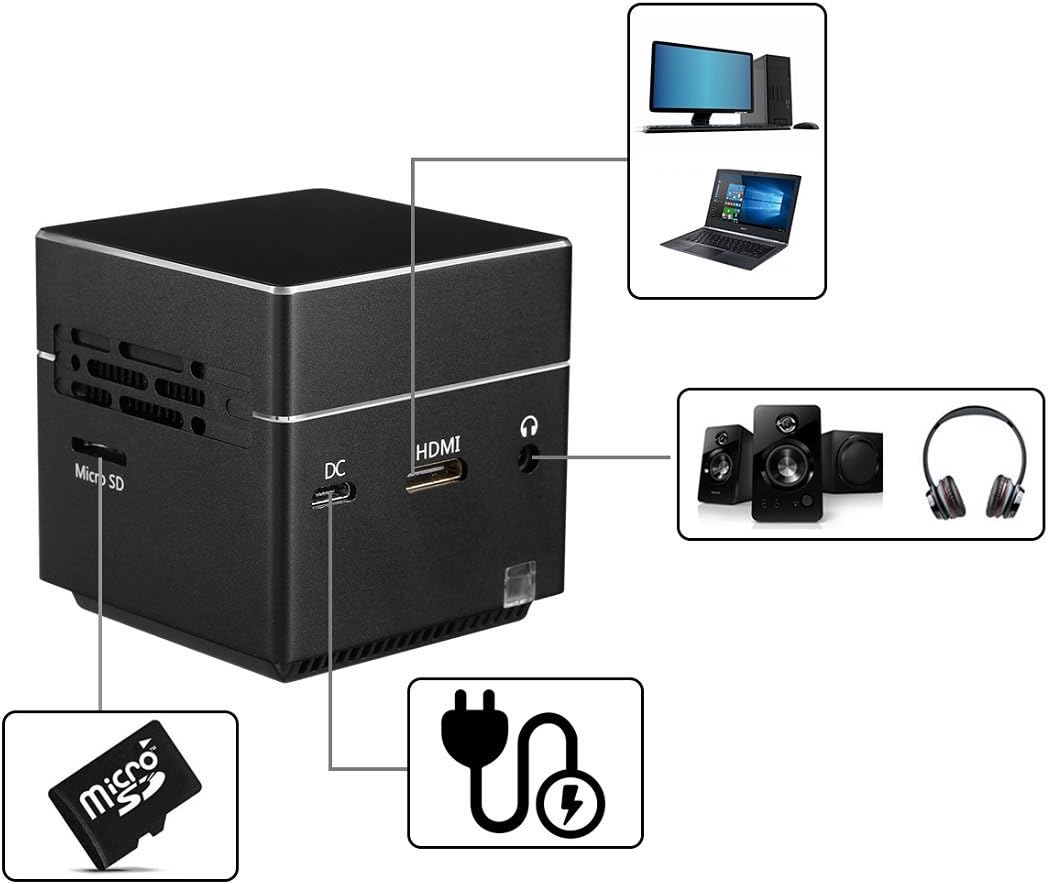
Image: A detailed view of the ExquizOn S6 projector's side panel, highlighting the Micro SD card slot, DC power input, HDMI input, and 3.5mm audio output jack.
The ExquizOn S6 projector features a compact design with essential ports for connectivity:
- Projector Lens: Emits the image.
- Focus Wheel: Adjusts image clarity.
- Power Button: Turns the projector on/off.
- Volume Buttons (+/-): Adjusts audio volume.
- Enter Button: Confirms selections.
- Micro SD Slot: For multimedia playback from a Micro SD card.
- DC Input: Connects to the power adapter for charging and operation.
- Mini HDMI Input: Connects to HDMI-enabled devices (e.g., laptops, game consoles).
- 3.5mm Audio Output: Connects to external speakers or headphones.
5. Setup
5.1. Charging the Projector
Before first use, fully charge the projector. Connect the power adapter to the DC input port on the projector and plug it into a power outlet. The charging indicator light will show the charging status.
5.2. Placement and Positioning
Place the projector on a stable, flat surface. For optimal image quality, project onto a smooth, light-colored wall or a projector screen. The included mini tripod can be attached to the bottom of the projector for adjustable positioning.
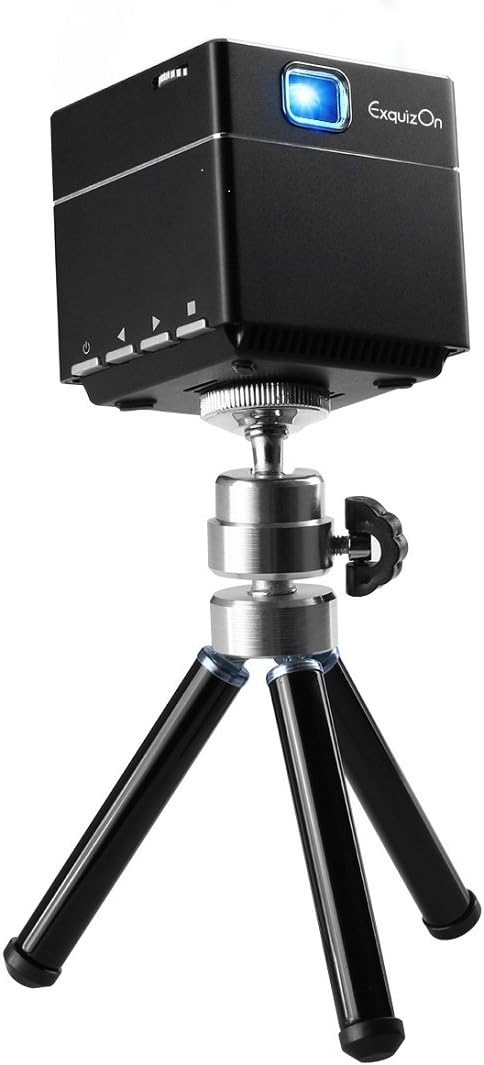
Image: The ExquizOn S6 projector securely mounted on its compact mini tripod, ready for stable projection.
5.3. Powering On/Off
Press and hold the Power button on the projector or remote control to turn the device on or off.
6. Operating
6.1. Adjusting Focus
Rotate the focus wheel located near the lens until the projected image appears clear and sharp.
6.2. Connecting Devices
The projector supports various input sources:
- HDMI: Connect your laptop, game console, TV box, or other HDMI-enabled devices using the provided HDMI cable and Micro HDMI connector.
- Micro SD Card: Insert a Micro SD card into the designated slot for direct multimedia playback.

Image: An illustration demonstrating the ExquizOn S6 projector's compatibility with a wide range of devices, including game consoles, Micro SD cards, smartphones, tablets, laptops, cameras, and TV boxes.
6.3. Wireless Mirroring (Screen Mirroring)
The projector supports wireless mirroring for compatible devices:
- For Android OS Devices: Use Miracast to mirror your screen.
- For iOS Devices (iOS 9.0, 10): Use AirPlay to mirror your screen.
Refer to your device's manual for specific instructions on enabling Miracast or AirPlay.
6.4. Enjoying the Bigger Screen
The projector can create a screen size from 7 inches up to 100 inches, providing a flexible viewing experience for various environments.

Image: A visual comparison illustrating the significant difference in size between a standard 32-inch television screen and a 100-inch image projected by the ExquizOn S6 projector.
The projector supports resolutions up to 1080P, offering clear and vibrant images.

Image: A side-by-side comparison demonstrating the enhanced image clarity and detail achieved by the ExquizOn S6 projector (bottom) compared to a generic projector (top), particularly noticeable in landscape scenes.
6.5. Usage Scenarios
The portable design allows for versatile use, from home entertainment to outdoor activities.
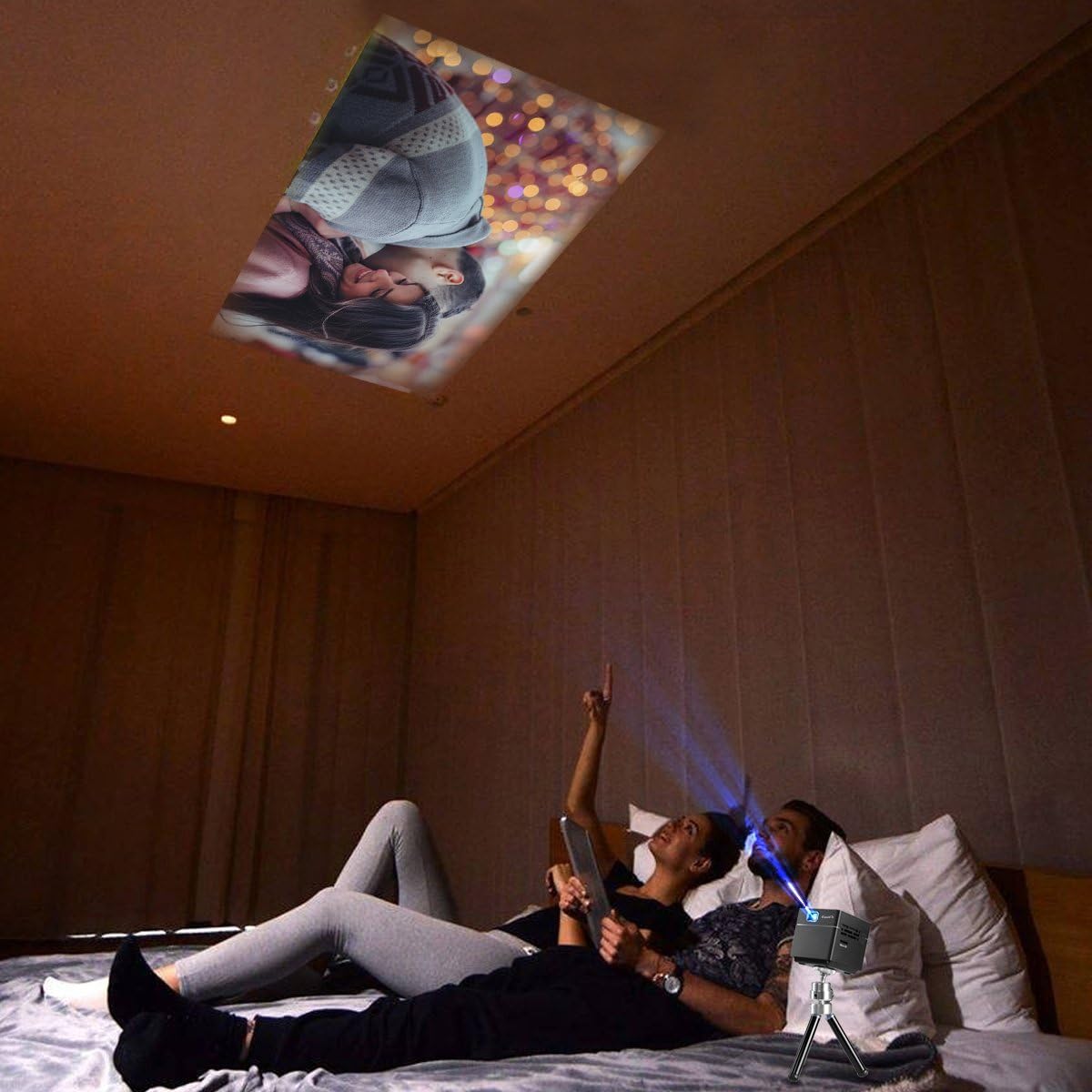
Image: A couple relaxing in bed, enjoying a movie projected onto the ceiling by the ExquizOn S6 projector, illustrating a comfortable indoor viewing experience.

Image: Individuals enjoying a projected movie on the inside wall of a tent during a camping trip, showcasing the projector's portability for outdoor entertainment.
7. Maintenance
7.1. Cleaning the Lens
Use a soft, lint-free cloth specifically designed for optical lenses to gently wipe the projector lens. Do not use abrasive cleaners or solvents.
7.2. Cleaning the Projector Body
Wipe the exterior of the projector with a soft, dry cloth. For stubborn marks, a slightly damp cloth can be used, followed by a dry cloth.
7.3. Storage
When not in use for extended periods, store the projector in a cool, dry place, away from direct sunlight and extreme temperatures. Use the original packaging or a protective case to prevent dust accumulation and damage.
8. Troubleshooting
| Problem | Possible Cause | Solution |
|---|---|---|
| No image projected |
|
|
| Image is blurry |
|
|
| No sound |
|
|
| Wireless mirroring not working |
|
|
9. Specifications
| Feature | Detail |
|---|---|
| Display Technology | DLP |
| Brightness | 100 Lumens |
| Native Resolution | FWVGA (854 x 480) |
| Compatible Resolution | 640 x 480 - 1920 x 1080 (up to 1080p) |
| Light Source | RGB LED OSRAM |
| LED Working Life | +30,000 hours |
| Contrast Ratio | 1000:1 |
| Screen Ratio | 16:9 |
| Throw Ratio | 1.2:1 |
| Refresh Rate | 60Hz |
| Projection Screen Size | 7" - 100" |
| Built-in Speaker | 8 ohm 1.5W (x1) |
| Built-in Battery | Li-polymer, 2500mAh |
| Working Time (Battery) | Approx. 2 hours |
| Wireless Mirroring | Miracast (Android), AirPlay (iOS 9.0, 10) |
| Interfaces | Mini HDMI x 1 (1.4 Line), Micro SD x 1, DC x 1, 3.5mm Stereo Audio Output x 1 |
| Product Dimensions | 5.49 x 5.49 x 5.49 cm |
| Item Weight | 172.37 Grams |
10. Warranty and Support
For warranty information and technical support, please refer to the official ExquizOn website or contact your local distributor. Keep your purchase receipt as proof of purchase for warranty claims.
Contact Information: Please visit www.exquizon.com for the latest support information and contact details.
Related documentsS6


Ask a question about this manual
Ask about setup, troubleshooting, compatibility, parts, safety, or missing instructions. Manuals+ will review the question and use this page’s manual context to help answer it.