
1. Introduction
This manual provides comprehensive instructions for the installation, operation, and maintenance of your Powermaster AD244 220A Alternator. This high-output alternator is designed as a direct replacement for specific GM Corvette models, enhancing your vehicle's electrical system performance. Please read this manual thoroughly before installation and use to ensure proper function and safety.
2. Safety Information
Always observe the following safety precautions when working with automotive electrical systems:
- Disconnect the vehicle's battery before beginning any installation or maintenance.
- Wear appropriate personal protective equipment, including safety glasses and gloves.
- Ensure the vehicle is securely supported if lifted.
- Avoid contact with hot engine components.
- Consult a qualified automotive technician if you are unsure about any part of the installation process.
3. Package Contents
Verify that all components are present before proceeding with installation:
- Powermaster AD244 220A Alternator with Decoupler Pulley (Model 48969)
- Instruction Manual (this document)
4. Specifications
| Feature | Specification |
|---|---|
| Brand | Powermaster |
| Model Name | 48969 |
| Output Current | 220 Amps |
| Pulley Type | Decoupler Pulley |
| Vehicle Compatibility | GM Corvette 1997-2014 (Excluding ZR1) |
| Wiring | 4-pin VR, 1-Wire or Hookup |
| Item Weight | 8.5 Pounds (approx. 3.86 kg) |
| Dimensions (LxWxH) | 9 x 7.3 x 6.7 inches (approx. 22.86 x 18.54 x 17.02 cm) |
5. Installation Guide
This section outlines the general steps for installing your new Powermaster alternator. Specific vehicle procedures may vary. Refer to your vehicle's service manual for detailed instructions.
5.1 Preparation
- Park the vehicle on a level surface and engage the parking brake.
- Disconnect the negative (-) battery terminal first, then the positive (+) terminal.
- Allow the engine to cool completely if it has been running.
- Locate the existing alternator and identify all electrical connections and mounting bolts.
5.2 Removal of Old Alternator
- Loosen the tensioner and remove the serpentine belt from the alternator pulley.
- Disconnect all electrical connections from the old alternator (main power wire, regulator plug).
- Remove the mounting bolts securing the alternator to the engine bracket.
- Carefully remove the old alternator from the engine bay.
5.3 Installation of New Alternator
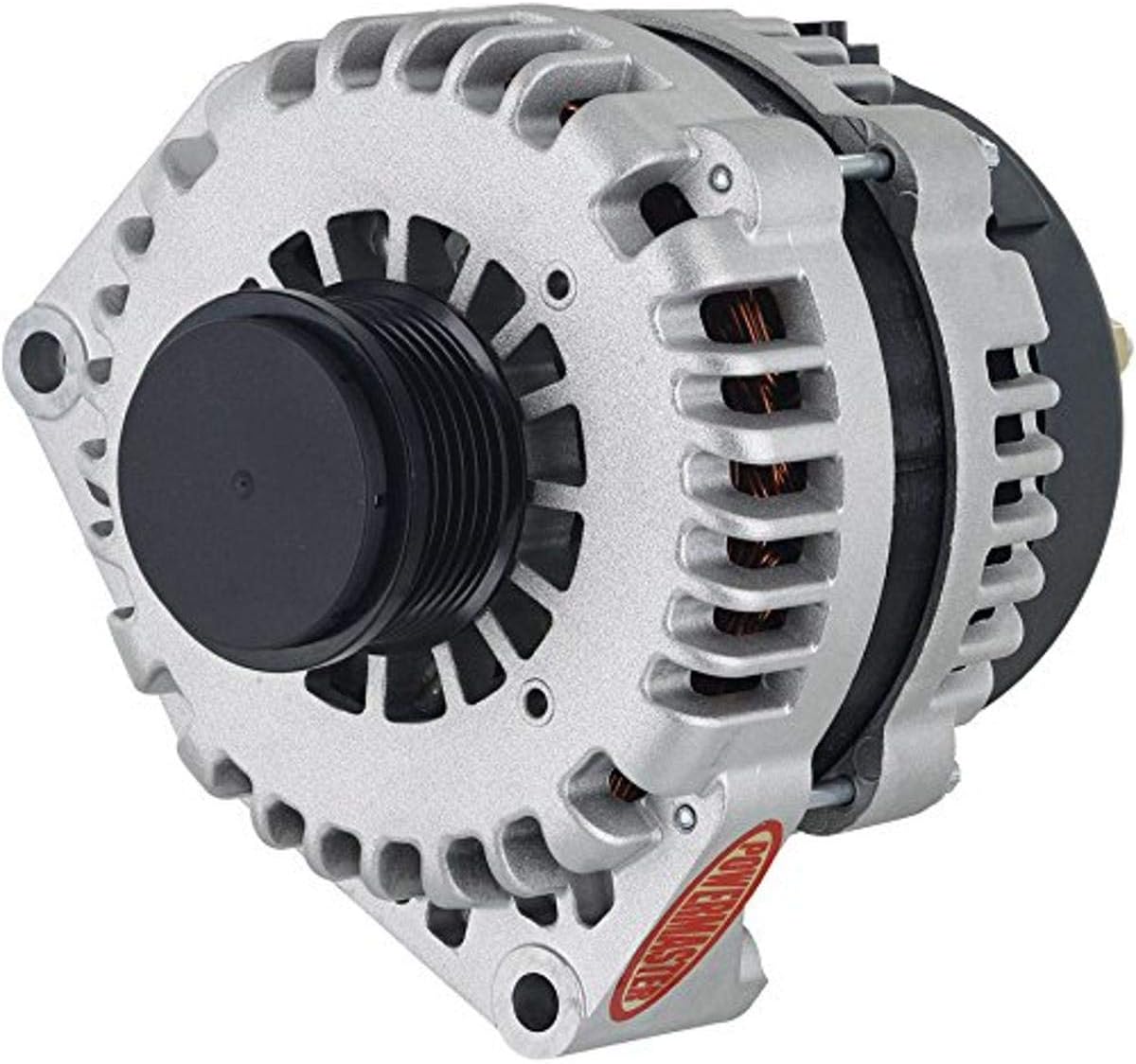 Image 1: Powermaster AD244 220A Alternator. This image shows the front view of the alternator, highlighting the silver-colored casing, cooling fins, and the black decoupler pulley. The Powermaster logo is visible in red on the lower right side.
- Position the new Powermaster alternator into the mounting bracket.
- Install and tighten the mounting bolts according to vehicle specifications.
- Reconnect all electrical connections: the main power wire to the B+ terminal and the regulator plug to the appropriate connector. Ensure connections are secure.
- Install the serpentine belt onto the decoupler pulley. Ensure proper belt tension.
- Important Note on Drive Belt: Due to the design and output of this high-performance alternator, your existing OEM drive belt may be too tight or incompatible, potentially leading to charging issues or premature wear. It is highly recommended to verify belt fitment and consider a slightly longer belt if necessary. For 2006 C6 Corvette models, a Gates K060815RPM belt (or equivalent) has been noted to provide better fitment than the OEM GM 12579229 belt. Always confirm the correct belt length for your specific vehicle and setup.
- Reconnect the positive (+) battery terminal, then the negative (-) battery terminal.
5.4 Post-Installation Check
- Start the engine and check for proper charging voltage (typically 13.8V to 14.8V) using a voltmeter at the battery terminals.
- Listen for any unusual noises from the alternator or belt.
- Verify that no battery warning lights are illuminated on the dashboard.
6. Operating Instructions
The Powermaster AD244 alternator operates automatically to maintain your vehicle's electrical system voltage and recharge the battery. Once installed correctly, no specific user interaction is required for its operation.
- The alternator begins charging when the engine is running.
- The 220A output provides ample power for demanding electrical accessories and ensures efficient battery charging.
- The decoupler pulley helps reduce belt vibrations and improves accessory drive system longevity.
7. Maintenance
Regular maintenance helps ensure the longevity and optimal performance of your alternator:
- Inspect Belt: Periodically check the serpentine belt for cracks, fraying, or excessive wear. Ensure proper tension.
- Check Connections: Ensure all electrical connections to the alternator remain clean, tight, and free of corrosion.
- Cleanliness: Keep the alternator free from excessive dirt, oil, and debris. Use compressed air to clean cooling fins if necessary.
- Battery Health: A healthy battery is crucial for alternator performance. Ensure your battery is in good condition and properly charged.
8. Troubleshooting
If you experience issues with your alternator, consider the following common troubleshooting steps:
- No Charge / Low Voltage:
- Check battery terminals for corrosion and tightness.
- Verify all alternator electrical connections are secure.
- Inspect the serpentine belt for proper tension and condition. A slipping belt will not drive the alternator effectively.
- Test the battery. A faulty battery can prevent proper charging.
- Unusual Noise (Whining, Squealing):
- Inspect the serpentine belt for wear or improper tension.
- Check for proper alignment of the decoupler pulley with other pulleys.
- Ensure mounting bolts are tight.
- Battery Warning Light On:
- This indicates a charging system fault. Follow steps for "No Charge / Low Voltage".
- If all connections and belt are good, the alternator itself may require further diagnosis by a professional.
If troubleshooting steps do not resolve the issue, contact Powermaster customer support or a certified automotive technician.
9. Warranty Information
This Powermaster alternator is covered by a Manufacturer Warranty. For specific details regarding warranty terms, coverage, and claims procedures, please refer to the warranty documentation included with your purchase or visit the official Powermaster website.
10. Customer Support
For technical assistance, parts inquiries, or further support, please contact Powermaster customer service. Contact information can typically be found on the manufacturer's website or on your product packaging.
Website: www.powermastermotorsports.com (Example link, verify actual URL)