
hqtelecom HQ-TS-911HD
HQtelecom Emergency Wall Telephone Model HQ-TS-911HD User Manual
Model: HQ-TS-911HD | Brand: HQtelecom
Introduction
This manual provides comprehensive instructions for the installation, operation, and maintenance of your HQtelecom Emergency Wall Telephone, Model HQ-TS-911HD. This device is designed for reliable emergency communication, featuring automatic dialing of a pre-programmed number (defaulting to 911) upon activation. It operates on standard analog phone lines (PSTN) and Voice over IP (VoIP) systems that support FSK or DTMF signaling.
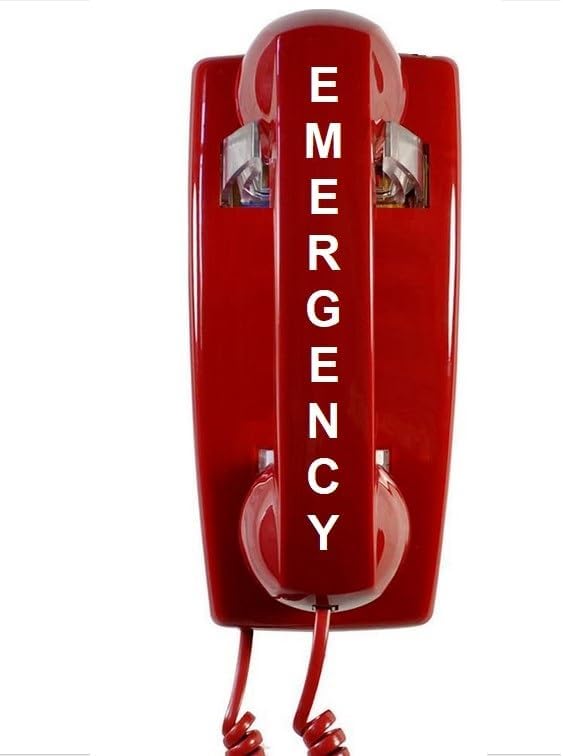
Image: The HQtelecom Emergency Wall Telephone, a red wall-mounted unit with the word 'EMERGENCY' clearly visible on the handset.
Safety Information
- Do not install during a lightning storm.
- Do not use the telephone to report a gas leak in the vicinity of the leak.
- Ensure proper grounding if required by local electrical codes.
- Keep the device away from water and excessive moisture.
- This telephone is line-powered and does not require an external power source.
Package Contents
Verify that all the following components are included in your package:
- Telephone Base Unit
- Handset
- Coiled Handset Cord
- Wall Plate (for mounting)
Setup and Installation
The HQtelecom Emergency Wall Telephone is designed for easy installation. It comes with a wall plate for mounting and connects directly to your analog phone line.
1. Wall Mounting
- Choose a suitable location for the telephone, ensuring it is easily accessible in an emergency.
- Secure the provided wall plate to the wall using appropriate screws (not included). Ensure it is level and firmly attached.
- Connect the telephone line from your wall jack to the RJ11 connector on the back of the telephone base unit.
- Align the telephone base unit with the wall plate and slide it down to secure it in place.

Image: Rear view of the emergency telephone, illustrating the mounting points and the integrated RJ11 phone line connector.

Image: A standard white wall plate with an RJ11 telephone jack, used for mounting the phone.
2. Connecting the Handset
Connect the coiled handset cord to the handset and the telephone base unit. Ensure both ends are securely plugged in.

Image: An angled view of the red emergency telephone, showing the handset connected to the base unit via a coiled cord.
Operating Instructions
Making an Emergency Call
This telephone is pre-programmed to automatically dial 911 when the handset is lifted. No dialing is required.
- In an emergency, simply lift the handset from the base unit.
- The telephone will automatically dial the pre-programmed emergency number (default: 911).
- Wait for the connection and speak clearly to the emergency operator.
- When the call is complete, replace the handset on the base unit.

Image: The red emergency telephone with its handset lifted, demonstrating the state when an emergency call is initiated.
Reprogramming the Auto-Dial Number
The telephone can be reprogrammed to dial a different number if needed. Detailed instructions for reprogramming are typically included with the product packaging. This process usually involves a sequence of button presses or switch adjustments on the unit's internal components. Refer to the specific instructions provided with your purchase for accurate reprogramming steps.
Important: The telephone retains its programming even if disconnected from the phone line, thanks to EEPROM technology.
Maintenance
- Cleaning: Wipe the telephone with a soft, damp cloth. Do not use harsh chemicals or abrasive cleaners.
- Storage: If storing the telephone, ensure it is kept in a dry, cool place away from direct sunlight.
- Cord Inspection: Periodically check the coiled handset cord and the line cord for any signs of wear or damage. Replace if necessary.
Troubleshooting
If you encounter issues with your HQtelecom Emergency Wall Telephone, refer to the following common problems and solutions:
| Problem | Possible Cause | Solution |
|---|---|---|
| No dial tone or call connection. |
|
|
| Beeping sound on the other line after dialing. |
|
|
| Handset cord is tangled or damaged. | Normal wear and tear. | Replace the coiled handset cord. |
Specifications
- Model: HQ-TS-911HD
- Dimensions (L x W x H): 8.75 x 4.5 x 4.5 inches
- Item Weight: 1.5 pounds
- Color: Red
- Material: Plastic
- Telephone Type: Landline
- Power Source: Corded Electric (Telephone Line Powered - no external power required)
- Dialer Type: Basic (Auto-dial)
- Compatibility: Analog phone lines (PSTN, VOIP) with FSK or DTMF support
- Memory: EEPROM technology for retaining programming without power.

Image: Visual representation indicating the telephone's compatibility with both VoIP and traditional landline systems.
Warranty and Support
For technical assistance or inquiries regarding your HQtelecom Emergency Wall Telephone, please contact HQtelecom customer support. Free technical support is offered exclusively if the product was ordered from the HQtelecom Amazon store.

Image: Information graphic detailing the availability of free technical support for purchases made through the HQtelecom Amazon store, along with BBB accreditation.
Please refer to your purchase documentation for specific warranty terms and conditions.
Related Documents - HQ-TS-911HD
 |
Vandal-Resistant Hotline Wall-mount Phone HQ-JWAT205-4S The HQ-JWAT205-4S is a robust, vandal-resistant, waterproof wall-mount telephone designed for public areas. Features auto-dial, IP54 protection, and compatibility with analog and VOIP lines. Includes technical specifications and programming instructions. |
 |
Universal PRO Call Blocker CT-CID 803 User Manual User manual for the Universal PRO Call Blocker with LCD Display & Blacklist Memory, Model CT-CID 803. Learn how to install, set up, and operate the device to block unwanted calls. |
 |
Hands-free Stainless-Steel Push-Button Dialer Telephone HQ-J411 Product overview of the HQ-J411 Hands-free Stainless-Steel Push-Button Dialer Telephone by HQTelecom. Features include IP54 waterproof grade, robust stainless steel construction, and an emergency call button. Details technical specifications and dimensions for this emergency communication device. |
 |
Programming Instructions for Hotline Dialer Phone Model 323-2GHQ Comprehensive guide to programming the HQ Telecom Hotline Dialer phone (Model 323-2GHQ) using remote and local methods. Includes reset procedures and support contact information. |
 |
Hotline Model 323-2GHQ: Programming Instructions for Phone with Built-in Hot Dialer Detailed programming instructions for the Hotline Model 323-2GHQ phone with a built-in hot dialer. Learn how to set up auto-dial numbers, reset settings, and perform local programming. Support from HQ Telecom. |