Introduction
This manual provides detailed instructions for the installation, operation, and maintenance of your ZOSI 2MP 1080p 4-in-1 Surveillance Bullet Camera. This camera is designed for both indoor and outdoor use, offering high-definition video surveillance with night vision capabilities. It is compatible with various DVR systems, including 960H, 720P, and 1080P HD-TVI, AHD, CVI, and CVBS/960H analog DVRs.
What's in the Box
Please check the package contents to ensure all items are present:
- 1 x 1080P Camera
- 1 x Mounting Screw Bag
- 1 x Mounting Hole Template
- 1 x Quick Start Guide

Setup and Connection
Your ZOSI camera is a 4-in-1 TVI/CVI/AHD/CVBS Bullet Camera, compatible with various analog DVRs. For optimal performance, it is recommended to use this camera with a ZOSI DVR.
Connection Diagram
Follow the diagram below to connect your camera to a DVR and display:

Note: This is a hard-wired camera. It requires a CCTV cable and power supply (not included). The camera cannot work separately; it must be connected to a DVR.
Video Output Mode Conversion
The camera features an On-Screen Display (OSD) menu to change between 4 different video output modes: 1080P AHD, 1080P CVI, 1080P TVI, and 960H CVBS. The default video mode is 960H, compatible with all analog DVRs.
- Ensure your DVR supports the desired video format.
- Connect your 4-in-1 camera to the DVR.
- Press the OSD joystick on the camera cable for 5 seconds to switch the output mode.


Video Guide: 4-in-1 Security Camera Setup
Video: This video demonstrates how to set up a ZOSI 4-in-1 security camera, including changing video output modes for compatibility with different DVRs.
Operating Instructions
Night Vision
The camera is equipped with 36 IR LEDs, providing up to 120ft (36.5m) of night vision in total darkness. The automatic IR-CUT filter ensures clear and crisp images day and night.
Wide Viewing Angle
With a 90-degree viewing angle, the camera provides broad coverage for effective surveillance.

DVR Menu Operations
Familiarize yourself with the DVR's menu system for advanced settings and quick access functions.
Video: This video provides a guide on navigating the ZOSI DVR's Setup Menu, explaining various configuration options.
Video: This video demonstrates how to use the Quick Menu on a ZOSI DVR for fast access to common functions and settings.
Maintenance
Durable and Weatherproof Design
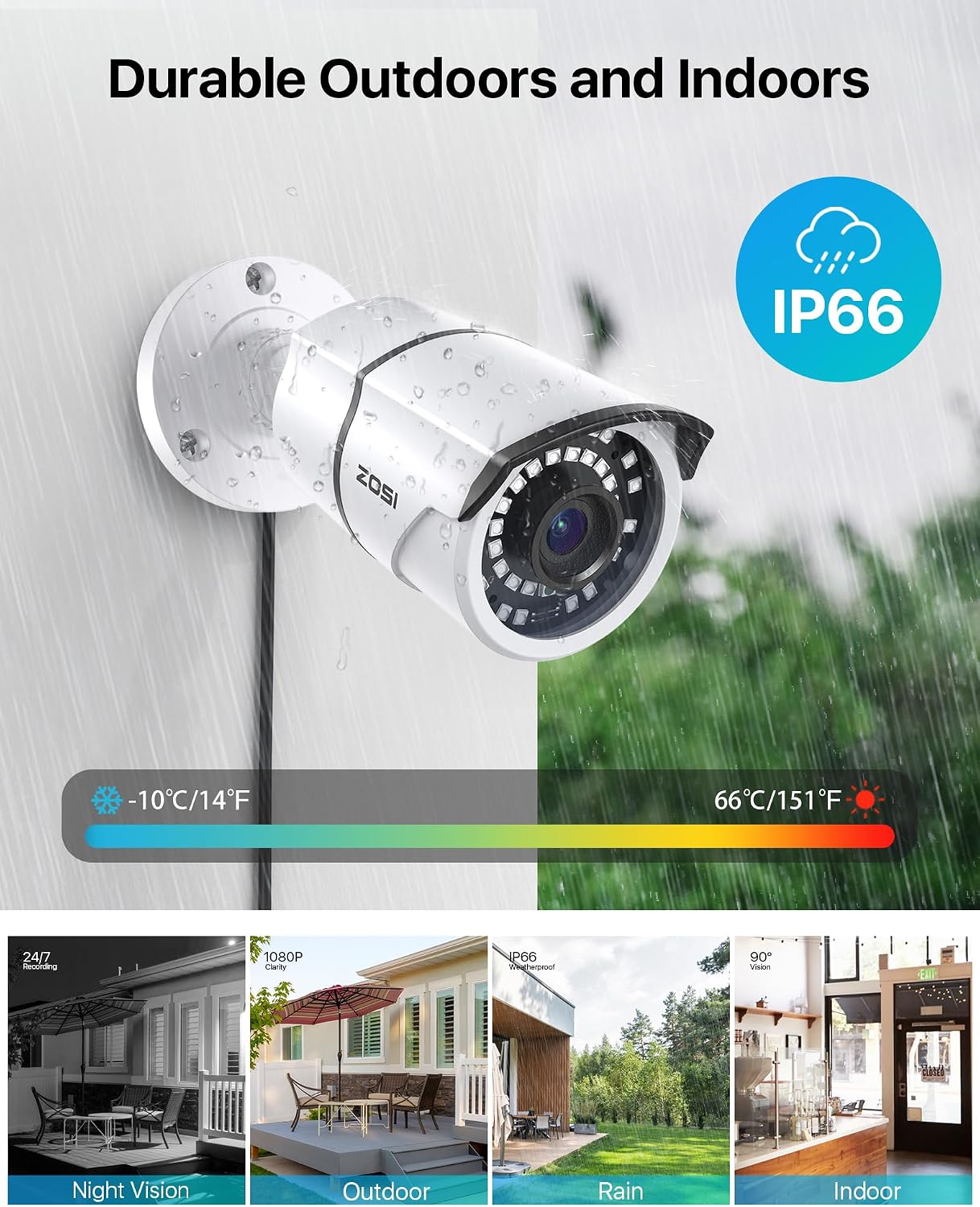
The camera features an aluminum metal housing with an IP66 weatherproof rating, designed to withstand tough outdoor conditions, including rain and snow. The robust construction ensures long-term reliability.

Troubleshooting
No Image Displaying
If your camera is connected to the DVR and no picture is displaying, ensure the camera's video output mode matches your DVR's supported input mode. Use the OSD joystick to cycle through the modes (CVBS/960H, CVI, AHD, TVI) until an image appears. If there is still no image, try switching to another direction on the OSD joystick.
Specifications
| Brand | ZOSI |
| Model Number | 1AC-2612C-WS-N |
| Connectivity Technology | Wired |
| Video Capture Resolution | 1080p |
| Special Feature | Night Vision |
| Number of Channels | 1 |
| Power Source | Corded Electric |
| Item Dimensions L x W x H | 8.18 x 3.38 x 3.3 inches |
| Operating System Compatibility | Android, iOS |
| Recommended Uses | Indoor, Outdoor |
| Compatible Devices | Smartphones |
| Low Light Technology | Night Color |
| Night Vision Range | 100 Feet |
| Frame Rate | 30 fps |
| Recording Mode | Continuous Motion Detection |
| Hardware Interface | 802.11 b/g/n |
| Lens Type | Fixed |
| Video Input | BNC |
| Viewing Angle | 90 Degrees |
| Item Weight | 8 ounces |
Warranty and Support
ZOSI is committed to providing excellent customer service and technical support. If you have any product questions or require assistance, please contact our support team. We are dedicated to ensuring your satisfaction with your purchase.
For more information and support, visit the official ZOSI store: ZOSI Store on Amazon
You can also find support and resources by scanning the QR code in the image below:
