
1. Introduction
The DXRacer Sentinel S28 ergonomic gaming chair is designed to provide comfort and support during extended periods of sitting, whether for work or gaming. Its ergonomic features, including adjustable headrest and lumbar cushions, promote proper posture and aim to reduce back discomfort. The chair offers adaptability to individual user needs, contributing to long-term postural health.
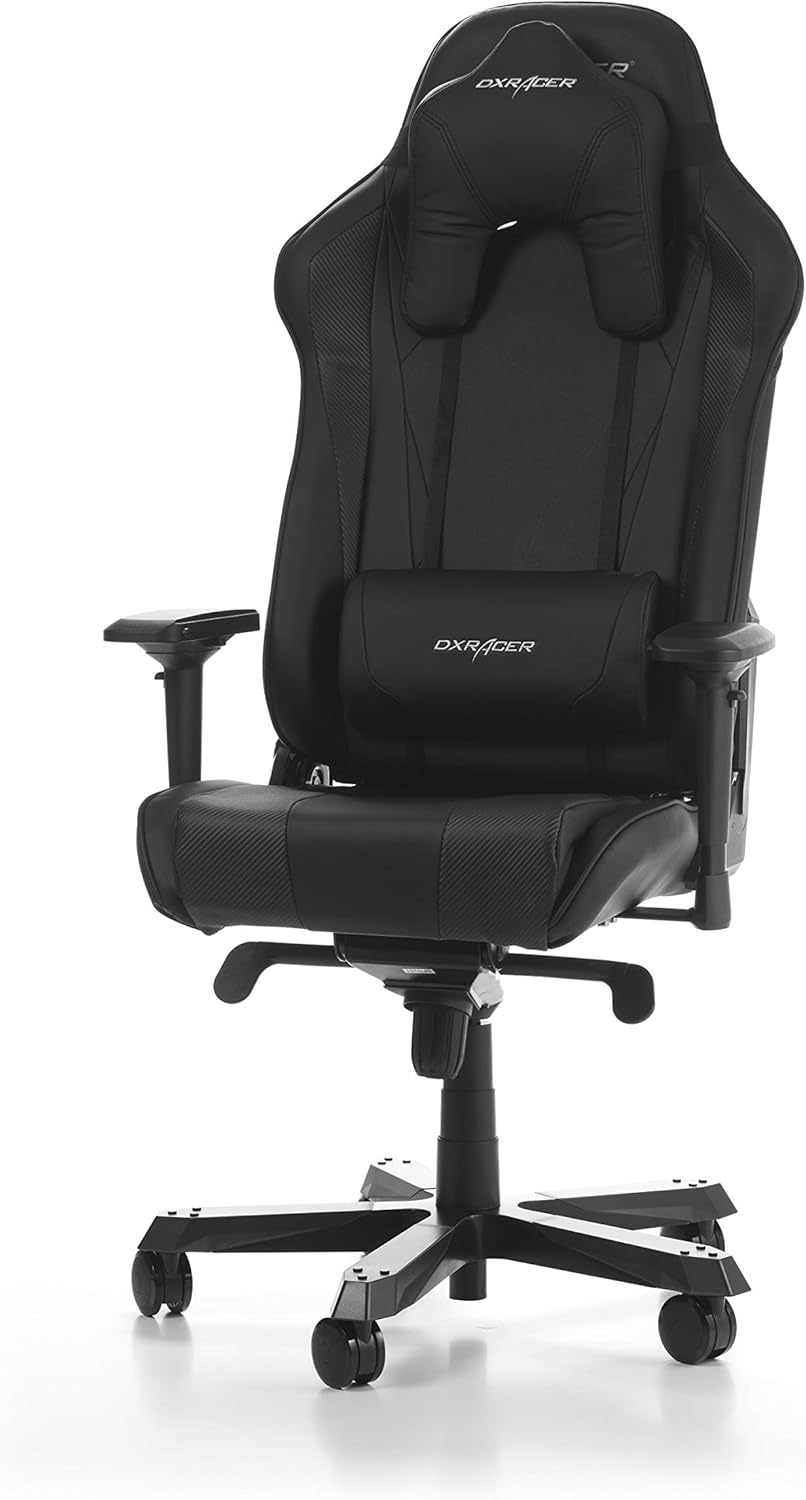
A full front view of the DXRacer Sentinel S28 ergonomic gaming chair in black synthetic leather, featuring adjustable armrests, headrest, and lumbar support cushion.
2. Safety Information
- Ensure all components are securely fastened before use.
- Do not stand on the chair.
- Avoid placing heavy objects on the chair that exceed its maximum weight capacity.
- Keep hands and fingers clear of moving parts during adjustment.
- Use the chair on a flat, stable surface.
3. Package Contents
Verify that all the following components are present in the package:
- Chair Backrest
- Seat Base with Armrests (pre-attached)
- Star Base (5-star aluminum)
- Casters (5 pieces)
- Gas Lift Cylinder
- Gas Lift Cover
- Tilt Mechanism
- Headrest Cushion
- Lumbar Support Cushion
- Assembly Hardware (screws, washers, Allen key)
4. Assembly Instructions
Follow these steps to assemble your DXRacer Sentinel S28 chair:
- Attach Casters to Star Base: Insert each of the five casters into the holes at the end of each leg of the star base. Push firmly until they click into place.
- Insert Gas Lift: Place the gas lift cylinder into the central hole of the assembled star base. Cover it with the gas lift cover.
- Attach Tilt Mechanism: Secure the tilt mechanism to the underside of the seat base using the provided screws. Ensure the front of the mechanism faces the front of the seat.
- Attach Backrest to Seat: Align the backrest brackets with the mounting points on the seat base. Secure with the provided screws and tighten using the Allen key.
- Connect Seat Assembly to Base: Carefully place the assembled seat and backrest onto the gas lift cylinder, ensuring it is centered and stable.
- Attach Cushions: Position the headrest cushion and lumbar support cushion as desired. The lumbar cushion typically attaches with straps around the backrest.

A side profile view of the DXRacer Sentinel S28 chair, highlighting the backrest recline and seat design.
5. Operating Instructions (Adjustments)
The DXRacer Sentinel S28 chair offers several adjustment options for personalized comfort:
- Seat Height Adjustment: Use the lever located under the right side of the seat to raise or lower the seat. Pull the lever up while seated to lower, or pull up while standing to raise.
- Backrest Recline: The backrest can be reclined up to 135 degrees. Use the lever on the right side of the backrest to adjust the angle. Lean back to the desired position and release the lever to lock.
- 4D Armrest Adjustment: The armrests can be adjusted in four dimensions: height, depth (forward/backward), width (inward/outward), and pivot (rotation). Use the buttons or levers on the armrests to make these adjustments.
- Tilt Mechanism: A knob under the seat controls the tension of the tilt mechanism. Turn clockwise to increase tension (making it harder to tilt) or counter-clockwise to decrease tension (making it easier to tilt). A separate lever may lock or unlock the tilt function.
- Headrest and Lumbar Support Cushions: These cushions are adjustable and can be positioned along the backrest to provide optimal support for your head and lower back.

An angled front view of the DXRacer Sentinel S28 chair, showcasing the contours of the seat and backrest, along with the adjustable armrests.
6. Maintenance
- Cleaning: For synthetic leather, wipe with a soft, damp cloth. For stubborn stains, use a mild soap solution and wipe dry immediately. Avoid harsh chemicals or abrasive cleaners.
- Inspection: Periodically check all screws and bolts to ensure they are tight. Re-tighten if necessary.
- Casters: Keep casters clean from hair and debris to ensure smooth movement.
7. Troubleshooting
- Chair Squeaks: Check and tighten all screws. A small amount of silicone lubricant can be applied to moving parts if needed.
- Gas Lift Not Functioning: Ensure the gas lift lever is fully engaged or disengaged. If the issue persists, the gas lift cylinder may need replacement.
- Chair Feels Unstable: Verify that the star base is fully assembled and all casters are securely inserted. Ensure the seat is properly seated on the gas lift.
8. Specifications
Key specifications for the DXRacer Sentinel S28 Gaming Chair:
| Feature | Detail |
|---|---|
| Model Number | GC-S28-N-J4 |
| Material | Synthetic Leather |
| Color | Black |
| Maximum Weight Capacity | 160 Kilograms (Recommended: 150 Kilograms) |
| Recommended User Height | Up to 205 cm |
| Seat Height Range | 50-54 cm |
| Backrest Recline Angle | Up to 135° |
| Armrests | 4D Adjustable |
| Frame Material | Steel Tubular Frame, Aluminum Swivel Cross Base |
| Product Dimensions (L x W x H) | 96.5 x 74 x 39.5 cm |
| Item Weight | 30.45 Kilograms |

A detailed diagram showing the dimensions of the DXRacer Sentinel S28 chair in centimeters, including seat width, backrest height, and armrest adjustability.

A chart comparing various DXRacer chair series, including the Sentinel, based on recommended user height, width, and maximum load capacity, indicating the Sentinel series' position within the range.
9. Warranty and Support
For detailed warranty information and customer support, please refer to the documentation provided with your purchase or visit the official DXRacer website. Specific warranty terms may vary by region and retailer.