
Product Overview
The Postta HDMI 2.0V Cable is designed for high-speed digital audio and video transmission. It supports advanced features such as 4K (2160P) resolution, 3D video, 1080P, Ethernet Channel, and Audio Return Channel (ARC). This cable ensures a reliable and high-quality connection between your HDMI-compatible devices, delivering up to 18Gbps transfer speed for a superior viewing and listening experience.
Key features include 24K gold-plated connectors for optimal signal transfer and corrosion resistance, and a durable, environmentally-friendly PVC material construction for enhanced wear resistance and longevity.

Image: Front and back view of the Postta HDMI cable connectors, highlighting the gold-plated terminals and the Postta branding.
Setup and Connection
Connecting your Postta HDMI cable is a straightforward process. Ensure all devices are powered off before making connections.
- Identify HDMI Ports: Locate the HDMI output port on your source device (e.g., Blu-Ray player, PS4, Xbox, computer) and the HDMI input port on your display device (e.g., 3D TV, monitor, projector).
- Connect Cable: Insert one end of the Postta HDMI cable firmly into the HDMI output port of your source device.
- Connect to Display: Insert the other end of the Postta HDMI cable firmly into the HDMI input port of your display device.
- Power On Devices: Once the cable is securely connected, power on your display device first, then your source device.
- Select Input: On your display device, select the correct HDMI input source using your remote control or on-screen menu.

Image: A visual representation of the Postta HDMI cable's wide compatibility, illustrating connections from source devices like Xbox, PS4/5, Home Theater systems, and Blu-Ray players to display devices such as TVs, monitors, laptops, and projectors.
Operating Features
The Postta HDMI 2.0V cable is designed to provide optimal performance for a variety of multimedia applications. Its advanced features ensure a high-quality audio and video experience.
- 4K Ultra HD Support: Supports resolutions up to 3840x2160 (4K) at 60Hz, providing crisp, clear, and vibrant images.
- 3D Compatibility: Fully supports 3D video formats, allowing you to enjoy immersive 3D content.
- 1080P Full HD: Backward compatible with 1080P and lower resolutions, ensuring versatility with older devices.
- Ethernet Channel: Allows for internet connection sharing among connected devices without the need for a separate Ethernet cable.
- Audio Return Channel (ARC): Enables your TV to send audio data "upstream" to an A/V receiver or surround sound system, reducing the need for a separate audio cable.
- High Speed Transmission: Capable of 18Gbps data transfer speed, supporting high bandwidth requirements for 4K video and high-resolution audio.

Image: A split-screen comparison demonstrating the visual difference between 4K and 1080P resolutions, emphasizing the enhanced detail and clarity achieved with the Postta HDMI cable's 4K support.
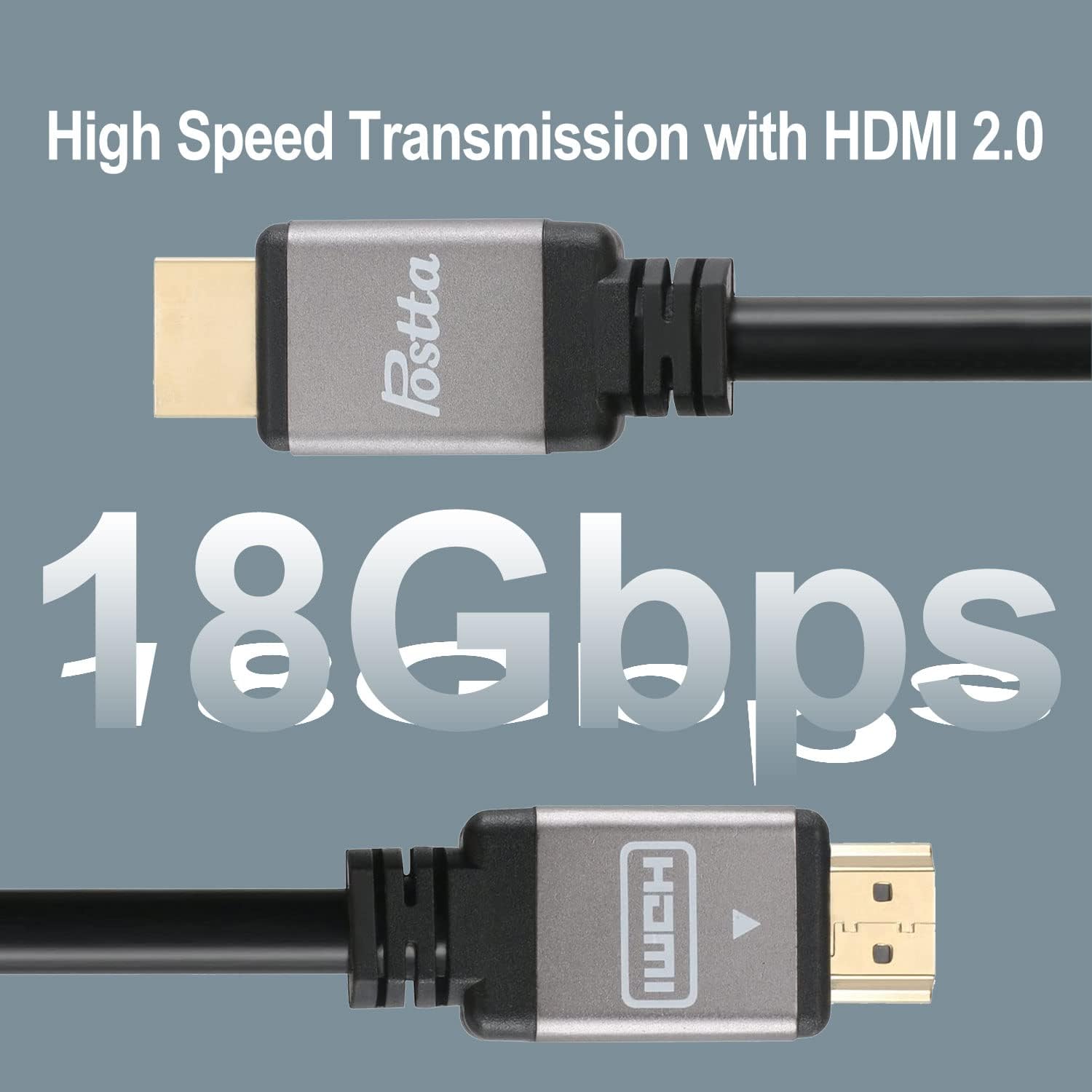
Image: A graphic highlighting the 18Gbps high-speed transmission capability of the Postta HDMI 2.0 cable, indicating its capacity for fast and efficient data transfer.
Maintenance
Proper care and maintenance will extend the life of your Postta HDMI cable and ensure consistent performance.
- Avoid Sharp Bends: Do not bend the cable sharply, especially near the connectors, as this can damage the internal wires and affect signal quality.
- Proper Storage: When not in use, coil the cable loosely. Avoid tangling or knotting.
- Clean Connectors: If connectors appear dusty, gently wipe them with a dry, lint-free cloth. Avoid using liquids or abrasive cleaners.
- Handle with Care: Always grasp the connector housing when plugging or unplugging the cable, rather than pulling on the cable itself.
- Environmental Protection: Keep the cable away from extreme temperatures, direct sunlight, and excessive moisture.

Image: A detailed view showcasing the internal and external features of the Postta HDMI cable, including its 24K gold-plated connector, double shielding with pure copper conductor, and a durable, wear-resistant aluminum shell, all contributing to extended service life.
Troubleshooting
If you encounter issues with your Postta HDMI cable, try the following troubleshooting steps:
- No Signal/Black Screen:
- Ensure both ends of the HDMI cable are securely connected to the correct ports on your source and display devices.
- Verify that your display device is set to the correct HDMI input source.
- Try connecting the cable to different HDMI ports on your devices.
- Test the cable with another HDMI-compatible device to rule out issues with the source or display.
- Restart both your source and display devices.
- Flickering/Intermittent Signal:
- Check for any kinks or damage along the cable length.
- Ensure the cable is not too tightly bent or strained.
- Reduce the distance or remove any signal extenders if used.
- Verify that the resolution and refresh rate settings on your source device are supported by your display and the cable.
- No Audio:
- Ensure the audio settings on your source device are correctly configured to output audio via HDMI.
- Check the volume levels on both your source and display devices.
- If using Audio Return Channel (ARC), ensure both your TV and audio receiver support ARC and it is enabled in their settings.
If problems persist after trying these steps, please refer to the Warranty and Support section for further assistance.
Specifications
| Feature | Detail |
|---|---|
| Brand | Postta |
| Model Number | b6348242-a501-466d-80a0-79713ae5d380 |
| HDMI Version | 2.0V |
| Supported Resolutions | 4K (3840x2160), 1080P, 3D |
| Data Transfer Rate | Up to 18Gbps |
| Connector Type | HDMI Male-to-Male |
| Connector Material | 24K Gold Plated |
| Cable Material | High-quality PVC, 99.99% Oxygen Free Copper conductor |
| Special Features | Ethernet Channel, Audio Return Channel (ARC), High Speed |
| Certifications | HDMI ATC, CE, ROHS, REACH |
| Color | Grey |
| Cable OD | 7.3 ± 0.2mm |
| Item Weight | 13.4 ounces (for 20FT Grey model) |
Warranty and Support
Postta stands behind the quality of its products.
- Warranty: This Postta HDMI Cable comes with a 1-Year Warranty from the date of purchase. This warranty covers manufacturing defects and issues arising from normal use.
- Customer Support: For any questions, technical assistance, or warranty claims, please contact Postta customer service. Refer to the contact information provided with your purchase or visit the official Postta website for support details.