
ISHIDA P-5281A ADC Board User Manual
Model: P-5281A
1. Introduction
The ISHIDA P-5281A is an Analog-to-Digital Converter (ADC) board designed for integration into various industrial systems, primarily scales. This board is a critical component responsible for converting analog signals from load cells or other sensors into digital data that can be processed by a control unit. Proper handling, installation, and maintenance are essential for its optimal performance and longevity.
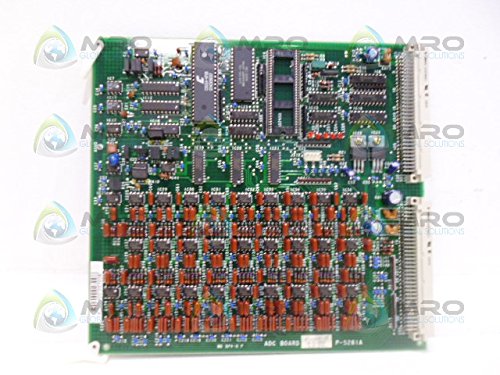
Figure 1: Front view of the ISHIDA P-5281A ADC Board, showing various integrated circuits and components.
2. Setup and Installation
Before installing the P-5281A ADC Board, ensure that the power to the host system is completely disconnected. Static electricity can damage electronic components, so always use appropriate electrostatic discharge (ESD) precautions, such as wearing an anti-static wrist strap.
2.1. Pre-installation Checks
- Verify that the P-5281A board is the correct replacement or component for your system.
- Inspect the board for any visible damage, such as bent pins, cracked components, or signs of corrosion.
- Ensure the installation environment is clean, dry, and free from conductive debris.
2.2. Installation Procedure
- Carefully align the board with the designated slot or mounting points within the host system.
- Gently press the board into place, ensuring all connectors are fully seated. Avoid excessive force.
- Secure the board using any provided screws or fasteners to prevent movement or vibration.
- Connect any necessary cables (e.g., sensor inputs, data outputs, power) to the appropriate ports on the board. Refer to your system's specific wiring diagram for correct connections.
- Once installed, double-check all connections before restoring power to the system.
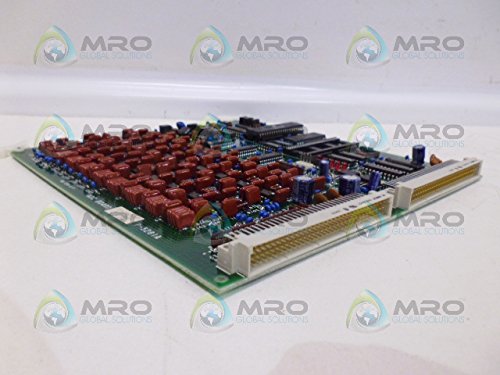
Figure 2: Side view of the P-5281A board, highlighting the edge connectors for system integration.
3. Operating Principles
The P-5281A ADC Board functions as an interface between analog sensors (such as load cells in scales) and the digital processing unit of a system. It receives analog voltage or current signals, converts them into digital values, and transmits these values for further computation and display.
3.1. Signal Conversion
- Analog Input: The board accepts analog signals from connected sensors, which typically vary proportionally to the physical quantity being measured (e.g., weight).
- Analog-to-Digital Conversion: Internal circuitry on the board samples the analog signal at a high rate and quantizes it into discrete digital values.
- Digital Output: The converted digital data is then outputted via the board's connectors to the main control system for interpretation and use.
The operation of the P-5281A is largely automatic once properly installed and integrated into a compatible system. Its performance is dependent on the quality of the input signal and the stability of the power supply.
4. Maintenance
The P-5281A ADC Board is a robust electronic component designed for long-term reliability. Regular maintenance is generally not required, but proper handling and environmental control are crucial to prevent damage and ensure consistent performance.
4.1. Cleaning
- Ensure the board is powered off and disconnected from all power sources before cleaning.
- Use a soft, lint-free cloth or a brush with soft bristles to gently remove dust and debris from the surface of the board.
- For stubborn dirt, a small amount of isopropyl alcohol (IPA) applied to a cloth can be used. Avoid spraying liquids directly onto the board.
- Allow the board to dry completely before re-installing or powering on.
4.2. Environmental Considerations
- Keep the operating environment within specified temperature and humidity ranges to prevent condensation or overheating.
- Protect the board from excessive vibration, shock, and direct exposure to moisture or corrosive substances.
- Ensure adequate airflow around the board if it is installed in an enclosed space.
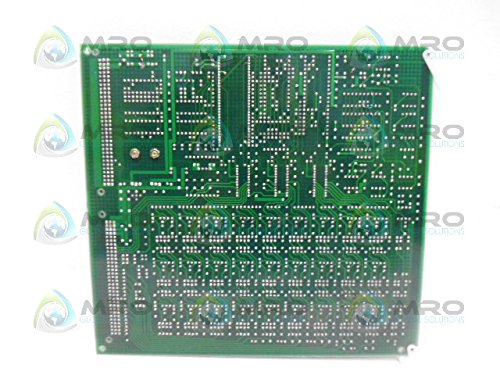
Figure 3: Rear view of the P-5281A board, showing the intricate circuit traces.
5. Troubleshooting
If you experience issues with your system that you suspect are related to the P-5281A ADC Board, consider the following general troubleshooting steps. Note that specific diagnostics may require specialized equipment and knowledge of the host system.
5.1. Common Issues and Solutions
- No Signal/Incorrect Readings:
- Check all cable connections to and from the board. Ensure they are secure and correctly wired.
- Verify the power supply to the board and the host system is stable and within specifications.
- Inspect the sensor (e.g., load cell) for damage or malfunction.
- Ensure the host system's software or firmware is correctly configured to communicate with the ADC board.
- Intermittent Operation:
- Check for loose connections or intermittent power supply issues.
- Ensure the operating environment is stable (temperature, humidity).
- Look for signs of physical damage or overheating on the board.
- System Error Codes:
- Refer to your host system's manual for specific error code interpretations.
- Some error codes may indicate a communication issue with the ADC board.
If troubleshooting steps do not resolve the issue, it may indicate a fault with the board itself or another component in the system. Professional diagnosis is recommended.
6. Specifications
The following are key specifications for the ISHIDA P-5281A ADC Board:
| Attribute | Value |
|---|---|
| Part Number | P-5281A |
| Category | Scales; Scale Board/Control |
| Product Dimensions | 8.66 x 8.66 x 8.66 inches |
| Item Weight | 8.16 ounces |
| Manufacturer | ISHIDA |
| ASIN | B072FP22GR |
| Date First Available | November 27, 2020 |
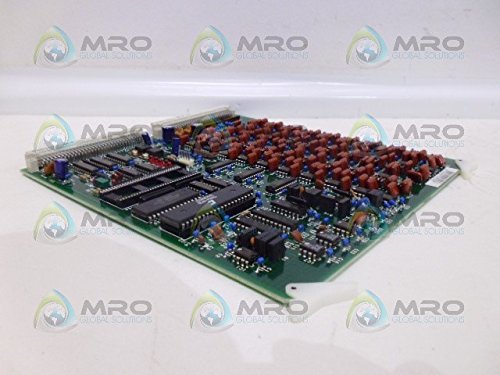
Figure 4: Angled view of the P-5281A board, showing its compact design.
7. Warranty and Support
For specific warranty information regarding the ISHIDA P-5281A ADC Board, please refer to the documentation provided with your purchase or contact the original vendor or manufacturer directly. Warranty terms typically cover defects in materials and workmanship under normal use.
For technical support, service, or replacement parts, please contact ISHIDA customer service or an authorized service provider. Provide the model number (P-5281A) and any relevant serial numbers or purchase details when seeking assistance.
Note: Unauthorized modifications or improper installation may void the product warranty.


