
Introduction
This manual provides essential instructions for the safe and effective use of your Accessory USA AC DC Adapter, specifically designed for the Supersonic SC-1711 Portable Wireless Bluetooth Speaker System. Please read this manual thoroughly before use and retain it for future reference.
1. Setup
Follow these steps to properly set up your AC DC adapter:
- Verify Compatibility: Ensure that your speaker system is the Supersonic SC-1711 model. This adapter is specifically designed for this device.
- Connect to Speaker: Locate the power input port on your Supersonic SC-1711 speaker. Insert the DC barrel connector of the adapter firmly into this port.
- Connect to Power Outlet: Plug the two-prong AC plug of the adapter into a standard wall power outlet. Ensure the outlet is easily accessible and provides the correct voltage (100-240V AC).
- Power On: Once connected, your speaker system should begin charging or power on, depending on its current state and design.
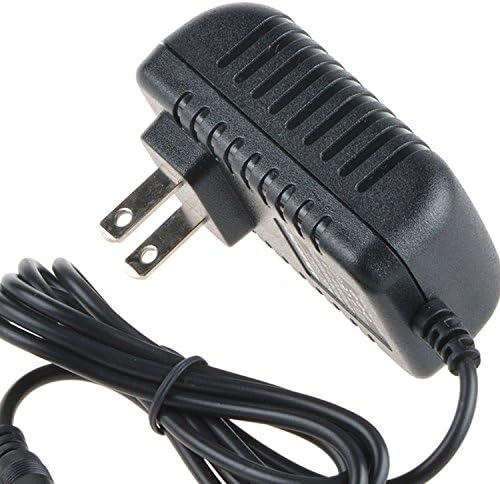
Image 1: The Accessory USA AC DC Adapter. This image shows a black AC to DC power adapter featuring a standard two-prong US wall plug on one end and a DC barrel connector on the other, connected by a black power cord. The adapter body has a ribbed texture for heat dissipation.
2. Operation
The Accessory USA AC DC Adapter functions as a power supply and charger for your Supersonic SC-1711 speaker. Once connected, it will provide continuous power to operate the speaker or recharge its internal battery.
- Charging: If your speaker's battery is low, the adapter will automatically initiate charging. Refer to your speaker's manual for charging indicators.
- Direct Power: The adapter can also power the speaker directly, allowing for extended use without relying on battery power.
3. Maintenance
Proper care ensures the longevity and safe operation of your adapter:
- Cleaning: Disconnect the adapter from the power outlet and speaker before cleaning. Use a dry, soft cloth to wipe the exterior. Do not use liquid cleaners or immerse the adapter in water.
- Storage: When not in use, store the adapter in a cool, dry place, away from direct sunlight and extreme temperatures. Avoid tightly coiling the cable to prevent damage.
- Handling: Do not drop, bend, or apply excessive force to the adapter or its cables. Avoid placing heavy objects on the cable.
4. Troubleshooting
If you encounter issues, consider the following common solutions:
- No Power to Speaker:
- Ensure the adapter is securely plugged into both the wall outlet and the speaker.
- Test the wall outlet with another device to confirm it is functional.
- Check for any visible damage to the adapter's cable or connectors.
- Slow Charging:
- Ensure the speaker is not in heavy use while charging, as this can slow down the process.
- Verify that the adapter is the correct one for your speaker model.
If problems persist, discontinue use and contact Accessory USA support.
5. Specifications
Key technical specifications for the Accessory USA AC DC Adapter:
| Feature | Specification |
|---|---|
| Brand | Accessory USA |
| Compatibility | Supersonic SC-1711 Portable Wireless Bluetooth Speaker System |
| Input Voltage | 100-240V AC |
| Input Frequency | 60 Hz |
| Output Current | 1 Amp |
| Output Voltage | Designed to match Supersonic SC-1711 requirements (not specified in product data) |
| Power Source | Corded Electric |
| Main Power Connector Type | 2-Pin US Plug |
| Safety Certifications | CE, FCC, RoHS |
| Protection Features | OVP (Over Voltage Protection), OCP (Over Current Protection), SCP (Short Circuit Protection) |
6. Warranty and Support
Accessory USA products are designed for reliability and performance. This adapter is CE, FCC, and RoHS certified, ensuring it meets safety and environmental standards. It also includes built-in OVP, OCP, and SCP protections for your device's safety.
For warranty information or technical support, please refer to the documentation provided with your purchase or contact Accessory USA directly through their official channels. Always ensure you have your product model (SC-1711) and purchase details available when seeking support.