
1. Introduction
This manual provides detailed instructions for the installation, operation, and maintenance of your HIIXHC Personal Security Window & Door Alarm Bell. This wireless magnetic sensor alarm system is designed to enhance the security of your home, apartment, office, or other spaces by alerting you to unauthorized entry through doors or windows.
2. Safety Information
- Battery Safety: Use only AAA batteries as specified. Do not mix old and new batteries, or different types of batteries. Dispose of used batteries responsibly.
- Loud Alarm: The alarm produces a sound of 90 dB or more. Avoid prolonged exposure to the alarm sound at close range to prevent potential hearing discomfort.
- Placement: Ensure the alarm is mounted securely to prevent it from falling and causing injury or damage.
- Children: Keep the alarm and its components out of reach of small children to prevent choking hazards.
3. Package Contents
Your HIIXHC Personal Security Window & Door Alarm Bell package includes:
- HIIXHC Alarm Units (Quantity as per pack size, e.g., 10 units for a 10-pack)
- Magnetic Sensor Units (Corresponding quantity)
- Double-sided Adhesive Pads (Pre-applied or included separately)
Note: AAA batteries are not included and must be purchased separately.
4. Product Overview
Each HIIXHC alarm unit consists of two main parts: the main alarm unit and a smaller magnetic sensor unit. These two parts work together to detect when a door or window is opened.
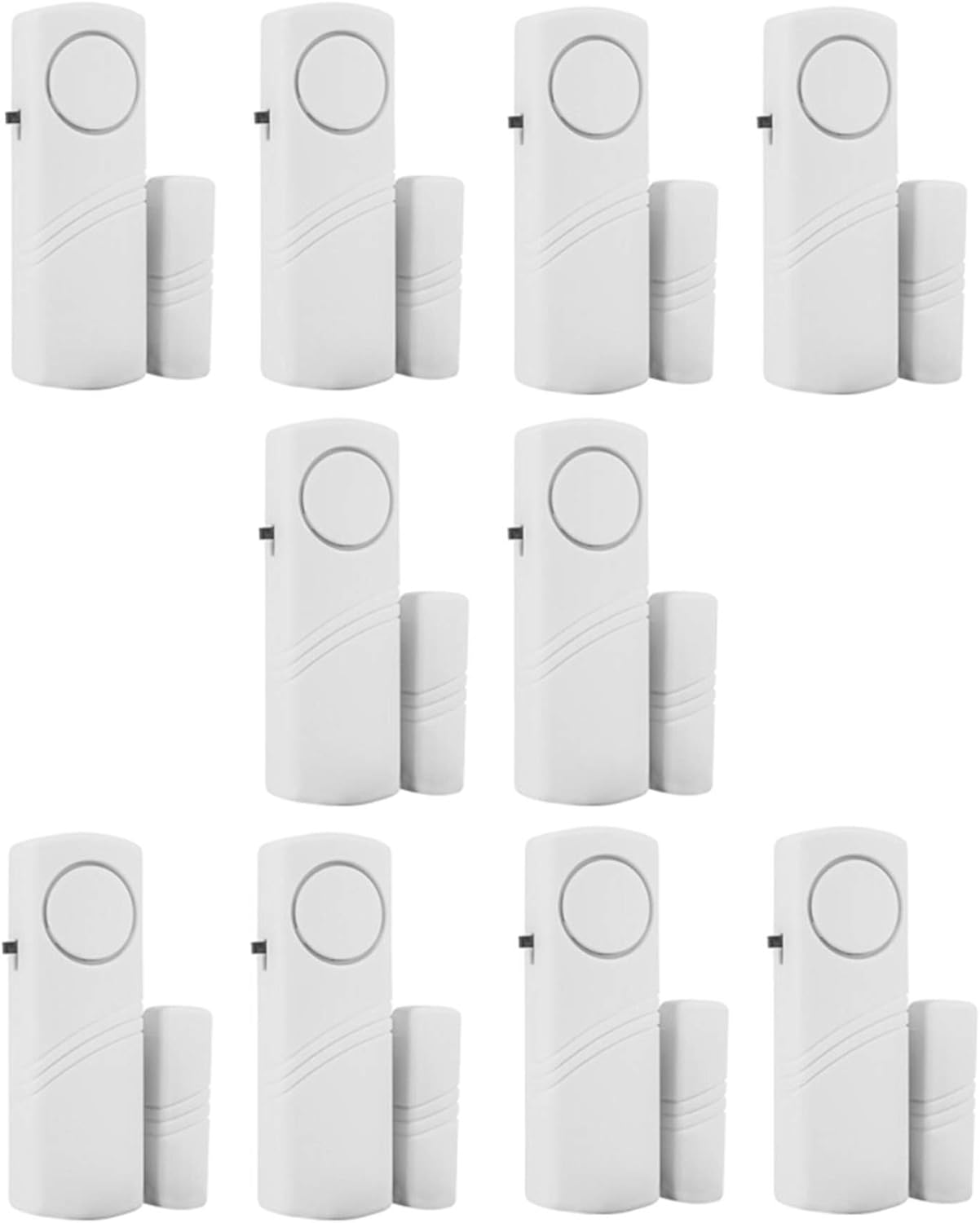
Image: Multiple HIIXHC Personal Security Window & Door Alarm Bell units, each consisting of a main alarm unit and a smaller magnetic sensor.
5. Setup
Follow these steps to set up your HIIXHC alarm system:
- Battery Installation:
- Gently slide open the battery compartment cover on the main alarm unit.
- Insert two (2) AAA batteries, ensuring correct polarity (+/-).
- Close the battery compartment cover securely.
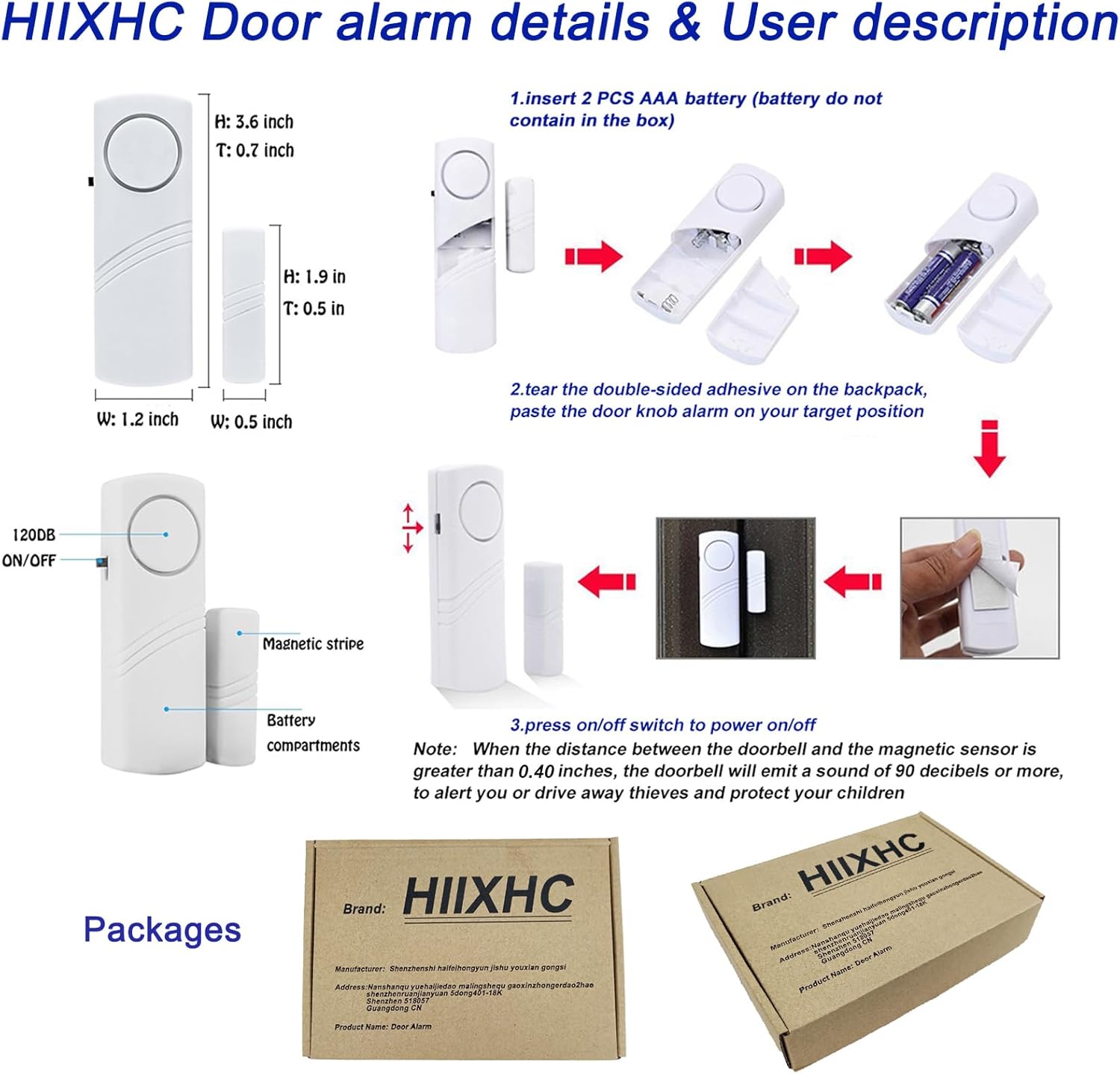
Image: A detailed diagram illustrating the process of inserting two AAA batteries into the main alarm unit and the subsequent steps for mounting the alarm and magnetic sensor on a door or window frame.
- Mounting the Alarm:
- Identify the desired location on your door or window frame. Ensure the surface is clean and dry.
- Peel off the protective backing from the double-sided adhesive on the back of both the main alarm unit and the magnetic sensor unit.
- Attach the main alarm unit to the door or window frame.
- Attach the magnetic sensor unit to the moving part of the door or window (the door itself or the window sash).
- Crucial Alignment: Position the magnetic sensor unit directly adjacent to the main alarm unit. The distance between the two parts must be less than 0.59 inches (approximately 1.5 cm) when the door or window is closed. Proper alignment ensures the alarm functions correctly.

Image: A HIIXHC alarm unit and its magnetic sensor mounted on a door frame, demonstrating proper placement for detection.
6. Operating Instructions
- Power On/Off: Locate the ON/OFF switch on the side of the main alarm unit. Slide the switch to the 'ON' position to activate the alarm. Slide it to the 'OFF' position to deactivate.
- Alarm Trigger: When the alarm is active (ON position) and the door or window is opened, the main alarm unit and the magnetic sensor unit will separate. If the distance between them exceeds 0.59 inches, the alarm will emit a loud sound (90 dB or more).
- Alarm Reset: The alarm will stop sounding when the door or window is closed, bringing the main unit and magnetic sensor back within the 0.59-inch proximity.

Image: A visual representation of the alarm's operation, showing the alarm activated when the two parts of the sensor are separated and stopped when they are recombined.

Image: An illustration depicting the HIIXHC alarm sounding loudly within a room, indicating its high decibel output.
7. Maintenance
- Battery Replacement: When the alarm sound becomes weak or inconsistent, it is time to replace the batteries. Follow the battery installation steps (Section 5.1).
- Cleaning: Wipe the alarm units with a soft, dry cloth. Do not use abrasive cleaners or immerse the units in water.
- Adhesive Check: Periodically check the adhesive pads to ensure the units remain securely attached. If an alarm unit falls off, clean the surface and reapply with new strong double-sided adhesive if necessary.
8. Troubleshooting
| Problem | Possible Cause | Solution |
|---|---|---|
| Alarm does not sound when door/window opens. | 1. Batteries are dead or incorrectly installed. 2. Alarm is in 'OFF' position. 3. Magnetic sensor is too far from the main unit. | 1. Replace batteries and check polarity. 2. Slide switch to 'ON'. 3. Re-position units to ensure gap is less than 0.59 inches. |
| Alarm sounds weakly or intermittently. | Low battery power. | Replace batteries. |
| Alarm unit falls off surface. | Adhesive is weak or surface was not clean. | Clean surface thoroughly and reapply with new, stronger double-sided adhesive. |
9. Specifications
- Model Number: C2I26-AP13065
- Power Source: 2 x AAA batteries (not included)
- Voltage: 3 Volts (DC)
- Noise Level: >= 90 Decibels
- Control Method: Touch (ON/OFF switch)
- Mounting Type: Adhesive (Door Mount, Window Mount)
- Maximum Sensor Range: 0.59 Inches (1.5 cm)
- Sensor Technology: Contact Sensor (Magnetic)
- Material: Plastic
- Product Dimensions: 1.2"L x 0.7"W x 3.6"H (Main Unit)
- Item Weight: 8 ounces (per unit, approximate)
10. Warranty and Support
For any questions, concerns, or support regarding your HIIXHC Personal Security Window & Door Alarm Bell, please contact the seller or manufacturer through your purchase platform. Please refer to your purchase documentation for specific warranty details.