Introduction
This manual provides essential information for the safe and effective use of your TPLTECH 2-Prong C7 Universal Power Cable. This 6-foot power cord is designed to provide reliable power to various electronic devices, including gaming consoles, TVs, printers, and speakers that utilize a C7 figure-8 power connector.
Product Features
- Universal Compatibility: Compatible with devices requiring a 2-prong C7 figure-8 power connector.
- UL Listed Safety: Tested, approved, and certified by UL to ensure safety standards are met.
- Durable Construction: Built with pure copper wire and a heavy-duty flame-retardant cable jacket for long-lasting use.
- Stable Power Delivery: Features 18 AWG wire for consistent power supply.
- Length: 6 feet (1.8 meters) for flexible placement.
Compatibility
This power cord is compatible with a wide range of devices that use a non-polarized 2-prong C7 figure-8 power connector. This includes, but is not limited to:
- Sony PlayStation Consoles: PS5, PS5 Slim, PS5 Pro, PS4, PS4 Slim, PS3 Slim, PS3 Super Slim
- Microsoft Xbox Consoles: Xbox Series S, Xbox Series X, Xbox One S, Xbox One X
- Most TVs, Printers, Speakers, and other devices with a 2-pin power connector.

Image: Visual representation of the 2-prong C7 connector and compatible devices like PS5, PS4 Slim, PS3 Slim, Xbox Series S, Xbox Series X, Xbox One S/X.
Important Note: This power cord is not compatible with original Xbox One, original PS3, PS4 Pro, or PS2 consoles, as these models typically use different power connectors. Always verify the power input port of your device before connecting.
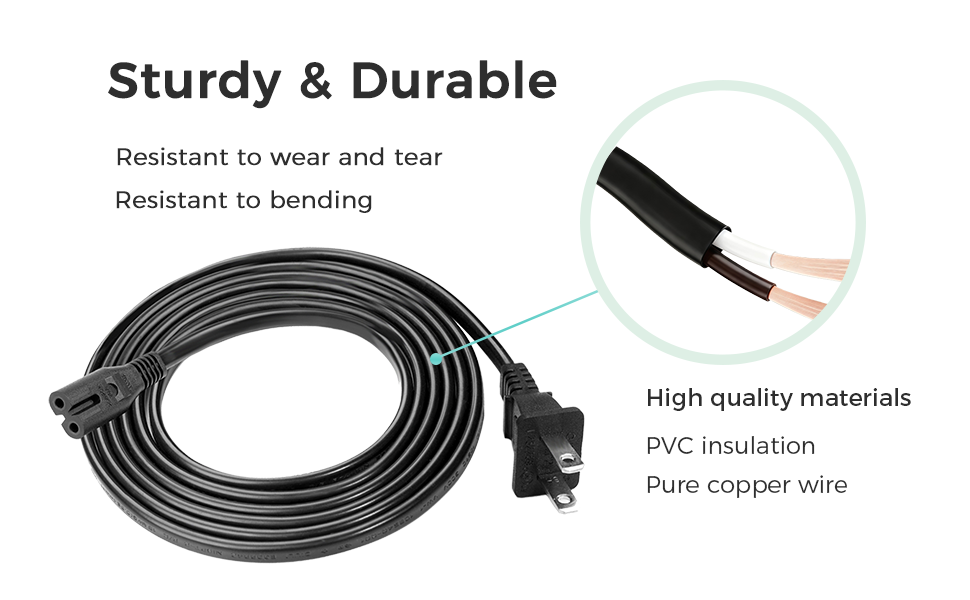
Image: Visual guide indicating devices that are not compatible with this specific 2-prong power cord.
Setup
- Identify Connectors: Ensure your device requires a 2-prong C7 figure-8 connector. The TPLTECH power cord features a standard 2-prong US wall plug on one end and a C7 figure-8 connector on the other.
- Connect to Device: Carefully insert the C7 figure-8 connector into the power input port of your electronic device. Ensure a snug fit.
- Connect to Power Outlet: Plug the standard 2-prong US wall plug into a grounded electrical outlet.
- Power On: Once both ends are securely connected, you may power on your device.

Image: The TPLTECH power cord, illustrating the two distinct connector types for device and wall outlet.
Operating Instructions
The TPLTECH power cord is designed for simple plug-and-play operation. Once correctly connected, it will supply power to your compatible device. No additional configuration is required for the power cord itself.
- Ensure the power cord is not kinked, pinched, or placed under heavy objects to prevent damage.
- Avoid exposing the cord to extreme temperatures or moisture.
- Always grasp the plug firmly when inserting or removing it from an outlet or device; do not pull on the cable itself.
Maintenance
To ensure the longevity and safe operation of your TPLTECH power cord, follow these maintenance guidelines:
- Cleaning: Disconnect the power cord from both the device and the wall outlet before cleaning. Wipe the cord with a dry, soft cloth. Do not use liquid cleaners or abrasive materials.
- Storage: When not in use, coil the cable loosely. Avoid tight coiling or bending at sharp angles, which can damage the internal wires. Store in a cool, dry place away from direct sunlight.
- Inspection: Periodically inspect the cable for any signs of wear, cuts, fraying, or damage to the insulation or connectors. If any damage is observed, discontinue use immediately and replace the cable.
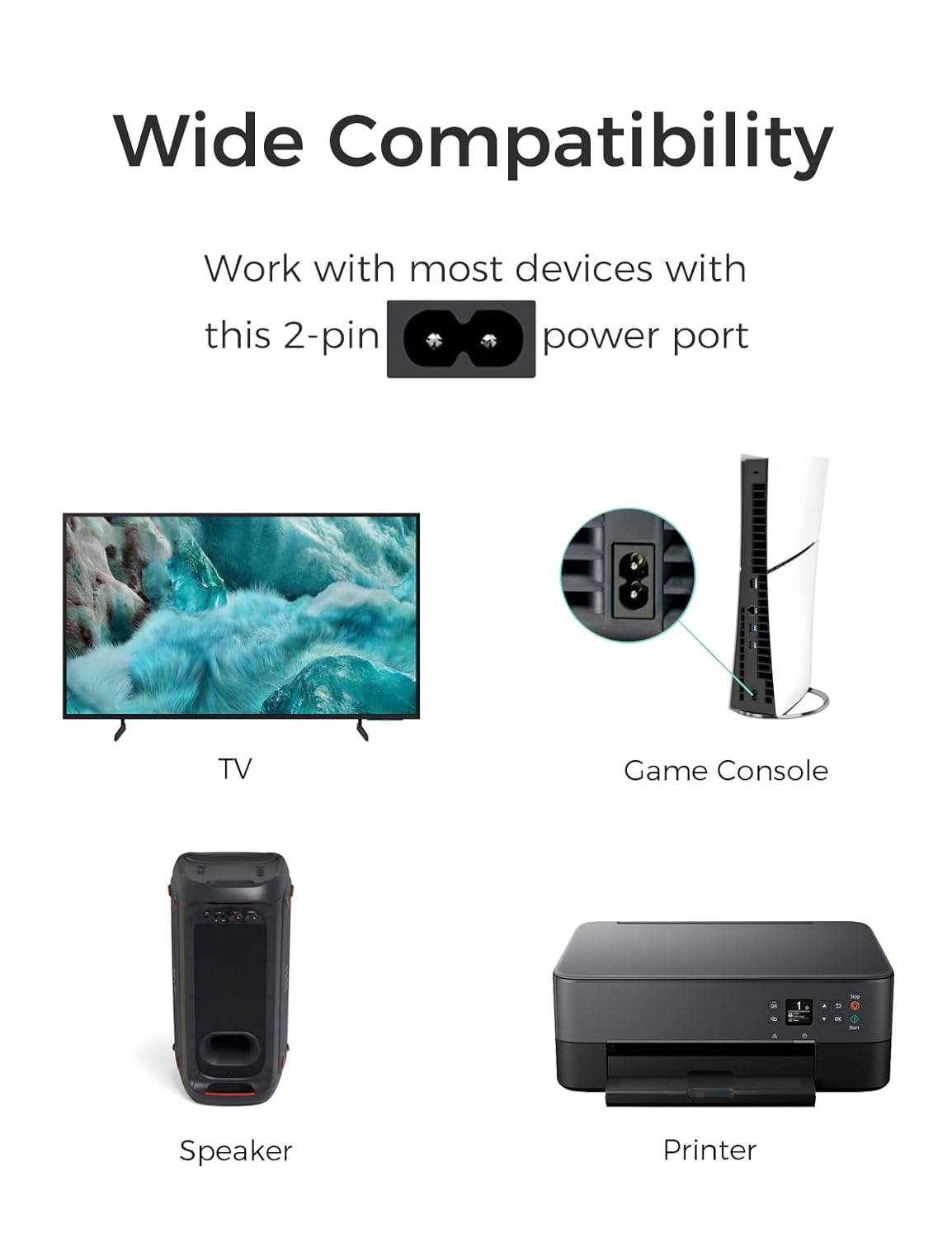
Image: The power cord's robust construction, designed for durability and resistance to wear.
Troubleshooting
If your device is not receiving power after connecting the TPLTECH power cord, consider the following:
- Check Connections: Ensure both the C7 connector and the wall plug are fully and securely inserted into their respective ports.
- Verify Outlet Functionality: Test the electrical outlet with another known working device to confirm it is supplying power.
- Inspect Cable for Damage: Look for any visible damage to the power cord, such as cuts, kinks, or exposed wires. If damaged, replace the cord.
- Device Power Button: Confirm that the device's power button has been pressed and is functioning correctly.
- Compatibility Check: Double-check that your device uses a 2-prong C7 figure-8 power input. Refer to your device's manual if unsure.
If the issue persists after these steps, consult your device's manufacturer for further assistance or consider replacing the power cord.
Specifications
| Model Number | E365822 |
| Cable Length | 6 Feet (approx. 1.8 meters) |
| Power Cord Type | Non-Polarized 2-Prong C7 Figure-8 Power Cord |
| Voltage | 125 Volts |
| Input Current | 7 Amps |
| Gauge | 18 AWG (American Wire Gauge) |
| Connectors | C7 Figure 8 to NEMA 1-15P |
| Safety Certification | UL Listed |
| Color | Black |
| Manufacturer | TPLTECH |
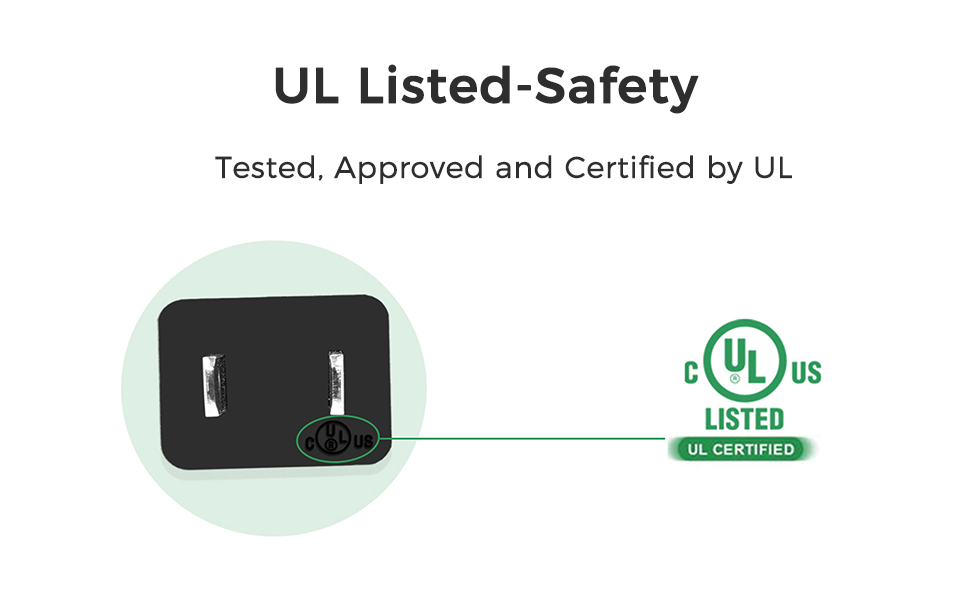
Image: The UL Listed certification mark, signifying that the product meets recognized safety standards.
Warranty and Support
For warranty information or technical support regarding your TPLTECH power cord, please refer to the purchase documentation or contact TPLTECH customer service directly. Standard return policies typically allow for returns or replacements within 30 days of purchase, but specific warranty terms may vary.
Manufacturer: TPLTECH