
Introduction
This manual provides essential information for the setup, operation, maintenance, and troubleshooting of your Kronaby S0658/1 Hybrid Smartwatch. The Kronaby S0658/1 combines the timeless elegance of an analog watch with modern smart functionalities, designed for daily convenience and style.
Your Kronaby S0658/1 features a durable sapphire crystal, a comfortable brown leather strap, and is water-resistant up to 10 ATM. It offers smart features such as music control, step counting, notifications, and call rejection, all managed discreetly without a digital screen.
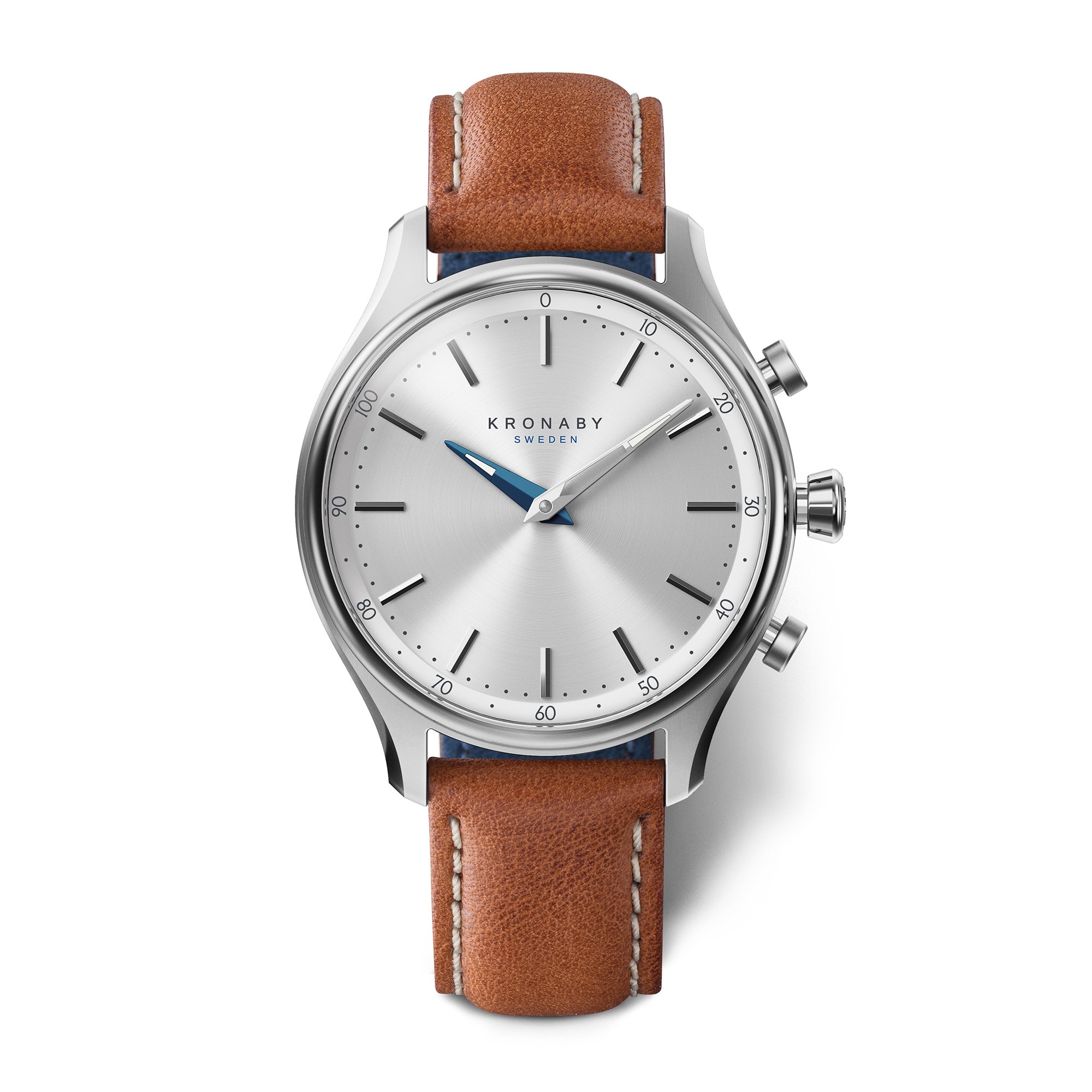
Figure 1: Front view of the Kronaby S0658/1 Hybrid Smartwatch, showcasing its silver dial, blue hands, and brown leather strap.
Setup
- Unboxing: Carefully remove the watch and its accessories from the packaging.
- Battery Activation: The watch comes with a pre-installed battery. If the watch is not running, ensure any protective plastic tabs are removed from the crown or battery compartment if present.
- Download the Kronaby App: Search for the official Kronaby app on your smartphone's app store (iOS or Android). Install the application.
- Pairing: Open the Kronaby app and follow the on-screen instructions to pair your S0658/1 smartwatch with your smartphone via Bluetooth. This typically involves pressing a button on the watch to initiate pairing.
- Personalization: Within the app, you can customize your watch's smart functions, set notification preferences, and configure button actions.
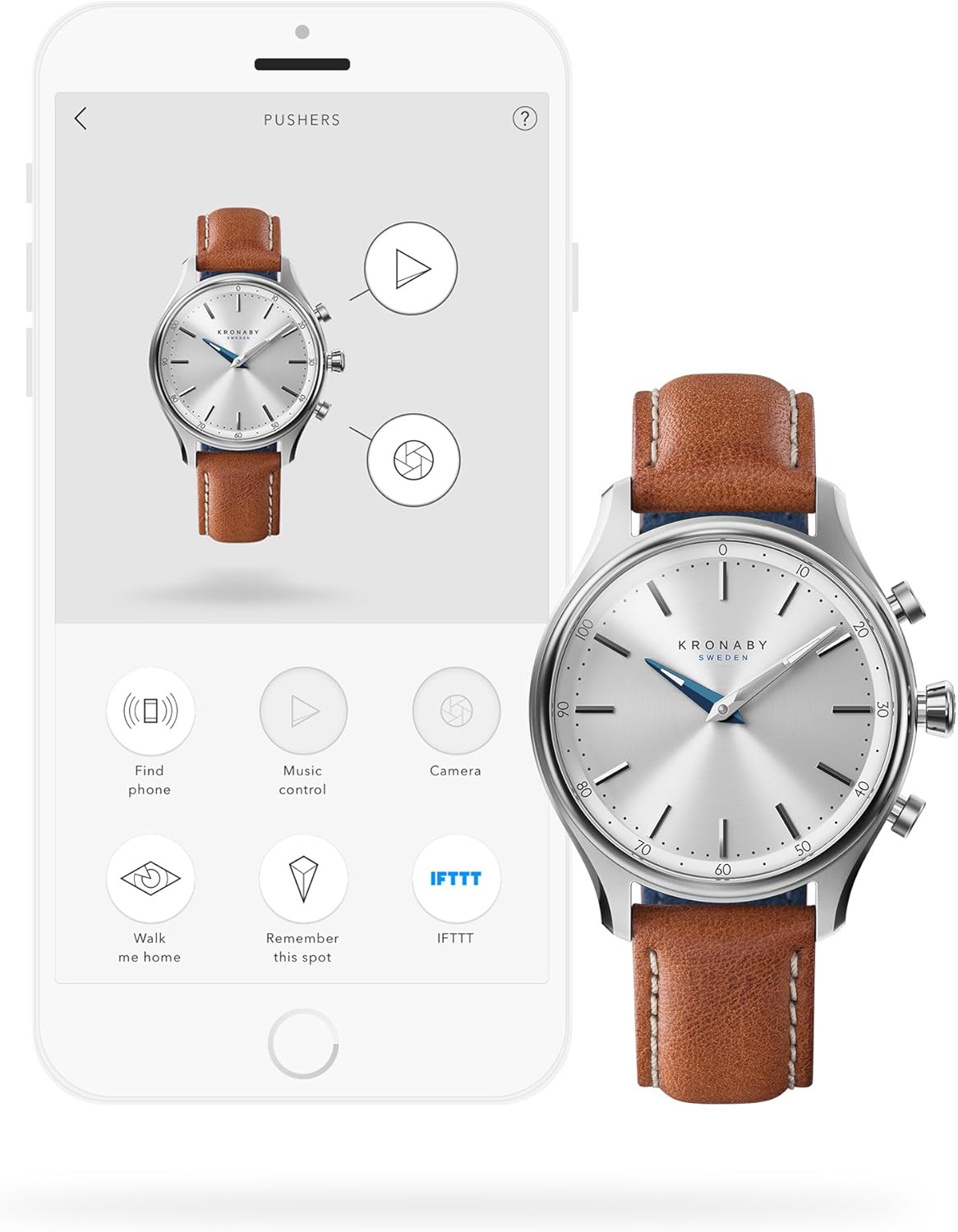
Figure 2: The Kronaby S0658/1 Hybrid Smartwatch displayed alongside a smartphone showing the Kronaby app interface, illustrating the customization options for pushers and smart functions like 'Find phone', 'Music control', and 'Camera'.
Operating Your Smartwatch
The Kronaby S0658/1 operates as a traditional analog watch while providing smart functionalities through its connected app and physical buttons (pushers).
Timekeeping
The watch automatically synchronizes its time with your paired smartphone, ensuring accurate timekeeping wherever you are.
Smart Functions
Your Kronaby S0658/1 offers various smart features accessible through the Kronaby app and configurable pushers on the watch:
- Notifications: Receive discreet alerts for calls, messages, and app notifications. The watch uses vibrations and hand movements to indicate alerts without a distracting screen.
- Activity Tracking: Monitor your daily steps and activity levels. Data is synced to the Kronaby app for detailed insights.
- Music Control: Control music playback on your smartphone directly from your watch.
- Find Phone: Activate an alarm on your smartphone to help locate it.
- Camera Remote: Use a watch button as a remote shutter for your smartphone camera.
- Customizable Buttons: Assign specific functions to the watch's pushers via the Kronaby app for quick access to your most used features.
Maintenance
Water Resistance
Your Kronaby S0658/1 is water-resistant up to 10 ATM (100 meters). This means it is suitable for swimming, snorkeling, and showering. However, it is not recommended for scuba diving or high-impact water sports. Avoid operating the pushers while the watch is wet or submerged to prevent water ingress.
Strap Care
The watch features a genuine leather strap. To maintain its quality and appearance:
- Avoid prolonged exposure to water, direct sunlight, and extreme temperatures.
- Clean the strap with a soft, damp cloth. Do not use harsh chemicals or abrasive cleaners.
- Allow the strap to air dry naturally if it gets wet.
Crystal Care
The sapphire crystal is highly scratch-resistant. Clean it with a soft, lint-free cloth to remove smudges and dirt. For stubborn marks, a slightly damp cloth can be used.
Battery Replacement
The Kronaby S0658/1 uses a standard watch battery. When the battery is low, the Kronaby app will notify you. Battery replacement should ideally be performed by a qualified watch technician to ensure proper sealing and maintain water resistance.

Figure 3: Back and side view of the Kronaby S0658/1 Hybrid Smartwatch, showing the engraved case back with 'KRONABY SWEDEN', 'SAPPHIRE CRYSTAL', 'WATER-RESISTANT 10 BAR / 100 M', and the watch's pushers.
Troubleshooting
- Watch not connecting to phone: Ensure Bluetooth is enabled on your phone and the watch is within range. Check if the Kronaby app is running in the background. Try restarting both your phone and the watch.
- Notifications not working: Verify notification permissions for the Kronaby app in your phone's settings. Ensure the watch is paired and connected. Check the app settings for specific notification preferences.
- Incorrect time: The watch should automatically sync time with your phone. If the time is incorrect, ensure the watch is properly paired and connected to the app.
- Battery life issues: If the battery drains quickly, check for excessive app usage or frequent disconnections/reconnections. Ensure the battery is not old and consider professional replacement if issues persist.
- Buttons unresponsive: Ensure the watch battery is not depleted. If the issue persists, try re-pairing the watch with the app.
For further assistance, refer to the Kronaby app's help section or contact customer support.
Specifications
| Feature | Specification |
|---|---|
| Model Number | S0658/1 |
| Display Type | Analog |
| Movement Type | Quartz |
| Case Material | Stainless Steel |
| Case Diameter | 38.00 mm |
| Case Thickness | 13 mm |
| Crystal Type | Sapphire Crystal |
| Strap Material | Leather |
| Strap Width | 18 mm |
| Water Resistance | 10 ATM (100 Meters) |
| Power Source | Battery (1 specific product battery needed, included) |
| Weight | 85 Grams |
| Special Features | Alarm, Date (Datum) |
Warranty and Support
Warranty Information
Your Kronaby S0658/1 Hybrid Smartwatch is covered by a manufacturer's warranty. Please retain your proof of purchase for warranty claims. Details regarding the duration and terms of the warranty can typically be found on the official Kronaby website or within the product packaging.
Customer Support
For technical support, troubleshooting assistance beyond this manual, or warranty inquiries, please visit the official Kronaby website or contact their customer service department. Contact information can usually be found on the brand's website or in the documentation included with your watch.


