
1. Product Overview
This Digipartspower AC DC Adapter is designed to provide reliable power to your BlackVue DR500GW-HD, DR550GW-2CH, or DR3500-FHD Dash CAM. It converts standard AC wall power to the DC power required by your device, ensuring consistent operation. The adapter is compact and portable, making it suitable for home or travel use.
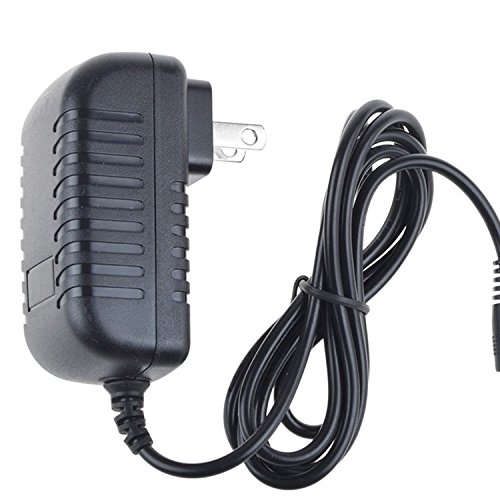
Image 1.1: The Digipartspower AC DC Adapter, showing the main unit and attached power cord.
2. Safety Information
- Compatibility Check: Before connecting, always verify the socket size, power consumption, and polarity requirements of your device to ensure proper fit and function. Incorrect usage may cause damage or prevent operation.
- Protection Features: This adapter includes built-in safety mechanisms such as Over Current Protection (OCP), Over Voltage Protection (OVP), Over Temperature Protection (OTP), and Short Circuit Protection (SCP) to safeguard your devices.
- Indoor Use Only: This adapter is intended for indoor use in dry environments. Do not expose to water, moisture, or extreme temperatures.
- Ventilation: Ensure adequate ventilation around the adapter during use to prevent overheating.
3. Setup and Installation
Follow these steps to properly connect your AC DC adapter to your BlackVue Dash CAM:
- Identify Device Port: Locate the power input port on your BlackVue DR500GW-HD, DR550GW-2CH, or DR3500-FHD Dash CAM. This is typically a round DC jack.
- Connect Adapter to Device: Carefully insert the adapter's output plug into the power input port of your dash cam. Ensure a firm and secure connection.
- Connect to Power Outlet: Plug the adapter's AC prongs into a standard 120 Volts (AC) wall outlet.
- Verify Power: Once connected, your dash cam should power on, indicating a successful connection.

Image 3.1: A side view of the AC DC adapter, showing the plug and the cable leading to the device connector.
4. Operating Instructions
The Digipartspower AC DC Adapter operates automatically once connected to a power source and your compatible BlackVue Dash CAM. It provides continuous power to your device. No further user interaction is required for its operation.
5. Maintenance
- Cleaning: Disconnect the adapter from the power outlet and your device before cleaning. Use a soft, dry cloth to wipe the exterior. Do not use liquid cleaners or solvents.
- Storage: When not in use, store the adapter in a cool, dry place, away from direct sunlight and extreme temperatures. Avoid tightly coiling the cable to prevent damage.
- Inspection: Periodically inspect the adapter and cable for any signs of damage, such as frayed wires or cracked casing. If damage is found, discontinue use and replace the adapter.
6. Troubleshooting
| Issue | Possible Cause | Solution |
|---|---|---|
| Device not powering on. | Loose connection, incompatible specifications, faulty outlet. | Ensure all connections are secure. Verify the adapter's specifications (voltage, current, polarity, connector type) match your device's requirements. Test the wall outlet with another device. |
| Adapter feels hot during use. | Normal operation, insufficient ventilation, overloaded circuit. | A slight warmth is normal. Ensure the adapter has adequate airflow. If it becomes excessively hot, disconnect immediately and check for compatibility or potential damage. |
| Intermittent power to device. | Loose connection, damaged cable/adapter. | Check all connections for tightness. Inspect the cable and adapter for any visible damage. Replace if damage is found. |
7. Specifications
| Feature | Detail |
|---|---|
| Brand | Digipartspower |
| Input Voltage | 120 Volts (AC) |
| Connector Type | Round |
| Main Power Connector Type | 2 Pin (US Standard) |
| Color | Black |
| Special Features | Over Current Protection (OCP), Over Voltage Protection (OVP), Over Temperature Protection (OTP), Short Circuit Protection (SCP), Portable Design |
| Compatible Devices | BlackVue DR500GW-HD, DR550GW-2CH, DR3500-FHD Dash CAMs |
| Mounting Type | Wall Mount |
8. Warranty and Support
This Digipartspower AC DC Adapter comes with a 3-year warranty from the date of purchase. This warranty covers manufacturing defects and ensures the product meets its specified performance standards under normal use.
For technical support, warranty claims, or any questions regarding your product, please contact Digipartspower customer service through the retailer where the product was purchased or visit the official Digipartspower website for contact information.