Introduction
Thank you for purchasing the Acce2S Forever Micro USB Wall Charger. This manual provides essential information for the safe and efficient use of your charger. Please read it thoroughly before use and keep it for future reference.
Safety Information
To ensure safe operation and prevent damage, please observe the following safety precautions:
- Do not expose the charger to water, moisture, or extreme temperatures.
- Do not disassemble, modify, or attempt to repair the charger.
- Use only with compatible devices as specified.
- Keep out of reach of children.
- Unplug the charger from the power outlet when not in use or during electrical storms.
- Ensure the power outlet voltage matches the charger's specifications.
Product Overview
The Acce2S Forever Micro USB Wall Charger is designed to provide fast and safe charging for your compatible devices. It features a compact design and a durable flat cable.

Image: The Acce2S Forever Micro USB Wall Charger, showing the wall plug adapter and the integrated micro USB cable.
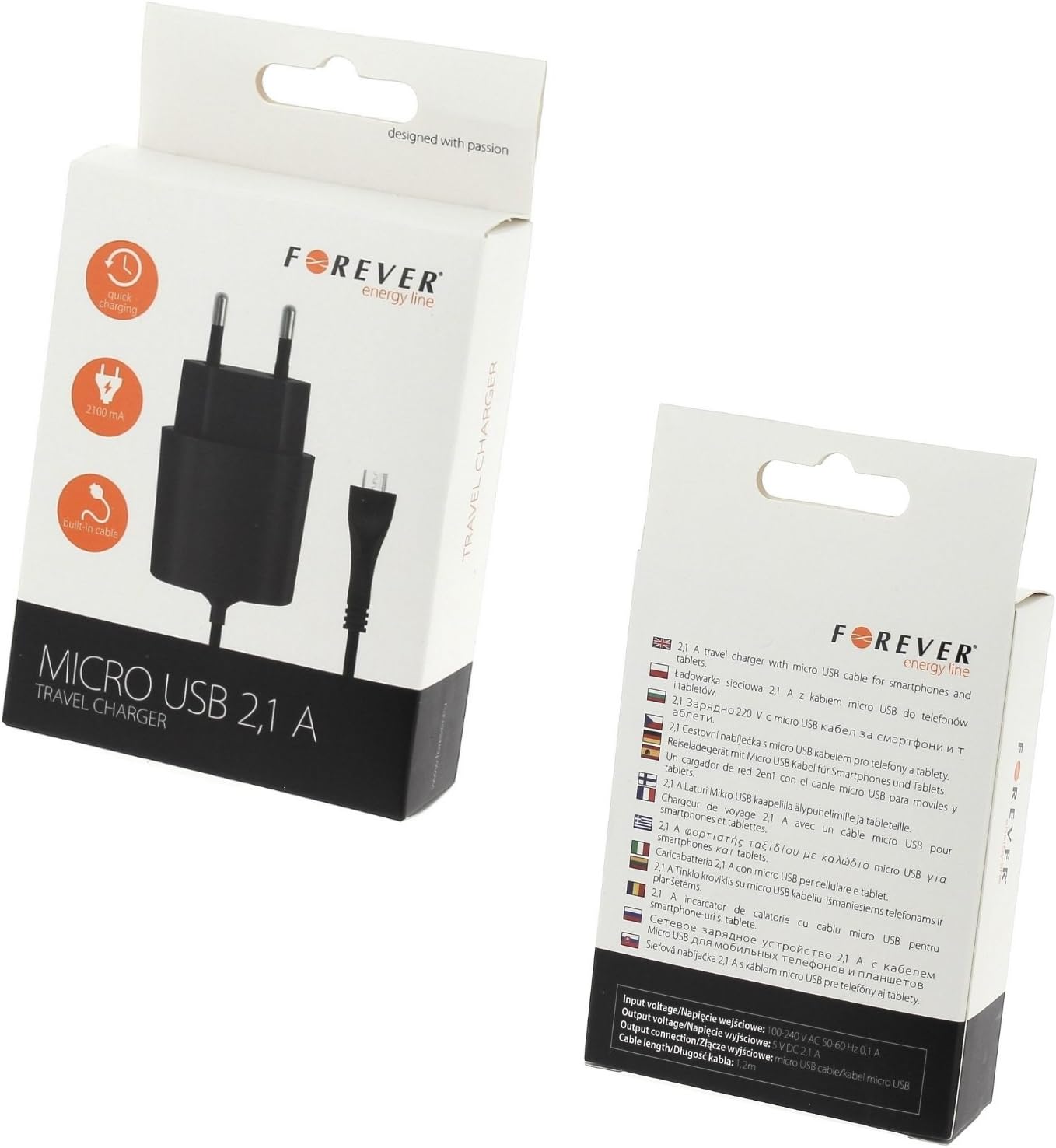
Image: The retail packaging for the Acce2S Forever Micro USB Wall Charger, highlighting its features.
Setup
- Unpack the Charger: Carefully remove the charger from its packaging.
- Inspect for Damage: Before first use, visually inspect the charger and cable for any signs of damage. Do not use if damaged.
- Connect to Power: Plug the charger's wall plug into a standard electrical outlet.
- Connect to Device: Insert the micro USB connector into the charging port of your compatible device (e.g., MOBIWIRE Ogima).

Image: The charger with its 110 cm (1.1 meter) flat cable, illustrating the length for convenient setup.
Operating Instructions
- Once connected, the charger will automatically begin charging your device.
- A charging indicator light on the charger will illuminate during operation.
- The charger is designed for fast and safe charging with an output of DC 5-10V, 2100 mA.
- Disconnect the charger from your device once charging is complete.
- Always unplug the charger from the wall outlet when not in use.
Maintenance
- Cleaning: Disconnect the charger from power before cleaning. Use a soft, dry cloth to wipe the surface. Do not use liquid cleaners or abrasive materials.
- Storage: Store the charger in a cool, dry place away from direct sunlight and extreme temperatures.
- Cable Care: Avoid bending or twisting the cable excessively, especially near the connectors, to prevent internal damage.
Troubleshooting
| Problem | Possible Cause | Solution |
|---|---|---|
| Charger not working / Device not charging | No power from outlet; Loose connection; Damaged charger/cable; Incompatible device. | Check power outlet with another device; Ensure all connections are secure; Inspect charger/cable for damage; Verify device compatibility (MOBIWIRE Ogima). |
| Slow charging | Device drawing too much power; Background apps running; Cable issue. | Close unnecessary apps on your device; Ensure cable is fully inserted; Try a different compatible cable if available (though this charger has an integrated cable). |
| Charger gets warm | Normal operation during charging; Overload. | Slight warmth is normal. If it becomes excessively hot, disconnect immediately and contact support. Ensure proper ventilation. |
Specifications
- Brand: acce2s
- Model Number: 31155
- Color: Black
- Connector Type: Micro USB
- Output: DC 5 - 10V, 2100 mA (2.1A)
- Cable Length: 1.10m (110 cm)
- Weight: 70g (charger block) / 80 Grams (item weight)
- Dimensions (charger block): 60x40x25 mm
- Special Feature: Fast Charging
- Compatible Devices: MOBIWIRE Ogima
- Certification: CE
Warranty and Support
This product comes with a 1-year warranty from the date of purchase. Please retain your proof of purchase for warranty claims.
For technical support or warranty inquiries, please contact your retailer or the manufacturer, Acce2S.
For more information, visit the official Acce2S website or refer to the product packaging.