
1. Introduction
This manual provides essential instructions for the installation, operation, and maintenance of your Kwikset Convert Smart Lock Conversion Kit. This kit transforms your existing deadbolt into a smart lock, offering enhanced security and convenience through smart home integration.
2. Product Overview
The Kwikset Convert Smart Lock Conversion Kit is designed to integrate with your existing deadbolt hardware, maintaining the exterior appearance of your door while adding smart functionality. It enables remote locking and unlocking, user code management, and compatibility with Amazon Alexa for voice control. The kit is part of the Amazon Key Edition, designed to work with the Amazon Key App and requires an Amazon Cloud Cam for full functionality.

Figure 2.1: Front view of the Kwikset Convert Smart Lock interior unit in Venetian Bronze, showing the turn piece and LED indicator.
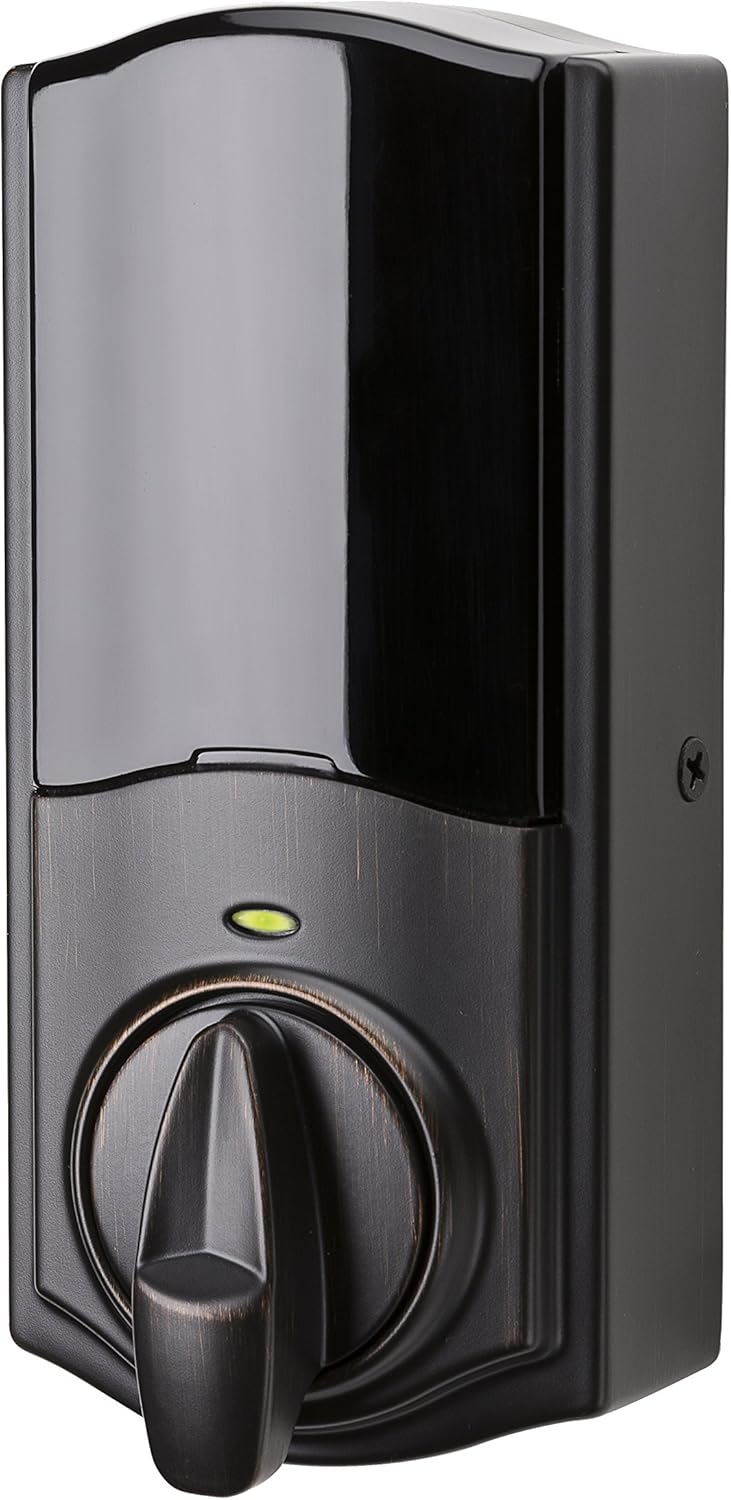
Figure 2.2: Angled view of the Kwikset Convert Smart Lock interior unit, highlighting its compact design.
3. Package Contents
Verify that all components are present before beginning installation:
- Kwikset Convert Interior Assembly
- Conversion hardware
- Installation Hardware
- Set-up Guide Insert
- 4 AA Batteries
4. Setup and Installation
The Kwikset Convert kit is designed for straightforward installation, typically requiring only a screwdriver. No new screw holes or hardwiring are necessary, as it utilizes your existing deadbolt mechanism.
4.1. Compatibility
This conversion kit is compatible with most standard deadbolts from Kwikset, Weiser, Baldwin Prestige, Baldwin Reserve, Baldwin Estate, and Schlage. It fits standard doors with a thickness between 1-3/8 inches and 2 inches. Ensure your existing deadbolt is mounted separately from the handle below it.
4.2. Installation Steps
For detailed, step-by-step installation instructions, please refer to the official Installation Manual (PDF). A general overview includes:
- Remove the interior thumb-turn assembly of your existing deadbolt.
- Install the Kwikset Convert mounting plate.
- Attach the Kwikset Convert interior assembly, ensuring proper alignment with the deadbolt's tailpiece.
- Install the included AA batteries.
- Perform the door handing process to calibrate the lock.
4.3. Smart Home Integration
This Kwikset Convert model (914 ZB-AMZ CONVERT 11P) utilizes Zigbee connectivity. To enable smart features, pair the lock with a compatible Zigbee hub, such as an Amazon Echo Plus or an Amazon Cloud Cam (required for Amazon Key Edition features). Follow the pairing instructions provided by your smart home hub manufacturer.
5. Operating Instructions
Once installed and paired, the Kwikset Convert offers multiple ways to control your door.
5.1. Manual Operation
The interior turn piece allows for manual locking and unlocking. Your original key can still be used with the exterior cylinder of your existing deadbolt as a backup.
5.2. Amazon Key App Control
Use the Amazon Key App to:
- Lock and unlock your door remotely from anywhere.
- Monitor your door's status and view motion clips (with Amazon Cloud Cam).
- Create and manage unique PIN codes for guests or service providers.
- Set schedules for access codes.
5.3. Voice Control with Amazon Alexa
If integrated with Amazon Alexa, you can use voice commands to lock and unlock your door. For unlocking, Alexa will typically require a spoken PIN for security.
5.4. Automatic Locking
The lock can be configured to automatically lock after 30 seconds. Refer to the Amazon Key App settings or the User Guide for instructions on enabling or disabling this feature.
5.5. SmartKey Security Re-Keying
The Kwikset Convert is compatible with SmartKey Security, allowing you to re-key your lock yourself in seconds. This is useful if you move, lose keys, or want one key for multiple Kwikset locks.

Figure 5.1: SmartKey Security feature allows for easy re-keying of the lock using a reset tool and a new key.
6. Maintenance
6.1. Battery Replacement
The Kwikset Convert operates on 4 AA batteries. When batteries are low, the lock will provide an indicator (e.g., an LED flash or audible alert). Replace all four batteries simultaneously with new, high-quality alkaline AA batteries for optimal performance. Do not mix old and new batteries or different battery types.
6.2. Cleaning
Clean the lock's exterior with a soft, damp cloth. Avoid abrasive cleaners or solvents, as these can damage the finish and electronic components.
7. Troubleshooting
For common issues and solutions, refer to the comprehensive User Guide (PDF). Below are some general troubleshooting tips:
- Lock Not Responding: Check battery levels. Ensure the lock is within range of your Zigbee hub and that the hub is powered on and functioning correctly.
- Difficulty Locking/Unlocking: Verify that the door frame and strike plate are properly aligned and that there is no obstruction preventing the deadbolt from extending fully. Re-run the door handing process if necessary.
- App Connectivity Issues: Ensure your smartphone has an active internet connection and that the Amazon Key App is updated to the latest version. Confirm your Amazon Cloud Cam (if used) is online and connected.
- PIN Code Not Working: Double-check the PIN code entry. Ensure the code is active and within its scheduled access time.
8. Specifications
| Brand | Kwikset |
| Model Number | 99140-112 |
| Part Number | 914 ZB-AMZ CONVERT 11P |
| Lock Type | Conversion Kit |
| Special Feature | Smart Lock |
| Color | Venetian Bronze |
| Material | Bronze |
| Dimensions (L x W x H) | 5.86 x 2.8 x 10.42 inches |
| Item Weight | 1 pound |
| Connectivity Protocol | Zigbee |
| Controller Type | Amazon Alexa, Vera |
| Power Source | 4 AA Batteries (Included) |
| Door Thickness Compatibility | 1-3/8 in. to 2 in. |
| UPC | 883351625555 |
9. Warranty Information
The Kwikset Convert Smart Lock Conversion Kit comes with a lifetime mechanical and finish warranty, ensuring the durability and appearance of the lock's physical components. Additionally, it includes a 1-year electronics warranty covering any defects in the electronic parts from the date of purchase.
For full warranty details and to make a claim, please visit the official Kwikset website or contact Kwikset customer support.
10. Customer Support
Should you require further assistance, have questions about your Kwikset Convert Smart Lock, or need to report an issue, please contact Kwikset customer support. You can find contact information and additional resources on the official Kwikset website or through the Amazon product support page.
For more Kwikset products and information, visit the Kwikset Store on Amazon.